
1. Introduction
Thank you for choosing the Toursor Electric Scooter X14. This manual provides essential information for the safe assembly, operation, maintenance, and troubleshooting of your new electric scooter. Please read this manual thoroughly before your first ride to ensure optimal performance and safety. Keep this manual for future reference.
2. Safety Instructions
Your safety is paramount. Operating an electric scooter carries inherent risks. Always adhere to the following safety guidelines:
- Wear Protective Gear: Always wear a helmet, knee pads, elbow pads, and appropriate footwear.
- Check Before Ride: Before each use, inspect the brakes, tires (for pressure and wear), lights, and ensure all fasteners are tight.
- Obey Traffic Laws: Follow all local traffic laws and regulations. Ride defensively and be aware of your surroundings.
- Avoid Hazardous Conditions: Do not ride in heavy rain, snow, ice, or on slippery surfaces. Avoid riding at night without proper lighting.
- Weight Limit: Do not exceed the maximum weight limit of 440 lbs (200 kg).
- Age Restriction: This scooter is designed for adults.
- No Stunts: Avoid aggressive riding, jumps, or stunts.
- Proper Braking: Familiarize yourself with the hydraulic disc brakes. Practice braking in a safe, open area.
- Charging Safety: Use only the provided chargers. Do not overcharge the battery. Charge in a well-ventilated area away from flammable materials.
3. Package Contents
Upon opening your package, please verify that all the following items are included:
- 1 x Toursor Electric Scooter X14
- 1 x Tool Kit
- 2 x Standard Chargers
- 1 x Instruction Manual (this document)
- Keys for ignition
- Remote control for LED lights

4. Product Overview & Features
The Toursor Electric Scooter X14 is a high-performance, foldable electric scooter designed for adults, featuring robust construction and advanced capabilities for various terrains.
4.1 Key Features
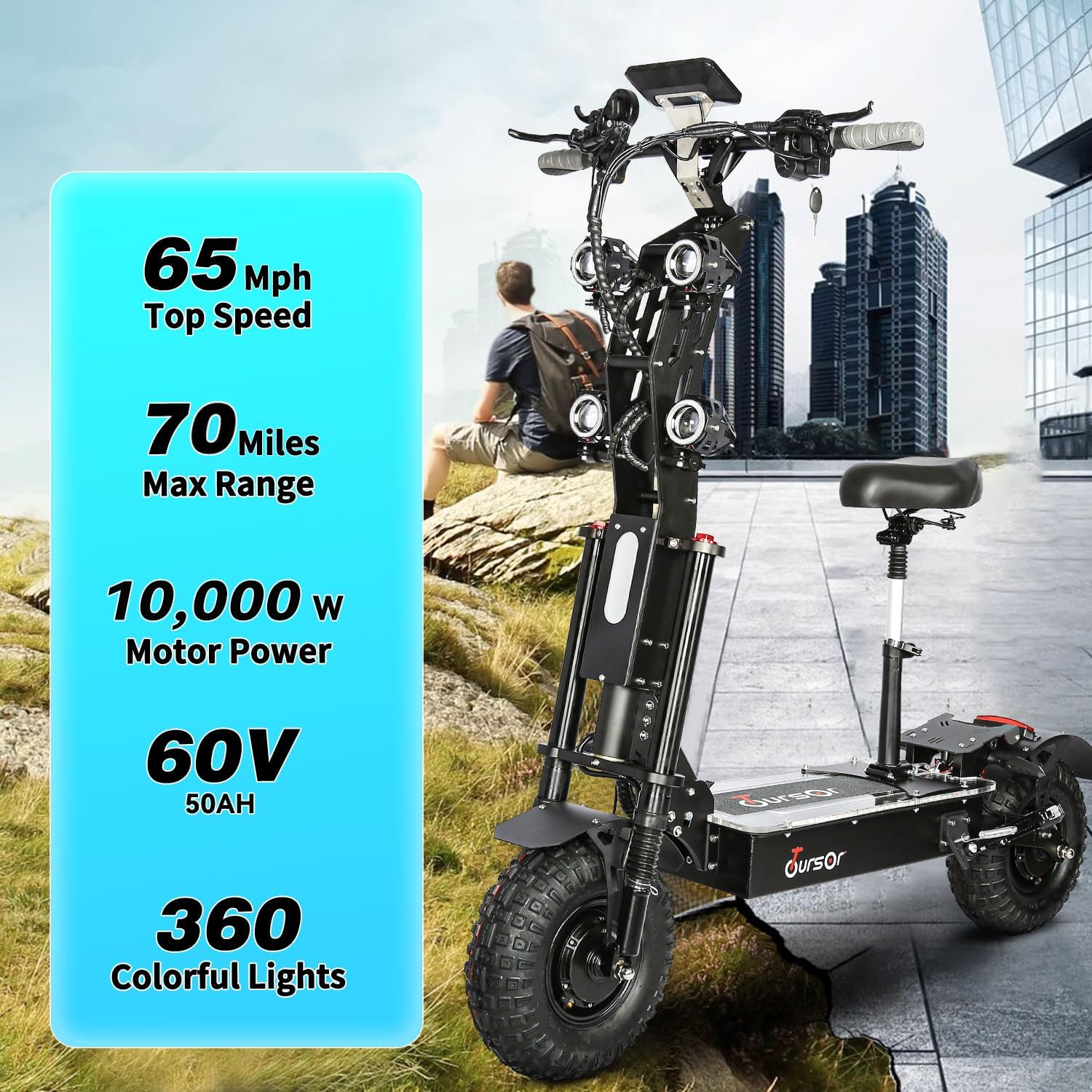
- Powerful Dual Motors: Equipped with two 5000W brushless hub motors, totaling 10000W for high speed and climbing ability.
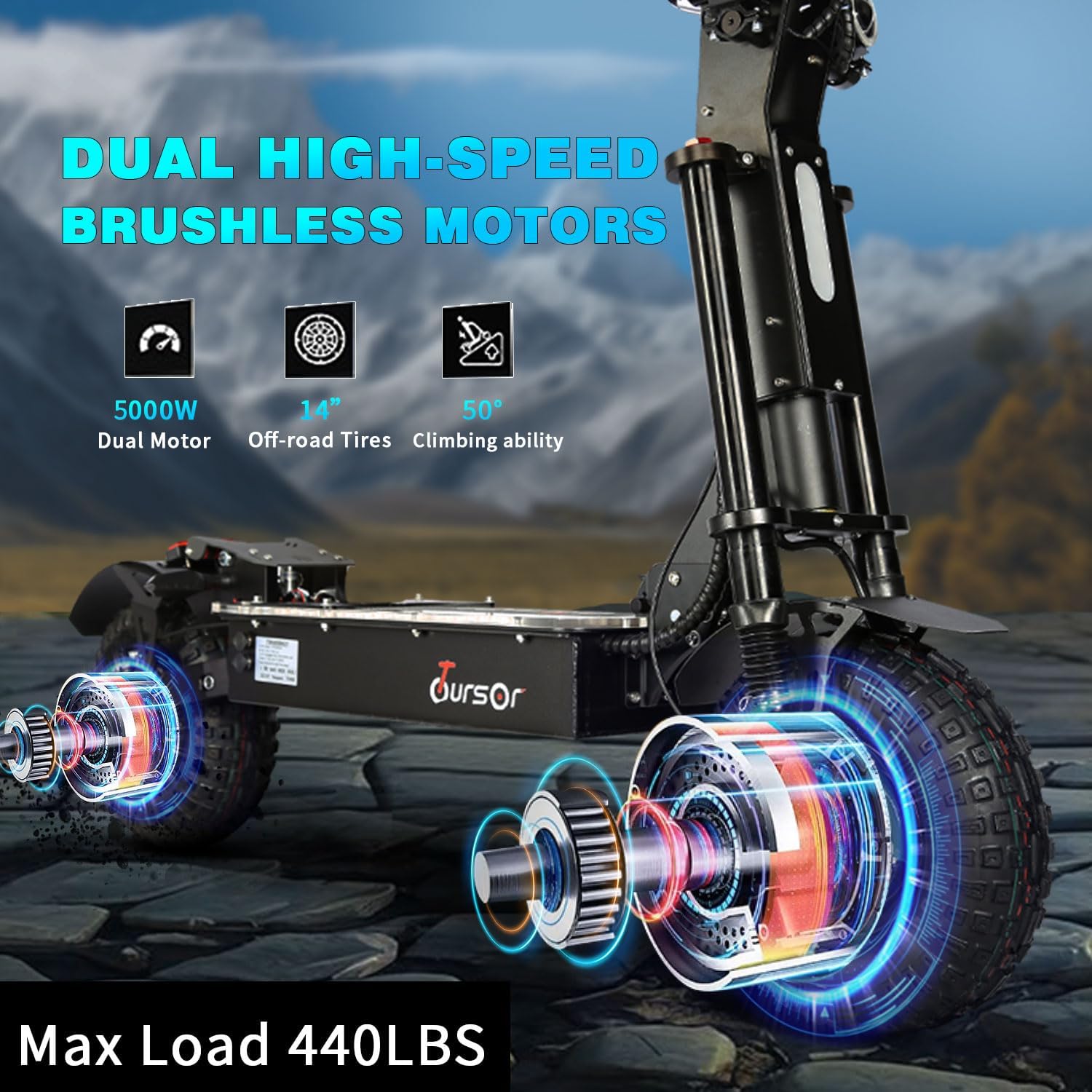
- Long-Range Battery: A 72V 40Ah Lithium Battery provides a range of up to 75 miles on a single charge.
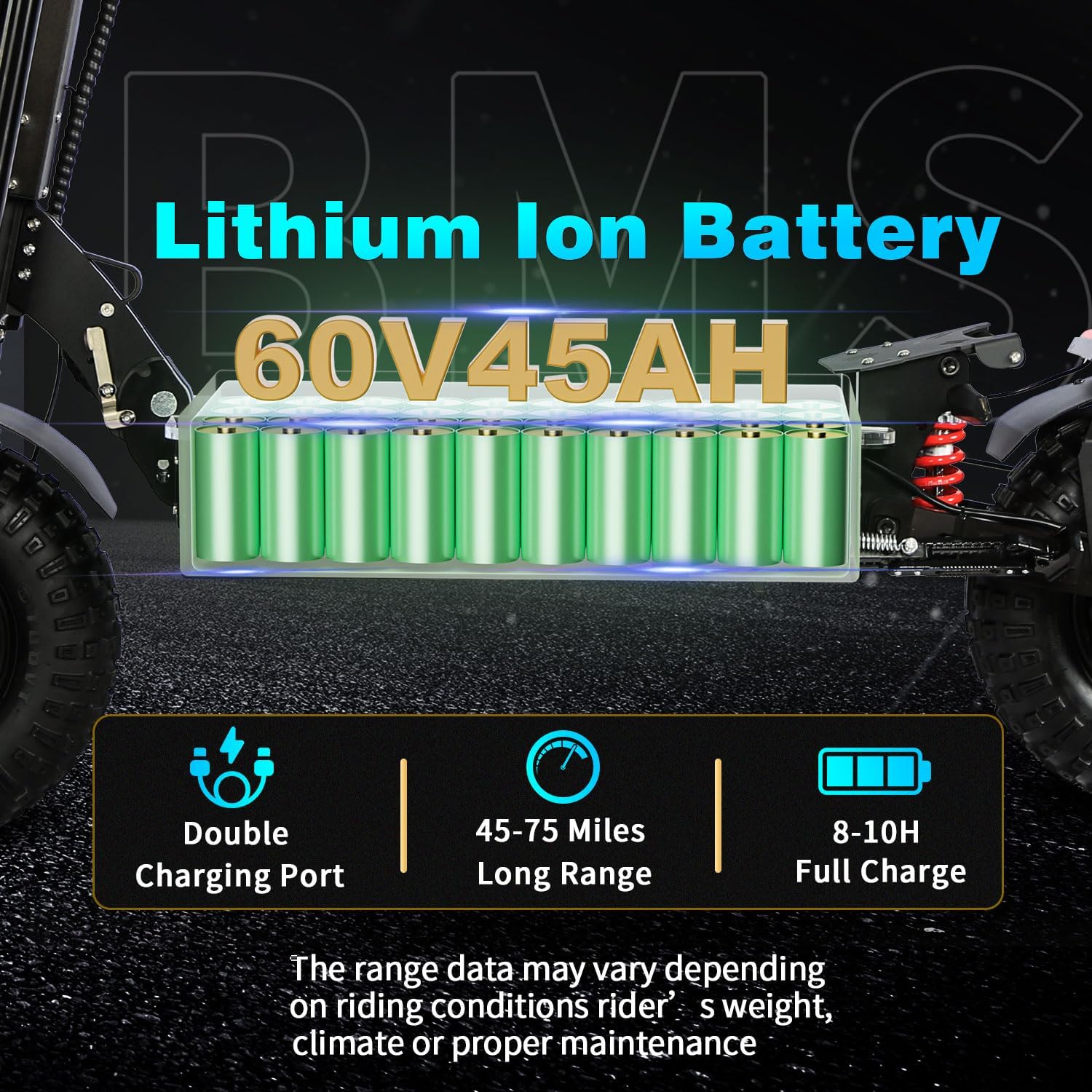
- Off-Road Capability: 14-inch off-road vacuum tires and dual suspension system ensure a smooth ride on diverse terrains.
- Advanced Braking: Hydraulic disc brakes on both front and rear wheels for reliable stopping power.
- Foldable Design: Easy-to-fold body with a double folding lock for enhanced portability and safety.
- Integrated Lighting: Features super bright headlights, rear brake light, turn signals, and colorful ambient lights for night visibility.
- LCD Display: An upgraded LCD screen provides real-time information on speed, battery level, mileage, and fault warnings.

4.2 Motor and Performance
The X14 is equipped with dual 5000W brushless hub motors, providing a total of 10000W power. This allows for a maximum load capacity of 440 lbs and excellent climbing ability up to 50 degrees.
4.3 Battery System
The scooter features a 72V 40Ah lithium-ion battery, offering a range of 45-75 miles depending on riding conditions. It supports dual charging for faster recharge times of 8-10 hours.
4.4 Braking and Suspension
Experience superior control with dual suspension and hydraulic disc brakes on both front and rear wheels, providing effective stopping power and a comfortable ride over bumps.
4.5 Tires
The 14-inch off-road vacuum tires are designed for versatility, providing excellent grip and stability across various surfaces including snow, sand, mountain trails, and city roads.

4.6 Lighting and Safety Features
For safe driving at night, the scooter is equipped with remote-controlled LED boards, beautiful atmosphere lights on the board and front, four super bright headlights, rear turn signal lights, and a rear brake light.

5. Assembly & Initial Setup
Your Toursor Electric Scooter X14 comes partially assembled. Follow these steps to prepare it for its first ride:
5.1 Unfolding the Scooter
- Carefully remove the scooter from its packaging.
- Locate the folding mechanism on the stem. Release the double folding lock.
- Lift the handlebar stem until it locks securely into the upright position. Ensure the locking mechanism is fully engaged.
- Adjust the handlebar height to your preference and secure it.
5.2 Seat Installation (Optional)
If you wish to use the seat, attach it to the designated post on the scooter deck and adjust its height for comfort. Ensure it is securely fastened before riding.
5.3 Initial Charging
Before your first ride, fully charge the scooter's battery. This typically takes 8-10 hours using both standard chargers simultaneously.
- Connect the chargers to the dual charging ports on the scooter.
- Plug the chargers into a standard wall outlet.
- The indicator light on the charger will change (e.g., from red to green) when charging is complete.
- Always charge in a dry, well-ventilventilated area.
5.4 Tire Pressure Check
Ensure the tires are inflated to the recommended pressure, typically found on the tire sidewall or in the specifications section. Proper tire pressure is crucial for safety, range, and ride comfort.
6. Operating Instructions
Familiarize yourself with the controls and functions before riding.
6.1 Controls and Display

- Key Lock: Insert and turn the key to power on/off the scooter.
- LCD Display: Shows current speed, battery level, riding mode, mileage, and fault warnings.
- Instrument Switch: Toggles display information.
- Instrument Gear Button (MODE): Changes riding modes (e.g., Eco, Standard, Sport).
- Accelerated Fingering: Throttle control for speed.
- Light Switch: Activates headlights and other lighting.
- Horn Switch: Activates the horn.
- XOD Oil Brake Levers: Controls the hydraulic disc brakes.
- Indicator Switch: Activates turn signals.
- Speed-limiting Switch: Engages/disengages speed limiter.
- Single and Dual Drive Switching Switch: Toggles between single motor and dual motor operation.
6.2 Starting and Riding
- Turn the key to the 'ON' position.
- Place one foot on the deck and push off with the other foot to gain initial momentum.
- Gently press the accelerated fingering (throttle) to engage the motor.
- Maintain balance and steer by leaning and turning the handlebars.
- To slow down or stop, gently squeeze the brake levers.
6.3 Folding the Scooter
To fold the scooter for storage or transport:
- Ensure the scooter is powered off.
- If installed, remove the seat.
- Locate and release the double folding lock mechanism on the stem.
- Carefully fold the handlebar stem downwards until it clicks into place.
7. Maintenance
Regular maintenance ensures the longevity and safe operation of your scooter.
7.1 Battery Care
- Charge the battery regularly, even if not in use, to maintain its health.
- Avoid completely draining the battery before recharging.
- Store the scooter in a cool, dry place when not in use, with the battery charged to about 50-70%.
- Do not expose the battery to extreme temperatures.
7.2 Tire Maintenance
- Check tire pressure weekly and inflate to the recommended PSI.
- Inspect tires for wear, cuts, or punctures. Replace worn tires promptly.
7.3 Brake System
- Regularly check brake levers for proper tension and responsiveness.
- Inspect brake pads for wear and replace them when necessary.
- Ensure brake fluid levels (for hydraulic brakes) are adequate if applicable, or consult a professional for hydraulic system maintenance.
7.4 General Cleaning
- Wipe down the scooter with a damp cloth after each ride.
- Avoid using high-pressure water jets directly on electronic components.
- Do not use harsh chemicals that could damage the finish or components.
7.5 Fasteners
Periodically check all bolts, screws, and quick-release mechanisms to ensure they are tight and secure.
8. Troubleshooting
This section addresses common issues you might encounter with your scooter.
| Problem | Possible Cause | Solution |
|---|---|---|
| Scooter does not power on | Battery is dead or low; Key not turned to ON; Loose battery connection. | Charge the battery; Ensure key is in ON position; Check battery connections. |
| Motor not engaging / No power during ride | Battery low; Throttle issue; Motor connection issue; Controller fault. | Charge battery; Check throttle cable; Inspect motor connections; Contact support if controller suspected. |
| Reduced range or speed | Low tire pressure; Battery degradation; Riding uphill frequently; Heavy load. | Inflate tires to correct PSI; Ensure full charge; Adjust riding style; Consider battery replacement if old. |
| Brakes feel weak or spongy | Worn brake pads; Air in hydraulic line; Low brake fluid. | Inspect and replace brake pads; Bleed brake lines or add fluid (professional service recommended). |
| Unusual noises | Loose components; Bearing wear; Brake rub. | Inspect all fasteners; Check wheel bearings; Adjust brake calipers. |
If you encounter issues not listed here or if solutions do not resolve the problem, please contact Toursor customer support.
9. Specifications
Detailed technical specifications for the Toursor Electric Scooter X14:
| Feature | Specification |
|---|---|
| Brand | Toursor |
| Model Name | X14 |
| Color | X14-60V-10000W-Black |
| Age Range (Description) | Adult |
| Special Features | Digital Display, Dual Braking System, Dual Charging Port, Seat, Wide Platform |
| Weight Limit | 440 Pounds (200 kg) |
| Product Dimensions (LxWxH) | 53" x 12" x 53" (134.6 cm x 30.5 cm x 134.6 cm) |
| Number of Wheels | 2 |
| Wheel Material | Rubber |
| Frame Material | Aluminum Alloy |
| Item Weight | 68 Kilograms (149.9 lbs) |
| Handlebar Type | Adjustable |
| Wheel Size | 14 Inches |
| Wheel Type | Pneumatic (Off-Road Vacuum Tires) |
| Suspension Type | Dual Suspension |
| Brake Style | Front and Rear Hydraulic Disc Braking |
| Charging Time | 8-10 Hours (with dual chargers) |
| Maximum Distance Range | Up to 75 Miles |
| Motor Power | 2 x 5000W (Total 10000W) |
| Battery | 72V 40Ah Lithium Battery |
| Climbing Ability | Up to 50 degrees |
10. Warranty & Support
Toursor is committed to providing quality products and customer satisfaction.
10.1 Warranty Information
- Motor, Battery, Controller: Covered for one year, excluding damage from water soaking. If these core components are damaged within one year, brand new original parts will be provided, along with video technical guidance for replacement.
- Other Parts: If any other parts have quality problems within 7 days of receiving the goods, brand new replacements will be sent. Most replacements involve simple cable connections.
- Parts Availability: A full range of original and upgraded parts are available for subsequent matching and upgrading, including tires. Technical guidance and maintenance support will always be provided.
Please note: Returns are generally not accepted for non-quality problems. Pay attention to product size and specifications when ordering to avoid unnecessary losses.
10.2 Customer Support
For any quality problems or technical assistance, please contact Toursor customer service. We aim to reply and provide a solution within 24 hours.
You can visit the official Toursor store for more information and support: Toursor Store on Amazon


