
Introduction
This manual provides essential information for the safe and efficient operation, maintenance, and care of your USHA Abs iChef Blender Heater. Please read all instructions carefully before using the appliance and retain this manual for future reference.
The USHA Abs iChef Blender Heater is a versatile kitchen appliance designed for various food preparation tasks, including blending, heating, and grinding. It features a 1000W motor and a 1300W heating element, along with Quadra noise reduction technology for reduced operational noise.

Image: USHA Abs iChef Blender Heater showcasing its capabilities with different food items.
Important Safety Instructions
Always follow basic safety precautions when using electrical appliances to reduce the risk of fire, electric shock, and injury.
- Read all instructions before use.
- Do not immerse the motor base in water or other liquids. Clean with a damp cloth only.
- Ensure the voltage rating on the appliance matches your local power supply before connecting.
- Unplug from the outlet when not in use, before assembling or disassembling parts, and before cleaning.
- Avoid contact with moving parts.
- Do not operate any appliance with a damaged cord or plug, or after the appliance malfunctions or has been dropped or damaged in any manner. Contact customer support for examination, repair, or adjustment.
- The use of attachments not recommended or sold by the manufacturer may cause fire, electric shock, or injury.
- Do not use outdoors.
- Do not let the cord hang over the edge of a table or counter, or touch hot surfaces.
- Do not place on or near a hot gas or electric burner, or in a heated oven.
- Always attach the lid to the jar before operating the blender.
- Exercise extreme caution when handling sharp blades, emptying the jar, and during cleaning.
- This appliance is not intended for use by persons (including children) with reduced physical, sensory, or mental capabilities, or lack of experience and knowledge, unless they have been given supervision or instruction concerning use of the appliance by a person responsible for their safety.
- Children should be supervised to ensure that they do not play with the appliance.
- Do not fill the jar above the maximum fill line indicated.
- Be careful if hot liquid is poured into the blender as it can be ejected out of the appliance due to sudden steaming.
Product Components
The USHA Abs iChef Blender Heater package includes the following items:
- Blender Main Unit (Motor Base)
- Blender Jar & Lid
- Grinder Jar & Lid
- Instruction Manual
Setup and Assembly
Before first use, unpack all components and ensure all packing materials are removed. Clean the jars and lids according to the cleaning instructions.
- Place the main unit on a stable, flat, and dry surface.
- Ensure the power cord is not tangled or obstructed.
- Attach the desired jar (blender or grinder) onto the motor base. Align the jar with the base and twist clockwise until it locks securely into place.
- Place ingredients into the jar. Do not exceed the maximum fill line.
- Securely place the lid onto the jar. Ensure the lid is properly sealed before operation.
- Plug the power cord into a suitable electrical outlet.
Operating Instructions
The USHA Abs iChef Blender Heater offers multiple functions for diverse culinary needs. The control panel allows selection of various modes.

Image: Detailed view of the control panel with function buttons for Soup, Nut Milk, Soy Milk, Sauces/Gravy, Cold Soup/Puree, Juice/Smoothie, Reheat, Steam Clean, Menu, Delay Timer, Manual, and Start/Cancel.
General Operation
- After setup, ensure the jar is securely attached and the lid is closed.
- Press the Menu button to cycle through pre-set programs or select a function directly from the touch panel.
- For manual control, press the Manual button and adjust speed/time as needed.
- Press Start/Cancel to begin or stop the selected program.
- To use the Delay Timer, select a program, then press Delay Timer and set the desired delay before starting.
Available Functions
The blender heater supports 6 primary functions, along with specialized modes:
- Soup Making: For preparing hot soups. Add ingredients and select the 'Soup' program. The appliance will blend and heat the contents.
- Blending: For smoothies, purees, and general blending tasks. Select 'Juice/Smoothie' or use manual blending.
- Grain & Nut Milk: Specialized programs for preparing soy milk and almond milk. Add soaked grains or nuts and water, then select 'Soy Milk' or 'Nut Milk'.
- Pureeing: For creating smooth purees. Select 'Cold Soup/Puree' or use manual blending.
- Dry Grinding: Use the grinder jar for dry ingredients like spices or coffee beans.
- Wet Grinding: Use the grinder jar for wet ingredients like chutneys or pastes.
- Reheat: To warm up previously prepared food to a preselected temperature.
- Sauces/Gravy: A dedicated program for preparing sauces and gravies.
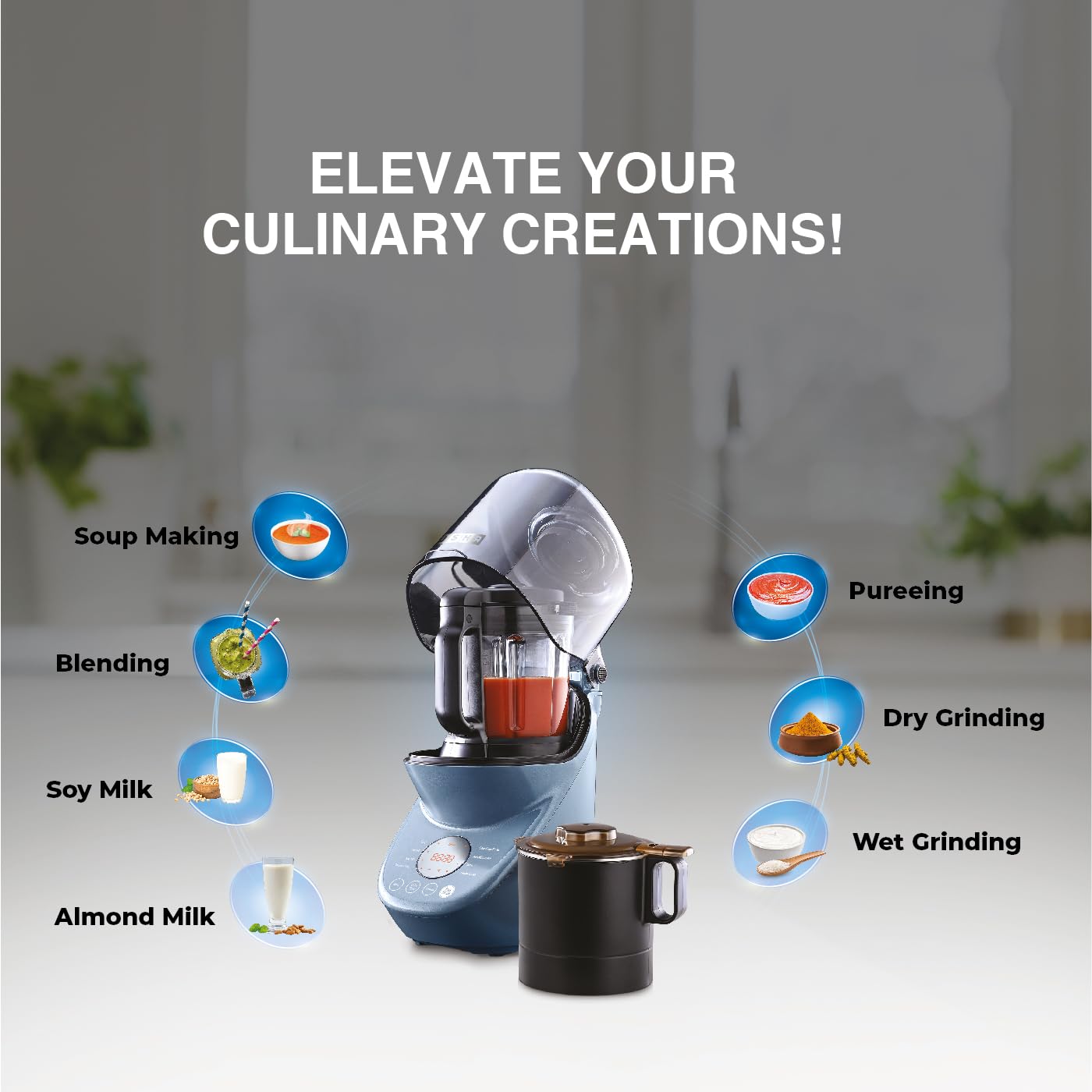
Image: Visual representation of the blender's functions including Soup Making, Blending, Pureeing, Dry Grinding, Wet Grinding, Soy Milk, and Almond Milk.
Quadra Noise Reduction Technology
The appliance incorporates Quadra noise reduction technology for quieter operation. This includes a jar enclosure, noise reduction valve, unique air duct design, and a sunken body base design.

Image: Diagram detailing the components of the Quadra Noise Reduction Technology: Jar Enclosure, Noise Reduction Valve, Unique Air Duct Design, and Sunken Body Base Design.
Cleaning and Maintenance
Regular cleaning ensures the longevity and hygienic operation of your USHA Abs iChef Blender Heater.
Self-Cleaning Function
The blender features an 80°C steam clean function for convenient self-cleaning of the blender jar.
- After use, rinse the jar to remove large food particles.
- Fill the jar with approximately 500ml of water and add a drop of mild dish soap.
- Secure the lid and place the jar on the motor base.
- Select the 'Steam Clean' program on the control panel.
- Press Start/Cancel to initiate the cleaning cycle.
- Once the cycle is complete, carefully empty the jar and rinse thoroughly with clean water.
Manual Cleaning
- Motor Base: Wipe the motor base with a damp cloth. Do not immerse it in water or any other liquid.
- Jars and Lids: The jars and lids can be washed with warm, soapy water. Use a brush for thorough cleaning around the blades. Exercise caution when handling the sharp blades.
- Detachable Blade Assembly: The blade assembly is detachable for easier cleaning. Refer to the specific instructions for detaching and reattaching the blades safely.
- Ensure all parts are completely dry before reassembling or storing.
- The item is not dishwasher safe.
Troubleshooting
If you encounter issues with your blender heater, refer to the following common problems and solutions:
| Problem | Possible Cause | Solution |
|---|---|---|
| Appliance does not turn on. | Not plugged in; power outlet fault; jar not correctly assembled; lid not secured. | Check power connection; test outlet with another appliance; ensure jar is locked onto base; ensure lid is properly closed. |
| Motor stops during operation. | Overload protection activated; overheating. | Unplug the appliance, remove some ingredients, and let it cool down for 15-20 minutes before restarting. |
| Ingredients are not blending smoothly. | Too little liquid; ingredients too large; jar overloaded. | Add more liquid; cut ingredients into smaller pieces; reduce the amount of ingredients. |
| Leakage from the jar. | Lid not properly sealed; jar not correctly assembled; fill line exceeded. | Ensure lid is securely closed; check jar assembly on base; do not exceed maximum fill line. |
| Unusual noise during operation. | Foreign object in jar; loose parts. | Turn off and unplug the appliance. Carefully check the jar for any foreign objects. If noise persists, contact customer support. |
If the problem persists after attempting these solutions, please contact customer support.
Technical Specifications
- Brand: USHA
- Model Number: 40ICHEF5BH08N
- Colour: Blue
- Product Dimensions: 19.2D x 28W x 44H Centimeters
- Material: Acrylonitrile Butadiene Styrene (Body), Stainless Steel (Container, Blade)
- Power Source: Corded Electric
- Motor Wattage: 1000 Watts
- Heating Element Wattage: 1300 Watts
- Voltage: 230 Volts (AC)
- Number of Speeds: 3
- Control Type: Manual, Digital Touch Panel
- Special Feature: Portable, Quadra Noise Reduction Technology, Self-cleaning (80°C steam clean), Reheating function, Detachable Blade Assembly, Dual Safety Switch Protection
- Item Weight: 6100 Grams

Image: Illustration highlighting the 1300W heating element and 1000W heavy-duty copper motor of the blender.
Warranty Information
The USHA Abs iChef Blender Heater comes with the following warranty:
- Product Warranty: 2 years
- Motor Warranty: 5 years
This is a limited warranty. Please retain your purchase receipt for warranty claims. For service requests, refer to the customer support section.

Image: Overview of benefits, including Steam Cleaning, Detachable Blade Assembly, Digital Touch Panel, Digitally Controlled Heating Temperature, Dual Safety Switch Protection, and 5 Years Warranty On Motor.
Customer Support
For any queries, service requests, or technical assistance regarding your USHA Abs iChef Blender Heater, please contact:
Usha International Ltd.
Plot No.15, Institution area, Sector -32,
Gurugram, Haryana-122 001
Telephone No.: +91-124-4583106
Please have your model number (40ICHEF5BH08N) and purchase details ready when contacting customer support.