
1. Introduction
Welcome to the instruction manual for your new ChickenGuard Automatic Chicken Coop Door Opener. This innovative device is designed to provide convenience and security for your poultry, automating the opening and closing of your coop door. With multiple power options and intelligent features, it ensures your flock is safe from predators and you have peace of mind.

Image: The ChickenGuard Automatic Chicken Coop Door Opener, shown installed on a coop with a chicken. This unit features a grey control panel and a dark grey door, designed for automated operation.
2. Components Overview
Your ChickenGuard Automatic Chicken Coop Door Opener package includes the following main components:
- One Piece Automatic Coop Door Opener Unit
- Solar Panel Kit (for Solar Kit models)
- Rechargeable NiMH Batteries (for Solar Kit models) or 4 x AA Alkaline Batteries (for Battery models)
- Instruction Leaflet
- 3-Year Warranty Leaflet
- Screw Packs for Installation
3. Setup and Installation
The ChickenGuard Automatic Chicken Coop Door Opener is designed for quick and easy installation, typically taking less than 10 minutes.
3.1 Mounting the Unit
Position the unit securely on your chicken coop. Ensure the door has a clear path to open and close without obstruction. Use the provided screw packs to firmly attach the unit to the coop structure.
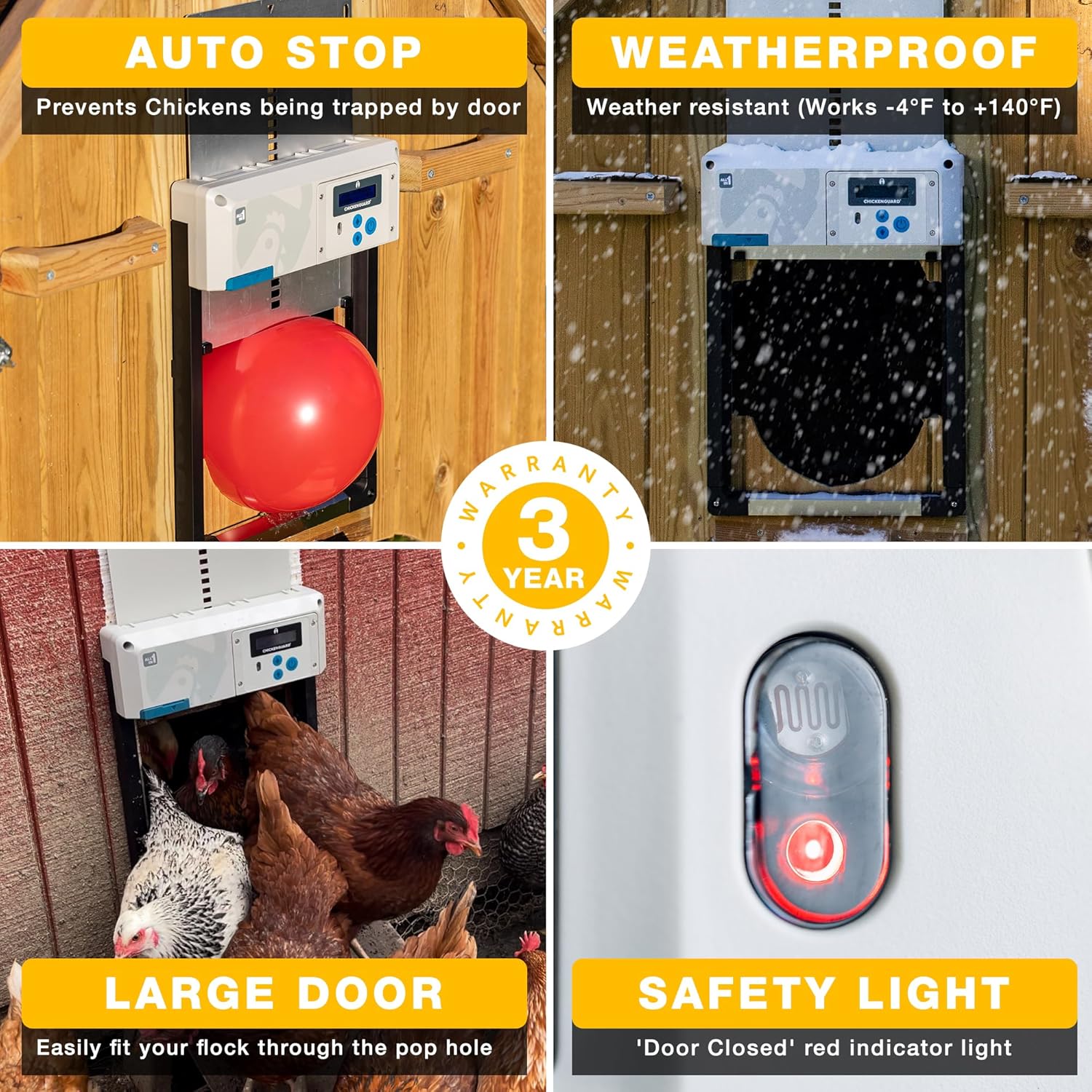
Image: This image illustrates the quick and easy setup process, showing the solar panel connection, the setup wizard display, and the unit being screwed into the coop.
3.2 Power Options
Your ChickenGuard unit offers versatile power options to suit your needs:
- Solar Power: For models with the Solar Kit, four rechargeable NiMH batteries are included and charged by the solar panel.
- Batteries: Optionally, the unit can be powered by four AA alkaline batteries.
- DC Power: You can also power the unit using a standard 9-12V 1 amp DC power supply (available separately).

Image: This graphic highlights the three power options: Solar, Batteries (4 NiMH rechargeable batteries included), and DC Power (using a 9-12V 1 amp supply).

Image: A close-up view of a hand inserting batteries into the ChickenGuard unit, demonstrating the battery installation process.
3.3 Initial Setup Wizard
Upon first power-up, the unit will guide you through a user-friendly setup wizard on its display. Follow the on-screen prompts to configure initial settings such as time and date.
4. Operating Instructions
The ChickenGuard unit offers several modes for automated and manual operation.
4.1 Open/Close Options
- Timer Mode: Set specific times for the door to open and close daily.
- Light Sensing Mode: The door opens at sunrise and closes at sunset, adapting to natural light conditions.
- Manual Mode: Operate the door by simply pressing the UP and DOWN buttons on the control panel.
- Dual-Safe Mode: Combines timer and light sensing, ensuring the door closes based on whichever condition (pre-set time or sunset) occurs first, providing enhanced security.

Image: This visual guide explains the four operational modes: Timer, Sensor (light sensing), Manual, and Dualsafe, allowing users to choose the best method for their coop.
4.2 Winter Mode
In snowy or icy conditions, activate Winter Mode. This feature provides a power boost to the motor, helping the door to break free from ice or snow build-up and ensuring reliable operation during cold weather.
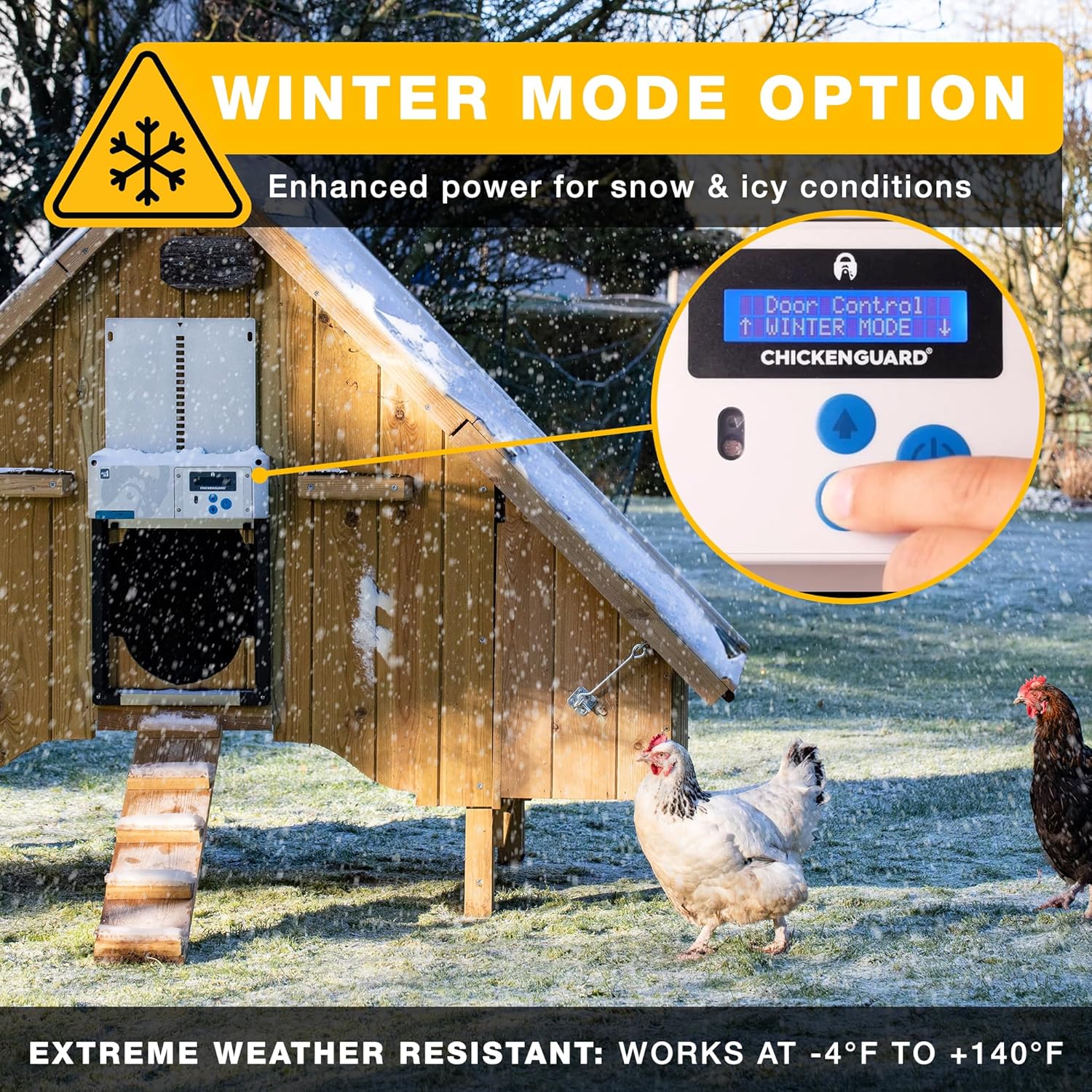
Image: The ChickenGuard unit installed on a snow-covered coop, demonstrating the Winter Mode option on the display, which provides enhanced power for extreme weather.
4.3 Safety Features
- Auto-Stop Safety: The built-in anti-pinch safety feature detects obstructions as the door lowers. If an obstruction is sensed, the door will reverse to the 'open' position to prevent injury to your chickens, then attempt to close again after a short interval.
- Predator Proof: The robust aluminum door and geared motor prevent predators from lifting the door once it is closed, keeping your flock secure at night.
- Safety Light: A red indicator light illuminates when the door is fully closed, providing a visual confirmation of your coop's security.

Image: This image demonstrates the Auto Stop Safety feature, showing the door stopping its descent upon encountering a red balloon, preventing potential harm to chickens.

Image: This graphic highlights the predator protection features, including the geared motor that prevents lifting, the light sensor, and the weatherproof ASA plastic frame.

Image: A close-up of the safety light on the ChickenGuard unit, showing the red indicator light that confirms the door is closed.
5. Maintenance
To ensure the longevity and optimal performance of your ChickenGuard unit, follow these maintenance guidelines:
- Cleaning: Periodically wipe down the unit and the door track to remove dirt, dust, or debris that could impede smooth operation. Use a damp cloth; avoid harsh chemicals.
- Battery Check: If using battery power, regularly check the battery level and replace them as needed. For solar models, ensure the solar panel is clean and free from obstructions to maximize charging efficiency.
- Door Path: Ensure the area around the door opening is clear of any obstacles, bedding, or litter that could interfere with the door's movement or trigger the auto-stop safety feature unnecessarily.
- Weather Protection: While the unit is weatherproof, installing it in a location that offers some protection from direct, extreme weather (e.g., under an overhang) can further extend its lifespan.
6. Troubleshooting
If you encounter issues with your ChickenGuard unit, refer to the following common problems and solutions:
| Problem | Possible Cause | Solution |
|---|---|---|
| Door not opening/closing fully or getting stuck. | Obstruction in the door path; low battery power; dirt/debris in tracks; door misalignment. | Clear any obstructions. Check battery level and replace if low. Clean door tracks. Ensure the unit is mounted straight and the door moves freely. |
| Light sensor not working correctly. | Sensor is dirty or obstructed; unit is in a shaded area; incorrect sensitivity setting. | Clean the light sensor. Relocate the unit or clear anything blocking direct light to the sensor. Adjust light sensitivity settings via the menu. |
| Display screen is frozen or unresponsive. | Software glitch; power issue. | Remove and reinsert batteries (or disconnect/reconnect DC power) to perform a hard reset. If the issue persists, contact customer support. |
| Door opens/closes at incorrect times in Timer Mode. | Incorrect time/date setting; programming error. | Verify and correct the time and date settings. Re-program the open/close times carefully. |
7. Specifications
| Feature | Detail |
|---|---|
| Model Name | Ai1 Grey + Solar Panel |
| Dimensions (L x W x H) | 12.4" x 2.6" x 17.4" (31.5 cm x 6.6 cm x 44.2 cm) |
| Item Weight | 3.57 Pounds (1.62 Kilograms) |
| Material | Powder Coated Aluminium, Acrylic Styrene Acrylonitrile (ASA) |
| Power Options | Solar (with rechargeable NiMH batteries), 4 x AA Alkaline Batteries, or 9V DC Electric (adapter sold separately) |
| Operating Temperature | -4°F to +140°F (-20°C to +60°C) |
| Door Operation Modes | Timer, Light Sensing, Manual, Dual-Safe |
| Safety Features | Auto-Stop Anti-Pinch, Predator Proof Geared Motor |
| Breed Recommendation | Chickens, Poultry, Ducks, Geese, Small Turkeys |
8. Warranty and Support
ChickenGuard stands behind the quality of its products. Your Automatic Chicken Coop Door Opener comes with a 3-year manufacturer warranty.
For any questions, technical assistance, or warranty claims, please contact ChickenGuard customer support. They offer dedicated product support, an automated help center, and a free, in-house, multilingual customer support team. Refer to the warranty leaflet included in your package for specific contact details.