
Introduction
The Sudio E3 Wireless Earbuds are designed to provide a superior audio experience with advanced features for daily use. These in-ear true wireless earbuds offer Hybrid Active Noise Cancellation (ANC), clear call quality with multiple microphones, and seamless multi-point Bluetooth connectivity. They are built for comfort and durability, featuring sweat and splash resistance.
Key Features
- Hybrid Active Noise Cancellation (ANC): Immerse yourself in audio by reducing external distractions.
- Bluetooth 5.3: Ensures stable and efficient wireless connection.
- Multi-point Bluetooth Connection: Seamlessly switch between two connected devices.
- Crystal Clear Calls: Equipped with four microphones for enhanced voice clarity.
- Extended Playtime: Up to 6.5 hours on a single charge, with a total of 30 hours including the charging case.
- Versatile Charging: Supports both USB-C and wireless charging.
- Sweat and Splash Resistance (IPX4): Designed to withstand moisture, suitable for active use.
- Balanced Sound Profile: Delivers a full and clear audio experience with AAC codec support.
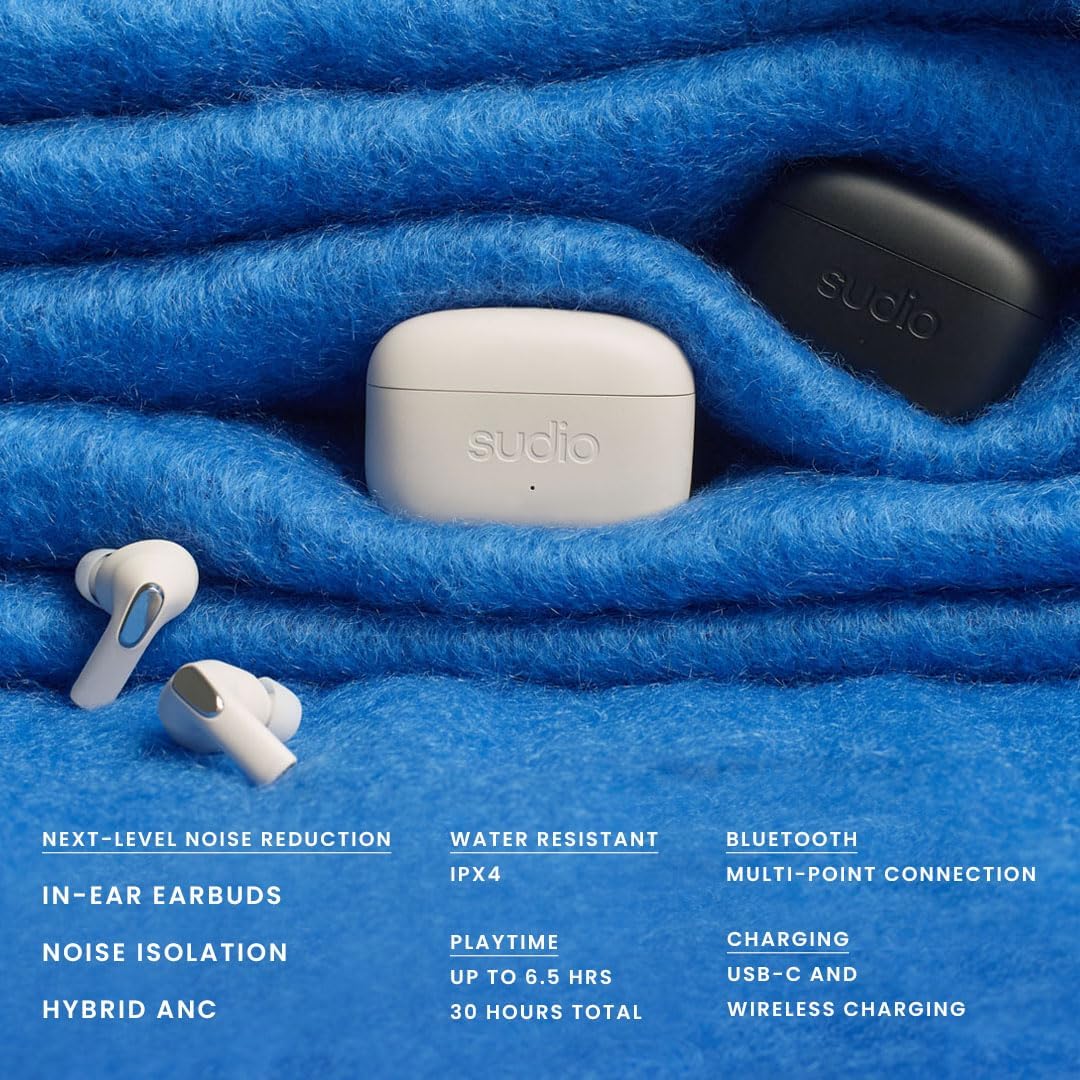
Image: Sudio E3 Earbuds highlighting key features such as noise reduction, water resistance, Bluetooth connectivity, playtime, and charging options.
What's in the Box
- Sudio E3 Earbuds (Cream White)
- Wireless Charging Case
- USB-C Charging Cable
- Eartips (various sizes)
- User Manual

Image: The retail packaging for the Sudio E3 earbuds, indicating the contents.
Video: An unboxing video demonstrating the contents of the Sudio E3 package, including the earbuds, charging case, and accessories.
Setup
Charging the Earbuds and Case
Before first use, fully charge your Sudio E3 earbuds and charging case. The case supports both USB-C cable charging and wireless charging.
- USB-C Charging: Connect the provided USB-C cable to the charging port on the case and to a power source.
- Wireless Charging: Place the charging case on a compatible wireless charging pad.
- A full charge takes approximately 90 minutes.
- The earbuds provide up to 6.5 hours of playtime, and the charging case extends this to a total of 30 hours.

Image: The Sudio E3 charging case, which can be charged via USB-C or wirelessly.
Pairing with a Device
- Ensure the earbuds are in the charging case and the case has sufficient charge.
- Open the charging case lid. The earbuds will automatically enter pairing mode.
- On your device (smartphone, tablet, laptop), go to Bluetooth settings.
- Select "Sudio E3" from the list of available devices.
- Once connected, a confirmation sound will play, and the earbuds will be ready for use.
- For multi-point connection, repeat the pairing process with a second device. The earbuds will remember both connections and allow seamless switching.
Operating Instructions
Wearing the Earbuds
Gently insert the earbuds into your ears, ensuring a comfortable and secure fit. The Sudio E3 comes with various eartip sizes to help achieve optimal comfort and sound isolation. Experiment with different sizes to find the best fit for your ears.

Image: A user wearing the Sudio E3 earbuds, illustrating how they fit in the ear.
Touch Controls
The Sudio E3 earbuds feature intuitive touch controls on the outer surface of each earbud. Specific functions may vary slightly depending on your device and application, but common controls include:
- Play/Pause: Single tap on either earbud.
- Next Track: Double tap on the right earbud.
- Previous Track: Double tap on the left earbud.
- Answer/End Call: Single tap on either earbud.
- Reject Call: Press and hold on either earbud.
- Activate Voice Assistant: Triple tap on either earbud.
- Toggle ANC/Transparency Mode: Press and hold on the left earbud (specific gesture may vary, refer to full manual for details).
Active Noise Cancellation (ANC) and Transparency Mode
The Sudio E3 earbuds feature Hybrid ANC to reduce ambient noise, allowing for a more focused listening experience. Transparency Mode allows you to hear your surroundings without removing the earbuds. Use the touch controls to switch between these modes as needed.
Video: An introductory video showcasing the Sudio E3 TWS earbuds, highlighting their hybrid ANC feature and design.
Maintenance
Proper maintenance ensures the longevity and optimal performance of your Sudio E3 earbuds.
- Cleaning: Regularly wipe the earbuds and charging case with a soft, dry, lint-free cloth. For eartips, remove them and clean with mild soap and water, then dry thoroughly before reattaching.
- Storage: When not in use, store the earbuds in their charging case to protect them and keep them charged.
- Water Resistance: The earbuds are IPX4 sweat and splash resistant. This means they can withstand splashes of water from any direction, but they are not designed for submersion. Do not expose them to running water or wear them while swimming. Ensure they are dry before placing them back in the charging case.
- Avoid Extreme Temperatures: Do not expose the earbuds to extreme hot or cold temperatures, as this can affect battery life and overall performance.
Troubleshooting
If you encounter issues with your Sudio E3 earbuds, try the following common troubleshooting steps:
- Earbuds not connecting/pairing:
- Ensure both earbuds are charged.
- Place earbuds back in the case, close the lid, wait a few seconds, then open the lid again to re-initiate pairing mode.
- Forget "Sudio E3" from your device's Bluetooth settings and attempt to pair again.
- Ensure your device's Bluetooth is enabled and within range.
- Sound quality issues (muffled, low volume):
- Check the earbud fit and try different eartip sizes for a better seal.
- Clean the eartips and speaker mesh to remove any debris.
- Ensure the audio source volume is adequate.
- Touch controls unresponsive/too sensitive:
- Ensure your fingers are clean and dry when using touch controls.
- Try resetting the earbuds (refer to the full user manual for specific reset instructions).
- One earbud not working:
- Place both earbuds back in the case, close the lid, and then open it again.
- Ensure both earbuds are charged.
- Perform a full reset of the earbuds.
For more detailed troubleshooting or persistent issues, please refer to the complete user manual or contact Sudio customer support.
Specifications
| Feature | Specification |
|---|---|
| Model Name | Sudio E3 |
| Item Model Number | SD-2002 |
| Brand | Sudio |
| Color | Cream White |
| Ear Placement | In Ear |
| Form Factor | In Ear |
| Connectivity Technology | Wireless (Bluetooth) |
| Bluetooth Version | 5.3 |
| Bluetooth Range | 10 Meters |
| Noise Control | Hybrid Active Noise Cancellation |
| Frequency Response | 20Hz - 20kHz |
| Impedance | 16 Ohm |
| Audio Driver Type | Dynamic Driver |
| Control Method | Touch |
| Battery Life (Earbuds) | Up to 6.5 Hours |
| Total Playtime (with Case) | Up to 30 Hours |
| Charging Time | Approx. 90 minutes |
| Charging Type | USB-C, Wireless Charging |
| Microphones | 4 (2 per earbud) |
| Water Resistance Level | IPX4 (Sweat and Splash Resistant) |
| Item Weight | 50.8 Grams (1.79 ounces) |
| Product Dimensions | 3.94 x 1.97 x 4.37 inches |
| Material | Silicone, Plastic |
| Compatible Devices | iPhone, Android, iOS, macOS, Windows, Tablets, Laptops, Desktops |
| Country of Origin | China |
Warranty and Support
Sudio products are manufactured to high quality standards. For information regarding warranty coverage, product registration, or technical support, please visit the official Sudio website or contact their customer service directly. Keep your proof of purchase for warranty claims.
Official Sudio Website: www.sudio.com
