
1. Product Overview
The EASYGUARD EC002-NFC-NS is a smart key Passive Keyless Entry (PKE) car alarm system designed to enhance vehicle security and convenience. It integrates passive keyless entry, keyless go, remote engine start, push start/stop button functionality, and NFC lock/unlock capabilities. This version includes a shock sensor for enhanced alarm features.
This system is compatible with most DC12V standard key start petrol cars, including those with automatic or manual transmissions. It utilizes rolling code and FSK technology for reliable performance.
2. Product Features
- Passive Keyless Entry (PKE): Automatically locks or unlocks car doors when approaching or walking away from the vehicle with the key fob within 3 to 6 feet.
- Remote Engine Start/Stop: Allows pre-cooling in summer or pre-warming in winter.
- Push Start/Stop Button: Replaces the traditional key ignition for starting and stopping the engine.
- NFC Lock/Unlock: Use an NFC card or a smartphone with NFC function to lock or unlock the vehicle. Up to 4 NFC cards can be added.
- Shock Sensor Alarm: Triggers an alarm if the car is subjected to vibration (available in models with shock sensor).
- Panic Mode/Car Finding: Press the lock button to locate your vehicle.
- Central Door Locking Automation: Automatically manages door locks.
- Emergency Override: Provides a method to disarm the system in emergencies.
- Remote Trunk Release: Opens the trunk remotely.
- Automatic Window Closing (Optional): Requires additional module for this function.
- Anti-Hijacking: Security feature to prevent vehicle theft.
- Valet Mode: Temporarily disables certain security features for service.
- Smartphone App Control & 4G LTE GPS Tracking (Optional): Requires an extra GPS002-AA 4G LTE module (ASIN: B0D95Y1XN3).
3. Product Accessories

This image displays the various components included with the EASYGUARD EC002-NFC-NS system, such as two key fobs, the main control module, alarm antenna, PKE antennas, push start button, 6P ignition wire, main 20P wire harness, and an NFC card. An optional backup 3P GWR wire or shock sensor is also shown.
Key Fobs Button Function

This image illustrates the functions of the key fob buttons: LED indicator, Arm/Panic mode, Start button/Trunk release, and Disarm/Unlock.
4. Setup and Installation
Installation of the EASYGUARD EC002-NFC-NS system requires professional expertise. It is recommended to have the system installed by a professional car alarm installer or a trained technician to ensure proper functionality and avoid damage to the vehicle.
- An extra bypass module (e.g., ASIN: B00MEHBVIC or B07NSLPBG7) is required if your factory OEM key fob contains a chip immobilizer.
- The system is incompatible with factory push-start systems and certain luxury vehicles like BMW and BENZ.
PKE Antenna Installation Guide
This video demonstrates the installation process for the PKE antennas, showing recommended placements for optimal performance. It highlights the front PKE antenna placement near the windshield and the rear antenna placement in the back of the vehicle.
5. Operating Instructions
Passive Keyless Entry (PKE)

The system automatically unlocks the car when the key fob is within 2-3 meters and locks it when the key fob moves 1-2 meters away.
Push Start/Stop Function
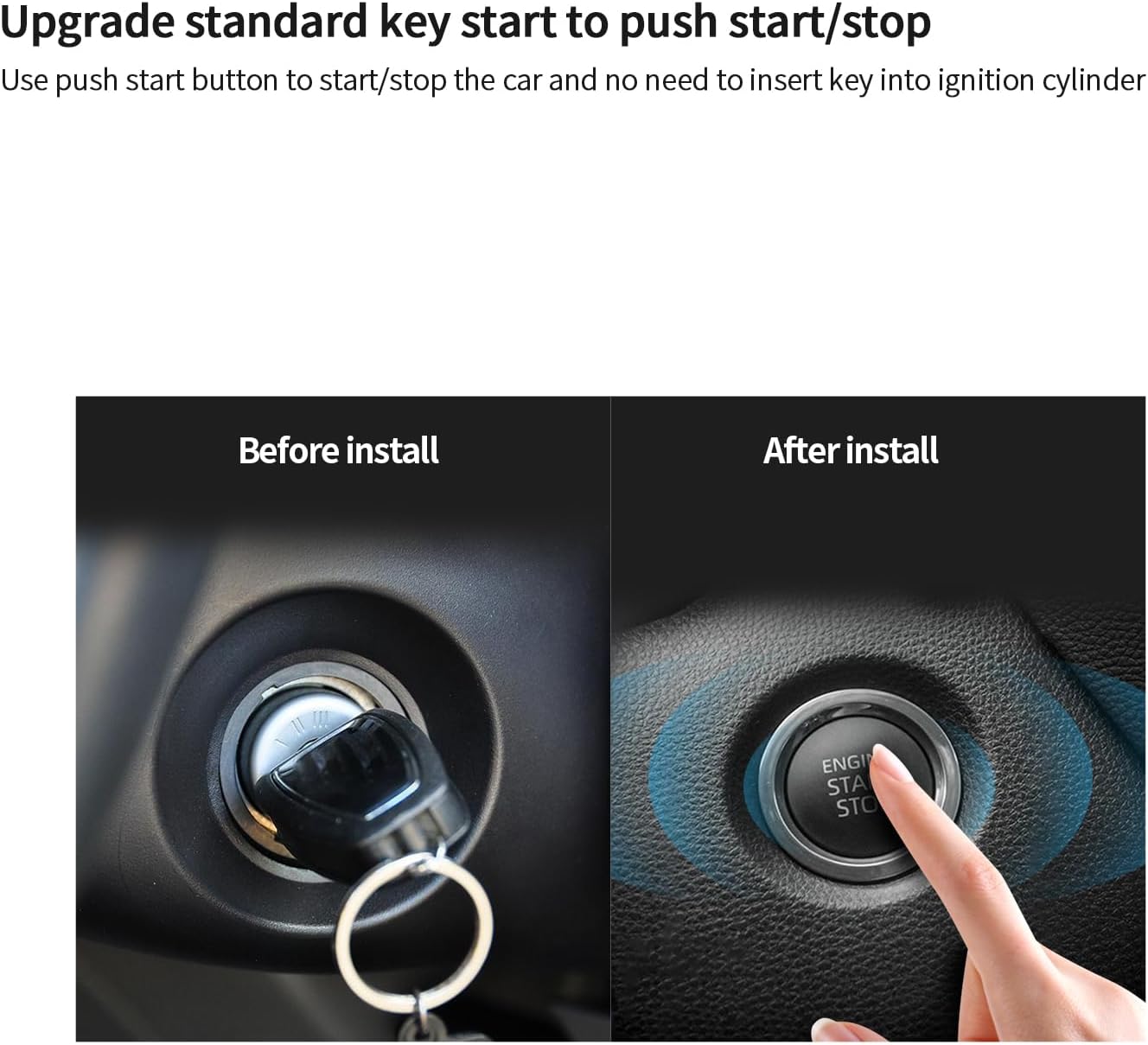
After installation, the vehicle can be started and stopped by pressing the push start button, eliminating the need for a physical key in the ignition cylinder.
Remote Engine Start

Use the remote key fob to start the engine from a distance, allowing the car to pre-cool in hot weather or pre-warm in cold weather.
NFC Lock/Unlock

The NFC function allows locking or unlocking the vehicle by scanning an NFC card or a compatible smartphone near the designated sensor.
Panic Mode / Car Finding

Press the lock button on the key fob once to activate the car finding feature, which can help locate your vehicle in a parking lot.
Vibration Warning (Optional)

If the car is triggered by vibration, the siren will beep to alert the owner. This feature is only available with the shock sensor version.
Smartphone App Control & GPS Tracking (Optional)
This video demonstrates the optional smartphone app control and GPS tracking features, which require an additional 4G LTE module (GPS002-AA). The app allows remote locking, unlocking, and engine start/stop functions.
6. Maintenance
To ensure the longevity and optimal performance of your EASYGUARD EC002-NFC-NS system, follow these general maintenance guidelines:
- Battery Replacement: The key fobs require 2 CR2 batteries. Replace them when the indicator light dims or the range decreases.
- Keep Components Dry: Protect all electronic components from moisture and extreme temperatures.
- Regular Checks: Periodically check the wiring and connections for any signs of wear or damage.
- Professional Inspection: Consider annual professional inspection to ensure all security features are functioning correctly.
7. Troubleshooting
If you encounter issues with your EASYGUARD EC002-NFC-NS system, refer to the following common troubleshooting steps:
- System Not Responding: Check the key fob battery. Ensure you are within the PKE range.
- Remote Start Failure: Verify that the vehicle doors are closed, the hood is latched, and the parking brake is engaged (if applicable). Ensure the vehicle is in park (for automatic transmission).
- NFC Not Working: Ensure the NFC card or smartphone is correctly positioned over the sensor. Check if the NFC function is enabled on your smartphone.
- Alarm Triggering Randomly: Adjust the sensitivity of the shock sensor if it is too high. Ensure all doors, hood, and trunk are properly closed.
- Professional Assistance: For complex issues or if troubleshooting steps do not resolve the problem, contact a professional installer or technical support.
8. Specifications
| Feature | Detail |
|---|---|
| Item Weight | 2.86 pounds |
| Package Dimensions | 10.35 x 7.17 x 4.06 inches |
| Item Model Number | EC002-NFC |
| Batteries Required | 2 CR2 batteries |
| Wireless Remote | Yes |
| Compatible Devices | Standard key start petrol cars with automatic or manual transmission and a 12V battery |
| Remote Control Included | Yes |
| UPC | 769326453364 |
9. Warranty Information
The EASYGUARD EC002-NFC-NS PKE Passive Keyless Entry Car Alarm System comes with a 1-year warranty from the date of purchase. This warranty covers manufacturing defects and malfunctions under normal use. Please retain your proof of purchase for warranty claims.
The warranty does not cover damage caused by improper installation, misuse, accidents, unauthorized modifications, or natural disasters. For detailed warranty terms and conditions, please refer to the documentation included with your product or contact EASYGUARD customer service.
10. Support
For technical assistance, installation queries, or any other support needs regarding your EASYGUARD EC002-NFC-NS system, please contact EASYGUARD customer service. It is highly recommended to seek professional assistance for installation and complex troubleshooting.
You may also visit the official EASYGUARD website for additional resources, FAQs, and contact information.


