
1. Introduction
This manual provides instructions for the ALLIMITY BN59-01300F Voice Remote Control. This remote is designed as a replacement for various Samsung QLED TV models, offering voice control functionality and standard television remote features.
Compatible Samsung TV Series:
- Q8FN Series (e.g., QN55Q8FN, QN65Q8FN, QN75Q8FN, QN82Q8FN)
- Q75CN Series (e.g., QN55Q75CN, QN65Q75CN)
- Q7CN Series (e.g., QN55Q7CN, QN65Q7CN)
- Q7FN Series (e.g., QN55Q7FN, QN65Q7FN, QN75Q7FN)
- Q75FN Series (e.g., QN55Q75FN, QN65Q75FN, QN75Q75FN)
- Q6FN Series (e.g., QN49Q6FN, QN55Q6FN, QN65Q6FN, QN75Q6FN, QN82Q6FN)
- Q65FN Series (e.g., QN49Q65FN, QN55Q65FN, QN65Q65FN, QN75Q65FN, QN82Q65FN)
- LS01R Series (e.g., QN55LS01R)
- And other specific models like QN65Q900RB, QN75Q900RB, QN82Q900RB, QN98Q900RB.
For a complete list of compatible models, please refer to the product packaging or contact customer support.
2. Package Contents
The package includes:
- 1 x ALLIMITY BN59-01300F Voice Remote Control
- 1 x User Manual (this document)
3. Setup
3.1 Battery Installation
The remote control requires two (2) AAA alkaline batteries (not included) for operation.
- Locate the battery compartment cover on the back of the remote control.
- Slide the cover downwards to open the compartment.
- Insert two AAA batteries, ensuring the positive (+) and negative (-) terminals align correctly with the markings inside the compartment.
- Slide the battery compartment cover back into place until it clicks securely.

Note: Always replace both batteries at the same time with new ones. Do not mix old and new batteries or different types of batteries.
3.2 Pairing the Remote Control
When you turn on your Samsung TV for the first time, the remote control should pair automatically. If automatic pairing does not occur, follow these steps:
- Ensure your TV is powered on.
- Point the ALLIMITY BN59-01300F remote control directly at the remote control sensor of your Samsung TV.
- Press and hold the Return button (curved arrow) and the Play/Pause button (triangle with two vertical lines) simultaneously for 3 seconds or more.
- A pairing message should appear on your TV screen, indicating successful pairing.
If pairing fails, ensure the batteries are correctly installed and charged, then repeat the pairing process. If issues persist, refer to the Troubleshooting section.
4. Operating Instructions
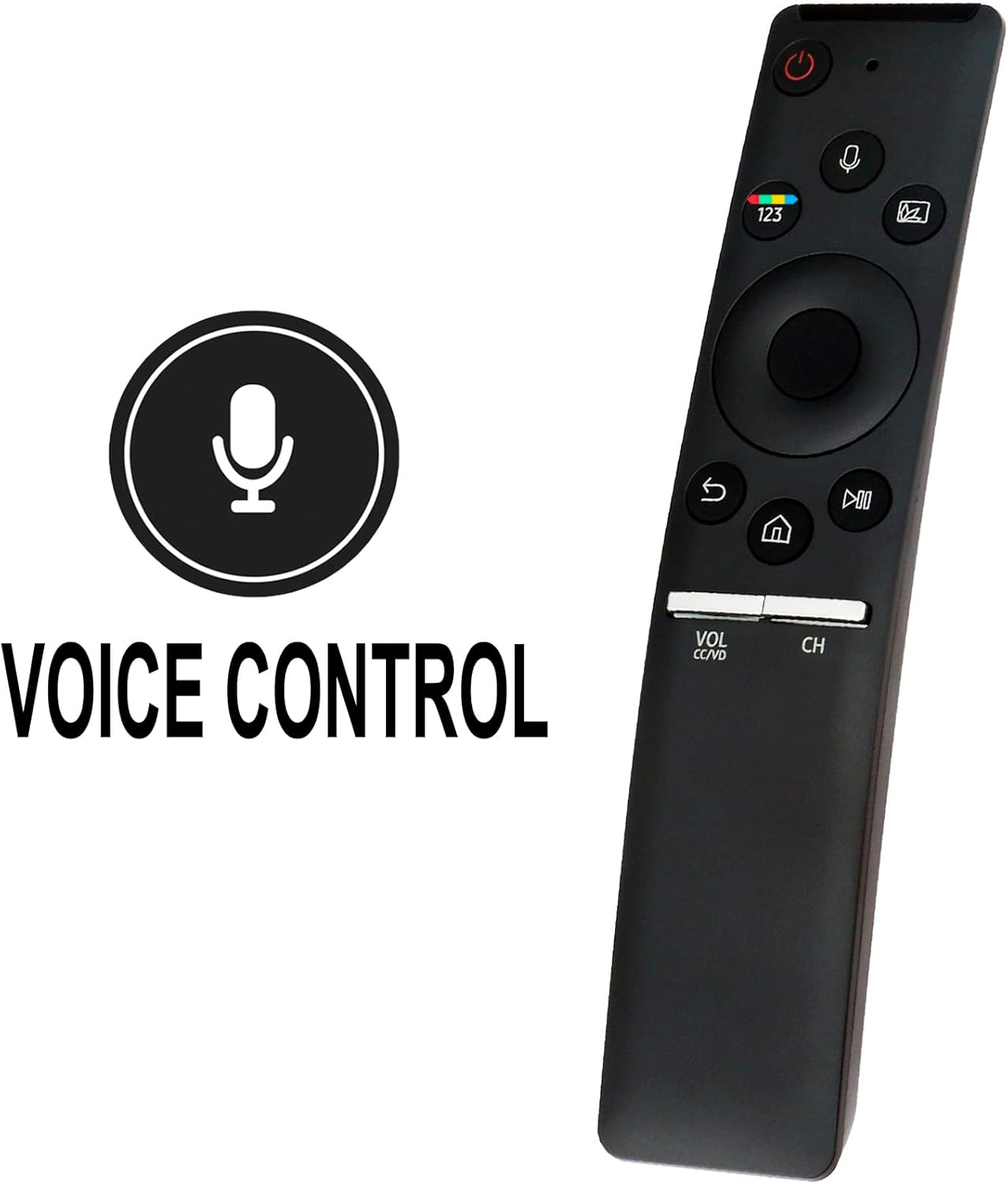
The ALLIMITY BN59-01300F remote control provides intuitive access to your Samsung TV's functions. Below are the primary button functions:
- Power Button (⏻): Turns the TV on or off.
- Voice Control Button (🎙️): Activates the voice command feature. Press and hold to speak commands.
- Number Pad (123): Displays the virtual number pad on the screen for direct channel input or other numerical entries.
- Ambient Mode/Color Button: Accesses Ambient Mode or other color-related functions depending on your TV model.
- Directional Pad (Up, Down, Left, Right) and Select Button: Navigates menus and confirms selections.
- Return Button (↩): Returns to the previous screen or menu.
- Home Button (🏠): Accesses the Smart Hub or Home screen.
- Play/Pause Button (⏯): Controls media playback (play, pause).
- Volume Button (VOL CC/VD): Adjusts the volume. Press up for louder, down for quieter. Press the button itself to mute/unmute or access Closed Captioning/Video Description.
- Channel Button (CH): Changes channels. Press up for the next channel, down for the previous. Press the button itself to display the channel list.
4.1 Using Voice Control
The remote features a built-in microphone for voice commands. To use this function:
- Press and hold the Voice Control button (🎙️).
- Speak your command clearly into the microphone located at the top of the remote.
- Release the button when you have finished speaking.
Examples of voice commands include: "Change to Channel 5", "Open Netflix", "Search for action movies", "Volume up".
5. Maintenance
- Cleaning: Wipe the remote control with a soft, dry cloth. Do not use liquid cleaners or abrasive materials.
- Battery Replacement: Replace batteries when the remote's response becomes sluggish or it stops functioning. Always use new AAA alkaline batteries.
- Storage: If the remote will not be used for an extended period, remove the batteries to prevent leakage and potential damage.
6. Troubleshooting
| Problem | Possible Cause / Solution |
|---|---|
| Remote is not responding. |
|
| Remote is not pairing with the TV. |
|
| Voice control is not working. |
|
If you encounter problems not listed here or if the suggested solutions do not resolve the issue, please contact ALLIMITY customer support for assistance.
7. Specifications
| Feature | Detail |
|---|---|
| Model Number | BN59-01300F |
| Material | Plastic |
| Power Source | 2 x AAA Alkaline Batteries (not included) |
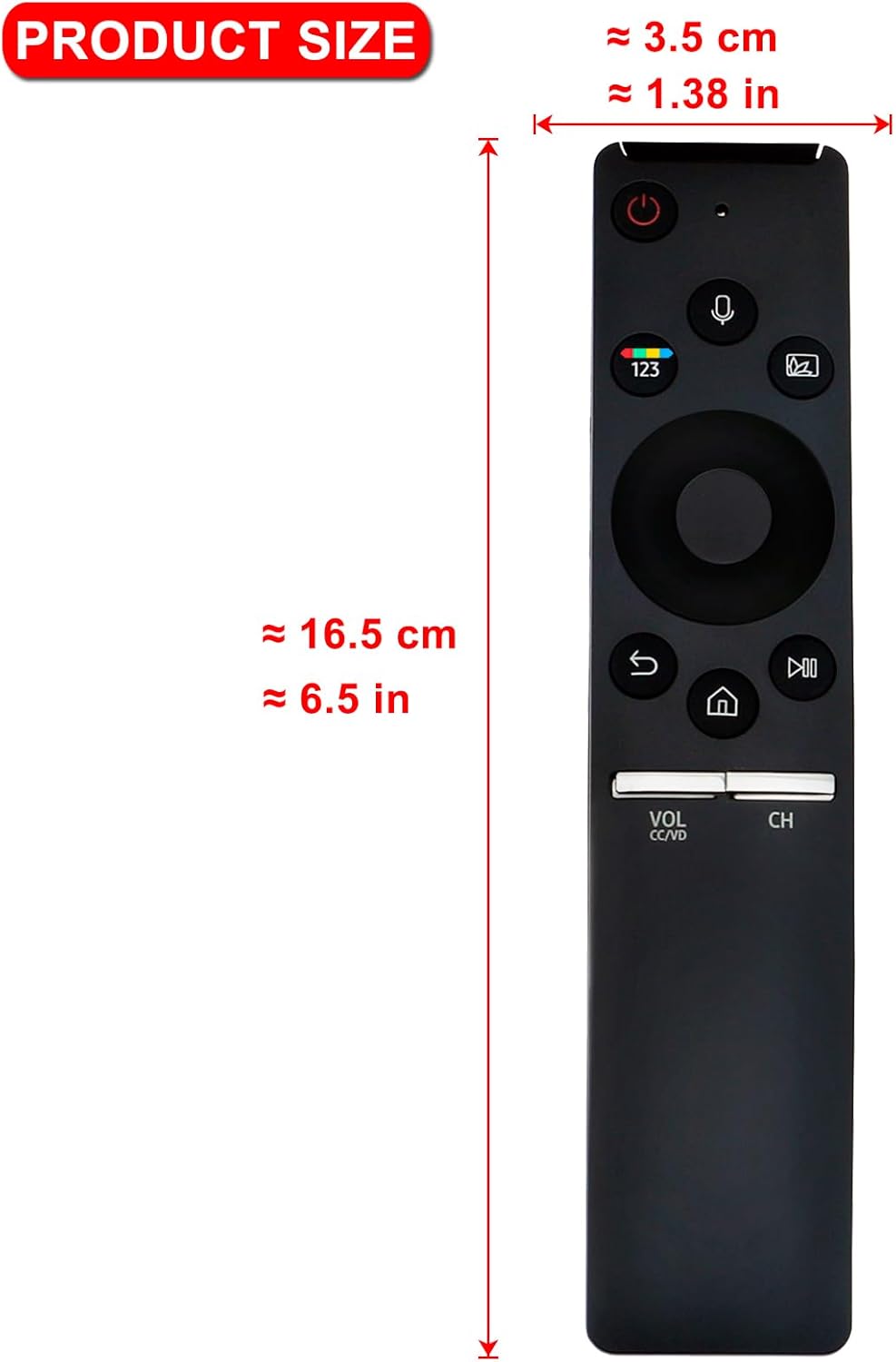
| Dimensions (L x W x H) | Approx. 16.5 cm (6.5 in) x 3.5 cm (1.38 in) x 1.5 cm (0.6 in) |
| Item Weight | Approx. 1 ounce (without batteries) |
| Special Feature | Voice Search |
| Color | Black |
| Compatible Devices | Samsung QLED Televisions (specific models listed in Introduction) |
8. Warranty and Support
For any questions, concerns, or issues regarding your ALLIMITY BN59-01300F Voice Remote Control, please contact ALLIMITY customer service. They are available to assist with troubleshooting, pairing difficulties, and general product inquiries.
Please refer to the contact information provided with your purchase or visit the official ALLIMITY website for support details.
When contacting support, please have your product model number (BN59-01300F) and details of your issue ready to ensure efficient assistance.