1. Introduction
This manual provides detailed instructions for the installation, operation, and maintenance of your EKAT Android 13 Car Radio. Please read this manual thoroughly before using the product to ensure proper function and safety.
1.1 Package Contents
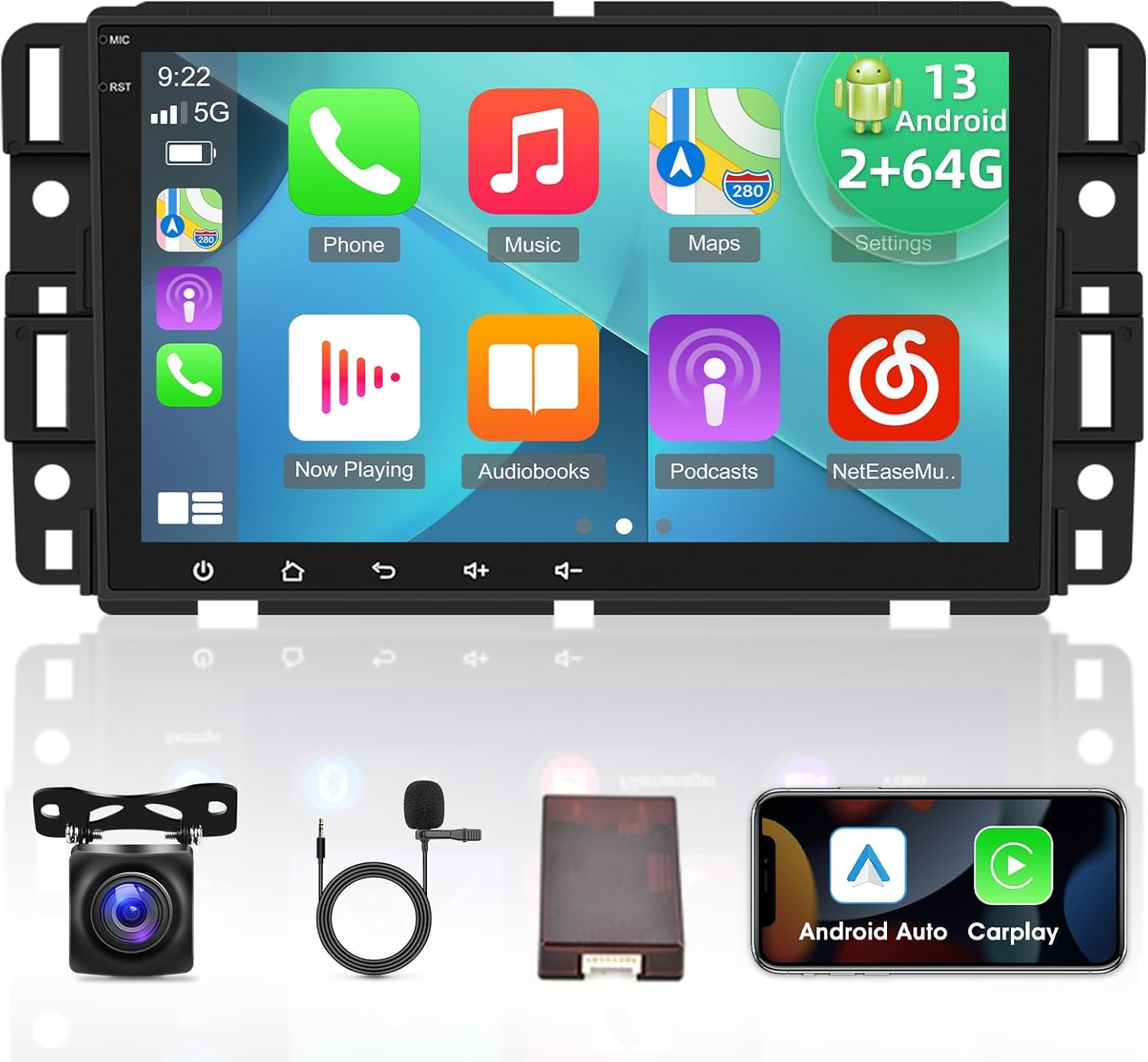
Verify that all items listed below are included in your package:
- EKAT Android 13 Car Radio Unit
- Canbus Decoder
- Small Microphone
- User Manual
- RCA Cable Set
- GPS Antenna
- 2x USB Cables
- External Microphone
- AHD Backup Camera
- Camera Input Cable
- Radio Antenna Adapter
- Power Harness
If any items are missing or damaged, please contact customer support immediately.
2. Applicable Vehicle Models
This EKAT Android 13 Car Radio is designed for specific Chevrolet, GMC, and Buick vehicle models. Please confirm your vehicle's compatibility before installation.
- For Chevrolet: Silverado 1500 2500HD 3500HD (2007-2012), Avalanche (2007-2011), Express Van (2008-2011), Impala (2006-2012), Tahoe (2007-2014), Equinox (2005-2009), Suburban (2007-2014)
- For GMC: Acadia (2007-2012), Savana (2008-2013), Sierra (2007-2011), Yukon (2007-2013)
- For Buick: Enclave (2008-2012)
- For Hummer: H2 (2008-2009)

3. Setup and Installation
The EKAT Android 13 Car Radio is designed for plug-and-play installation. All necessary cables are provided. If the harness does not fit your vehicle, please contact customer service.
3.1 Backup Camera Wiring
Proper connection of the AHD backup camera is crucial for its functionality. The reversing input must be plugged in even if the camera is not used.
- Red Cable (1): Connect to the positive pole of the car reversing light cable.
- Black Cable (2): Connect to the negative pole of the car reversing light cable.
- The other two red extension cables (3 & 4) do not require connection.

3.2 Steering Wheel Control Learning
After installing the car radio and Canbus, you must complete the steering wheel button learning process to enable the steering wheel control function.
- Navigate to Settings on the car radio.
- Select Steering Learn.
- Follow the on-screen prompts to assign functions to your steering wheel buttons.

4. Operating Instructions
4.1 Android 13 System Overview
The car radio operates on the latest Android 13 system, featuring a 4-core CPU, 2GB RAM, and 64GB ROM. This configuration allows for faster operation and the installation of various applications. The 8-inch 1080P HD touch screen provides a clear and detailed display.
4.2 Wired/Wireless CarPlay & Android Auto
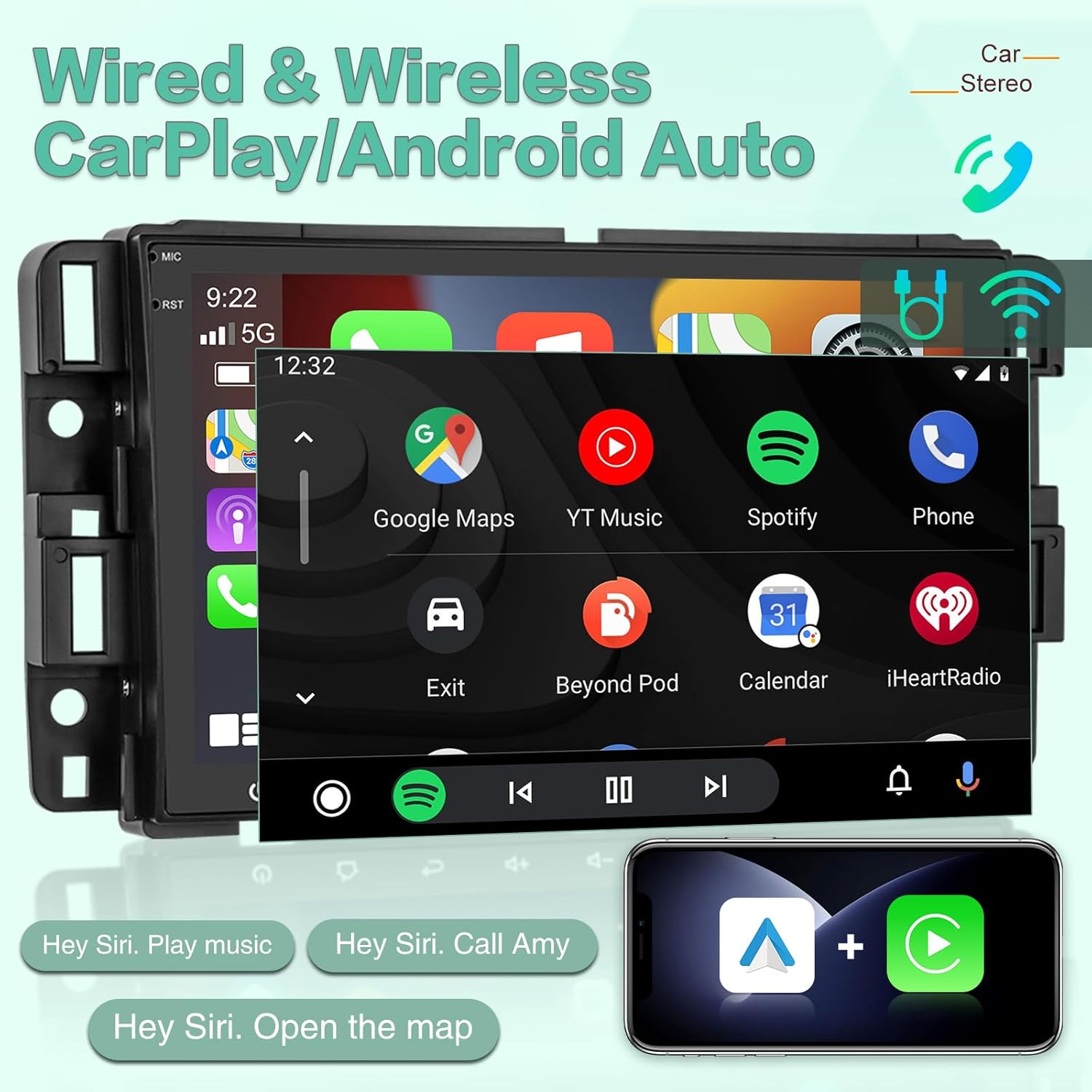
Integrate your smartphone seamlessly using either wireless Bluetooth or a wired USB cable connection for CarPlay (via 'Z-Link' APP) or Android Auto. This feature enables hands-free calling, music playback, map navigation, and voice assistant access for safer driving.
4.3 GPS Navigation & Wi-Fi Hotspot
The car radio includes GPS navigation, supporting both online and offline maps. Connect to Wi-Fi or a mobile hotspot to download applications like YouTube, TikTok, and Spotify from the Play Store, enhancing your in-car entertainment and utility.

4.4 Hi-Fi Audio
Experience high-fidelity audio playback that closely reproduces original sound, allowing you to enjoy your favorite music with exceptional clarity and detail.

4.5 Backup Camera Function
Connect the included AHD reversing camera to receive visual assistance when backing up, helping to eliminate blind spots and avoid obstacles.

4.6 Steering Wheel Controls
Once configured, the steering wheel controls allow you to safely manage calls, adjust volume, and change songs without taking your hands off the wheel.

4.7 FM RDS Radio
The integrated FM RDS radio allows you to listen to real-time traffic updates, news broadcasts, and weather forecasts.

4.8 Split Screen Function
Utilize the split screen feature to display two applications simultaneously, such as navigation and music playback, for enhanced multitasking.

5. Maintenance
To ensure the longevity and optimal performance of your EKAT Android 13 Car Radio, follow these maintenance guidelines:
- Cleaning the Screen: Use a soft, lint-free cloth to gently wipe the touch screen. For stubborn smudges, slightly dampen the cloth with water or a screen-safe cleaner. Avoid abrasive materials or harsh chemicals.
- General Cleaning: Keep the unit free from dust and debris. Use a soft brush or compressed air to clean vents and crevices.
- Avoid Extreme Temperatures: Do not expose the unit to extreme heat or cold for extended periods, as this can affect performance and lifespan.
- Software Updates: Periodically check for and install available software updates to ensure the system runs efficiently and securely.
6. Troubleshooting
If you encounter issues with your car radio, refer to the following common troubleshooting steps. If the problem persists, contact customer support.
| Issue | Possible Cause | Solution |
|---|---|---|
| Unit does not power on | Incorrect wiring; Blown fuse; Power supply issue. | Check power connections and fuses. Ensure the power harness is correctly installed. If issues persist, contact support. |
| No sound output | Incorrect speaker wiring; AMP_CTRL wire not activated; Volume too low. | Verify speaker connections. If using an external amplifier, ensure the AMP_CTRL wire is receiving 12V or activate the external amp button in the device settings. Check volume levels. |
| Steering wheel controls not working | Steering wheel learning not completed; Canbus issue. | Perform the steering wheel button learning process (Section 3.2). Ensure the Canbus decoder is correctly connected. |
| Backup camera not displaying | Incorrect camera wiring; Camera input not selected. | Review backup camera wiring (Section 3.1). Ensure the camera input is correctly selected when reversing. |
| GPS signal weak or inaccurate | GPS antenna placement; Obstruction. | Ensure the GPS antenna is placed in an unobstructed location, typically on the dashboard with a clear view of the sky. |
7. Technical Specifications
Key technical specifications for the EKAT Android 13 Car Radio:
| Feature | Specification |
|---|---|
| Operating System | Android 13 |
| RAM | 2GB |
| ROM | 64GB |
| Display Size | 8 Inches |
| Resolution | 1080p HD |
| Connectivity | Bluetooth, Wi-Fi Hotspot |
| Special Features | Wired/Wireless CarPlay, Android Auto, Hi-Fi Audio, GPS Navigation, AHD Backup Camera Support, Steering Wheel Control, Split Screen, FM RDS Radio |
| Mounting Type | Dashboard Mount |
| Item Weight | 3.14 pounds |
| Product Dimensions | 8 x 8 x 8 inches |
8. Warranty and Customer Support
EKAT is committed to providing excellent customer service and product support.
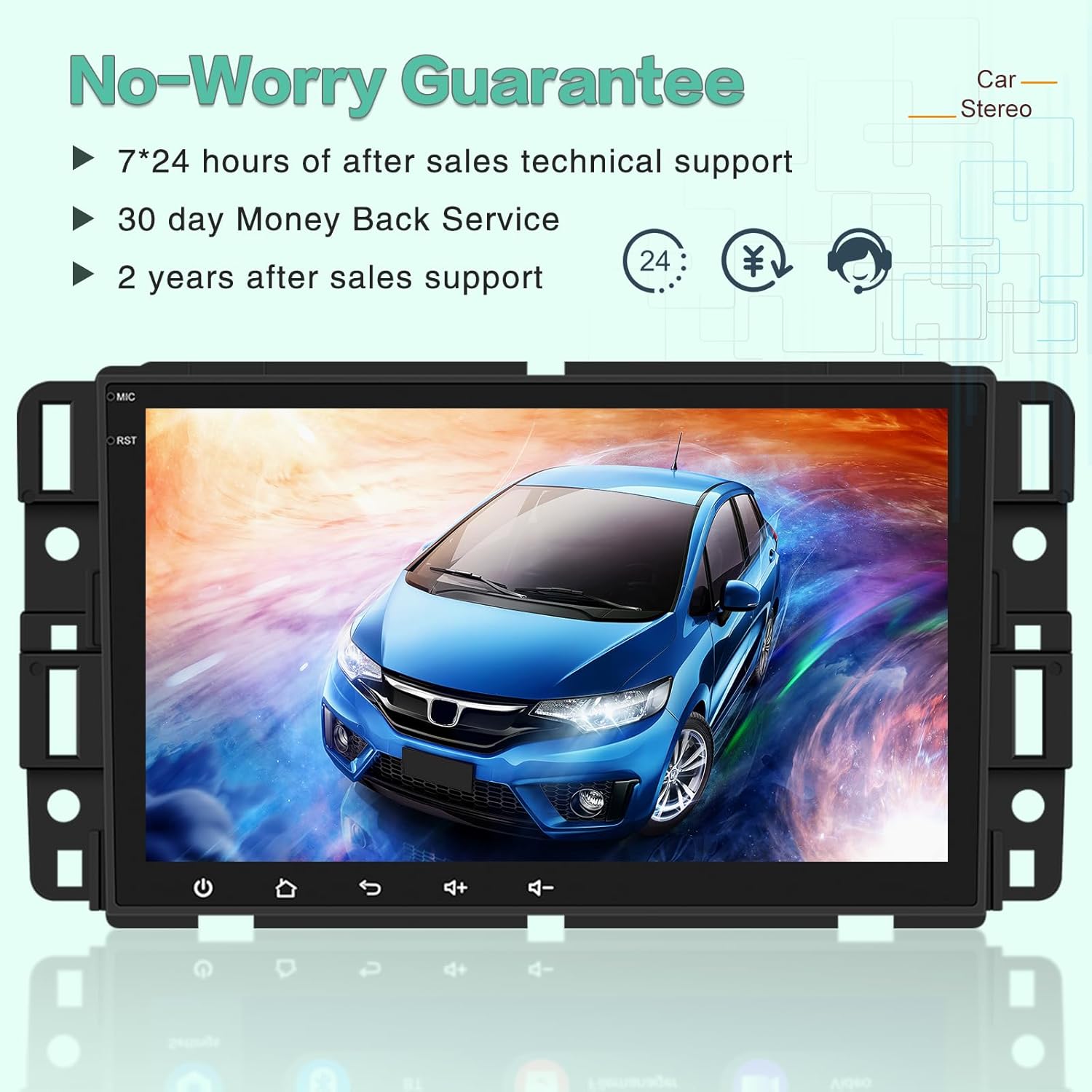
- Warranty: This product comes with a 2-year warranty.
- Money-Back Service: Enjoy a 30-day money-back guarantee.
- Technical Support: We provide 7*24 hours of after-sales technical support.
For any questions, technical assistance, or warranty claims, please contact us through your Amazon Order page. Our support team is ready to assist you.


