
1. Introduction and Product Overview
Thank you for choosing the BE COOL BC50LEF2301 50L Dehumidifier. This appliance is designed to efficiently remove excess moisture from the air in your home or commercial space, improving air quality and preventing issues like mold and mildew. This manual provides essential information for the safe and effective operation, maintenance, and troubleshooting of your dehumidifier.
Key features of your BE COOL BC50LEF2301 dehumidifier include:
- Powerful dehumidification: Removes up to 50 liters of moisture per day.
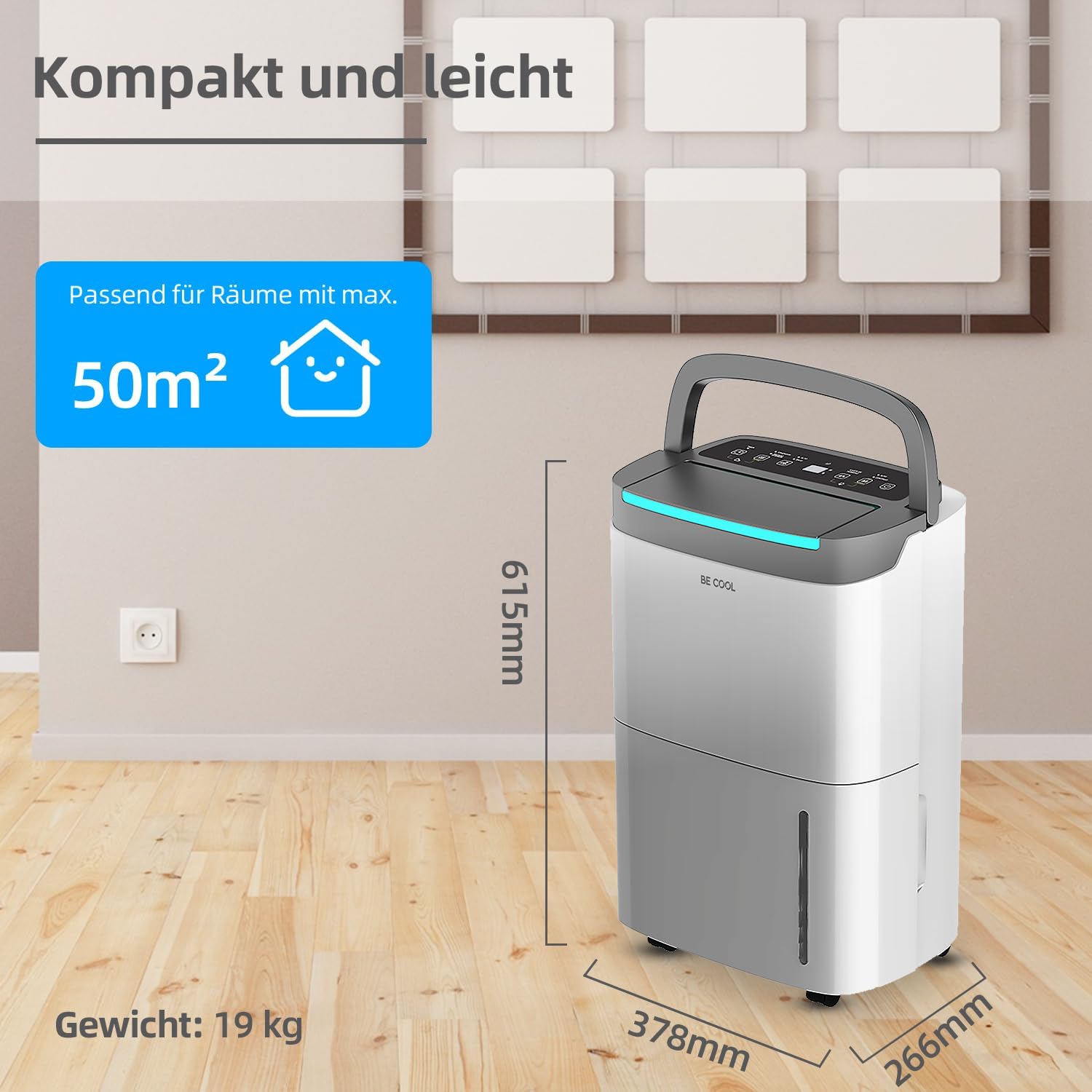
- Suitable for large areas: Effective in rooms up to 125 m³ (50 m²).
- User-friendly touch panel with LED display.
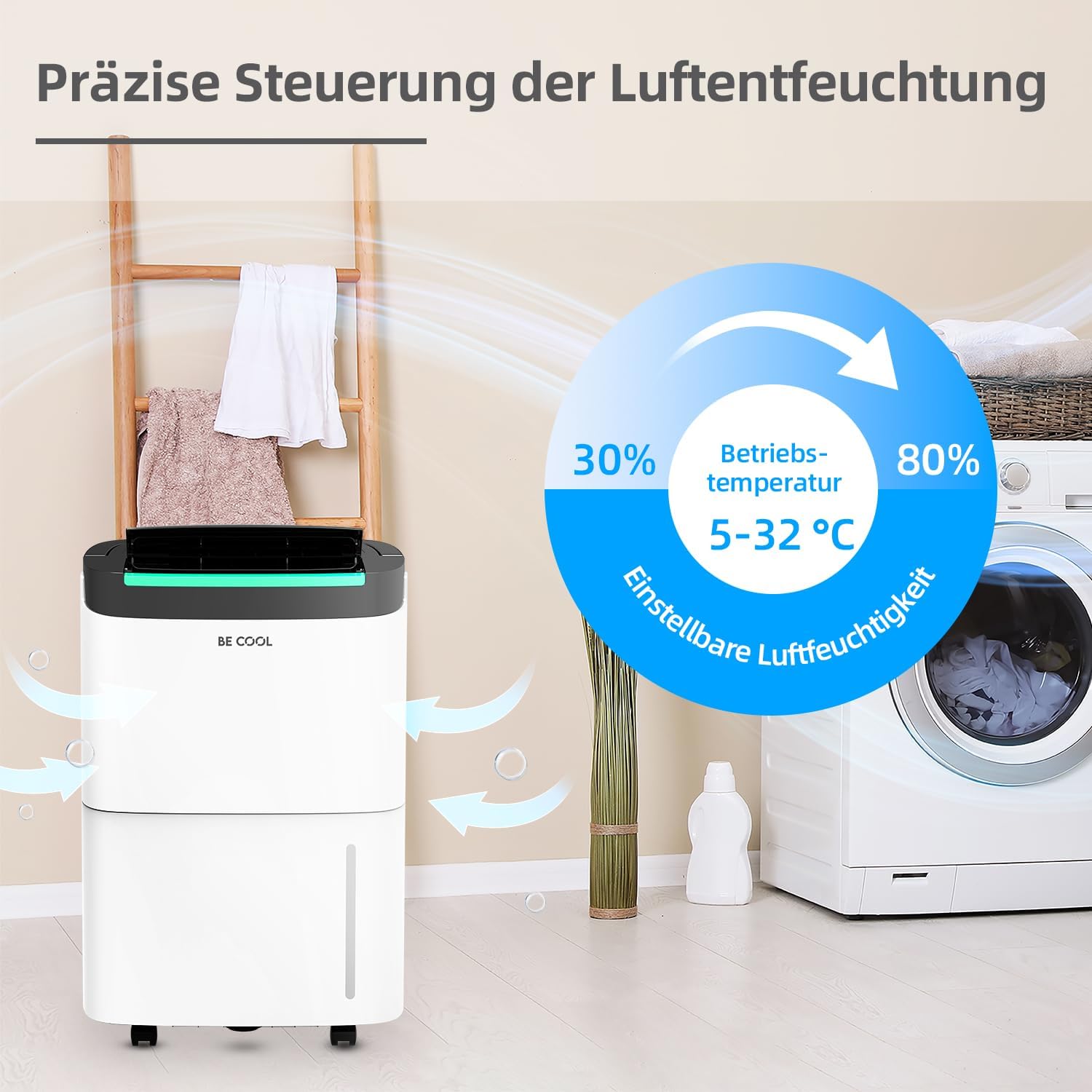
- Adjustable humidity levels from 30% to 80%.
- Environmentally friendly R290 refrigerant.
- 24-hour timer function.
- Automatic defrost function.
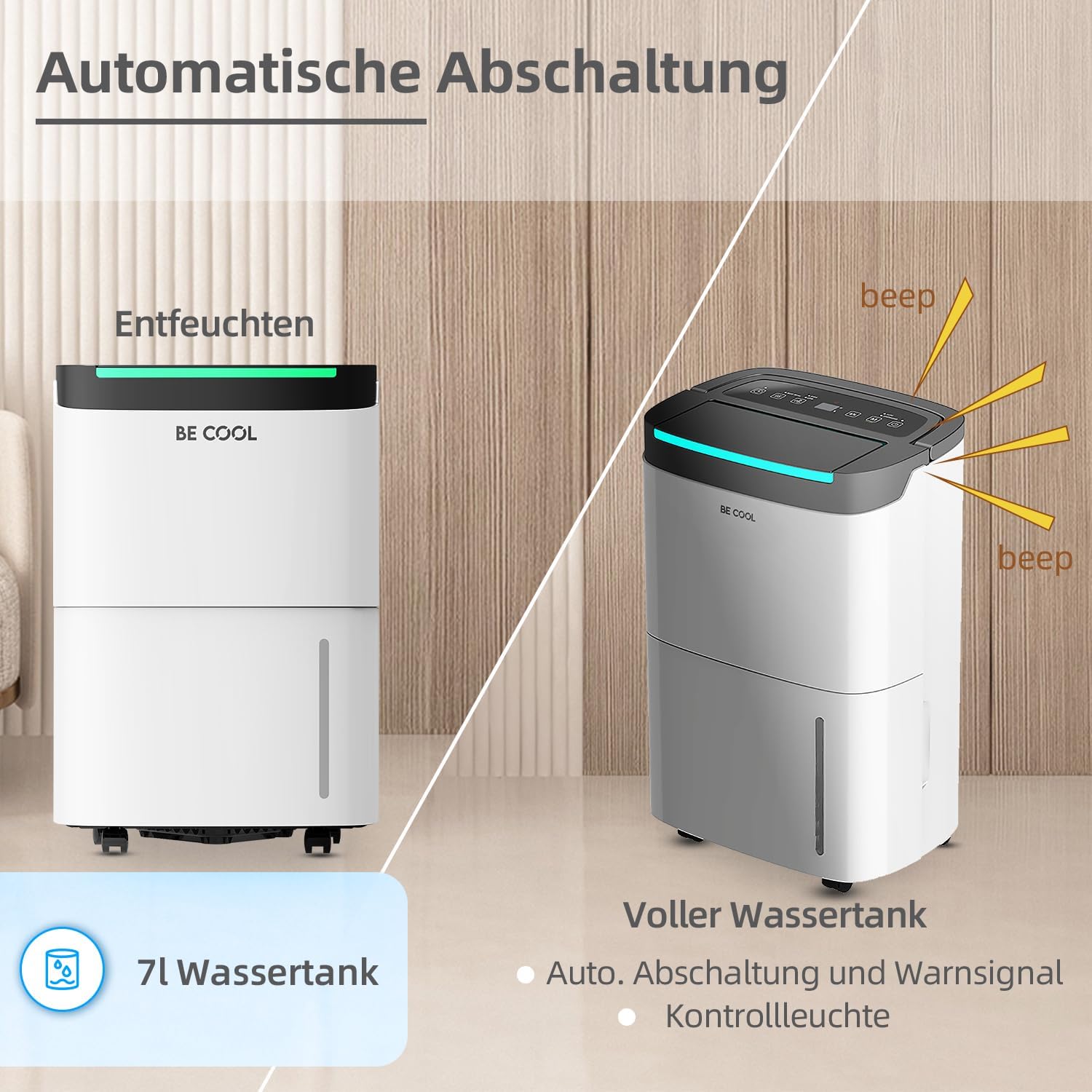
- Full water tank alarm and automatic shut-off.
- 7-liter removable water tank.
- Integrated dust filter.
- Power outage memory function.
- Equipped with wheels for easy mobility.

2. Safety Instructions
Please read all safety instructions carefully before using the appliance to prevent injury or damage. Keep this manual for future reference.
- Electrical Safety: Ensure the power supply matches the voltage specified on the rating label. Do not operate the unit with a damaged power cord or plug. Do not share the power outlet with other appliances.
- Placement: Place the dehumidifier on a flat, stable surface. Maintain at least 20 cm (8 inches) clearance around the unit for proper airflow. Do not block air inlets or outlets.
- Refrigerant: This appliance uses R290 refrigerant. Do not puncture the refrigerant circuit. Servicing should only be performed by qualified personnel.
- Water Tank: Always empty the water tank before moving the unit. Do not drink the collected water.
- Children and Pets: Keep children and pets away from the appliance during operation.
- Cleaning: Always unplug the unit before cleaning or performing any maintenance.
- Operating Conditions: Do not operate the unit in extremely high temperatures or in direct sunlight. The recommended operating temperature range is 5-32°C.
3. Product Components
Familiarize yourself with the main parts of your dehumidifier:
- Control Panel: Located on the top, with touch buttons and an LED display.
- Air Outlet: Top front, where dry air is expelled.
- Air Inlet: Rear, where humid air is drawn in.
- Dust Filter: Located behind the air inlet, removable for cleaning.
- Water Tank: Removable tank at the bottom front for collecting condensed water.
- Continuous Drainage Outlet: (If applicable) Located at the rear for connecting a drain hose.
- Wheels: For easy movement of the unit.
- Handle: Integrated handle for portability.


4. Setup
- Unpacking: Carefully remove the dehumidifier from its packaging. Retain the packaging materials for future storage or transport.
- Placement:
- Place the unit upright on a firm, level surface.
- Ensure there is at least 20 cm (8 inches) of free space around the unit to allow for adequate air circulation.
- Avoid placing the unit near heat sources, in direct sunlight, or in areas prone to splashing water.
- For optimal performance, operate the unit within the recommended temperature range of 5-32°C.
- Power Connection: Plug the power cord into a grounded electrical outlet. Ensure the outlet meets the power requirements of the unit.
- Initial Use: After transport, allow the unit to stand upright for at least 2 hours before plugging it in and turning it on. This allows the refrigerant to settle.
5. Operating Instructions
The BE COOL BC50LEF2301 features an intuitive touch control panel and LED display for easy operation.

5.1 Control Panel Functions
- Power Button (⏻): Press to turn the unit ON or OFF.
- Mode Button (M): Cycles through different operating modes (e.g., Auto, Continuous, Drying).
- Humidity Setting (%): Adjusts the desired humidity level from 30% to 80% in 5% increments.
- Fan Speed Button (☰): Selects between two fan speeds (High/Low).
- Timer Button (⏱): Sets the 24-hour timer for automatic power ON or OFF.
- LED Display: Shows current humidity, set humidity, or timer settings.
5.2 Setting Desired Humidity
Press the Humidity Setting button (%) repeatedly to cycle through desired humidity levels. The display will show the selected percentage. The unit will operate until the room humidity reaches the set level, then pause. It will resume operation if the humidity rises above the set level.
5.3 Timer Function
The 24-hour timer allows you to set a specific time for the unit to turn ON or OFF automatically.
- To set Auto-OFF: While the unit is ON, press the Timer button. Use the humidity setting buttons (or dedicated timer adjustment buttons if present) to set the desired number of hours (1-24) after which the unit will turn off.
- To set Auto-ON: While the unit is OFF, press the Timer button. Set the desired number of hours (1-24) after which the unit will turn on.
5.4 Water Tank Full Alarm and Auto Shut-off
When the 7-liter water tank is full, the unit will automatically stop operating, and an alarm will sound (beep). The LED display may also indicate a full tank. Empty the water tank and reinsert it correctly to resume operation.
5.5 Continuous Drainage
For extended operation without needing to empty the water tank, you can connect a drain hose to the continuous drainage outlet at the rear of the unit. Ensure the hose is sloped downwards to allow gravity drainage into a suitable receptacle or floor drain.
5.6 Defrost Function
The unit is equipped with an automatic defrost function. If frost builds up on the evaporator coils, the unit will temporarily stop dehumidifying and run the fan to melt the frost. Dehumidification will resume automatically once the defrost cycle is complete.

6. Maintenance
Regular maintenance ensures optimal performance and extends the lifespan of your dehumidifier.
6.1 Cleaning the Dust Filter
- Turn off the unit and unplug it from the power outlet.
- Locate the air inlet grille at the rear of the unit.
- Remove the dust filter.
- Clean the filter with a vacuum cleaner or wash it with warm, soapy water. Rinse thoroughly and allow it to air dry completely before reinserting.
- Reinsert the dry filter and close the grille.
Recommendation: Clean the dust filter every two weeks or more frequently depending on usage and air quality.
6.2 Emptying the Water Tank
- When the water tank is full, the unit will stop operating and alert you.
- Carefully pull out the water tank from the front of the unit.
- Empty the collected water.
- Clean the tank periodically with mild detergent and water to prevent mold growth. Rinse thoroughly.
- Reinsert the empty tank firmly into the unit. Ensure it is correctly seated to allow the unit to resume operation.
6.3 Cleaning the Unit Exterior
Wipe the exterior of the unit with a soft, damp cloth. Do not use harsh chemicals, abrasive cleaners, or solvents, as these can damage the surface.
6.4 Storage
If storing the unit for an extended period:
- Unplug the unit and empty the water tank.
- Clean the dust filter and the exterior.
- Allow the unit to dry completely for at least 24 hours in a well-ventilated area.
- Store the unit upright in a cool, dry place, preferably in its original packaging.
7. Troubleshooting
Before contacting customer support, please refer to the following troubleshooting guide for common issues:
| Problem | Possible Cause | Solution |
|---|---|---|
| Unit does not turn on. | No power supply. Power cord not properly connected. Water tank full or not correctly inserted. | Check power outlet and circuit breaker. Ensure power cord is securely plugged in. Empty water tank and reinsert it correctly. |
| Unit is running but not dehumidifying. | Room temperature too low (below 5°C). Air filter clogged. Humidity setting is higher than current room humidity. Doors/windows open. | Operate unit within recommended temperature range. Clean the air filter. Set desired humidity lower than current room humidity. Close doors and windows to isolate the room. |
| Water tank full indicator is on, but tank is not full. | Water tank not correctly inserted. Float switch malfunction. | Remove and reinsert the water tank firmly. Contact customer support if issue persists. |
| Unit is noisy. | Unit not on a level surface. Air filter clogged. Internal component issue. | Place unit on a flat, stable surface. Clean the air filter. Contact customer support. |
| Frost on coils. | Room temperature too low. | The unit's automatic defrost function should activate. If not, turn off the unit and allow it to defrost naturally. Ensure operating temperature is above 5°C. |
If the problem persists after trying these solutions, please contact BE COOL customer support.
8. Specifications
| Feature | Specification |
|---|---|
| Brand | Be Cool |
| Model Number | BC50LEF2301 |
| Dehumidification Capacity | Approx. 50 Liters/24h |
| Water Tank Capacity | 7 Liters |
| Power | 680 Watts |
| Recommended Room Size | Up to 125 m³ (50 m²) |
| Product Dimensions (L x W x H) | 26.6 x 37.8 x 61.5 cm |
| Item Weight | 19 Kilograms |
| Material | Plastic |
| Refrigerant | R290 (environmentally friendly) |
| Fan Speeds | 2 |
| Special Features | Two fan levels, Dust filter, Full water tank alarm, Defrost function, Power outage memory, 24-hour timer, Touch panel, Removable tank, Wheels. |
9. Warranty and Support
This BE COOL dehumidifier comes with a standard manufacturer's warranty. Please refer to the warranty card included with your purchase for specific terms and conditions, including warranty period and coverage details.
For technical assistance, troubleshooting beyond this manual, or warranty claims, please contact BE COOL customer support. Contact information can typically be found on the product packaging, the official BE COOL website, or your purchase receipt.
When contacting support, please have your model number (BC50LEF2301) and purchase date ready.

