
1. Introduction
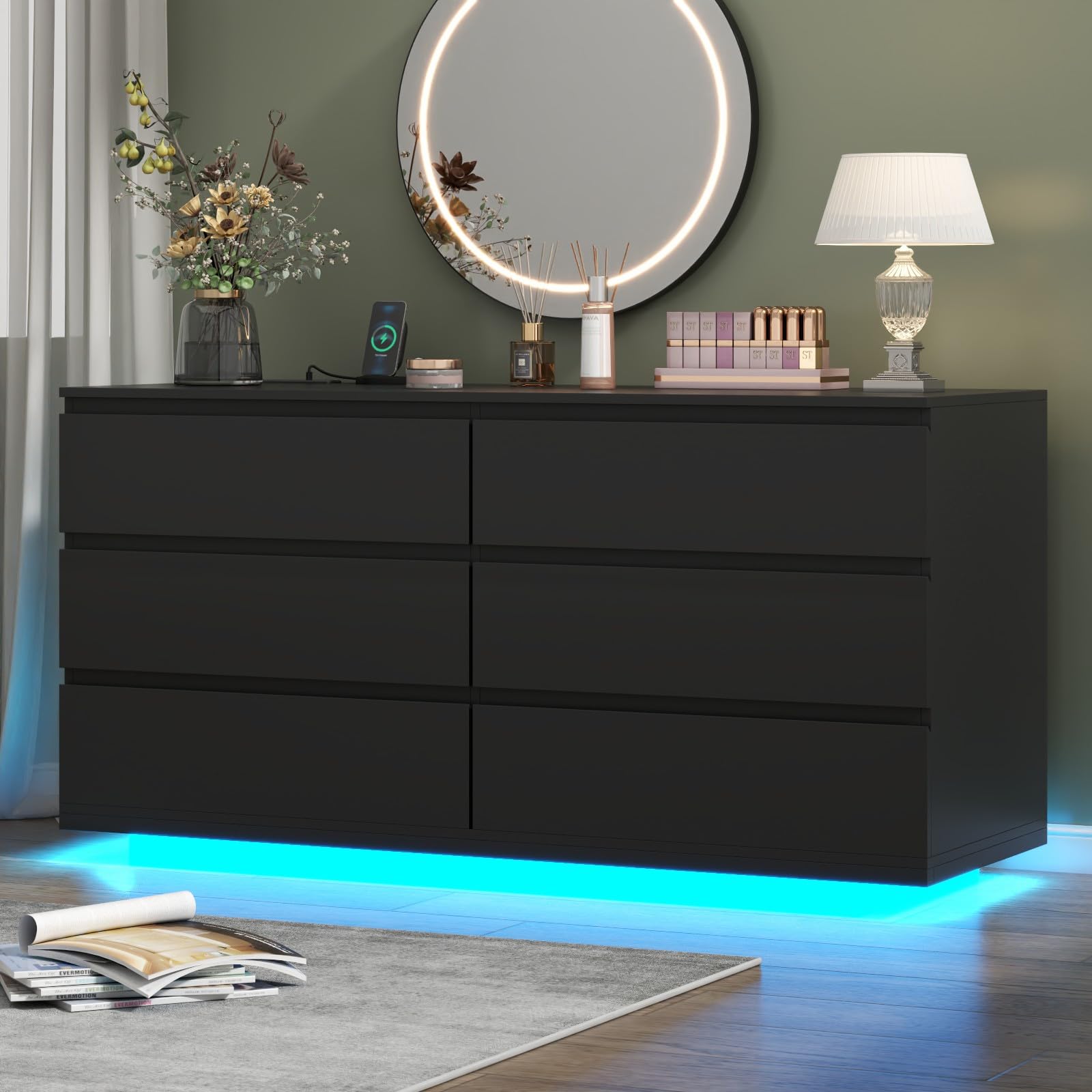
Thank you for choosing the Gyfimoie 6-Drawer Dresser. This modern dresser is designed to enhance your living space with ample storage, integrated LED lighting, and a convenient power outlet with USB ports. This manual provides detailed instructions for assembly, operation, maintenance, and troubleshooting to ensure safe and optimal use of your new furniture.
2. Safety Information
Please read and understand all safety warnings before assembly and use. Failure to follow these instructions may result in injury or damage to the product.
- Anti-Tipping Kit: Always install the included anti-tipping kit to prevent the dresser from falling over, especially in households with children or pets. Securely fasten the dresser to a wall stud.
- Electrical Safety: The integrated power outlet and USB ports are designed for indoor use only. Do not overload the outlets. Ensure the power cord is not pinched or damaged during assembly or use. Keep liquids away from electrical components.
- Weight Capacity: Do not exceed the recommended weight capacity for the dresser top or drawers. Distribute weight evenly.
- Assembly: Assemble the dresser on a soft, clean surface to prevent scratches. Ensure all hardware is securely tightened before use. Do not use power tools for tightening screws unless explicitly instructed, as this may strip the threads or damage the material.
- Ventilation: Ensure adequate ventilation around the power outlet area to prevent overheating.

3. Package Contents
Before beginning assembly, verify that all parts and hardware are present. If any items are missing or damaged, please contact customer support.
- Dresser Panels (Top, Bottom, Sides, Back)
- 6 Drawer Fronts
- Drawer Sides and Back Panels
- Drawer Bottoms
- Drawer Slides (for 6 drawers)
- Integrated Power Outlet Unit (with 2 AC outlets and 2 USB ports)
- LED Light Strip with Controller
- Anti-Tipping Kit
- Assembly Hardware (screws, dowels, cam locks, etc.)
- Instruction Manual
4. Assembly Instructions
Assembly is designed to be straightforward. Please follow the step-by-step instructions provided in the separate assembly guide included in your package. It is recommended to have two people for assembly.
- Prepare Workspace: Clear a spacious area and lay out all components on a soft, clean surface to prevent damage.
- Assemble Frame: Follow the guide to connect the main dresser panels using the provided hardware.
- Install Drawer Slides: Attach the drawer slides to the dresser frame and drawer sides as per the instructions.
- Assemble Drawers: Construct each of the six drawers, ensuring they are square and sturdy.
- Install Power Outlet: Secure the power outlet unit into its designated slot on the dresser top.
- Attach LED Strip: Adhere the LED light strip to the underside of the dresser, ensuring the wiring is neatly routed.
- Insert Drawers: Carefully slide the assembled drawers into the dresser frame.
- Secure Anti-Tipping Kit: Attach the anti-tipping kit to the back of the dresser and securely fasten it to a wall stud.

5. Operating Instructions
5.1. LED Lighting System
The integrated LED light strip offers customizable illumination for your room. It can be controlled via a key control, a mobile app, and features various modes.
- Power On/Off: Use the dedicated button on the key control or within the app to turn the LED lights on or off.
- Color Selection (RGB): Choose from a spectrum of RGB colors using the key control or the color wheel in the app.
- Light Modes: Select from various pre-set light modes (e.g., static, fade, strobe) to suit your ambiance.
- Music Sync Mode: Activate this mode to synchronize the LED lights with music or ambient sounds.
- Timing Mode: Set a timer for the lights to automatically turn off after a specified duration.
- App Control: Download the recommended app (refer to the LED light manual for details) to unlock full control features, including advanced customization and scheduling.


5.2. Power Outlet and USB Charging Station
The dresser includes a built-in power strip with two standard AC outlets and two USB ports for convenient charging of your electronic devices.
- AC Outlets: Plug in devices requiring standard 125V/12A power.
- USB Ports: Connect your smartphones, tablets, smartwatches, or other USB-powered devices for 5V/2A charging.
- Usage: Simply plug the dresser's main power cord into a wall outlet, then connect your devices to the integrated charging station.

6. Maintenance
Proper care will ensure the longevity and appearance of your Gyfimoie dresser.
- Cleaning: Wipe the dresser surfaces with a dry, soft cloth. For stubborn marks, use a slightly damp cloth with mild soap, then dry immediately. Avoid harsh chemicals or abrasive cleaners.
- Drawer Care: Periodically check drawer slides for smooth operation. If drawers become stiff, a small amount of silicone lubricant can be applied to the slides.
- Electrical Components: Keep the power outlet and LED strip free from dust. Do not attempt to disassemble or repair electrical components yourself.
- Sunlight Exposure: Avoid prolonged direct sunlight exposure to prevent fading or discoloration of the finish.
7. Troubleshooting
If you encounter issues with your dresser, refer to the following common problems and solutions:
| Problem | Possible Cause | Solution |
|---|---|---|
| LED lights not turning on. | Power cord unplugged, LED controller disconnected, faulty LED strip. | Ensure the dresser's power cord is securely plugged into a working outlet. Check connections to the LED controller and strip. If issues persist, contact support. |
| Power outlets/USB ports not working. | Dresser power cord unplugged, circuit breaker tripped, faulty outlet unit. | Verify the dresser is plugged in. Check your home's circuit breaker. Test with another device. If still not working, contact support. |
| Drawers are stiff or not sliding smoothly. | Misaligned drawer slides, debris in slides, overtightened screws. | Empty the drawer and re-insert it carefully. Check for any obstructions in the slides. Ensure all screws on the slides are tightened correctly but not excessively. Apply silicone lubricant if needed. |
| Dresser feels unstable. | Anti-tipping kit not installed, uneven floor, loose assembly hardware. | Ensure the anti-tipping kit is properly installed and secured to a wall stud. Adjust furniture levelers if present, or place shims under the base. Re-tighten all assembly hardware. |
8. Specifications
| Feature | Detail |
|---|---|
| Brand | Gyfimoie |
| Model Name | Drawer Dresser |
| Model Number | Dresser-863 |
| Product Dimensions (D x W x H) | 15.7"D x 47.3"W x 29.6"H |
| Number of Drawers | 6 |
| Material | Engineered Wood |
| Finish Type | Painted |
| Color | Black |
| Item Weight | 175.5 pounds |
| Power Outlet | 2 AC Outlets (125V/12A), 2 USB Ports (5V/2A) |
| LED Lights | Adjustable RGB, various modes, music sync, timing, app control |
| Product Care Instructions | Wipe with Dry Cloth |

9. Warranty and Support
Gyfimoie products are manufactured with quality and customer satisfaction in mind. For warranty information, missing parts, or technical support, please refer to the contact details provided in your purchase documentation or visit the official Gyfimoie website. Please have your model number (Dresser-863) and purchase date ready when contacting support.
For additional support, you may visit the Gyfimoie Store on Amazon.