
1. Important Safety Guidelines
Please read all instructions carefully before using your DeerRun Walking Pad Treadmill. Retain this manual for future reference.
- Always place the treadmill on a firm, level surface.
- Ensure adequate clear space around the treadmill for safe operation.
- Use the safety key at all times during operation. Attach the clip to your clothing. If you fall or move too far back, the safety key will detach, stopping the treadmill immediately.
- Keep children and pets away from the treadmill during operation.
- Do not use the treadmill if it is damaged or malfunctioning.
- Maximum user weight capacity: 300 lbs.
2. Package Contents
Verify that all components are present and undamaged upon unboxing:
- DeerRun Walking Pad Treadmill Unit
- Remote Control
- Phone Stand
- User Manual
- L-Shaped Wrench
- Battery (for remote)
- Safety Rope (Safety Key)
- Power Cord 5.9ft
- Screwdriver
- Lubricating Oil

Image: All components included in the DeerRun Walking Pad Treadmill package.
3. Setup Instructions
Follow these steps to set up your DeerRun Walking Pad Treadmill:
- Place the machine on a level ground.
- Inspect the packaging for any damage. If any, contact customer service promptly.
- Cut the tape and packaging rope with a small knife, being cautious about safety.
- Open the box and remove all packaging materials and related accessories. Check if all accessories are complete.
- Lift the machine and place it flat on the ground.
- Remove the plastic wrapping from the machine's display.
- Lift the handlebar column to the upright position. Secure it by pressing the wrench inward to fix the column.
- Insert the cell phone holder onto the handlebar.
- Place the safety lock in its designated position on the console.
- Plug in the power supply and turn on the main switch.
- Take out the remote control and pull out the insulation piece to activate it.
Video: Step-by-step guide on how to unbox and set up your DeerRun Walking Pad Treadmill.
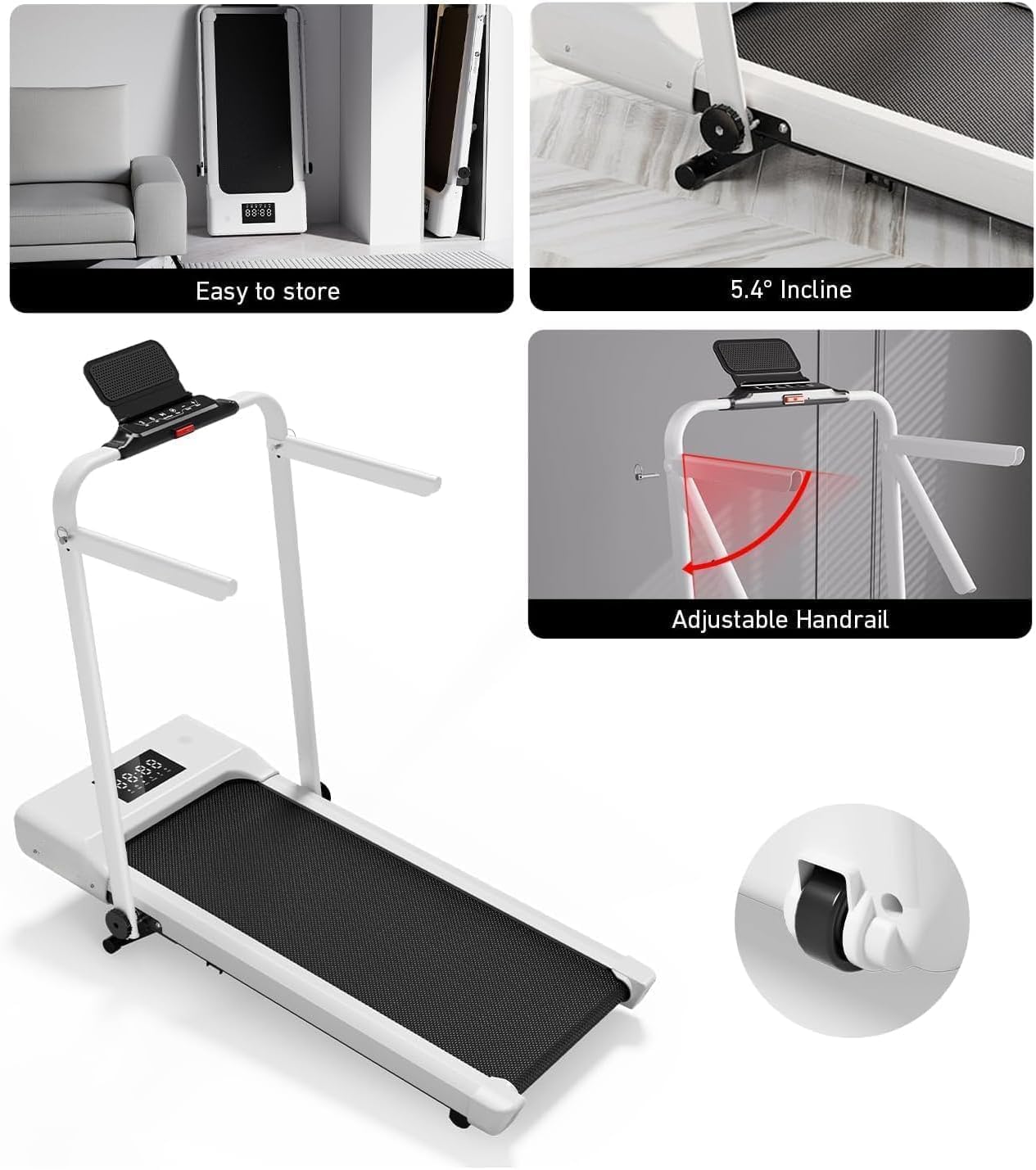
Image: The treadmill showing its adjustable handrail and compact storage options.
4. Operating Instructions
Modes of Operation
The DeerRun Walking Pad Treadmill offers versatile usage with its 4-in-1 design:
- Walking Pad Mode: With the handlebar folded down, the treadmill operates as a walking pad, ideal for use under a desk or for light walking.
- Treadmill Mode: With the handlebar upright, it functions as a traditional treadmill, supporting higher speeds for brisk walking and running.
Speed and Incline
The treadmill features a wide speed range and manual incline:
- Speed Range: 0.6 to 7.5 MPH, adjustable for walking, brisk walking, and running.
- Manual Incline: A 9% manual incline adds extra resistance to your workouts, helping to burn more calories and engage different muscle groups.

Image: The treadmill illustrating its 9% manual incline feature.
Control Panel and Remote Control
Control your workout directly from the handlebar console or using the included remote control:
- Console Controls: Start/Pause, Stop, Speed adjustment (+/-), and quick speed buttons (3 MPH, 6 MPH).
- Remote Control: Provides full control over Start/Pause, Stop, and Speed adjustment.
- Digital Display: The LED display shows metrics such as speed, distance, and calories burned.
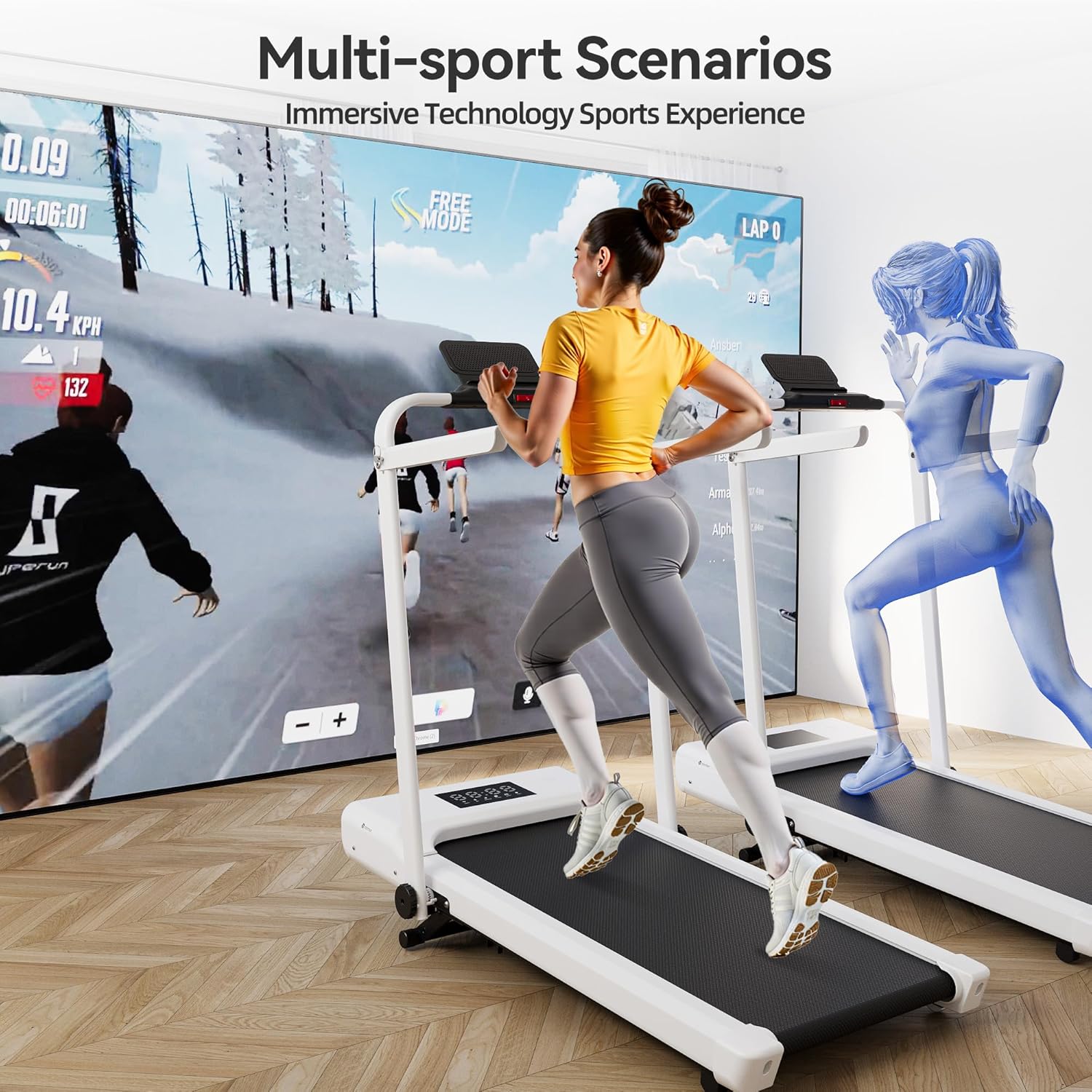
Image: Close-up of the treadmill's control panel and digital display during a workout.
Pit-Pat App Integration
Enhance your fitness journey by connecting to the Pit-Pat companion app:
- Track your workouts and progress.
- Adjust settings directly from your smartphone.
- Engage in virtual online competitions and training sessions.

Image: User interacting with the Pit-Pat app while using the DeerRun Walking Pad Treadmill.
5. Maintenance
Regular maintenance ensures the longevity and optimal performance of your treadmill:
- Lubrication: Apply lubricating oil (included) to the running belt as per the detailed instructions in the full user manual to ensure smooth operation and prevent wear.
- Cleaning: Regularly wipe down the treadmill with a damp cloth to remove dust and sweat.
- Belt Adjustment: Periodically check the running belt tension and alignment. Adjust as needed using the provided L-shaped wrench to prevent slipping or excessive friction.
6. Troubleshooting
Remote Control Pairing Issue
If your remote control is not able to control the machine, it may not be paired correctly. Follow these steps to re-pair the remote:
- First, turn off the machine using the main power switch.
- Next, press and hold the power button on the remote control while simultaneously turning on the machine's main power switch.
- When you hear a beep and see "00:00" displayed on the screen, it means the pairing was successful. You can now use the remote control to operate the machine.
- If the issue is still not resolved, you can try again or contact our customer service.
Video: Instructions on how to pair the remote control with the DeerRun Walking Pad Treadmill.
7. Specifications
| Feature | Detail |
|---|---|
| Brand | DeerRun |
| Model Number | DER-CT05-12K-BGW1W.s-HD-DR2 |
| Color | White |
| Product Dimensions (D x W x H) | 47.83"D x 24.41"W x 38.35"H |
| Folded Size | 50.06 x 24.41 x 5.45 inches |
| Item Weight | 58.86 Pounds |
| Material | Alloy Steel |
| Maximum Speed | 7.5 Miles per Hour |
| Minimum Speed | 0.6 Miles per Hour |
| Maximum Incline Percentage | 9% (Manual) |
| Maximum Horsepower | 3.0 HP |
| Maximum Weight Recommendation | 300 Pounds |
| Display | LED |
| Special Feature | Foldable, Adjustable Handlebar |
| Connectivity Technology | Power cord, Bluetooth (for app) |
| Control Program Name | Pit-Pat |
| Metrics Measured | Speed, Distance, Calories |
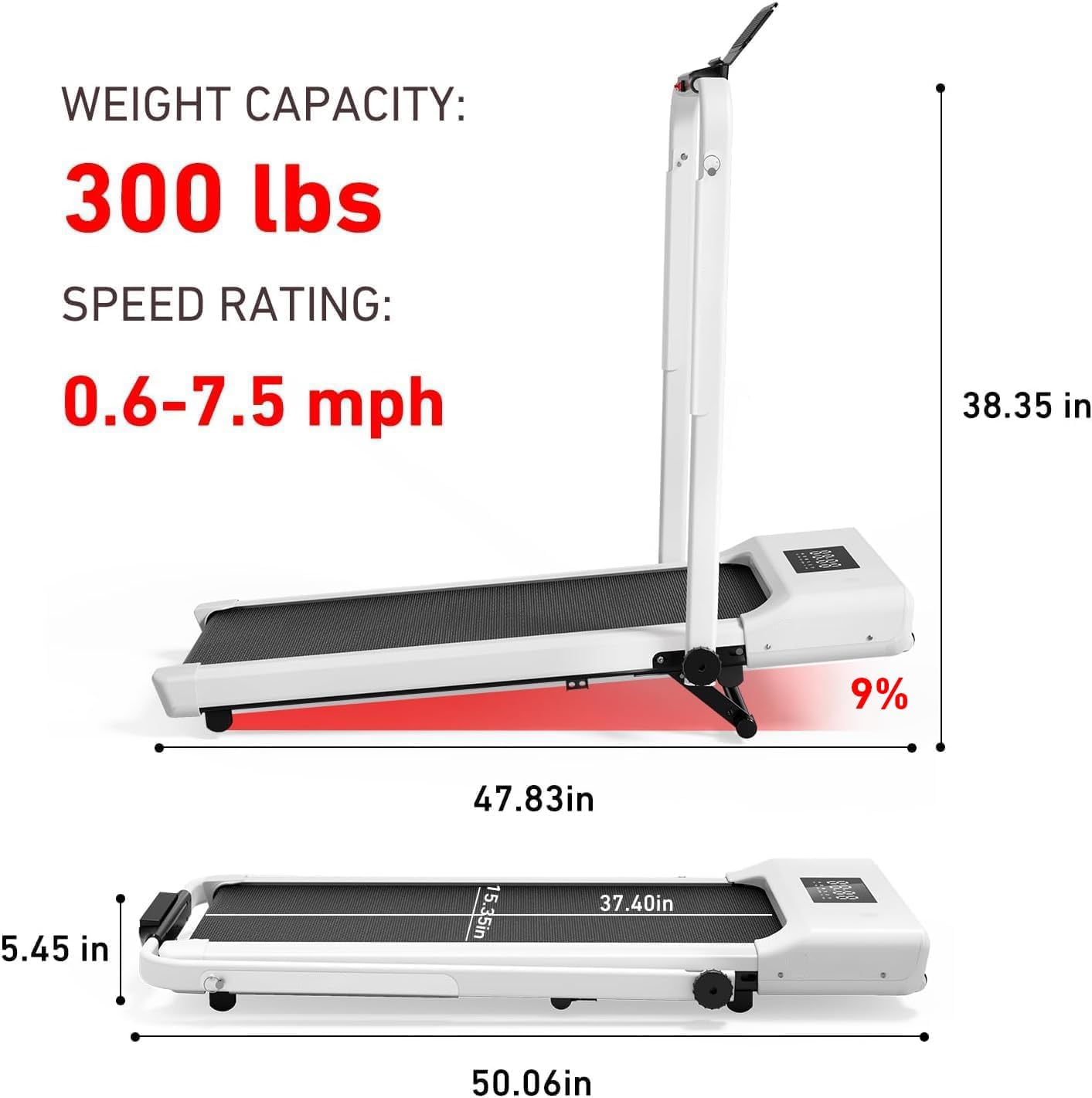
Image: Detailed dimensions and key specifications of the DeerRun Walking Pad Treadmill.
8. Warranty and Support
Your DeerRun Walking Pad Treadmill comes with comprehensive support:
- Warranty: 1 Year Limited Warranty.
- Customer Support: 24/7 customer support is available to assist with any questions or concerns.