
Introduction
This manual provides detailed instructions for the setup, operation, and maintenance of your Wantek USB C 3.5mm Wired Headset. Please read this manual thoroughly before using the product to ensure optimal performance and longevity.
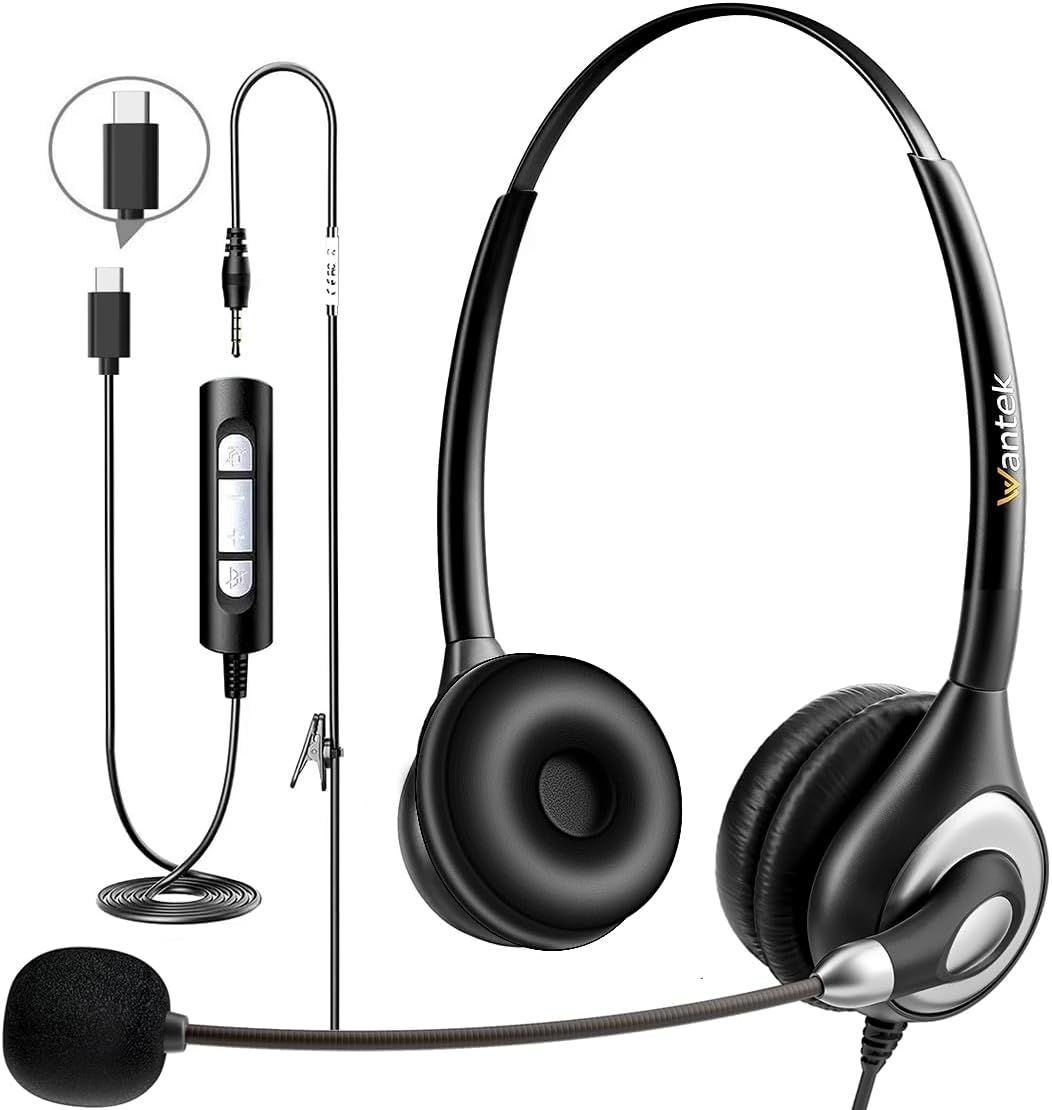
Image: The Wantek USB C 3.5mm Wired Headset, showcasing the headset, detachable cables (USB-C, 3.5mm), and in-line control unit.
Key Features
- Noise-Cancelling Microphone: Unidirectional boom microphone rotates 270 degrees to capture your voice clearly while blocking background noise.
- Comfortable Design: Adjustable headband fits various head sizes. Soft protein memory foam earpads made from breathable, ROHS certified materials ensure all-day comfort.
- Enhanced Audio: Built-in audio sound card and 40mm audio drivers deliver clear sound and enhanced bass for calls, music, movies, and gaming.
- Versatile Connectivity: Features both 3.5mm audio cable and Type-C in-line audio volume control for broad compatibility.
- In-line Controls: Convenient controls for speaker ON/OFF, volume adjustment (+/-), and microphone ON/OFF with indicators.
Setup Instructions
- Connect the Headset:
Your Wantek headset offers flexible connectivity options:
- For 3.5mm Jack Devices (e.g., some laptops, tablets, phones): Plug the 3.5mm audio cable directly into your device's audio jack.
- For USB-C Devices (e.g., modern laptops, tablets, Android phones): Connect the Type-C in-line control unit to your device's USB-C port.
- For USB-A Devices (e.g., desktop PCs, older laptops): Attach the USB-A adapter to the Type-C in-line control unit, then plug the USB-A adapter into your device's USB-A port.

Image: Diagram illustrating the wide compatibility of the headset with different operating systems and connection types (3.5mm, Type-C, USB-A).
- Adjust the Headband:
Gently slide the earcups up or down along the headband to achieve a comfortable and secure fit. The adjustable headband is designed to fit various head shapes and sizes.

Image: Close-up of the headset highlighting its ergonomic features, such as the adjustable headband and rotatable microphone.
- Position the Microphone:
The unidirectional boom microphone can be rotated 270 degrees. Adjust its position so it is close to your mouth for optimal voice pickup. The microphone arm is also bendable for precise positioning. You can wear the microphone on either your left or right ear.
Operating Instructions
The in-line control unit provides easy access to essential functions:

Image: Detailed view of the in-line control unit, indicating the functions of each button.
- Speaker ON/OFF: Press the speaker button to toggle the headset's audio output on or off.
- Volume Control: Use the '+' and '-' buttons to increase or decrease the listening volume.
- Microphone ON/OFF: Press the microphone button to mute or unmute your microphone. An indicator light will show the microphone status.
Care and Maintenance
- Keep the headset clean by wiping it with a soft, dry cloth.
- Avoid exposing the headset to extreme temperatures, humidity, or direct sunlight.
- Do not attempt to disassemble the headset, as this may void the warranty.
- Store the headset in a safe place to prevent damage when not in use.
Troubleshooting
- No Sound/Microphone Not Working:
- Ensure the headset is securely plugged into the correct port (3.5mm, USB-C, or USB-A).
- Check the in-line controls to ensure the speaker and microphone are not muted.
- Verify your device's audio settings to ensure the Wantek headset is selected as the input and output device.
- Test the headset on another device to rule out device-specific issues.
- Poor Sound Quality:
- Adjust the volume using the in-line controls or your device's settings.
- Ensure the microphone is properly positioned near your mouth for clear voice capture.
- Check for any physical damage to the cables or connectors.
Specifications
| Feature | Detail |
|---|---|
| Model Name | WANTEK602USBC |
| Connectivity Technology | Wired (USB-C, 3.5mm Jack) |
| Noise Control | Active Noise Cancellation (Microphone) |
| Audio Driver Type | Dynamic Driver (40mm) |
| Microphone | Unidirectional Boom, 270° Rotatable |
| In-line Control | Volume (+/-), Mic Mute, Speaker Mute |
| Cable Length | Approx. 9 feet (5+4 feet) |
| Compatible Devices | PC, Tablet, Mac, iOS, Laptop, Android Phone, Desktops |
| Dimensions | 6.81 x 5.63 x 2.13 inches |
| Item Weight | 6.7 ounces |
| Included Components | 3.5mm audio cable, Type-C charging cable, storage bag, use guide |
Warranty Information
The Wantek USB C 3.5mm Wired Headset comes with a 24-month warranty provided by Wantek. Please retain your proof of purchase for warranty claims.
Customer Support
For further assistance, troubleshooting, or warranty inquiries, please visit the official Wantek store on Amazon or contact their customer service directly.
Product Overview Video
Video: An official overview of the Wantek USB-C Wired Headset with Microphone, demonstrating its features and benefits.