
1. Introduction
This instruction manual provides essential information for the proper use, maintenance, and troubleshooting of your Keymall Key Fob Replacement for Hyundai Santa Fe 2019-2020. Please read this manual thoroughly before attempting any procedures to ensure correct functionality and to avoid potential damage.
2. Safety Information
- Keep the key fob away from water and excessive moisture to prevent electronic damage.
- Avoid dropping the key fob or subjecting it to strong impacts.
- Do not attempt to disassemble the key fob beyond battery replacement unless specifically instructed.
- Keep batteries out of reach of children. If swallowed, seek immediate medical attention.
3. Product Features and Overview
The Keymall Key Fob Replacement is designed to function as a smart proximity remote for compatible Hyundai Santa Fe vehicles. It features a durable construction and includes all necessary internal components for operation.

Image 3.1: Front view of the Keymall Key Fob Replacement, showing the lock, unlock, trunk, and panic buttons.
Key features include:
- Anti-theft: Designed to integrate with your vehicle's security system.
- Long-lasting: Constructed for durability.
- Good signal strength: Ensures reliable communication with your vehicle.
- Emergency Key: Includes an uncut emergency key for manual access.

Image 3.2: Diagram illustrating the functions of the key fob buttons: Lock, Unlock, Trunk (Hold), and Panic (Hold).
4. Specifications
| Specification | Detail |
|---|---|
| FCC ID | TQ8-FOB-4F19 |
| Part Number | 95440-S2000 |
| IC | 5074A-FOB4F19 |
| Chips | HITAG 3 - ID47 NCF29A1X |
| Battery Type | CR2032 (included) |
| Buttons | Lock, Unlock, Trunk, Panic (4 Buttons) |
| Frequency | 433MHz |
| Proximity / Smart / Keyless Go | Yes |
| Key Blank | With (uncut) |
| Material | ABS Plastic |
| Dimensions | 4 x 3 x 1 inches |
| Item Weight | 1.41 ounces |
5. Compatibility and Verification
This key fob is compatible with the following vehicle:
- Hyundai Santa Fe: 2019-2020 models
Important Verification Steps:
Before proceeding with programming or key cutting, it is crucial to verify that this replacement key fob is identical to your original key. Please compare the following parameters:
- FCC ID: Ensure it matches TQ8-FOB-4F19.
- Part Number: Confirm it matches 95440-S2000.
- Button Quantity and Layout: Verify the number and arrangement of buttons are the same.
- Key Blade Style: Check if the emergency key blade style is compatible.
Note: The compatibility information is for reference only. Vehicles of the same year and model may have different keyless entry systems. If your original key's style (shape, buttons, blade) differs, this product may not be suitable.
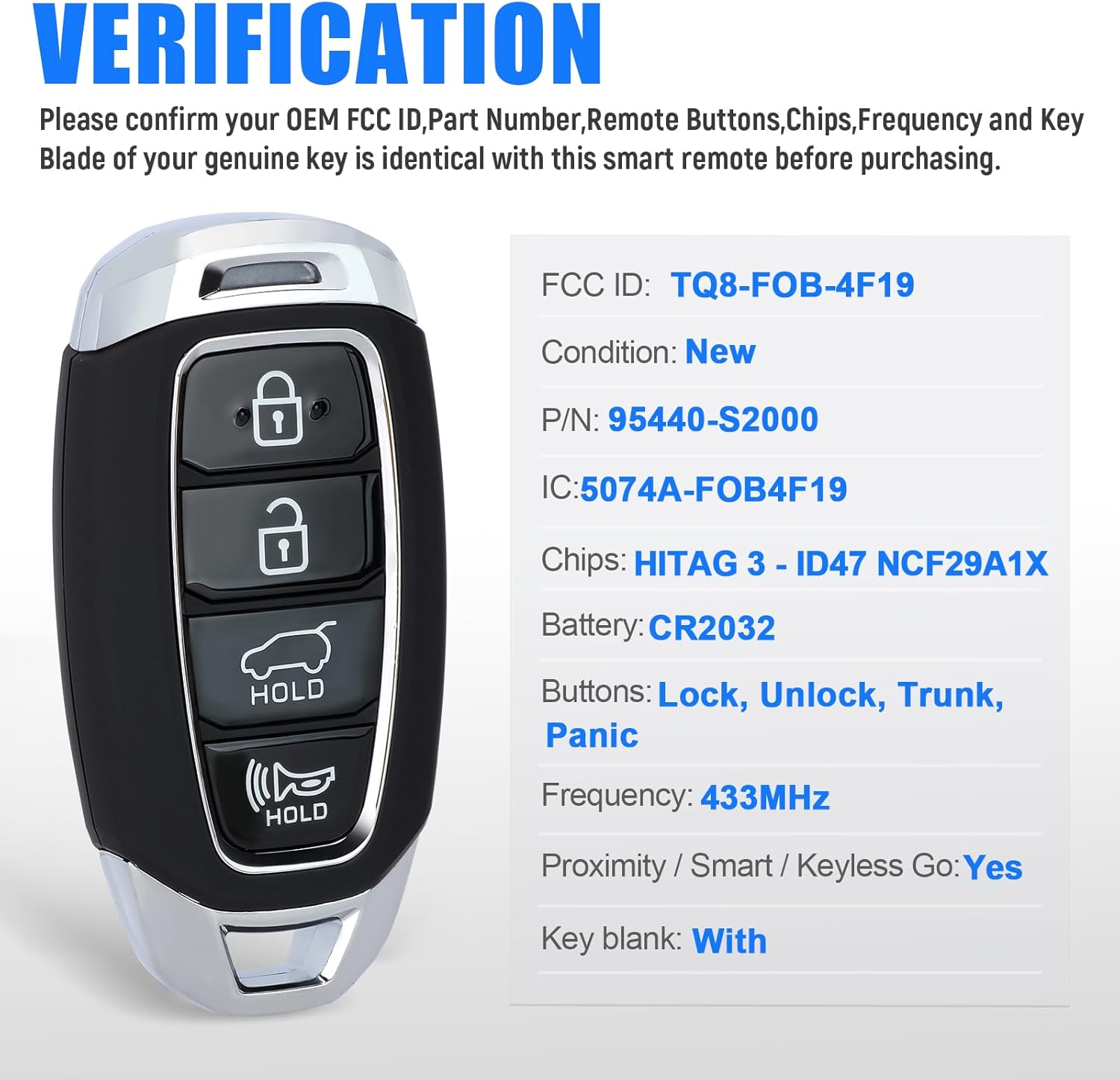
Image 5.1: Visual guide for verifying the FCC ID, Part Number, and other specifications of the key fob.
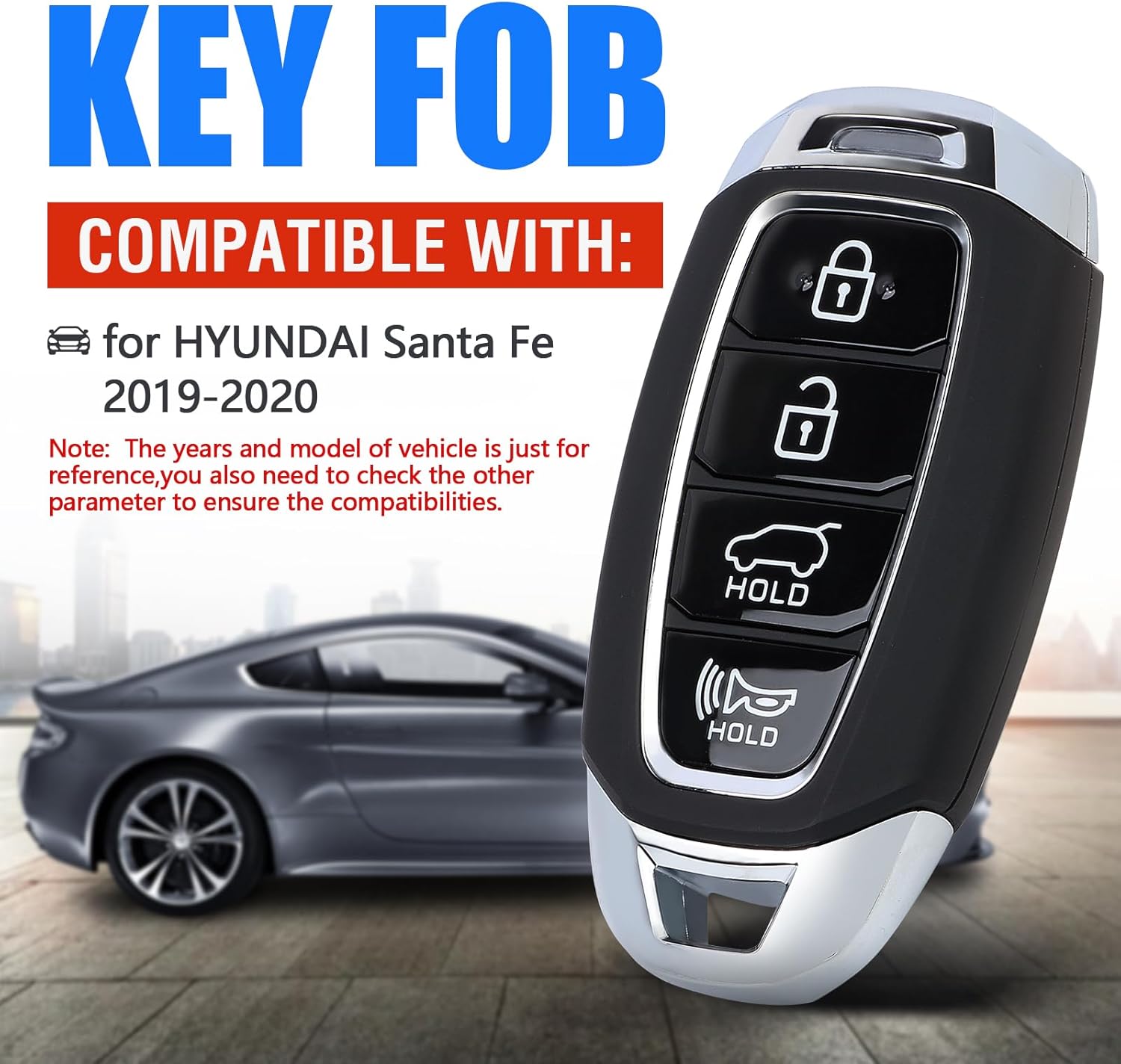
Image 5.2: Illustration confirming compatibility with Hyundai Santa Fe 2019-2020 models.
6. Setup and Battery Replacement
This section details how to access the internal components for battery replacement. The key fob comes with a CR2032 battery pre-installed.

Image 6.1: The key fob with the emergency key blade detached, revealing the access point for opening the casing.
Battery Replacement Procedure:
- Remove the Emergency Key: Locate the small button or latch on the side of the key fob and press it to release the emergency key blade. Pull the key blade out.
- Open the Key Fob Case: With the emergency key removed, you will see a small notch or slot along the seam of the key fob case. Use a small flat-head screwdriver or a coin to gently pry open the two halves of the key fob case. Apply gentle pressure to avoid damaging the plastic.
- Remove the Old Battery: Once the case is open, locate the circular CR2032 battery. Gently use a small non-metallic tool or your fingernail to lift the old battery from its holder. Be careful not to damage the battery contacts.
- Install the New Battery: Insert a new CR2032 battery into the holder, ensuring the positive (+) side is facing upwards (visible).
- Reassemble the Key Fob: Carefully align the two halves of the key fob case and snap them back together until they are securely closed. Reinsert the emergency key blade.
- Test the Key Fob: Press any button on the key fob to confirm that the new battery is working and the indicator light (if present) illuminates.

Image 6.2: View of the key fob's internal components, including the circuit board, battery, and the slot for the uncut emergency key blade.
Video Guide for Battery Replacement:
Video 6.1: A step-by-step video demonstrating how to replace the battery in a Keymall key fob. While the video may show a slightly different model year (2013-2018 Hyundai Santa Fe), the battery replacement process is generally similar for this type of key fob.
7. Operating (Programming)
This Keymall key fob replacement requires professional programming to function with your vehicle. It cannot be programmed by the end-user.
Steps for Programming:
- Contact a Professional: Schedule an appointment with a qualified automotive locksmith or your local Hyundai dealership.
- Key Cutting: The emergency key blade included with this fob is uncut. It will need to be cut by the locksmith or dealership to match your vehicle's existing key.
- Fob Programming: The locksmith or dealership will use specialized equipment to program the key fob to your vehicle's immobilizer system, allowing for remote functions (lock, unlock, trunk, panic) and proximity keyless entry.
Note: The cost of programming and key cutting is not included with the purchase of this product. Ensure the remote programming can work on your vehicle before asking the locksmith to cut the key.
8. Maintenance
To ensure the longevity and optimal performance of your Keymall key fob, follow these maintenance guidelines:
- Regular Cleaning: Wipe the exterior of the key fob with a soft, dry cloth to remove dust and grime. Avoid using harsh chemicals or abrasive materials.
- Battery Life: The CR2032 battery typically lasts for several years. If you notice a decrease in range or responsiveness, it may be time to replace the battery (refer to Section 6).
- Storage: Store the key fob in a cool, dry place away from direct sunlight and extreme temperatures.
- Avoid Interference: Keep the key fob away from strong electromagnetic fields, which can interfere with its signal.
9. Troubleshooting
If you encounter issues with your key fob, consider the following troubleshooting steps:
- Key Fob Not Responding:
- Check the battery. A weak or dead battery is the most common cause of unresponsiveness. Replace it if necessary (refer to Section 6).
- Ensure you are within range of the vehicle.
- Verify there are no strong sources of electromagnetic interference nearby.
- Vehicle Not Starting (with proximity key):
- If the vehicle does not detect the key fob for starting, try placing the key fob in the designated backup slot (often in the center console or glove compartment, refer to your vehicle's owner's manual).
- A dead key fob battery can prevent the vehicle from starting via proximity.
- Remote Functions Not Working After Programming:
- Reconfirm that the FCC ID and Part Number match your original key and vehicle specifications.
- Contact the professional locksmith or dealership who performed the programming to re-evaluate the programming.
If these steps do not resolve the issue, please contact the seller for further assistance or consult a professional automotive locksmith.
10. Warranty and Support
As an aftermarket item, this product does not feature a manufacturer logo or part number on its exterior. For specific warranty information, please refer to the terms and conditions provided by the seller at the time of purchase.
For technical support regarding product defects or compatibility concerns, please contact the Keymall seller directly through your purchase platform. For all programming and key cutting services, please consult a professional automotive locksmith or your authorized Hyundai dealership.
