
Roxicosly Cordless Vibrating Clock and Bed Shaker
Roxicosly Cordless Vibrating Clock and Bed Shaker User Manual
Model: Cordless Vibrating Clock and Bed Shaker
Brand: Roxicosly
Introduction
This manual provides detailed instructions for the setup, operation, and maintenance of your Roxicosly Cordless Vibrating Clock and Bed Shaker. Please read this manual thoroughly before using the device to ensure proper function and longevity.
Important Safety Information
- Keep the device away from water and high humidity.
- Do not expose the device to extreme temperatures or direct sunlight.
- Avoid dropping or subjecting the device to strong impacts.
- Do not attempt to disassemble or repair the device yourself. Contact customer support for assistance.
- Use only the provided USB-C cable for charging.
- Keep out of reach of children and pets.
Package Contents
Verify that all items are present in the package:
- Roxicosly Cordless Vibrating Clock and Bed Shaker
- USB-C Charging Cable
- User Manual (this document)
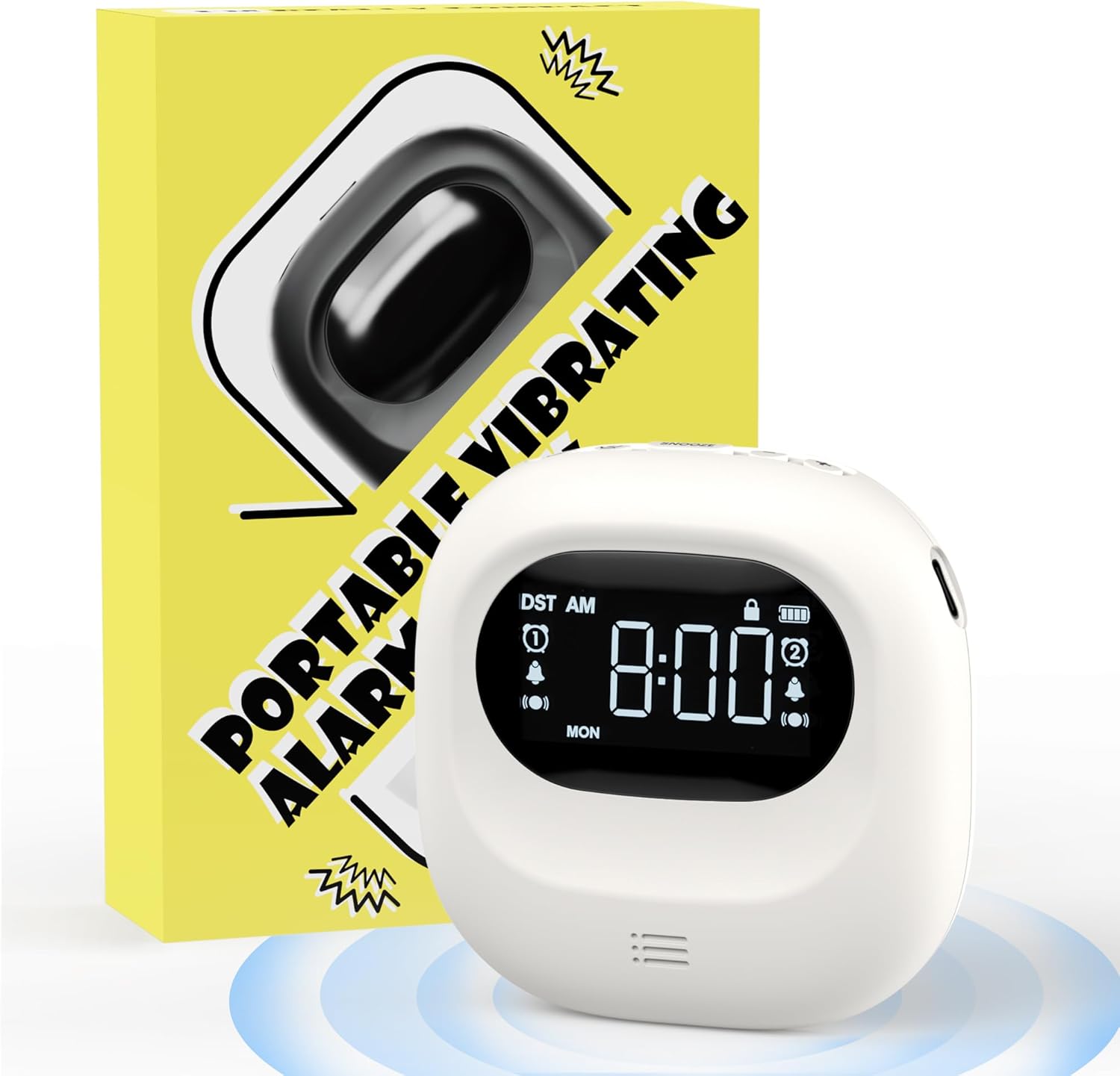
Image: The Roxicosly Cordless Vibrating Clock and Bed Shaker shown alongside its product packaging.
Product Overview
The Roxicosly Cordless Vibrating Clock is designed to provide a reliable and discreet wake-up experience. Its compact size and cordless design make it ideal for use under a pillow or for travel.
Key Features:
- Cordless Design: Operates without tangled wires, offering flexibility in placement.
- Adjustable Vibration Intensity: Choose from High, Medium, or Low vibration levels.
- Multiple Alarm Modes: Wake up with Vibration+Alarm, Vibration Only, or Alarm Only.
- Dual Alarm: Set two independent alarms with Weekday/Weekend/All 7 Days modes.
- Long Battery Life: Built-in 3000mAh rechargeable battery provides up to 160 days of usage on a single charge (lowest settings).
- USB-C Charging: Convenient and modern charging interface.
- Child Lock: Prevents accidental button presses.
- Snooze Function: Allows for temporary alarm delay.
- Compact and Portable: Measures 3.35 x 3.35 x 1 inch, weighing 0.3lb (135g).
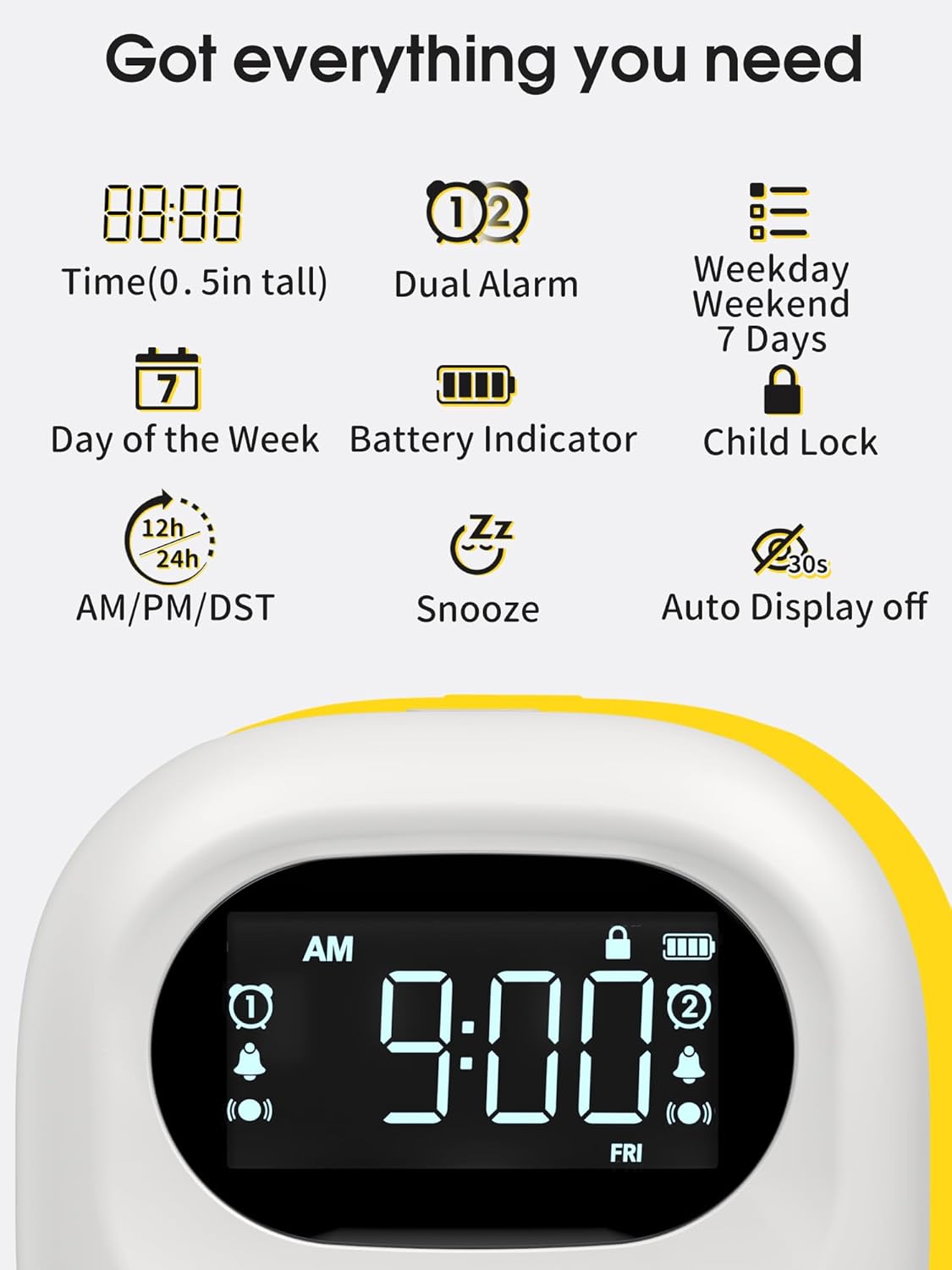
Image: A visual representation of the clock's display, highlighting features such as time, dual alarm indicators, day of the week, battery level, and child lock icon.
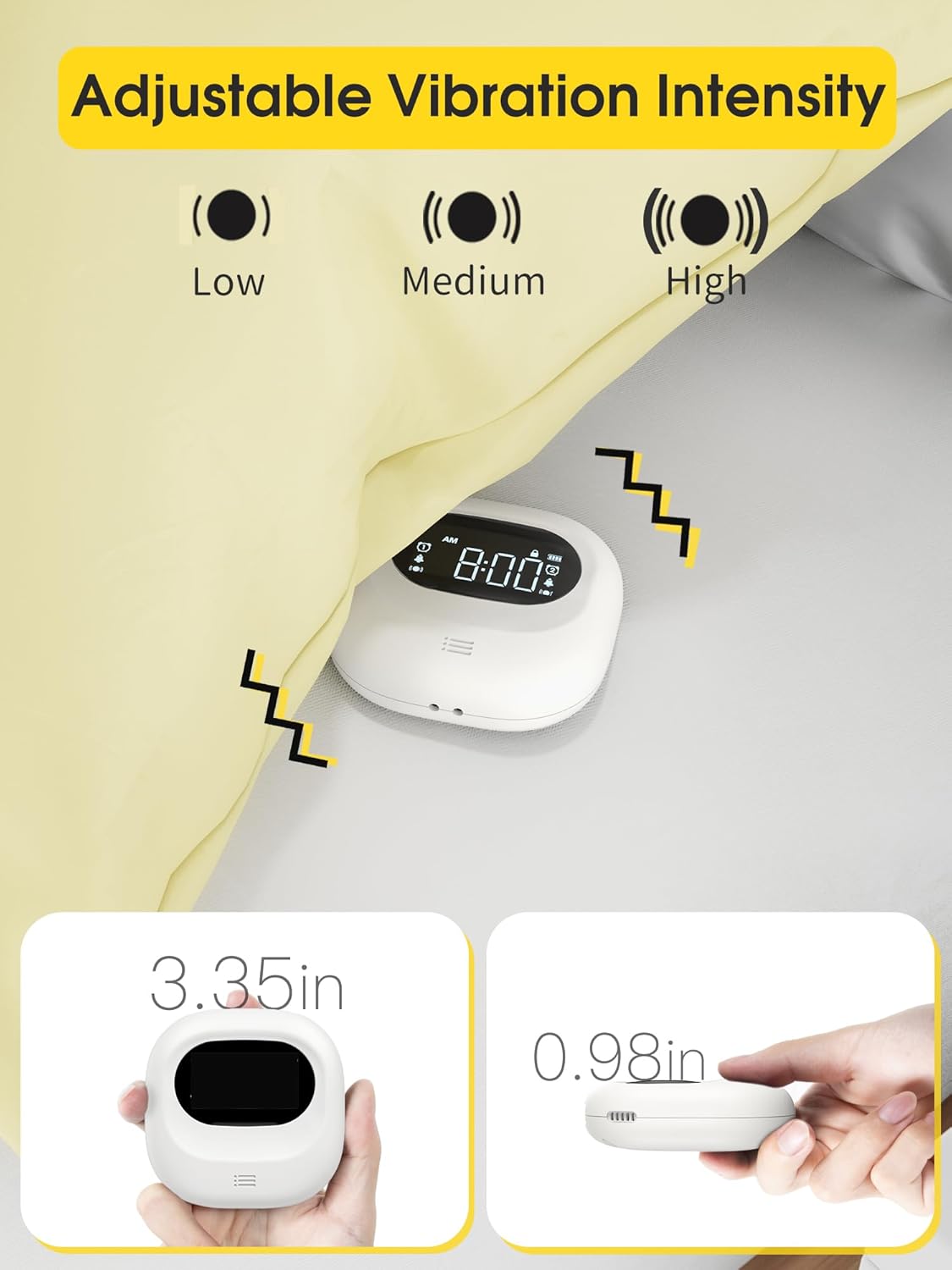
Image: The clock demonstrating its adjustable vibration intensity (Low, Medium, High) and its compact dimensions of 3.35 inches width and 0.98 inches thickness.
Setup
Charging the Device
Before first use, fully charge the clock. Connect the provided USB-C cable to the charging port on the device and plug the other end into a USB power adapter (not included) or a computer USB port. The battery indicator on the screen will show charging status.

Image: The clock connected to a USB-C charging cable, illustrating the charging process and the battery indicator on the display.
Initial Power On
Once charged, the clock will automatically power on. If not, press and hold the power button (if available, otherwise it's always on when charged) to activate the display.
Operating Instructions
Setting the Time
- Press the "Time Set" button (refer to device for exact button label, typically a gear or clock icon).
- Use the "+" and "-" buttons to adjust the hour.
- Press "Time Set" again to move to minute adjustment, then use "+" and "-" buttons.
- Continue pressing "Time Set" to cycle through 12/24-hour format and AM/PM settings.
- Confirm settings by waiting a few seconds or pressing a "Set" button.
Setting Alarms (Dual Alarm)
The clock supports two independent alarms (Alarm 1 and Alarm 2).
- Press the "Alarm 1 Set" button (or similar, typically an alarm clock icon with '1').
- Use "+" and "-" buttons to set the desired alarm hour.
- Press "Alarm 1 Set" again to set the alarm minute.
- Cycle through alarm modes (Vibration+Alarm, Vibration Only, Alarm Only) using the "Mode" button or by repeatedly pressing "Alarm 1 Set".
- Adjust alarm volume (if in Alarm or Vibration+Alarm mode) using "+" and "-" buttons.
- Adjust vibration intensity (if in Vibration or Vibration+Alarm mode) using a dedicated vibration button or by cycling through options.
- Set the alarm frequency: Weekday (Mon-Fri), Weekend (Sat-Sun), or All 7 Days (Mon-Sun).
- Repeat steps for "Alarm 2 Set" button to configure the second alarm.
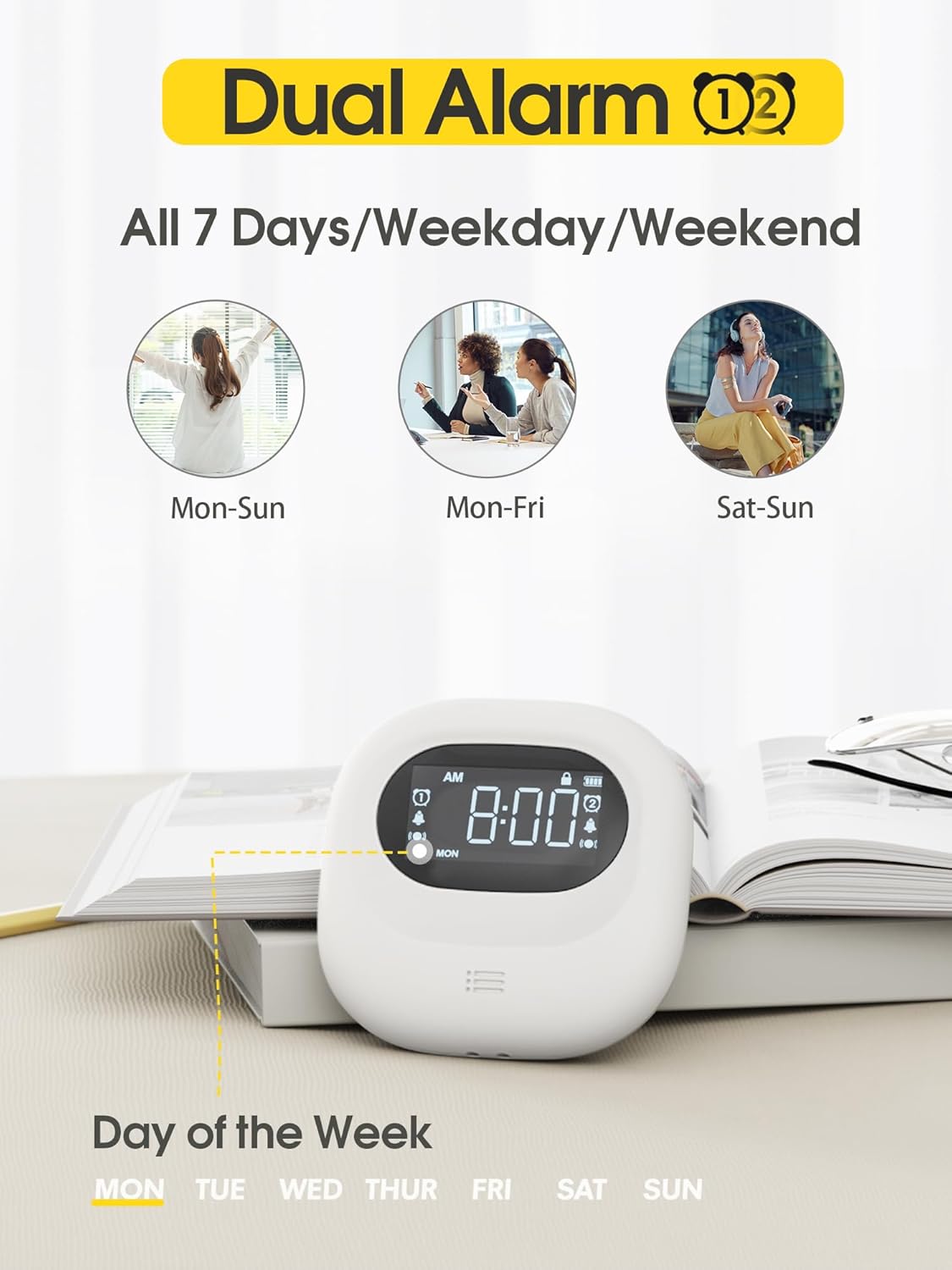
Image: The clock display illustrating the dual alarm feature and options for setting alarms for all 7 days, weekdays, or weekends.

Image: The clock showcasing its three distinct alarm modes: Vibration Only, Buzzer Only (audible alarm), and a combination of Vibration and Buzzer.
Snooze Function
When an alarm sounds, press the large "Snooze" button (typically located in the center) to temporarily silence the alarm. The alarm will sound again after a set snooze interval (e.g., 9 minutes).
Child Lock
To prevent accidental changes to settings, slide the "Child Lock" switch on the back of the device to the locked position. This will disable most buttons until unlocked.
Maintenance
Cleaning
Wipe the device with a soft, dry cloth. Do not use abrasive cleaners, solvents, or immerse the device in water.
Storage
When not in use for extended periods, store the clock in a cool, dry place. Ensure it is fully charged before storing to maintain battery health.
Troubleshooting
| Problem | Possible Cause | Solution |
|---|---|---|
| Device does not turn on. | Low battery. | Charge the device using the USB-C cable. |
| Alarm does not sound/vibrate. | Alarm is off, volume is too low, or vibration is disabled. | Ensure the alarm is enabled, check alarm mode settings (Vibration+Alarm, Vibration Only, Alarm Only), and adjust volume/vibration intensity. |
| Settings cannot be changed. | Child Lock is engaged. | Slide the Child Lock switch on the back of the device to the unlocked position. |
| Inaccurate time display. | Time not set correctly. | Refer to "Setting the Time" section to reset the time. |
Specifications
- Brand: Roxicosly
- Model: Cordless Vibrating Clock and Bed Shaker
- Color: Black
- Display Type: Digital
- Special Feature: Loud Alarm, Adjustable Vibration
- Product Dimensions: 3.35"W x 3.35"H x 1"D (approximate, based on 0.98in thickness)
- Power Source: Battery Powered (Rechargeable)
- Battery Capacity: 3000mAh
- Charging Port: USB-C
- Frame Material: Acrylonitrile Butadiene Styrene (ABS)
- Alarm Clock: Yes, Dual Alarm
- Operation Mode: Electrical
- Clock Form: Travel
Warranty and Support
Roxicosly products are designed for reliability and performance. For warranty information or technical support, please refer to the warranty card included with your purchase or visit the official Roxicosly website. If you encounter any issues not covered in this manual, please contact our customer service team for assistance.
Contact Information: Please refer to your product packaging or the Roxicosly official website for the most up-to-date contact details.
Related documentsCordless Vibrating Clock and Bed Shaker

Ask a question about this manual
Ask about setup, troubleshooting, compatibility, parts, safety, or missing instructions. Manuals+ will review the question and use this page’s manual context to help answer it.