
1. Product Overview
The powkey 88Wh Portable Power Station is a compact and versatile power solution designed for various applications, including home use, camping, and emergency backup. With a 24000mAh lithium battery, it provides reliable power to a wide range of electronic devices through its multiple output ports.

Image 1.1: The powkey 88Wh Portable Power Station, a compact and robust power source.
Its lightweight design and multiple charging options make it an ideal companion for outdoor adventures or as a reliable power source during outages. The unit features an AC outlet, DC output, and multiple USB ports, including QC3.0, to ensure compatibility with most modern devices.
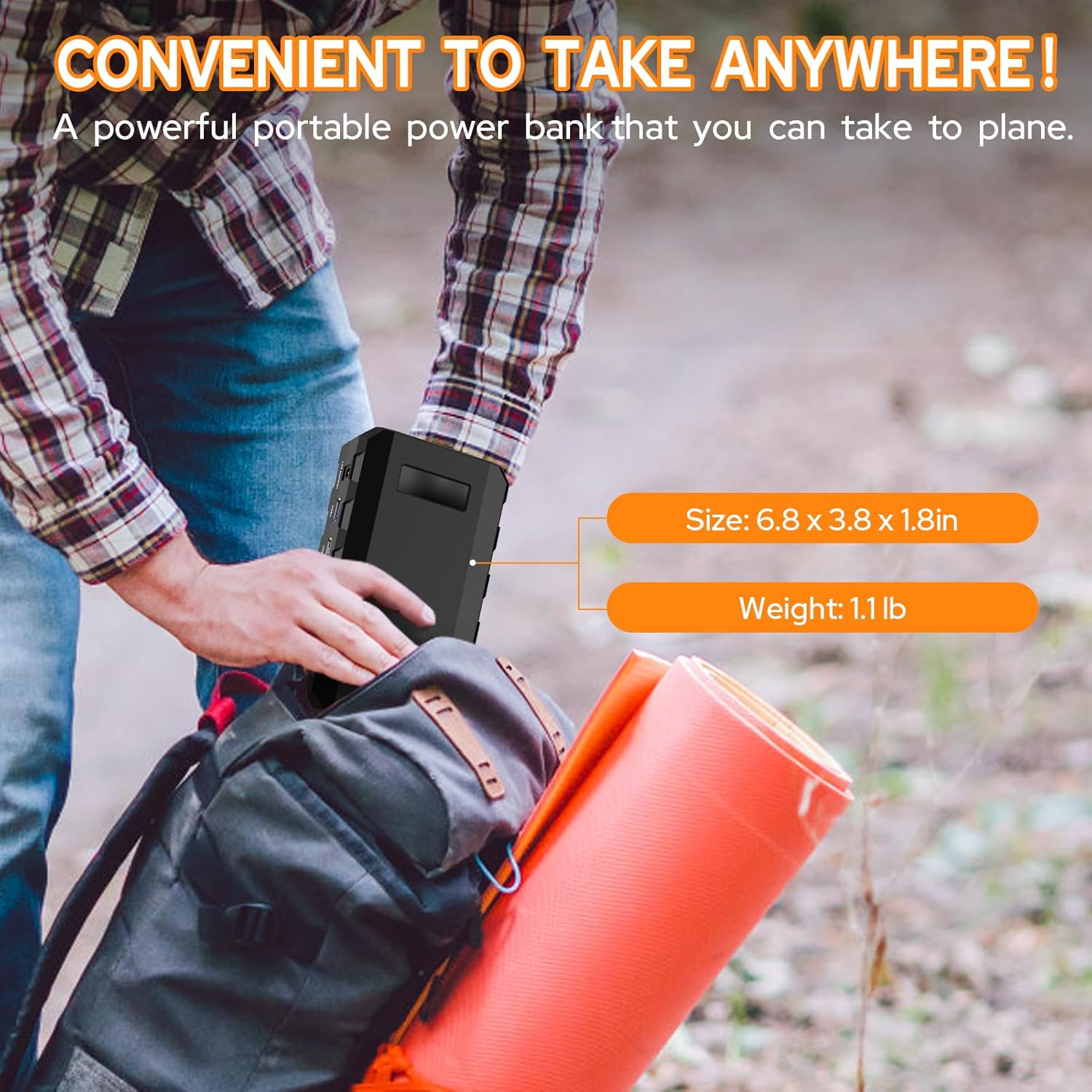
Image 1.2: The power station's compact size and light weight (1.1 lbs) make it convenient for travel and portability.
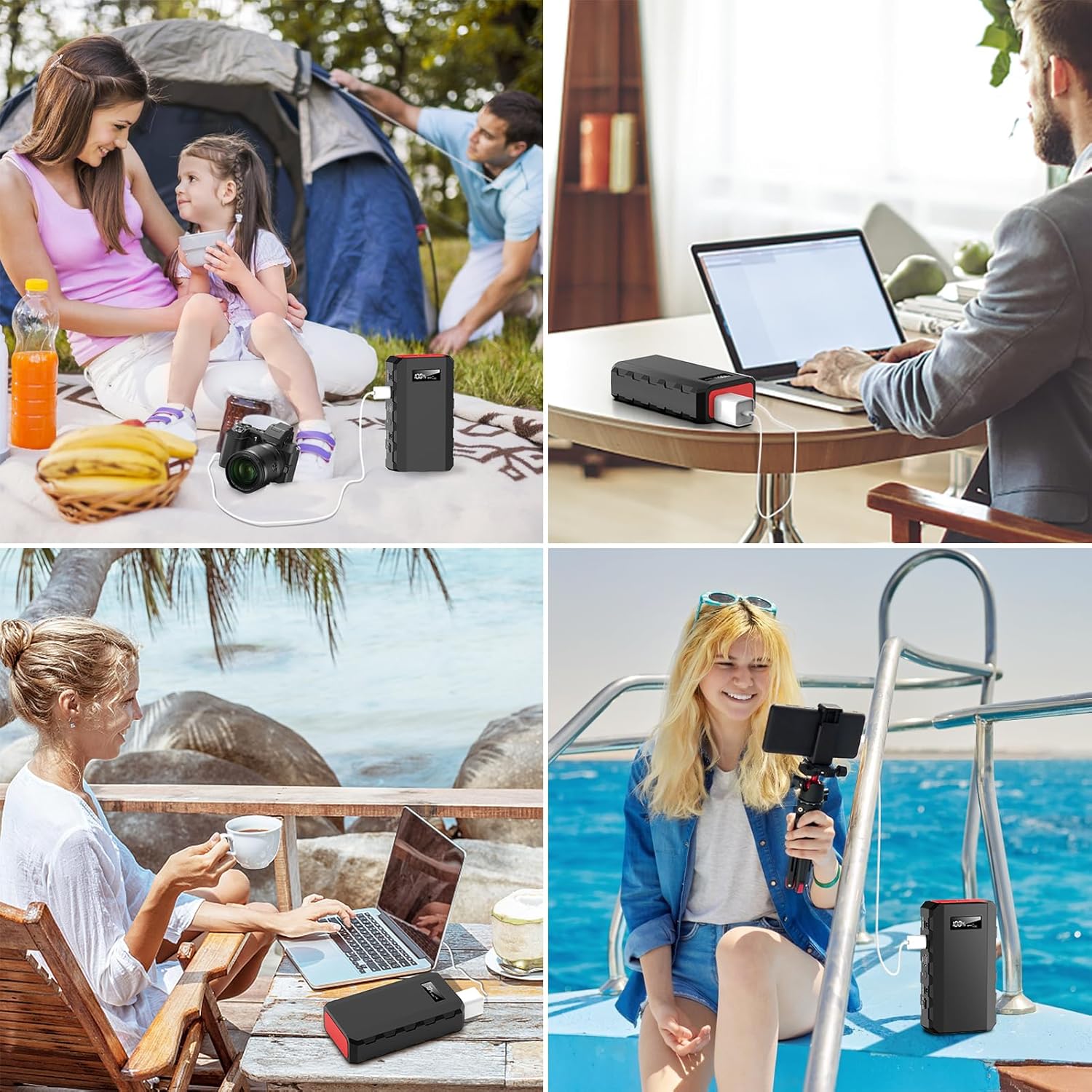
Image 1.3: The power station is suitable for diverse applications, from outdoor camping to powering devices on a boat.
2. Safety Instructions
- Battery Care: To maintain battery health and prevent defects, keep the power level at or above 30% (2 bars) and recharge the unit every 3 months.
- Power Limits: Do not exceed the maximum 65W output for the AC outlet. Attempting to power devices with higher wattage requirements (e.g., coffee makers, blenders, space heaters) may damage the unit.
- Ventilation: Ensure adequate ventilation around the power station during use and charging to prevent overheating.
- Moisture: Keep the unit away from water and high humidity.
- Temperature: Operate and store the power station within recommended temperature ranges.
- Disassembly: Do not attempt to disassemble or modify the unit. Refer all servicing to qualified personnel.
3. Package Contents
Upon opening your powkey 88Wh Portable Power Station package, please verify that all the following items are included:
- 1 × powkey 24000mAh AC Portable Charger (HP500S)
- 1 × DC15V/2A (30W) Input Charger (for wall charging)
- 1 × Cigarette Lighter Adapter
- 1 × Car Charge Cable
- 1 × User Manual
- 1 × Storage Pouch

Image 3.1: All items included in the powkey 88Wh Portable Power Station package.
4. Product Features
The powkey HP500S Portable Power Station is equipped with several features to provide convenient and efficient power on the go:
- High Capacity: 24000mAh (88.8Wh) lithium battery for extended power supply.
- Multiple Output Methods: Includes 110V/65W AC outlet, two USB outputs (QC3.0 9V/2A and 5V/3A), and one DC 9~12.6V/10A (Max) output.
- Versatile Charging: Can be recharged via home wall AC outlet, 12V cigarette lighter adapter, or a compatible solar panel (13V-16V output, solar panel not included).
- Fast Recharging: Recharges in less than 4 hours with the high-speed DC15V/2A (30W) input.
- LED Display: Monitor battery level and output status easily.
- Compact Design: Dimensions of 6.8"L x 3.8"W x 1.8"Th and a weight of 1.14 lbs for easy portability.
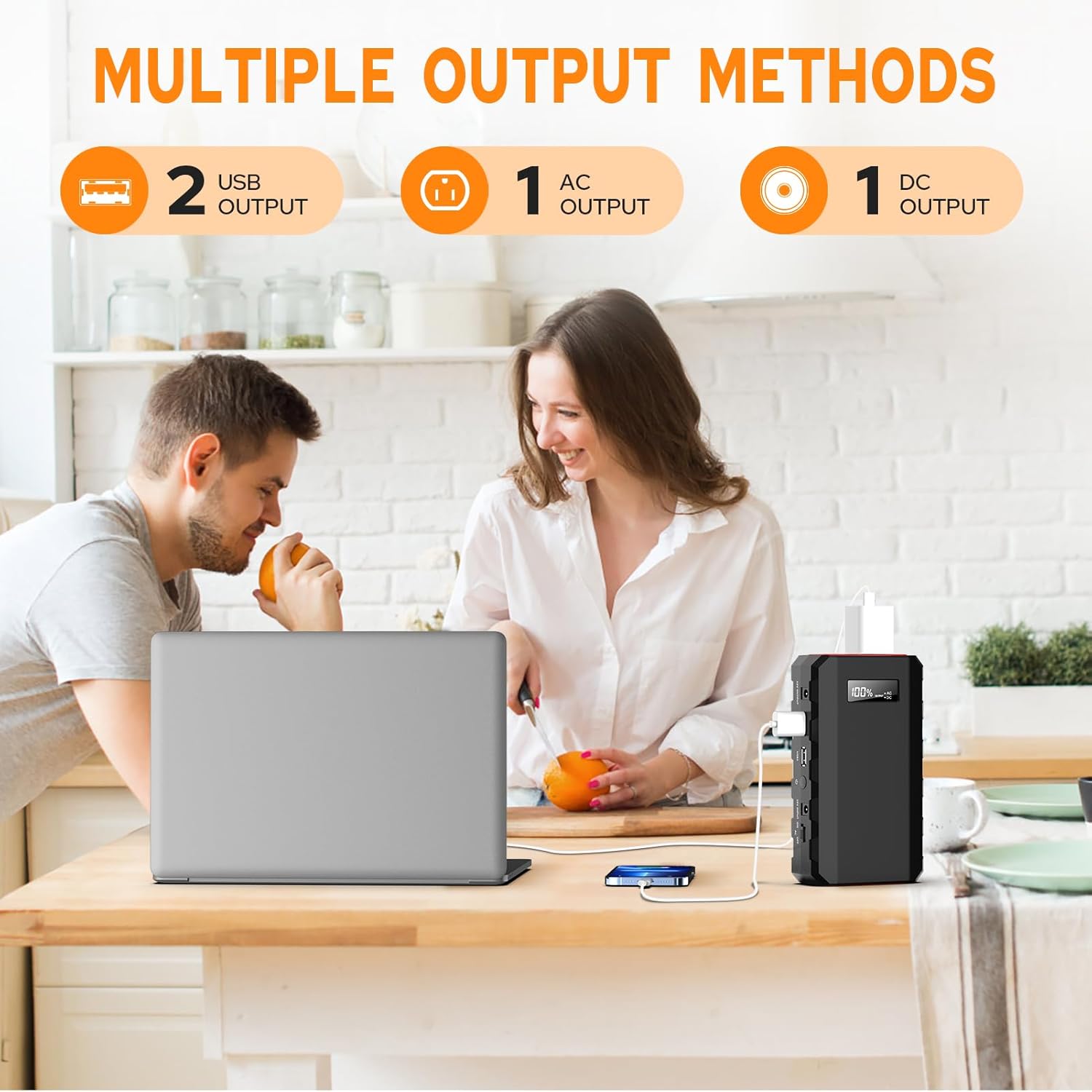
Image 4.1: The power station offers diverse output options for various devices.

Image 4.2: The power station supports simultaneous charging of multiple devices.
5. Setup
Before first use, it is recommended to fully charge your powkey Portable Power Station. This ensures optimal battery performance and longevity.
- Unpack: Carefully remove the power station and all accessories from the packaging.
- Initial Charge: Connect the provided DC15V/2A (30W) input charger to the DC input port on the power station and plug it into a standard wall outlet. The LED display will indicate the charging status.
- Full Charge: Allow the unit to charge until the LED display shows 100%. This typically takes less than 4 hours.
6. Operating Instructions
The powkey HP500S offers various output options to power your devices.
6.1 Powering On/Off
- To turn on the power station, press and hold the power button located on the side panel. The LED display will illuminate.
- To turn off the power station, press and hold the power button again until the display turns off.
6.2 Using the AC Outlet (110V/65W)
- Ensure the power station is turned on.
- Locate the AC output switch on the side panel and slide it to the 'ON' position. A green indicator light will confirm the AC output is active.
- Plug your device's AC adapter into the 110V AC outlet.
- Important: Do not connect devices that require more than 65W of power.
- When finished, slide the AC output switch to the 'OFF' position to conserve battery.
6.3 Using the USB Outputs (QC3.0 & 5V/3A)
- Ensure the power station is turned on.
- Connect your USB-powered device to either of the two USB ports. The power station will automatically detect and begin charging.
- The QC3.0 port provides faster charging for compatible devices.
6.4 Using the DC Output (9~12.6V/10A Max)
- Ensure the power station is turned on.
- Connect your 12V DC device to the DC output port.
- This port is suitable for devices like car refrigerators, portable fans, or other 12V DC appliances.
7. Charging the Power Station
Your powkey Portable Power Station can be recharged using three different methods:

Image 7.1: The power station supports three convenient charging methods.
7.1 AC Wall Outlet Charging
- Connect the provided DC15V/2A (30W) input charger to the DC input port (DC 5521) on the power station.
- Plug the charger into a standard home wall AC outlet.
- The LED display will show the charging progress. A full charge typically takes 4-5 hours.
7.2 12V Car Charging
- Use the included car charge cable and cigarette lighter adapter.
- Connect the cable to the DC input port on the power station.
- Plug the cigarette lighter adapter into your vehicle's 12V cigarette lighter socket.
- Charging time is approximately 5 hours (12V).
7.3 Solar Panel Charging (Solar Panel Not Included)
- To charge using solar power, you will need a compatible solar panel (not included) with a 13V-16V output.
- Connect the solar panel to the DC input port on the power station.
- Ensure the solar panel is placed in direct sunlight for efficient charging.
- Charging time will vary depending on the solar panel's wattage and sunlight intensity.
8. Maintenance
Proper maintenance ensures the longevity and optimal performance of your powkey Portable Power Station.
- Battery Health: Always keep the battery charge level at or above 30% (2 bars). Recharge the unit at least once every three months, even if not in use, to prevent battery degradation.
- Storage: Store the power station in a cool, dry place away from direct sunlight, extreme temperatures, and corrosive materials.
- Cleaning: Use a soft, dry cloth to clean the exterior of the unit. Do not use harsh chemicals or abrasive cleaners.
- Inspection: Periodically inspect the unit and cables for any signs of damage. Do not use if damaged.
9. Troubleshooting
If you encounter issues with your powkey Portable Power Station, refer to the following common troubleshooting steps:
- Unit Not Turning On: Ensure the battery is charged. If the battery is completely depleted, it may take a few minutes of charging before the unit responds.
- Device Not Charging from AC Outlet:
- Verify the AC output switch is in the 'ON' position and the green indicator light is on.
- Check if the device's power consumption exceeds the 65W limit.
- Ensure the device's plug is fully inserted into the AC outlet.
- Device Not Charging from USB/DC Ports:
- Ensure the power station is turned on.
- Check the connection cable for damage and ensure it is properly inserted.
- Confirm the device is compatible with the output voltage/current of the port.
- Power Station Not Charging:
- Verify the charging adapter/cable is correctly connected to both the power station and the power source.
- Ensure the wall outlet or car socket is functional.
- For solar charging, ensure the solar panel is in direct sunlight and provides the correct voltage (13V-16V).
- AC Output Shuts Off Automatically: The AC output may automatically shut off after a period of inactivity or if the connected device draws very low power. To reactivate, toggle the AC switch off and then on again.
If these steps do not resolve the issue, please contact customer support.
10. Specifications
| Feature | Specification |
|---|---|
| Brand | powkey |
| Model Name | HP500S |
| Model Number | HP500S |
| Battery Capacity | 24000 Milliamp Hours (88.8Wh) |
| Battery Cell Type | Lithium Polymer |
| AC Output | 110V / 65W |
| USB Outputs | QC3.0 9V/2A, 5V/3A (2 ports total) |
| DC Output | 9~12.6V / 10A (Max) |
| DC Input (Charging) | 15V/2A (30W) |
| Charging Time (AC Wall) | Approx. 4-5 hours |
| Charging Time (Car) | Approx. 5 hours |
| Dimensions (L x W x Th) | 6.8" x 3.8" x 1.8" |
| Item Weight | 1.14 Pounds |
| Color | Black |
| UPC | 764046731785 |
11. Warranty and Support
powkey is committed to providing high-quality products and excellent customer service.
- Warranty: Your powkey Portable Power Station comes with a 24-month after-sales warranty.
- Return Policy: Enjoy a 30-day worry-free return policy.
- Customer Service: For any inquiries or support needs, our customer service team is available 24 hours a day, 7 days a week.

Image 11.1: Summary of powkey's customer support and warranty terms.
Please refer to the contact information provided in your product packaging or on the official powkey website for support.
