
Introduction
Thank you for choosing the CPVAN 3 in 1 Carbon Monoxide Detector. This device is designed to provide reliable detection of carbon monoxide (CO) gas, while also displaying ambient temperature and humidity. It features a highly accurate electrochemical sensor with a 10-year lifespan and is certified to the European standard EN-50291. This manual provides essential information for the safe and effective use of your detector.

Image: The CPVAN 3 in 1 Carbon Monoxide Detector, displaying humidity and temperature readings on its screen.
The detector is compact and portable, making it suitable for various environments, including homes, offices, and during travel or camping. It is crucial to understand that this is a carbon monoxide (CO) detector, not a carbon dioxide (CO2) detector.
Package Contents
Please check the package for the following items:
- 1 × CPVAN Carbon Monoxide Detector
- 1 × User Manual (this document)
- 2 × 1.5V AA Alkaline Batteries
- 2 × Wall Plugs
- 2 × Screws
Setup
Battery Installation
The detector requires two 1.5V AA alkaline batteries for operation. These are included in the package.
- Locate the battery compartment on the back of the detector.
- Remove the battery compartment cover.
- Remove the plastic film from the two AA alkaline batteries.
- Insert the batteries into the compartment, ensuring correct polarity (+ and -).
- Replace the battery compartment cover.
The device will automatically power on once the batteries are correctly inserted.

Image: The rear view of the CPVAN detector, showing the open battery compartment with an AA battery being inserted.
Installation Recommendations
Mount the CO detector in locations where carbon monoxide is likely to be produced. Placing it closer to potential CO sources will allow for earlier detection and enhanced safety for your household.
- Optimal Placement: Install the detector near fuel-burning appliances such as furnaces, water heaters, fireplaces, and gas stoves.
- Height: CO is slightly lighter than air and mixes well with air. Install the detector at a height that is easily visible and accessible for testing, typically at eye level or higher.
- Avoid: Do not install the detector in direct sunlight, near vents, fans, or in areas with high humidity or extreme temperatures.
- Bedrooms: In standby mode, the green light flashes every 60 seconds. If you are sensitive to light, avoid installing the detector directly in bedrooms.

Image: The CPVAN detector being mounted on a wall using screws and wall plugs, illustrating the installation process.
Operating Instructions
Display Information
The detector's display provides real-time information:
- Temperature and Humidity: When the CO concentration is below 25 ppm, the display will show only the current temperature (in °C) and relative humidity (%RH). This is normal operation in a clean air environment.
- CO Concentration: If the CO concentration exceeds 50 ppm, the display will switch to show the current CO concentration in parts per million (ppm).

Image: The CPVAN detector's display showing readings for CO concentration (PPM), relative humidity (%RH), and temperature (°C).
Alarm Conditions
The detector is designed to alert you to dangerous levels of carbon monoxide:
- If the CO concentration reaches or exceeds 50 ppm, the alarm will activate.
- The alarm will sound 4 times every 5 seconds, and the red indicator light will flash.
Action upon Alarm: If the alarm sounds, immediately move to fresh air, open windows and doors to ventilate the area, and call emergency services if necessary. Do not re-enter the area until it has been thoroughly ventilated and the alarm has stopped.
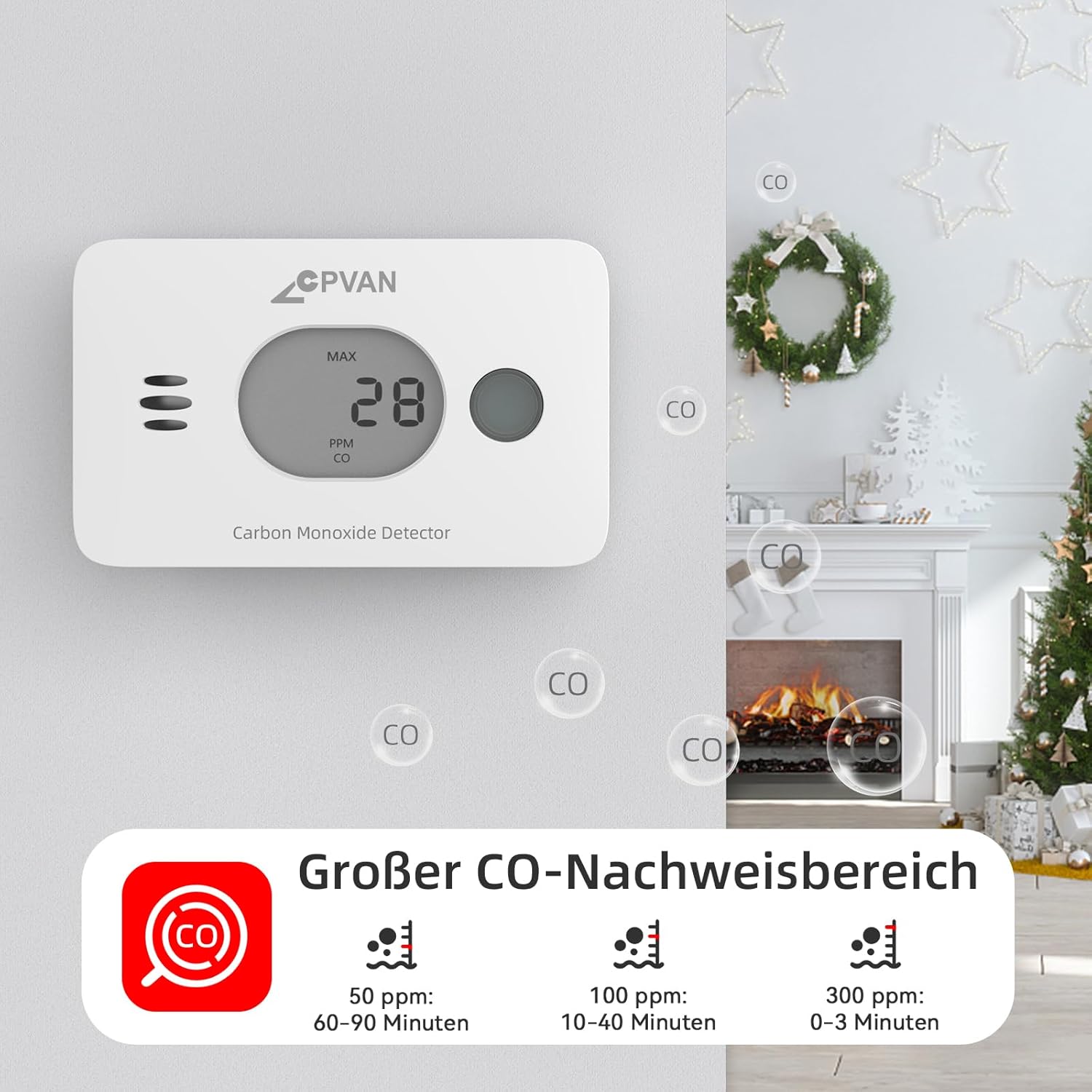
Image: An illustration showing the CO detection thresholds and corresponding alarm response times: 50 ppm (60-90 minutes), 100 ppm (10-40 minutes), and 300 ppm (0-3 minutes).
Testing the Detector
It is recommended to test your CO detector regularly to ensure it is functioning correctly.
- Button Test: Press the test button on the detector. The device should emit an alarm sound and the red light should flash, indicating that the alarm function is working.
- CO Source Test: For a more comprehensive test, you can hold the detector near burning materials such as paper or cigarettes for 5 to 10 seconds. Incomplete combustion typically produces carbon monoxide. If the detector is working correctly, the display will show a CO concentration and the audible alarm will sound.
Maintenance
Battery Replacement
The detector uses two AA alkaline batteries. When the batteries are low, the device will indicate this on the display or with a specific low-battery alert. Replace both batteries promptly following the battery installation steps outlined in the Setup section.
Cleaning
To ensure optimal performance, keep the detector clean:
- Wipe the exterior of the detector with a soft, dry cloth.
- Do not use cleaning sprays, solvents, or abrasive cleaners, as these can damage the sensor or casing.
- Do not paint the detector.
Sensor Lifespan
The electrochemical sensor in this detector has a lifespan of 10 years. After 10 years, the detector should be replaced to ensure continued accuracy and safety.

Image: An exploded view of the CPVAN detector, highlighting its internal components, including the electrochemical sensor, and displaying the TÜV Rheinland Certified logo.
Troubleshooting
| Problem | Possible Cause | Solution |
|---|---|---|
| Alarm sounds continuously or intermittently. | High CO concentration detected. | Immediately ventilate the area by opening windows and doors. Evacuate if necessary and call emergency services. Do not re-enter until the alarm stops and the area is clear. |
| No display or device does not power on. | Batteries are dead or incorrectly installed. | Check battery polarity. Replace batteries with new 1.5V AA alkaline batteries. |
| Only temperature and humidity are displayed, no CO reading. | CO concentration is below 25 ppm. | This is normal operation in a clean air environment. The CO reading will appear if concentration exceeds 50 ppm. |
| Green light flashes every 60 seconds. | Normal standby mode. | No action required. This indicates the detector is functioning correctly in standby. |
| Alarm does not sound during test. | Faulty unit or dead batteries. | Ensure batteries are fresh and correctly installed. If the issue persists, the unit may be faulty and require replacement. |
Specifications
| Model Number | COS-X3 plus |
| Brand | CPVAN |
| Product Dimensions | 11 x 6 x 3 cm |
| Weight | 200 grams |
| Batteries | 2 AA Alkaline batteries (included) |
| Color | White |
| Material | ABS |
| Power Type | DC |
| Voltage | 1.5 Volt (DC) |
| Certification | EN 50291 |
| Sensor Type | Electrochemical |
| UPC | 765142659355 |
| First Available Date | December 12, 2023 |
Warranty and Support
Information regarding product warranty and customer support was not available in the provided product data. For details on warranty coverage, technical support, or to contact CPVAN customer service, please refer to the official CPVAN website or the contact information provided on the product packaging.


