
1. Introduction
Thank you for choosing the Roxicosly Cordless Vibrating Clock and Bed Shaker. This device is designed to provide a reliable and customizable wake-up experience, especially for heavy sleepers or individuals with hearing impairments. It features strong adjustable vibration intensity, a cordless design for convenience, a built-in rechargeable battery, and USB-C charging. Its mini size makes it portable for travel.
2. Package Contents
- 1 x Roxicosly Cordless Vibrating Clock
- 1 x Bed Shaker
- 1 x USB-C Charging Cable
- 1 x User Manual
3. Product Overview
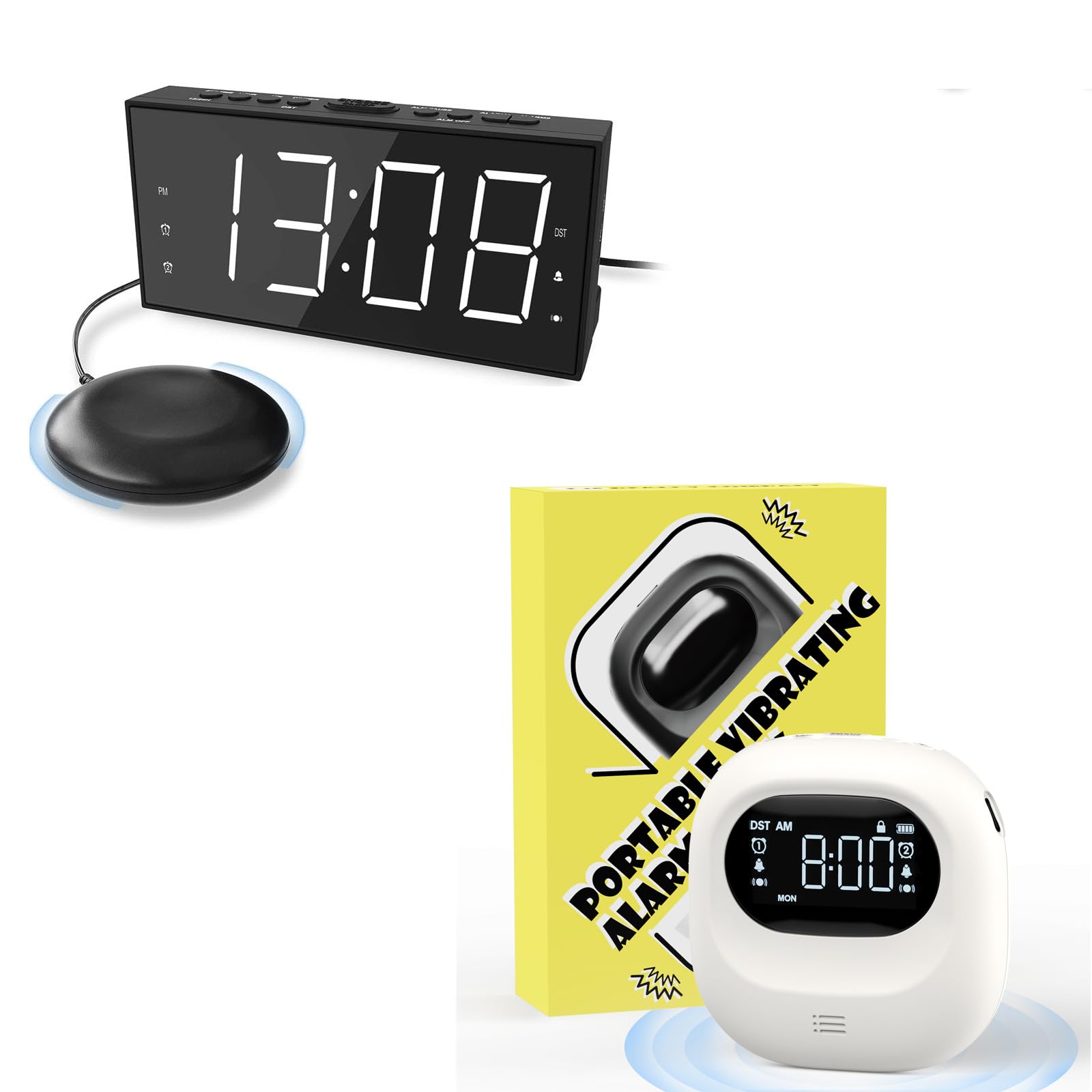
Image: The Roxicosly Cordless Vibrating Clock and Bed Shaker Clock, showcasing its compact design.
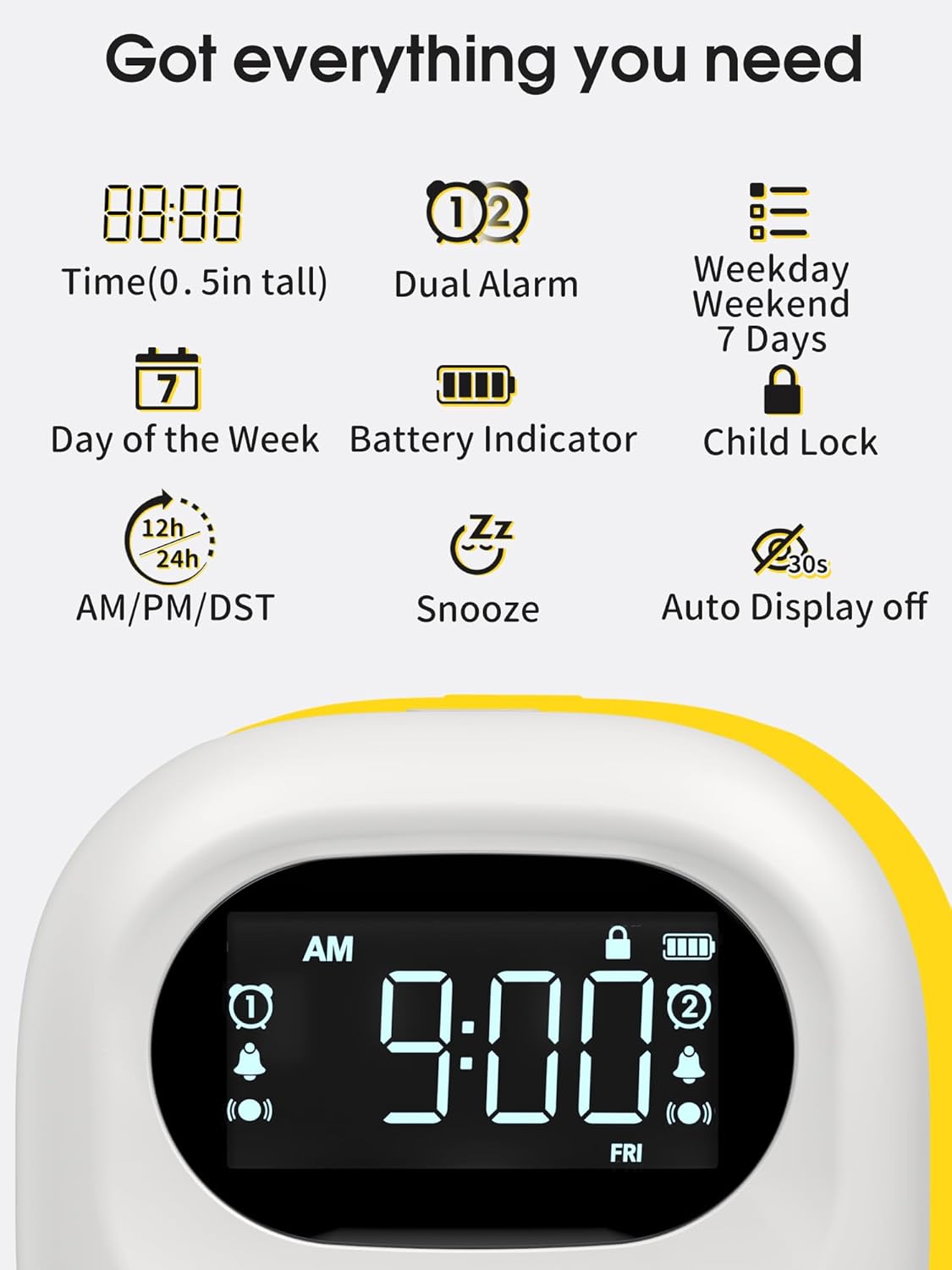
Image: An overview of the clock's display and key features, including time, dual alarms, battery indicator, and child lock.
4. Setup
- Unpack the Device: Carefully remove all components from the packaging.
- Charge the Clock: Connect the provided USB-C cable to the clock's charging port and plug the other end into a compatible USB power adapter (not included) or a USB port. The battery indicator on the display will show charging status. A full charge can last up to 160 days on the lowest vibration and alarm setting.
- Position the Bed Shaker: Place the bed shaker under your pillow or mattress for optimal vibration.
5. Operating Instructions
5.1 Setting the Time
- Press the 'TIME' button to enter time setting mode. The hour digits will flash.
- Use the '+' or '-' buttons to adjust the hour.
- Press 'TIME' again to set the minutes. The minute digits will flash.
- Use the '+' or '-' buttons to adjust the minutes.
- Press 'TIME' once more to confirm and exit time setting mode.
5.2 Setting Alarms (Dual Alarm)
The clock supports two independent alarms (Alarm 1 and Alarm 2) with separate weekday/weekend modes.
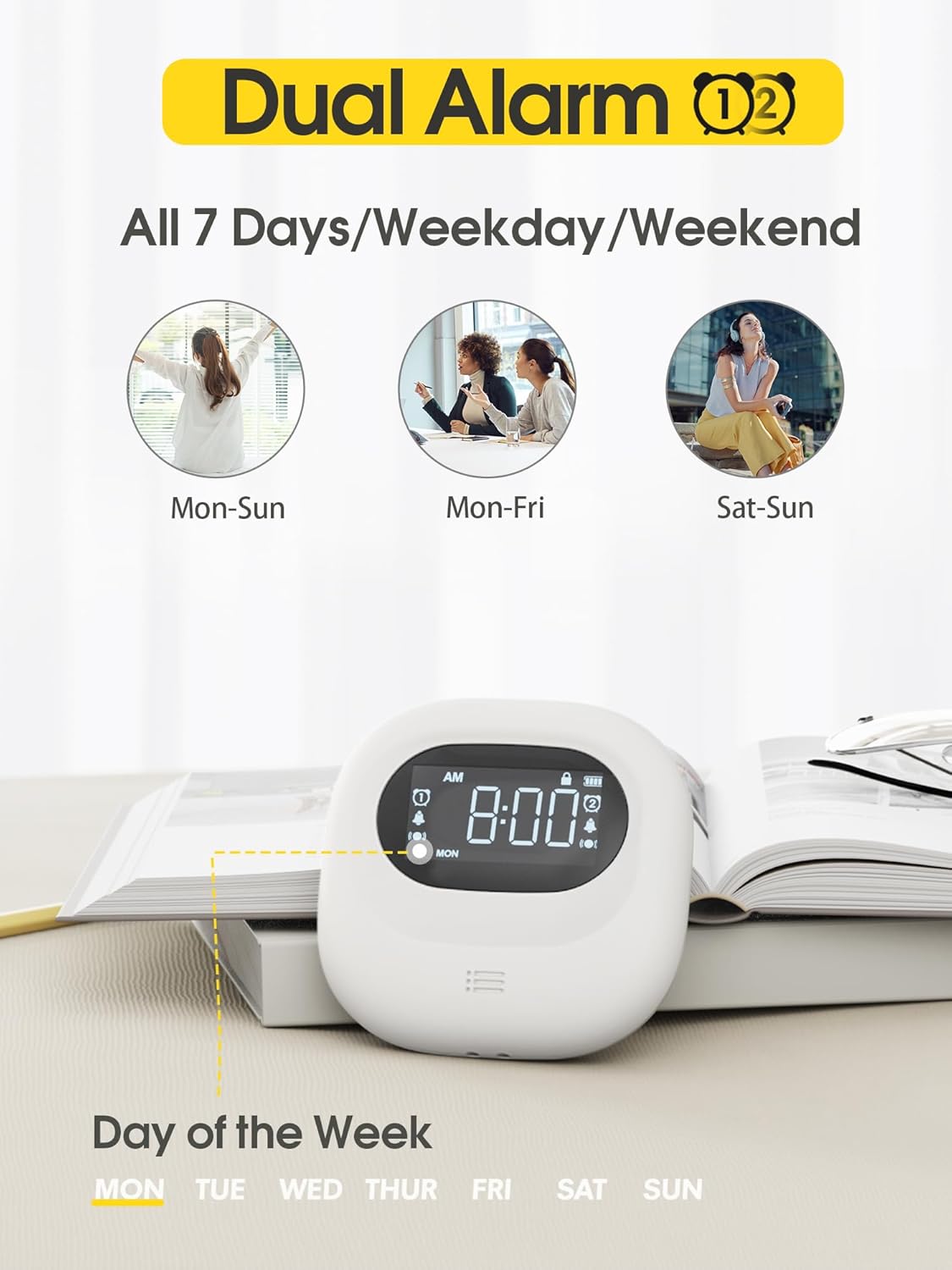
Image: The clock display showing the dual alarm settings and options for all 7 days, weekday, or weekend.
- To Set Alarm 1:
- Press the 'ALARM 1' button. The alarm hour digits will flash.
- Use the '+' or '-' buttons to adjust the alarm hour.
- Press 'ALARM 1' again to set the alarm minutes. The minute digits will flash.
- Use the '+' or '-' buttons to adjust the alarm minutes.
- Press 'ALARM 1' to cycle through alarm modes: All 7 days, Weekday (Mon-Fri), Weekend (Sat-Sun). Select your desired mode.
- Press 'ALARM 1' once more to confirm and activate Alarm 1. The alarm icon will appear on the display.
- To Set Alarm 2: Follow the same steps as Alarm 1, using the 'ALARM 2' button.
- To Turn Off Alarm: Press the 'ALARM OFF' button to temporarily turn off the alarm for 24 hours. To permanently disable an alarm, hold down the 'ALARM OFF' button until the alarm icon disappears from the display.
5.3 Alarm Modes (Vibration, Alarm, or Both)
Choose your preferred wake-up method:

Image: The clock illustrating the three alarm modes: Vibrator Only, Buzzer Only, and Vibrator + Buzzer.
- Vibration Only: The bed shaker will vibrate without an audible alarm.
- Alarm Only: The clock will sound an audible alarm without vibration.
- Vibration + Alarm: Both the bed shaker and audible alarm will activate.
To select the alarm mode, use the dedicated switch on the back of the clock, typically labeled 'BUZZ', 'BUZZ/VIB', and 'VIB'.
5.4 Adjusting Vibration Intensity
The vibration intensity can be customized to High, Medium, or Low.
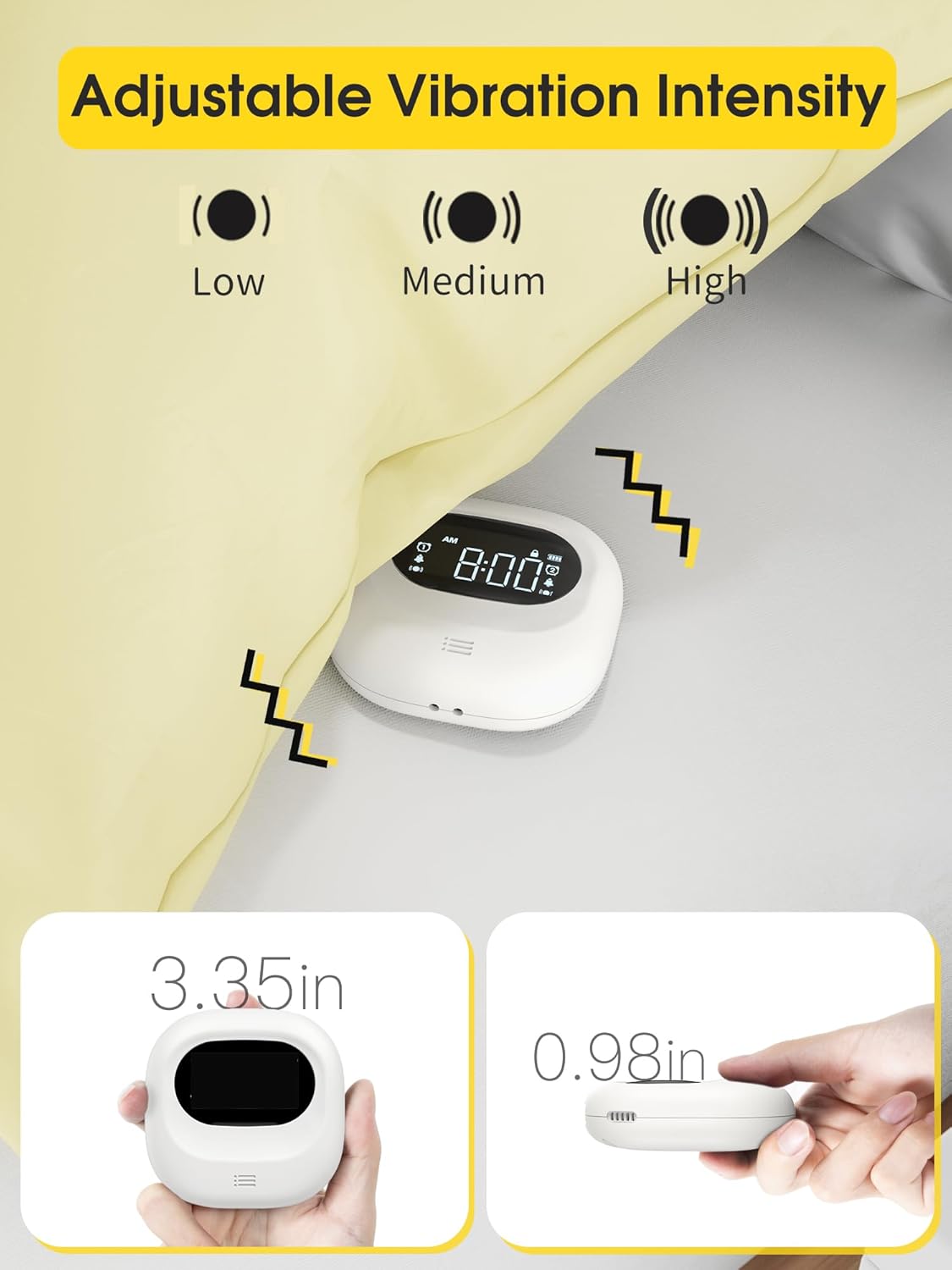
Image: The clock showing options for Low, Medium, and High vibration intensity.
Refer to the specific controls on your device, usually a switch or button, to cycle through the vibration intensity levels.
5.5 Adjusting Volume
The alarm volume has 5 adjustable levels. Use the 'VOLUME' button or a dedicated dial to increase or decrease the audible alarm volume.
5.6 Adjusting Display Brightness
The display brightness can be adjusted to suit your preference. Press the 'DIMMER' button to cycle through different brightness levels or turn the display off completely.
5.7 Snooze Function
When the alarm sounds, press the large 'SNOOZE' button to temporarily silence the alarm and get an additional 9 minutes of sleep. The alarm will sound again after 9 minutes.
5.8 Child Lock
A child lock sliding block is located on the back of the device to prevent accidental button presses while sleeping. Slide the switch to activate or deactivate the child lock.
5.9 12/24 Hour Format and DST
The clock supports both 12-hour and 24-hour time formats. Use the 'TIME 12H/24H' button to switch between formats. The device also includes a Daylight Saving Time (DST) function, which can be activated or deactivated as needed.
6. Charging and Battery Life
The Roxicosly clock is equipped with a powerful 3000mAh rechargeable battery, providing extended usage on a single charge. A battery indicator on the screen shows the current battery level, prompting you when to recharge.

Image: The clock connected via USB-C for charging, highlighting its 3000mAh battery and 160-day usage claim.
The clock also features a convenient USB-C charging port for the device itself. Additionally, some models may include a USB-A charging port (5V 1A) to charge other mobile devices.
7. Maintenance
- Clean the clock and bed shaker with a soft, dry cloth. Do not use abrasive cleaners or solvents.
- Keep the device away from water and excessive moisture.
- Avoid dropping the device or exposing it to strong impacts.
8. Troubleshooting
- Clock not turning on: Ensure the device is fully charged or connected to a power source via the USB-C cable.
- Alarm not sounding/vibrating: Check that the alarm is activated (alarm icon visible), the correct alarm mode is selected (BUZZ, VIB, or BUZZ/VIB), and the volume is not set to zero. Ensure the bed shaker is properly connected.
- Display issues: Adjust the brightness using the 'DIMMER' button. If the display remains blank, ensure the device is powered on.
- Buttons unresponsive: Check if the child lock is activated on the back of the device. Deactivate it if necessary.
9. Specifications
| Brand | Roxicosly |
| Model | B0CQ1HS6GR |
| Color | Black |
| Display Type | Digital |
| Special Feature | Loud Alarm, Adjustable Vibration, Dual Alarm, Snooze, Child Lock |
| Product Dimensions | 3.35"W x 3.35"H |
| Power Source | Battery Powered (3000mAh rechargeable) |
| Frame Material | Acrylonitrile Butadiene Styrene |
| Are Batteries Included | Yes |
| Mounting Type | Tabletop |
| Operation Mode | Electrical |
| Clock Form | Travel |
10. Warranty and Support
For warranty information or technical support, please refer to the contact details provided with your purchase or visit the official Roxicosly website. Keep your proof of purchase for warranty claims.
