
Introduction
This instruction manual provides detailed information on the installation, operation, and maintenance of your PlusAcc Desktop Stand. This stand is designed to securely hold your Echo Show 8 (3rd Generation) and various smartphones, offering an enhanced viewing experience with its adjustable features and stable design. Please read this manual thoroughly before use to ensure proper functionality and longevity of the product.
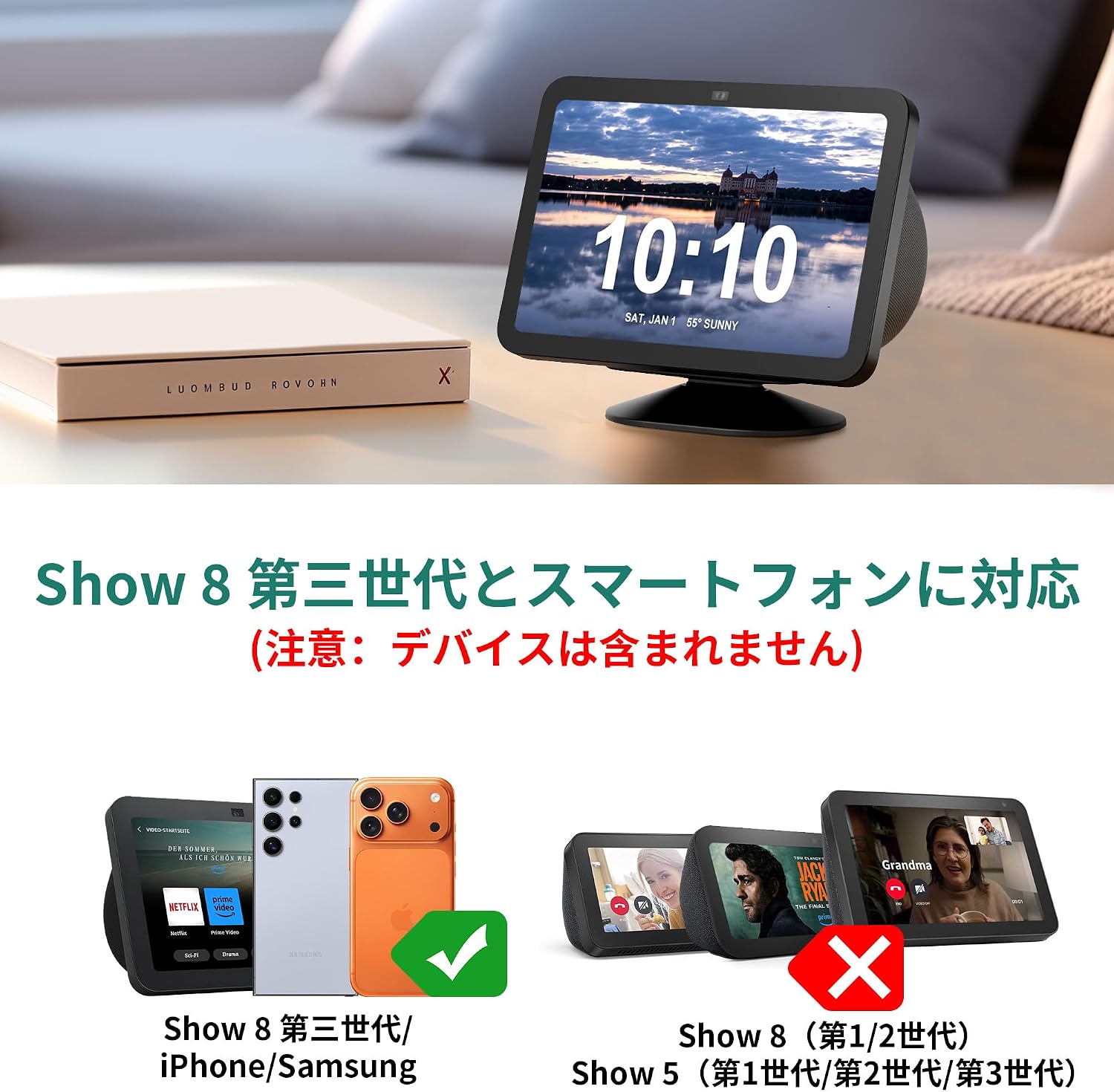
Image: The PlusAcc Desktop Stand holding an Echo Show 8 (3rd Gen) device, positioned on a table in a living room.
Compatibility
The PlusAcc Desktop Stand is designed for specific devices to ensure optimal performance and stability.
- Compatible Devices: Echo Show 8 (3rd Generation), iPhone 15/14/13/12 models, Samsung Galaxy smartphones (e.g., S24, S24 Ultra, S23), and other compatible earphones.
- Important Note: The package includes only the stand. Devices, power adapters, and charging cables are not included.
- Incompatible Devices: This stand is NOT compatible with Echo Show 8 (1st/2nd Generation) or Echo Show 5 (all generations).

Image: Visual guide indicating compatibility with Echo Show 8 (3rd Gen), iPhone, and Samsung devices, and incompatibility with older Echo Show models.
Features
- 36-Degree Angle Adjustment: The stand allows for a total of 36 degrees of vertical angle adjustment, with 18 degrees rotation forward and 18 degrees rotation backward. This enables users to freely adjust the viewing angle for an optimal experience.

Image: The stand's adjustable mechanism, allowing for 36 degrees of tilt.
- Strong Magnetic Attachment: Equipped with four powerful magnets, the bracket ensures a secure and easy attachment of your device. This strong magnetic force holds your device firmly in place.

Image: Illustration of the strong magnetic connection between the stand and a device.
- Non-slip Base: The base features a durable non-slip pad design, preventing the stand from sliding on surfaces due to vibrations or accidental bumps. This provides enhanced stability during use.

Image: Demonstration of the non-slip base, showing how it prevents the device from sliding.
- Sophisticated Design: The stand's design complements the aesthetic of your device, improving its display while also offering protection against liquid splashes and dirt.
Setup
Follow these steps to set up your PlusAcc Desktop Stand:
- Unpack the Stand: Carefully remove the stand from its packaging. Ensure all components are present.
- Prepare Your Device: For Echo Show 8 (3rd Gen), ensure the device is clean and free of debris on its base. For smartphones, ensure they are compatible and, if necessary, have a magnetic-compatible case.

Image: Illustration of magnetic attachment for smartphones.
- Attach Your Device:
- For Echo Show 8 (3rd Gen): Align the base of your Echo Show 8 (3rd Gen) with the magnetic plate on the stand. The strong magnets will securely snap the device into place.
- For Smartphones: If your smartphone has a magnetic-compatible case, simply place the back of the phone onto the magnetic plate of the stand. Ensure a firm connection.
- Position the Stand: Place the stand on a flat, stable surface. The non-slip base will help keep it in position.
Operating
Using your PlusAcc Desktop Stand is straightforward:
- Adjusting the Viewing Angle: Gently hold the top and bottom of your device (or the stand's magnetic plate) and tilt it forward or backward. The stand allows for 18 degrees of tilt in each direction, totaling 36 degrees of adjustment. Adjust until you find your preferred viewing angle.
- Rotating the Device: The stand allows for easy rotation of the device for optimal viewing in various scenarios, such as video calls or watching content.

Image: Detailed view of the stand's adjustable angle mechanism.
Maintenance
To ensure the longevity and proper functioning of your PlusAcc Desktop Stand, follow these maintenance guidelines:
- Cleaning: Wipe the stand with a soft, dry cloth. For stubborn dirt, a slightly damp cloth can be used, followed by immediate drying. Avoid abrasive cleaners or solvents.
- Avoid Liquid Exposure: While the stand offers some protection against splashes, avoid submerging it in water or exposing it to excessive liquids.
- Handle with Care: Although durable, avoid dropping the stand or applying excessive force, especially to the adjustable joint.
- Storage: When not in use for extended periods, store the stand in a cool, dry place away from direct sunlight.
Troubleshooting
If you encounter any issues with your PlusAcc Desktop Stand, refer to the following common problems and solutions:
| Problem | Possible Cause | Solution |
|---|---|---|
| Device does not attach securely. | Incompatible device model; weak magnetic connection due to obstruction or non-magnetic case. |
|
| Stand slides on the surface. | Surface is too smooth or wet; non-slip pads are dirty or damaged. |
|
| Angle adjustment is loose or unstable. | Excessive weight on the stand; wear and tear on the adjustable joint. |
|
Specifications
| Feature | Detail |
|---|---|
| Brand | PlusAcc |
| Model Name | Desktop Stand |
| Color | Black |
| Form Factor | Desktop |
| Compatible Devices | Echo Show 8 (3rd Generation), iPhone 15/14/13/12 models, Samsung Galaxy smartphones (e.g., S24, S24 Ultra, S23), Earphones |
| Material | ABS + Magnets |
| Angle Adjustment | Up to 36 degrees (18 degrees forward, 18 degrees backward) |
| Attachment Type | Magnetic |
| Base Feature | Non-slip pads |
| Country of Origin | China |
Warranty and Support
For warranty information or technical support, please contact PlusAcc customer service through the retailer where the product was purchased or visit the official PlusAcc website. Please retain your proof of purchase for warranty claims.
Online Support: PlusAcc Store on Amazon