
eTRY X11
eTRY Smart Robot Window Cleaner User Manual
Model: X11
1. Introduction
Thank you for choosing the eTRY Smart Robot Window Cleaner. This intelligent device is designed to simplify window cleaning, offering powerful suction, automatic water spray, and smart navigation for a spotless finish on various glass surfaces. Please read this manual thoroughly before operation to ensure safe and efficient use.
2. Safety Information
WARNING: Always follow safety precautions to prevent injury or damage.
- Ensure the safety rope is securely attached to a fixed object before operating the cleaner, especially on high-rise windows. The 13ft safety rope is designed to withstand 550lbs pull force.
- The device requires continuous power during operation. The built-in UPS (Uninterruptible Power Supply) provides approximately 20 minutes of backup power in case of a power outage, allowing the robot to remain suctioned to the surface for safe retrieval.
- Do not use the cleaner on cracked or damaged glass.
- Keep hands and loose clothing away from rotating parts during operation.
- Use only distilled water or recommended cleaning solutions in the water tank.
- Do not immerse the device in water or other liquids.
- Supervise the device during operation, especially in areas with potential obstacles or high traffic.
3. Package Contents
Verify that all items are present in the package:
- eTRY Smart Robot Window Cleaner
- Remote Control
- Water Bottle (for filling the tank)
- Microfiber Cleaning Pads (5 pairs included)
- Suction Cup Component (likely referring to the main unit's suction mechanism)
- Safety Rope (13ft)
- Power Adapter
- AC Wire (Power Cord)
- User Manual (this document)
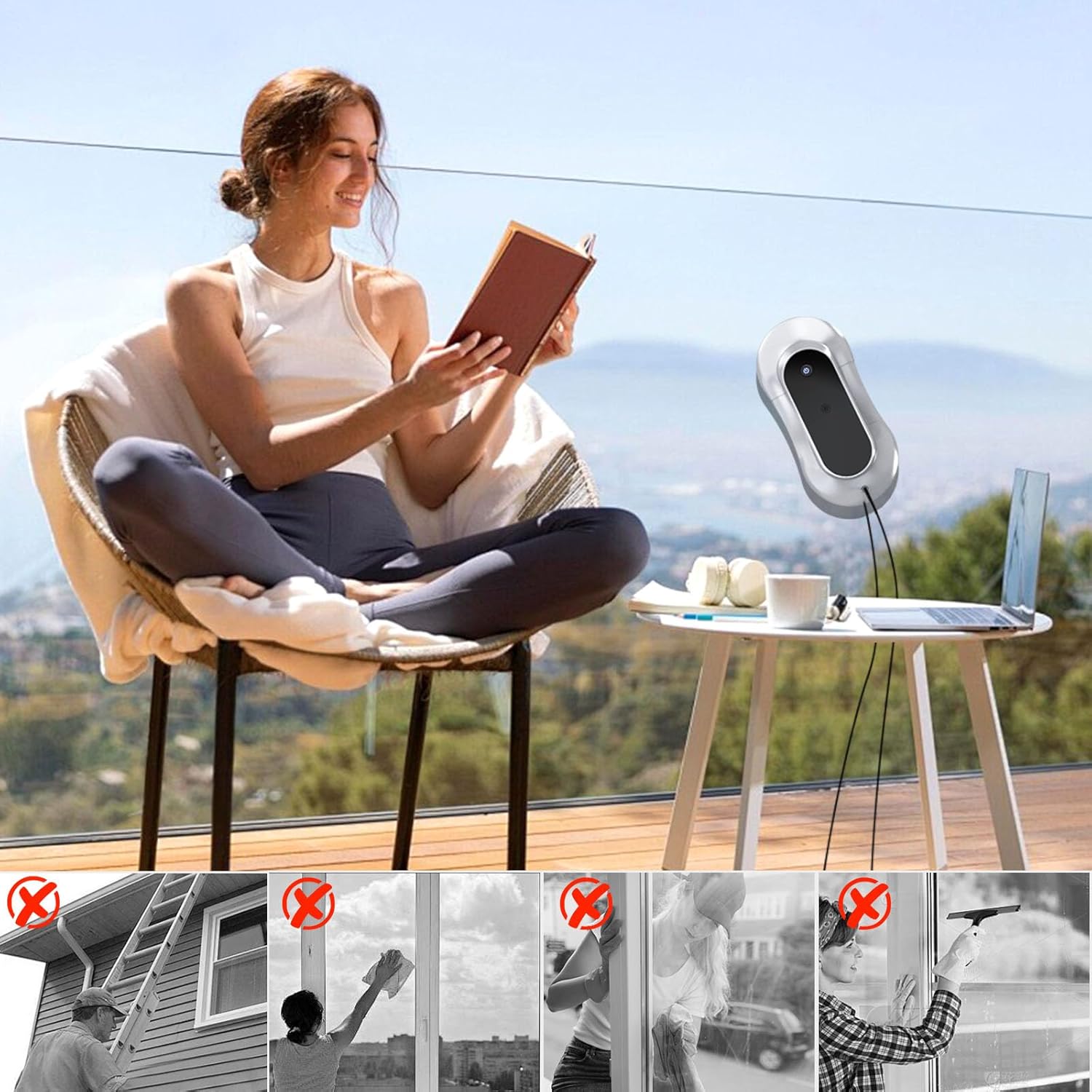
Image: All components included in the eTRY Smart Robot Window Cleaner package, including the robot, remote, cleaning pads, and power accessories.
4. Product Overview
The eTRY Smart Robot Window Cleaner features a sleek design with advanced cleaning capabilities:
- 3500Pa Turbo Suction: Provides strong adhesion to glass surfaces for secure and effective cleaning.
- Ultrasonic Dual Spray: Two nozzles spray cleaning solution for thorough wet cleaning. The 70ml smart tank covers up to 320 sq.ft per fill.
- AI Smart Navigation 3.0: Adapts to both framed and frameless glass, utilizing precision sensors and gyroscope edge detection for optimal path planning.
- 3 Intelligent Cleaning Modes: Includes Z-Shaped for full coverage, and Left & Right Edge-Intensive modes for targeted cleaning.
- One-Touch Smart Operation: Simple operation via a single button on the device or the remote control.
- Upgraded Brushless Motor: Ensures long lifespan and efficient performance.
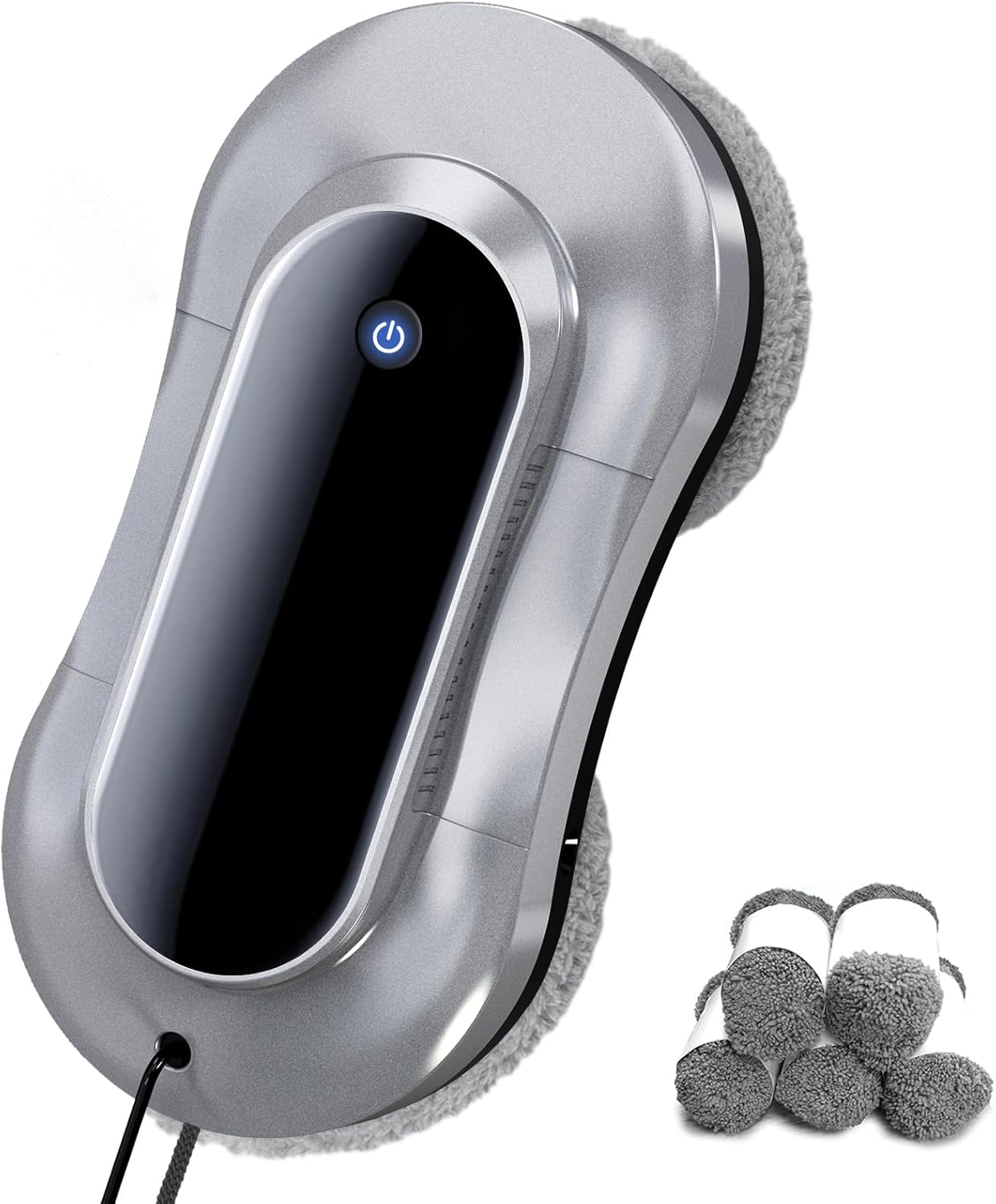
Image: Top view of the eTRY Smart Robot Window Cleaner, highlighting its compact and ergonomic design.
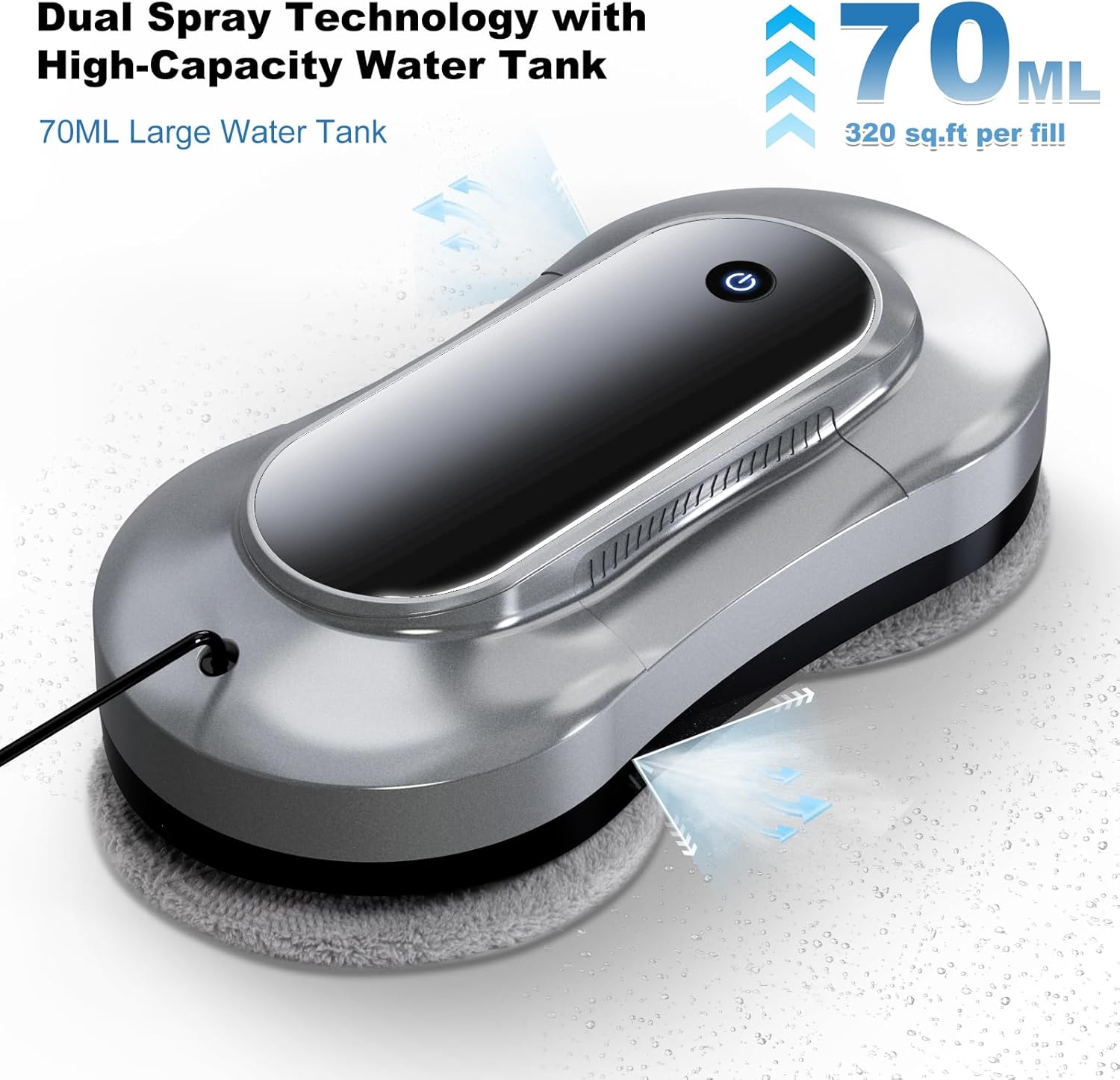
Image: The robot cleaner demonstrating its dual spray technology, showing water misting from both sides of the device.
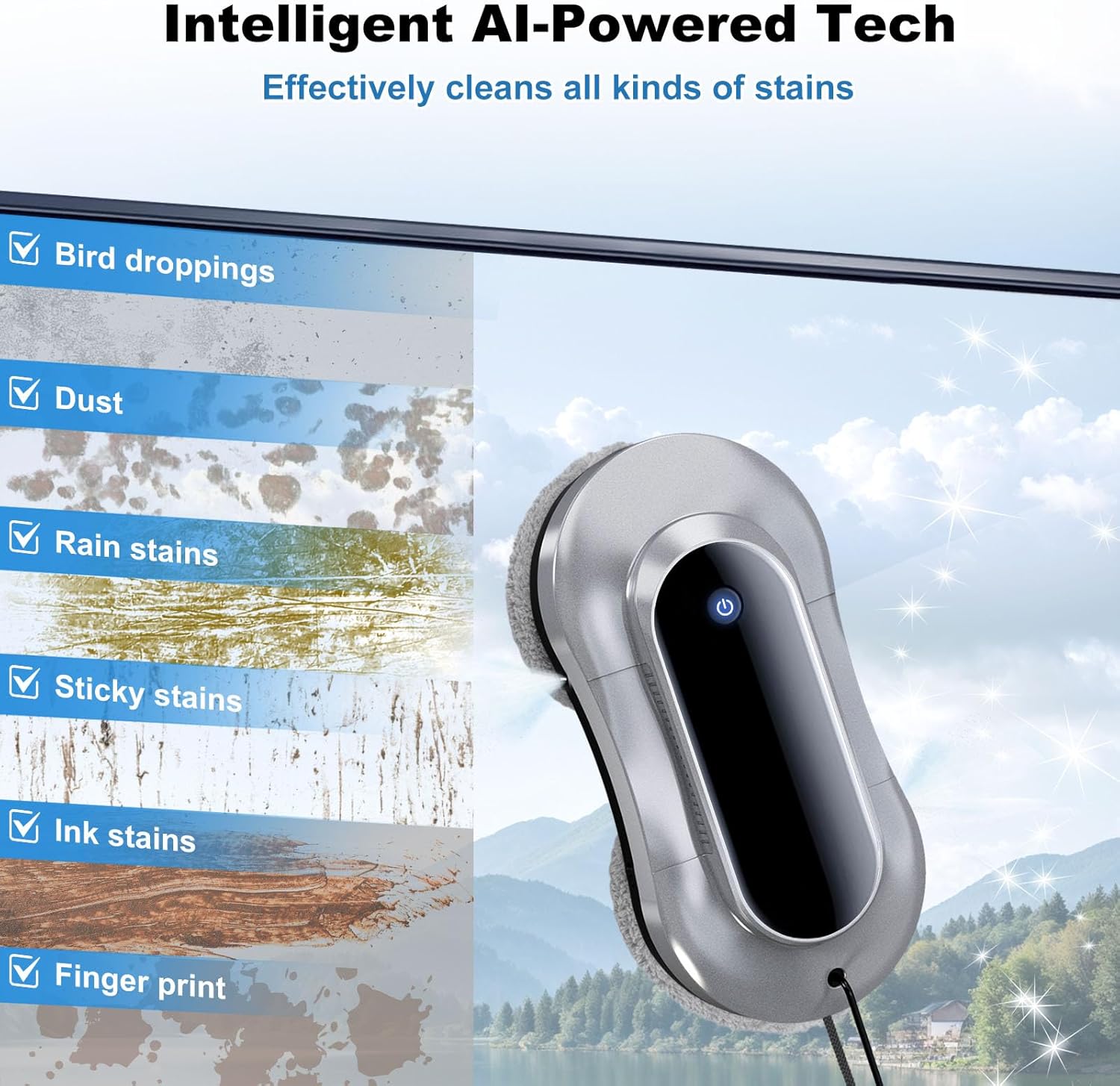
Image: Visual representation of the robot effectively cleaning different types of stains, including bird droppings, dust, rain stains, sticky stains, ink stains, and fingerprints.

Image: The robot cleaner positioned on a frameless glass panel, illustrating its gyroscope edge detection technology for precise cleaning.

Image: Depiction of the robot's military-grade safety features, including the 13ft safety rope with 550lbs pull force and the 30-minute power backup (UPS).

Image: Illustration of the robot's AI-powered human-like cleaning technology, showing the twisting and wiping motion of the pads and the Z-shaped automatic cleaning path.

Image: A person relaxing while the robot cleans a window, contrasting with traditional manual cleaning methods like ladders, hand wiping, and squeegees.
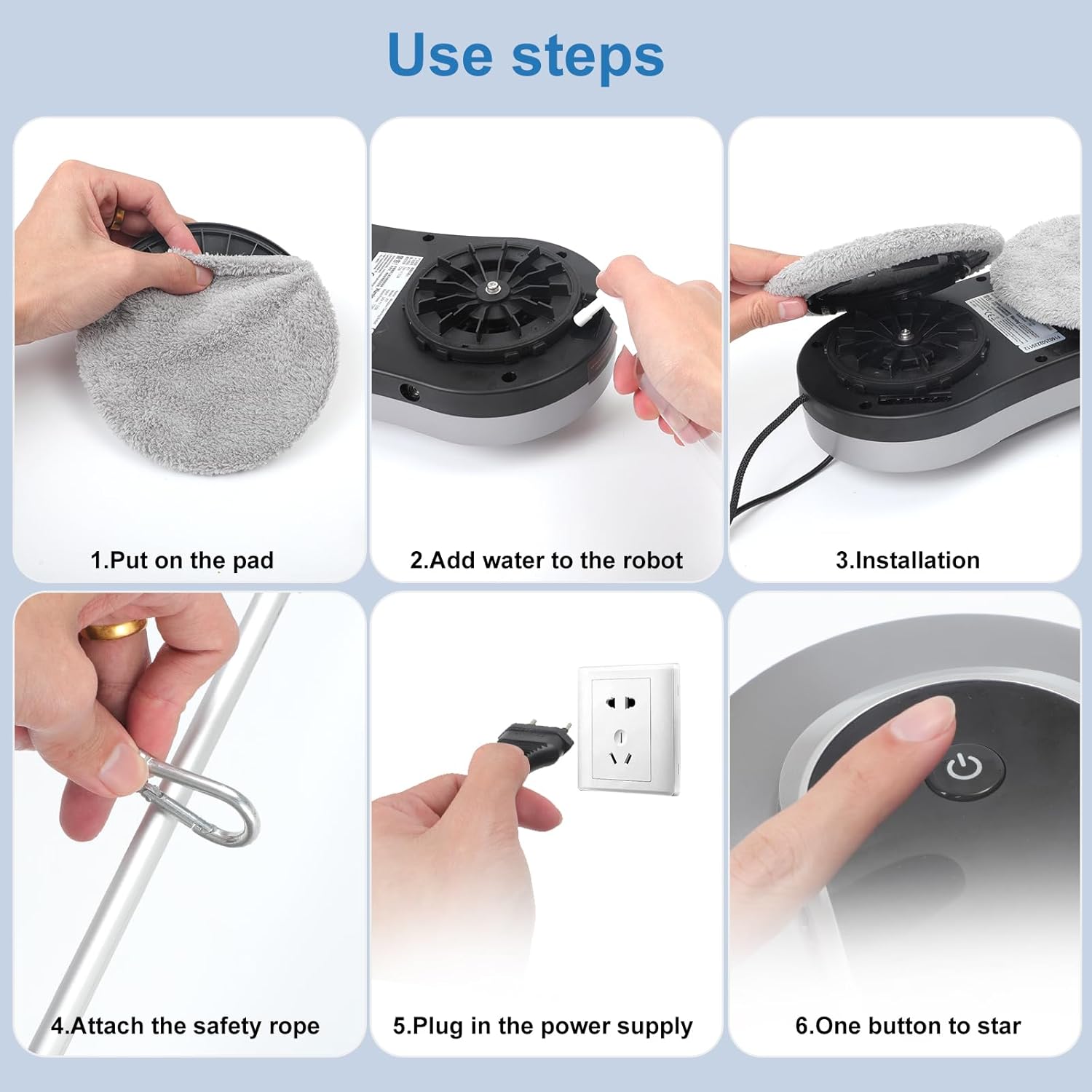
Image: Diagram showing the dimensions of the eTRY Smart Robot Window Cleaner (11.41"L x 5.5"W x 3.14"H).
5. Setup
- Attach Cleaning Pads: Ensure the microfiber cleaning pads are securely attached to the rotating heads of the robot. The pads snap into place.
- Fill Water Tank: Remove the cleaning pads to access the water filling port. Use the provided water bottle to fill the 70ml water tank with distilled water or a suitable window cleaning solution.
- Connect Power: Plug the power adapter into the robot and then into a power outlet. The device requires continuous power to operate.
- Attach Safety Rope: Securely attach the safety rope to a sturdy, fixed object (e.g., window frame, heavy furniture) before placing the robot on the window. This is crucial for safety, especially on high windows.

Image: A visual guide showing the six steps for setting up the eTRY Smart Robot Window Cleaner: 1. Put on the pad, 2. Add water to the robot, 3. Installation (place on window), 4. Attach the safety rope, 5. Plug in the power supply, 6. One button to start.
6. Operating Instructions
- Placement: Place the robot firmly against the glass surface you wish to clean. Ensure it has a good seal.
- Start Cleaning: Press the power button on the robot or the "Start" button on the remote control. The robot will initiate suction and begin its cleaning cycle.
- Select Cleaning Mode (Optional): Use the remote control to select from the 3 intelligent cleaning modes (Z-Shaped, Left Edge-Intensive, Right Edge-Intensive) based on your cleaning needs.
- Monitor Progress: The robot will automatically detect edges and plan its cleaning path. You can observe its progress.
- Manual Control (Optional): Use the directional arrows on the remote control to manually guide the robot if needed for specific spots.
- Completion: Once the cleaning cycle is complete, the robot will stop. Carefully remove it from the window by pressing the power button to release suction.
7. Maintenance
- Clean Microfiber Pads: After each use, remove the microfiber pads and wash them. They are reusable. Ensure they are dry before reattaching.
- Empty Water Tank: If any cleaning solution remains, empty the 70ml water tank to prevent residue buildup.
- Clean Nozzles: Periodically check and clean the spray nozzles to ensure proper water dispersion.
- Wipe Down Device: Wipe the exterior of the robot with a soft, dry cloth to remove any dust or debris.
- Storage: Store the robot in a cool, dry place away from direct sunlight and extreme temperatures.
8. Troubleshooting
| Problem | Possible Cause | Solution |
|---|---|---|
| Robot does not suction to glass. | Power not connected; dirty pads; surface too wet/dry; suction cups not properly sealed. | Ensure power is connected. Clean pads. Adjust moisture on surface. Re-position robot for better seal. |
| Robot leaves streaks. | Pads are dirty or oversaturated; incorrect cleaning solution. | Replace or clean pads. Use less solution or a different type. |
| Robot gets stuck or doesn't move. | Obstacle on surface; edge detection issue; low battery (if unplugged). | Remove obstacles. Ensure power is connected. Manually reposition using remote. |
| Water spray not working. | Water tank empty; nozzles clogged. | Refill water tank. Clean spray nozzles. |
9. Specifications
- Brand: eTRY
- Model Name: Window Cleaning Robot
- Model Number: X11
- Special Feature: For frameless glass, high-rise window cleaning, Wet/Dry wiping
- Color: Black
- Product Dimensions: 11.6"L x 5.7"W x 3"H
- Item Weight: 1.5 pounds
- Suction Power: 3500Pa
- Water Tank Capacity: 70 Milliliters
- Power Source: Corded Electric
- Battery Life (UPS): 30 minutes (for power backup)
- Control Method: Remote
- Included Components: Remote Control, Cleaning Pad (5 pairs)
10. Warranty & Support
For warranty information and customer support, please refer to the official eTRY website or contact their customer service directly. Keep your purchase receipt for warranty claims.
You can also refer to the official User Manual (PDF) for more detailed information: Download User Manual (PDF)
Related documentsX11

Ask a question about this manual
Ask about setup, troubleshooting, compatibility, parts, safety, or missing instructions. Manuals+ will review the question and use this page’s manual context to help answer it.