
SHANG WING Lynn
SHANG WING Lynn Fitness Tracker User Manual
Model: Lynn | ASIN: B0CPTR5XBM
Introduction
This manual provides comprehensive instructions for the SHANG WING Lynn Fitness Tracker. It covers essential information for setup, operation, maintenance, and troubleshooting to ensure optimal use of your device. Please read this manual thoroughly before using the fitness tracker.
What's in the Box
- SHANG WING Lynn Fitness Tracker
- Charging Cable
- User Manual (this document)
1. Setup
1.1 Charging the Device
Before first use, fully charge your SHANG WING Lynn Fitness Tracker. Connect the provided charging cable to the charging port on the back of the watch and to a USB power source. A full charge typically takes approximately 2.5 hours.

Image: Illustration showing the SHANG WING Lynn Fitness Tracker's dimensions and battery life indicators, including charging time.
A fully charged device can last up to 5 days with normal use and up to 30 days on standby.
1.2 App Installation
To unlock all features and synchronize data, download the companion application on your smartphone. The app is compatible with iOS 9.0 / Android 6.0 or above. Scan the QR code provided in the quick start guide (if available) or search for the app name (usually "SHANG WING" or similar, check packaging) in your phone's app store.
1.3 Device Pairing
- Ensure your fitness tracker is charged and powered on.
- Enable Bluetooth on your smartphone.
- Open the installed companion app.
- Follow the in-app instructions to search for and connect to your SHANG WING Lynn Fitness Tracker. The device name should appear in the app's device list.
- Confirm the pairing request on both your phone and the watch if prompted.
1.4 Customizing Watch Faces
Personalize your fitness tracker by changing the watch face. You can select from existing dials within the app or upload your own photos to create custom watch faces.
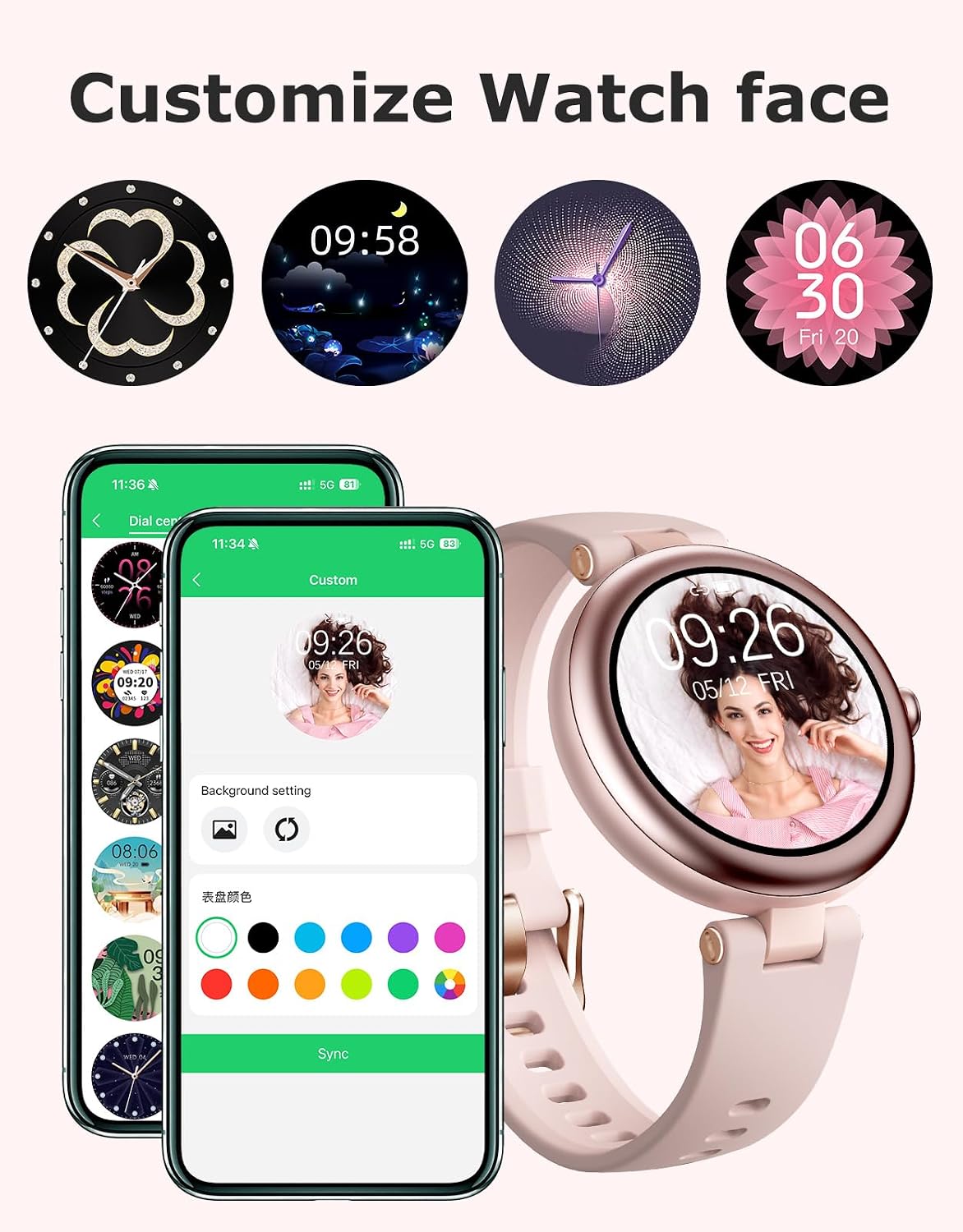
Image: Display of the SHANG WING Lynn Fitness Tracker showing different customizable watch faces, including options to use personal photos.
Access the watch face settings through the companion app to browse and apply new designs.
2. Operating the Device
2.1 Basic Navigation
The SHANG WING Lynn Fitness Tracker features a touchscreen display for navigation. Swipe left, right, up, or down to access different menus and functions. Tap to select an option or confirm an action. The side button typically serves as a power button or a return-to-home function.
2.2 Bluetooth Calls and Notifications
Once paired with your smartphone, the fitness tracker allows you to make and answer calls directly from your wrist. It will also vibrate to notify you of incoming calls, text messages, and social media alerts.

Image: The SHANG WING Lynn Fitness Tracker showing an incoming call and various notification icons from messaging apps.
- Answering Calls: Tap the green phone icon on the watch screen.
- Making Calls: Access the call function on the watch to dial numbers or select from contacts (requires sync with app).
- Notifications: Swipe down from the watch face to view recent notifications.
2.3 Activity and Sports Tracking
The device tracks daily activity data including steps, distance, and calories burned. It supports over 100 sports modes, providing real-time data during your workouts.
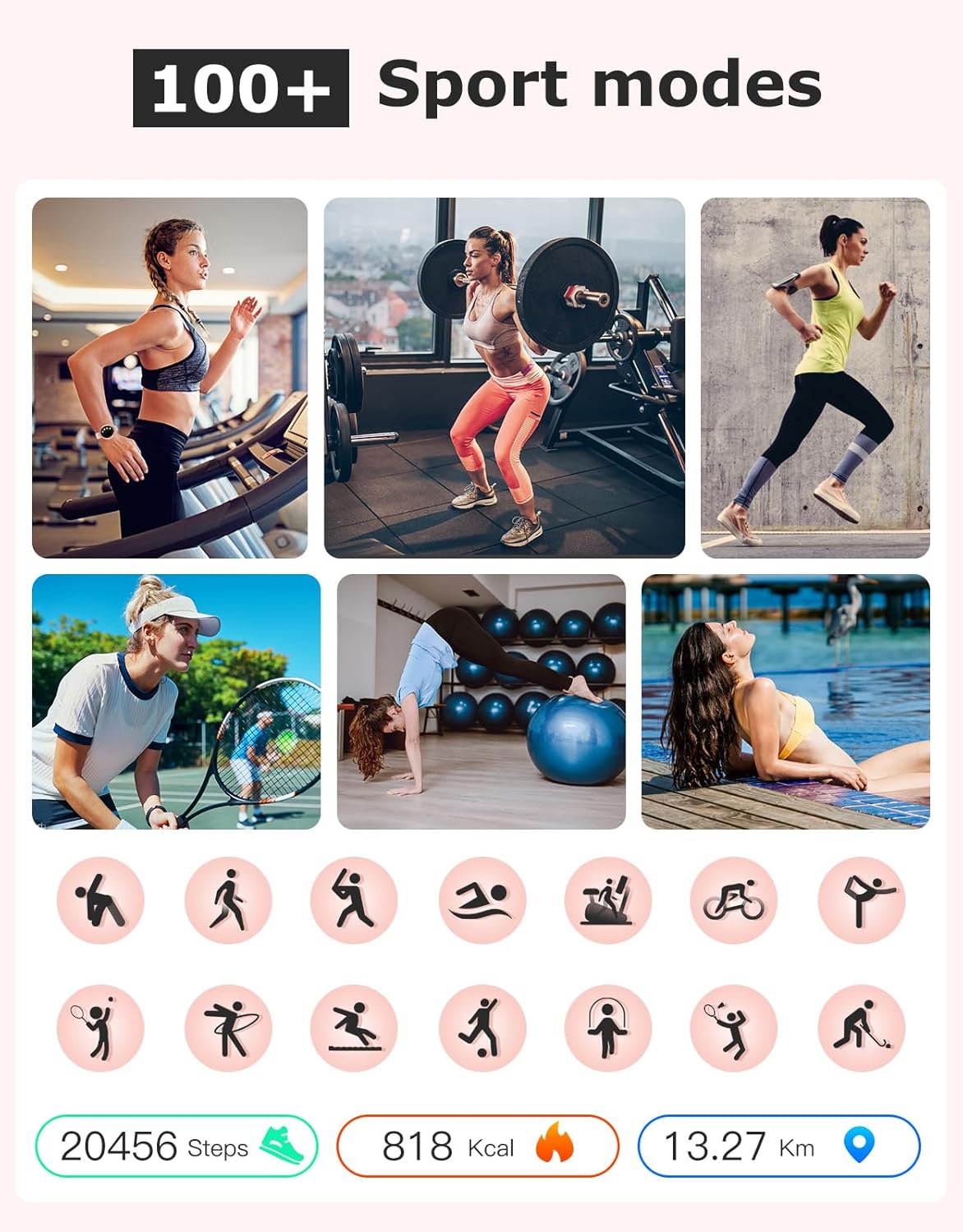
Image: Collage showing different sports activities and the SHANG WING Lynn Fitness Tracker displaying tracked data like steps, calories, and distance.
To start a workout, navigate to the sports mode menu on the watch, select your activity, and begin. The watch will record your performance data.
2.4 Health Monitoring
The SHANG WING Lynn Fitness Tracker continuously monitors key health metrics.
- Heart Rate: Monitors your heart rate 24/7. View real-time data on the watch or detailed trends in the app.
- Blood Oxygen (SpO2): Measures your blood oxygen saturation levels.
- Sleep Tracking: Analyzes your sleep duration and quality, distinguishing between deep sleep, light sleep, and REM sleep.

Image: A user exercising with the SHANG WING Lynn Fitness Tracker, showing graphs for heart rate and blood oxygen levels on the screen.

Image: A person sleeping, with the SHANG WING Lynn Fitness Tracker displaying sleep data including deep sleep, light sleep, and REM duration.
For accurate readings, ensure the watch is worn snugly on your wrist, about one finger's width from your wrist bone.
2.5 Women's Health Tracking
The device includes features for tracking women's physiological cycles, including menstruation, prediction, and ovulation. This feature requires setup and data input within the companion app.
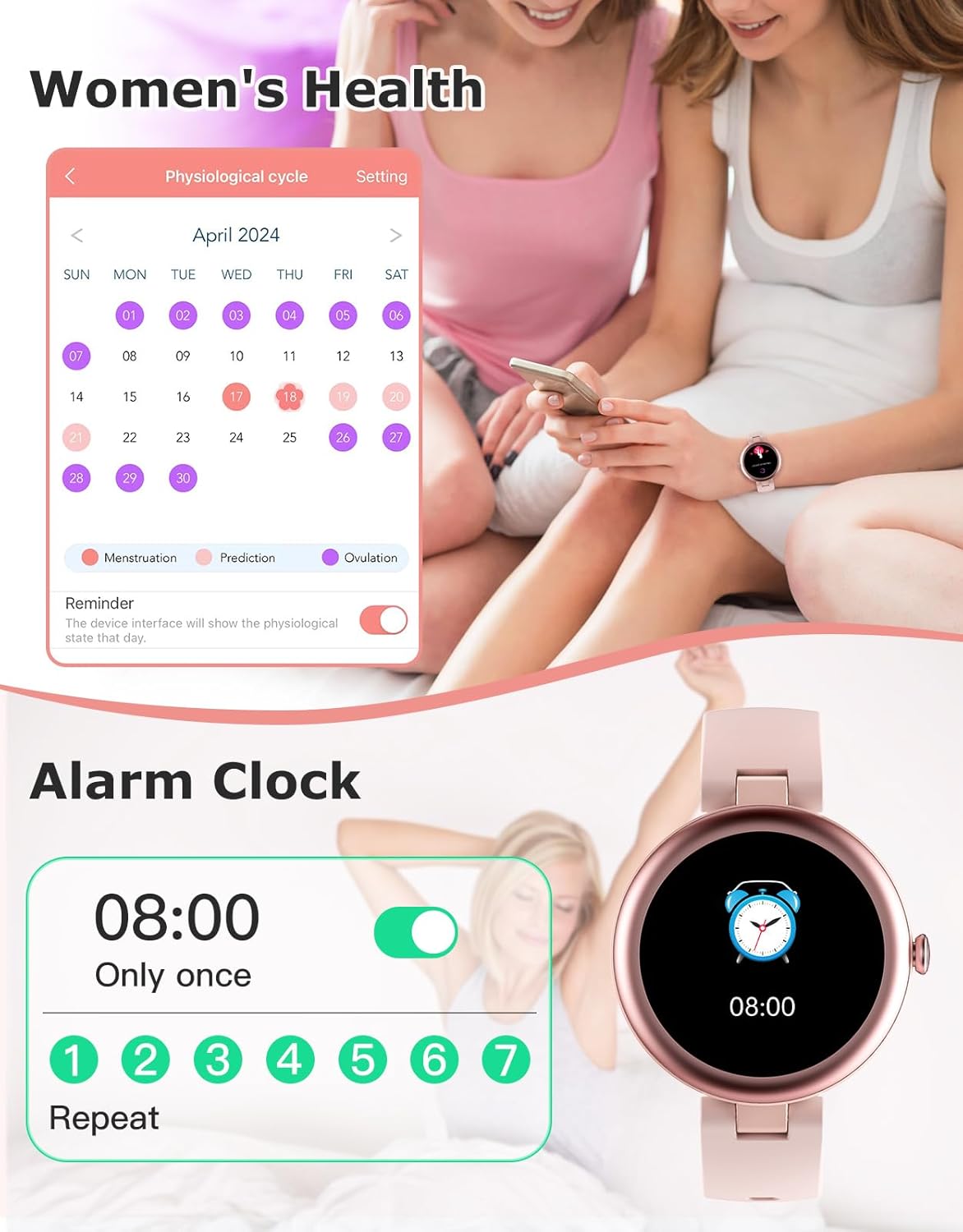
Image: The SHANG WING Lynn Fitness Tracker displaying a calendar for physiological cycle tracking and an alarm clock setting interface.
2.6 Additional Features
The SHANG WING Lynn Fitness Tracker offers several other useful functions:
- Alarm Clocks: Set multiple alarms through the app.
- Weather Forecast: Get current weather information (requires app sync and location permissions).
- Breath Training: Guided breathing exercises for relaxation.
- Music Control: Control music playback on your smartphone.
- Stopwatch: A basic stopwatch function.
- Find Your Phone: Locate your paired smartphone by making it ring.
- Do Not Disturb: Silence notifications during specific times.
3. Maintenance
3.1 Water Resistance (IP68)
The SHANG WING Lynn Fitness Tracker is rated IP68 waterproof, meaning it is resistant to dust and can withstand immersion in water up to 1.5 meters for up to 30 minutes. It is suitable for daily use, including hand washing, rain, and swimming. However, it is not recommended for hot showers, saunas, or diving, as steam and hot water can compromise the seal.
3.2 Cleaning
Regularly clean your fitness tracker and strap to prevent skin irritation and maintain device hygiene. Use a soft, damp cloth to wipe the screen and strap. Avoid using harsh chemicals or abrasive materials.
3.3 Battery Care
To prolong battery life, avoid fully discharging the device frequently. Charge it when the battery level is low. Store the device in a cool, dry place when not in use for extended periods.
4. Troubleshooting
4.1 Device Not Turning On
- Ensure the device is fully charged. Connect it to the charger for at least 30 minutes.
- Press and hold the side button for 10-15 seconds to attempt a forced restart.
4.2 Pairing Issues
- Make sure Bluetooth is enabled on your smartphone and the watch is within range.
- Restart both your smartphone and the fitness tracker.
- Ensure the companion app is updated to the latest version.
- If previously paired, try unpairing the device from your phone's Bluetooth settings and then re-pairing through the app.
4.3 Inaccurate Readings
- Ensure the watch is worn snugly on your wrist, not too loose or too tight.
- Clean the sensors on the back of the watch.
- Avoid excessive movement or vibrations during measurements.
4.4 Notifications Not Appearing
- Check if Bluetooth is connected and stable.
- Verify notification permissions for the companion app in your phone's settings.
- Ensure "Do Not Disturb" mode is not active on either the watch or your phone.
- Confirm that notification alerts are enabled within the companion app for specific applications.
5. Specifications
| Feature | Detail |
|---|---|
| Brand | SHANG WING |
| Model Number | Lynn |
| ASIN | B0CPTR5XBM |
| Product Dimensions | 9.45 x 1.57 x 0.43 inches |
| Item Weight | 1.34 ounces (38 Grams) |
| Screen Size | 1.2 Inches (Standing screen display size) |
| Shape | Round |
| Connectivity Technology | Bluetooth |
| Operating System Compatibility | iOS 9.0 / Android 6.0 or above |
| Battery Type | Lithium Polymer (1 included) |
| Water Resistance | IP68 |
| Special Features | Bluetooth Phone Call, Message/SNS Notification, Customizable Watch Faces, Alarm Clock, Time Display, Touchscreen, Weather Forecast, Heart Rate Monitor, Sleep Monitor, Blood Oxygen Monitor, Steps Tracker, Calorie Tracker, Distance Tracker, Pedometer, Activity Tracker, Multisport Tracker |
6. Warranty and Support
For warranty information and technical support, please refer to the contact details provided on the product packaging or contact the manufacturer directly. Keep your purchase receipt as proof of purchase.
Manufacturer: SHANG WING
Related documentsLynn


Ask a question about this manual
Ask about setup, troubleshooting, compatibility, parts, safety, or missing instructions. Manuals+ will review the question and use this page’s manual context to help answer it.