
1. Introduction
Thank you for choosing the VTech ES2051 DECT Cordless Phone. This manual provides detailed instructions to help you set up, operate, and maintain your new phone system. The ES2051 is designed for reliable communication, featuring a digital answering machine, call blocking capabilities, and enhanced audio features for clear conversations.
2. What's in the Box
Please check the contents of your package to ensure all items are present:
- 2 Base Units
- 2 Cordless Handsets
- 2 Chargers
- 2 Battery Packs (4 AAA batteries included)
- Telephone Line Cord
- Quick Start Guide

Image 1: VTech ES2051 DECT Cordless Phone system components. This image displays the two cordless handsets, the main base unit with an integrated answering machine, and a secondary charging cradle.
3. Setup Guide
3.1. Battery Installation
- Locate the battery compartment cover on the back of each handset.
- Slide the cover downwards to remove it.
- Connect the battery pack connector to the socket inside the compartment, ensuring correct polarity.
- Place the battery pack into the compartment.
- Replace the battery compartment cover, sliding it upwards until it clicks into place.

Image 2: A hand demonstrating the installation of the battery pack into the handset. Ensure the connector is properly aligned before closing the battery cover.
3.2. Connecting the Base Unit and Charger
- Plug the small end of the power adapter into the power jack on the back of the main base unit.
- Plug the other end of the power adapter into a wall outlet.
- Connect the telephone line cord to the telephone line jack on the back of the main base unit.
- Plug the other end of the telephone line cord into a telephone wall jack.
- For the secondary charger, plug its power adapter into a wall outlet.
Important: Use only the power adapters and batteries provided with this product. Place the base unit and charger in a central location away from other electrical appliances to avoid interference.
3.3. Initial Charging
Place each handset onto its respective base unit or charger. The handsets will begin charging. Allow the handsets to charge for at least 16 hours before initial use to ensure optimal battery performance.
4. Operating Instructions
4.1. Making and Receiving Calls
- To Make a Call: Pick up a handset, press the Call button, and dial the number.
- To Receive a Call: When the phone rings, press the Call button on any handset.
- To End a Call: Press the End button or place the handset back on the base/charger.
4.2. Digital Answering Machine
The integrated digital answering machine can record up to 30 minutes of messages. The message counter on the main base unit displays the number of new messages.
- Playing Messages: Press the PLAY/STOP button on the base unit.
- Recording Outgoing Message (OGM): Refer to the detailed manual for steps to personalize your outgoing message.

Image 3: A user interacting with the VTech ES2051, highlighting the digital message counter on the base unit, which indicates 12 new messages.
4.3. Nuisance Call Blocker
Block unwanted calls by adding numbers to the call block list. The phone can store up to 100 blacklisted numbers.
- To Block a Number During a Call: Press the Call Block button (often marked with a shield icon) during an active call.
- To Block a Number from Caller ID History: Navigate to the Caller ID list, select the number, and follow the on-screen prompts to block it.

Image 4: Visual representation of the call blocker feature, showing the phone and an icon indicating the blocking of nuisance and unwanted calls.
4.4. Volume Booster
The volume booster amplifies incoming sounds, enhancing clarity and loudness for users who prefer a higher volume level or have hearing impairments.
- To Activate/Deactivate: Press the Volume Booster button (often marked with a speaker icon and a plus sign) during a call.

Image 5: A hand pressing the volume booster button on the handset, with graphic representation of amplified sound waves.
4.5. Handsfree Speakerphone
Engage in conversations without holding the handset using the high-quality handsfree speakerphone function.
- To Activate/Deactivate: Press the Speakerphone button during a call.
4.6. Backlit Display and Keypad
The handset features a backlit display and keypad, ensuring easy viewing and operation even in dim lighting conditions.

Image 6: The VTech cordless phone handset with its display and keypad illuminated, demonstrating its readability in low-light environments.
4.7. Intercom Between Handsets
Use the intercom function to communicate between handsets within your home, eliminating the need to shout.
- To Initiate Intercom: Press the INT button (or similar, refer to handset buttons) and select the desired handset.
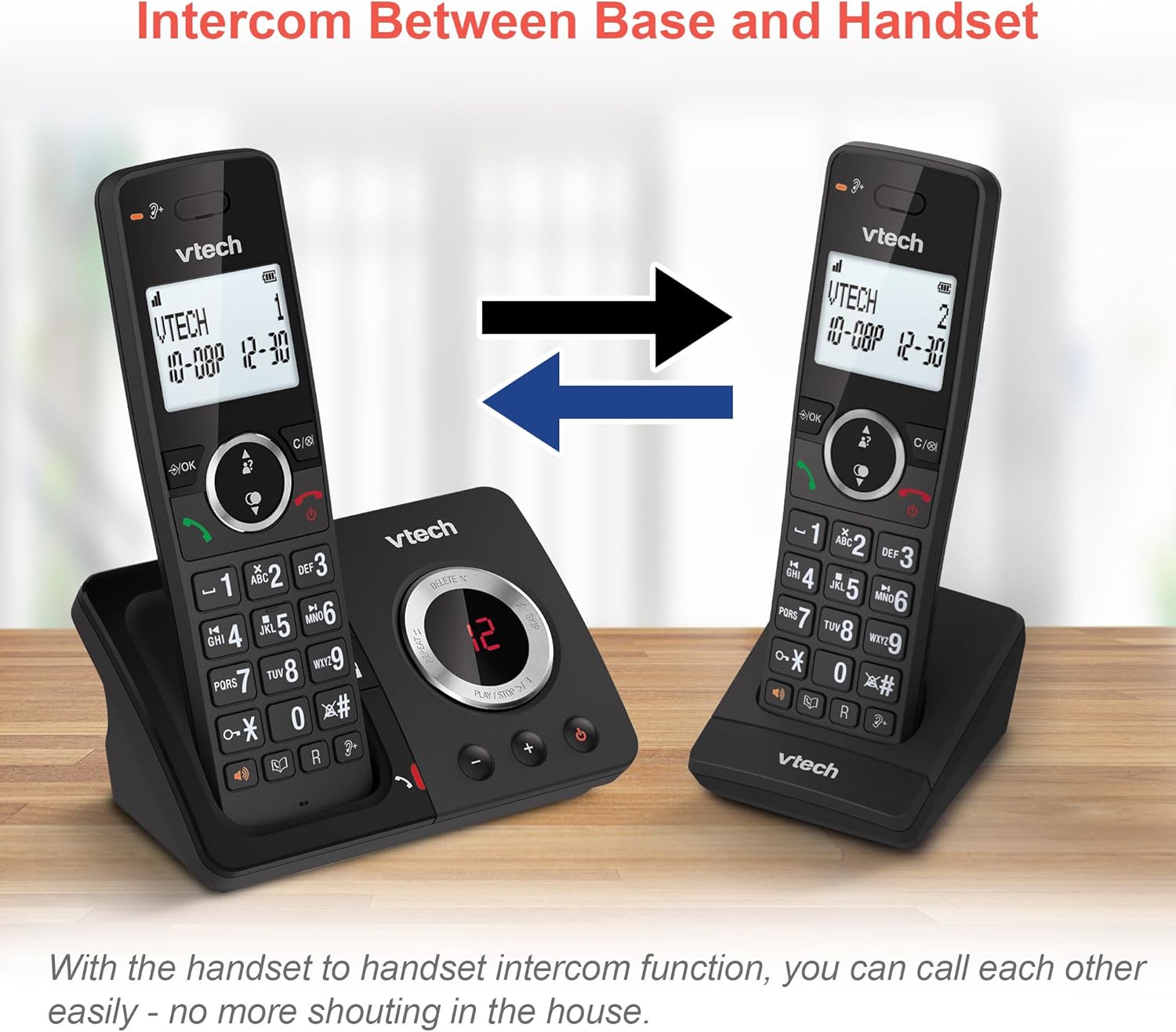
Image 7: Two VTech handsets illustrating the intercom feature, allowing direct communication between them.
4.8. 3-Way Conference Calling
Conduct a conference call with two internal callers (handsets) and one external caller.
- To Start a 3-Way Conference: While on an external call, initiate an intercom call to another handset. Once connected, press the Conference button (or similar) to join all three parties.

Image 8: Depiction of a 3-way conference call in progress, showing three individuals communicating simultaneously.
4.9. Phonebook and Redial
- Phonebook: Store up to 100 names and numbers in the phonebook for quick dialing.
- Last Number Redial: Access the last 10 dialed numbers for convenient redialing.
- Caller ID: View caller information for the last 20 incoming calls (requires subscription to caller ID service).

Image 9: A collage showcasing various features: the 100-name phonebook, caller ID with 20 call lists, 10 last number redial, and the impressive 18 hours talk time.
4.10. Additional Features
- Alarm Function: Set an alarm to remind you of important events.
- Mute Function: Mute your microphone during a call for privacy.
- Keypad Lock: Lock the keypad to prevent accidental dialing.
- ECO Mode: Reduces power consumption and transmission power when the handset is close to the base unit.
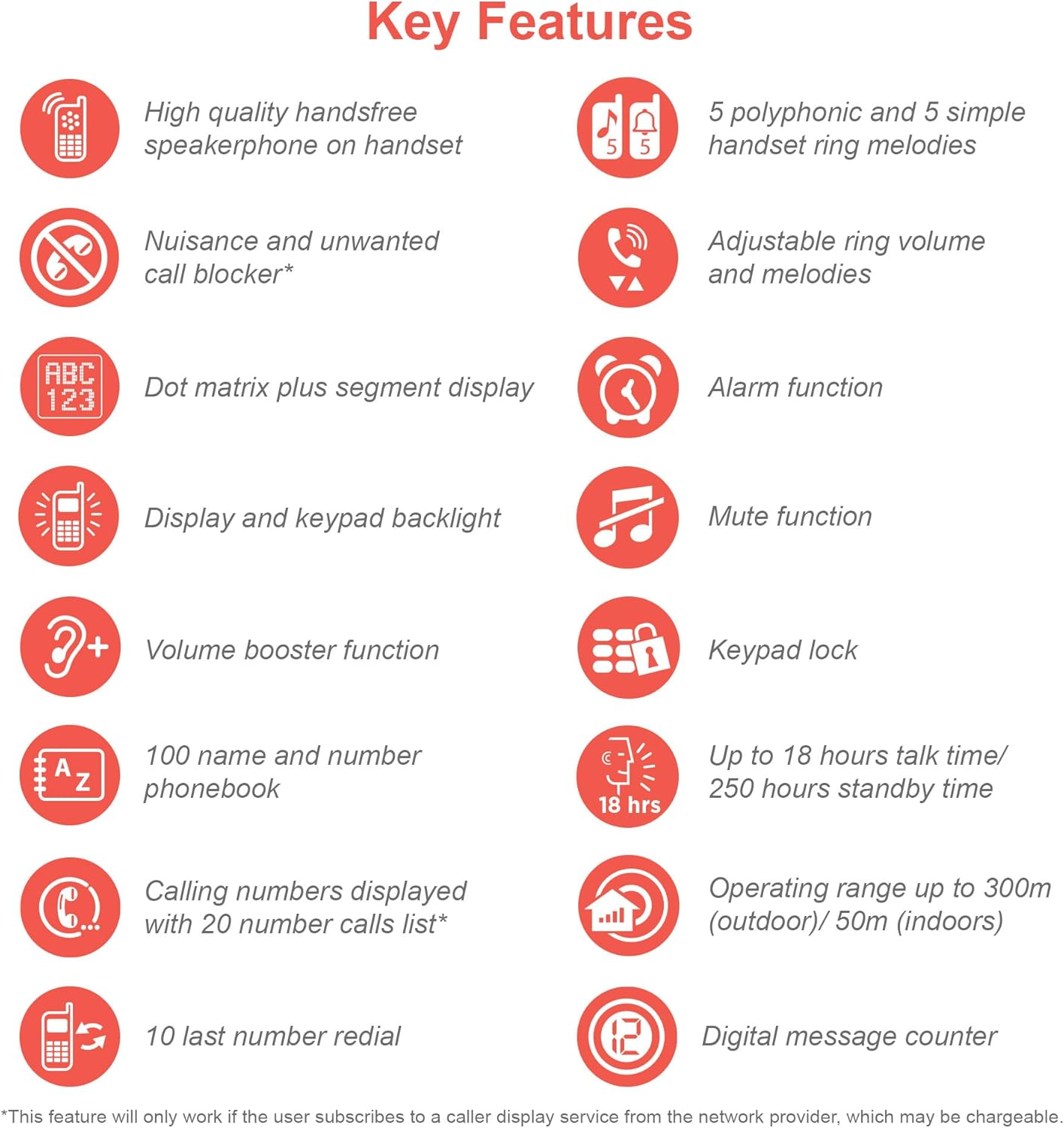
Image 10: An infographic summarizing the key features of the VTech ES2051, including handsfree speakerphone, nuisance call blocker, dot matrix display, volume booster, 100-name phonebook, 10 last number redial, 5 polyphonic ring melodies, alarm, mute, keypad lock, 18 hours talk time, 300m outdoor/50m indoor operating range, and digital message counter.
5. Maintenance
- Cleaning: Clean the phone and base units with a soft, damp cloth. Do not use cleaning sprays or abrasive cleaners.
- Battery Care: If the phone will not be used for an extended period, remove the batteries from the handsets.
- Environmental Conditions: Avoid placing the phone in direct sunlight, near heat sources, or in areas with high humidity.
6. Troubleshooting
| Problem | Possible Cause | Solution |
|---|---|---|
| No dial tone | Telephone line cord is not connected or faulty. | Ensure the telephone line cord is securely plugged into the base unit and the wall jack. Test with another phone if possible. |
| Handset displays "Out of Range" | Handset is too far from the base unit or interference. | Move closer to the base unit. Relocate the base unit away from other electronic devices. |
| Cannot hear caller / Caller cannot hear me | Volume too low or microphone muted. | Adjust the earpiece/speaker volume. Check if the mute function is active. |
| Answering machine not recording messages | Memory full or answering machine is off. | Delete old messages to free up memory. Ensure the answering machine is turned on. |
For more detailed troubleshooting, please refer to the full user manual available on the VTech support website.
7. Specifications
- Model: ES2051
- Technology: DECT 6.0
- Battery Type: 4 x AAA Ni-MH rechargeable batteries (included)
- Talk Time: Up to 18 hours
- Standby Time: Up to 250 hours
- Answering Machine Recording Time: Up to 30 minutes
- Phonebook Capacity: 100 names and numbers
- Call Block Capacity: Up to 100 blacklisted numbers
- Operating Range: Up to 300m (outdoor) / 50m (indoor)
- Display: Backlit LCD
8. Product Overview Video
Video 1: An official product overview video for the VTech ES2051 DECT Cordless Phone. This video highlights key features such as the twin handset design, digital answering machine, call blocker, volume booster, and handsfree speakerphone.
9. Warranty and Support
VTech products are manufactured to high quality standards. For warranty information, technical support, or to register your product, please visit the official VTech website or contact their customer service. Keep your purchase receipt as proof of purchase.
Online Support: www.vtech.co.uk/support


