
1. Introduction
This manual provides detailed instructions for the safe and effective use of the FNNEMGE Digital Multimeter MY8236B. This intelligent, multifunctional digital multimeter features 4000 counts and is designed to measure AC/DC voltage, current, capacitance, resistance, and continuity. It is suitable for professional, home, vehicle, and DIY applications.
2. Safety Information
To ensure safe operation, please read and understand all safety warnings and operating instructions before using this multimeter. Failure to do so may result in electric shock, fire, or damage to the device.
- Always adhere to local and national safety codes.
- Do not exceed the maximum input values specified for each measurement range.
- Ensure test leads are in good condition, free from damage, and properly connected before each use.
- The device conforms to DC/AC 600V CAT III surge standards and is dual insulated (Class II) for enhanced safety.
- Equipped with two internal fuses and intelligent overheating protection.
- Always turn off the multimeter and disconnect test leads from the circuit before opening the case for battery replacement or fuse inspection.
- Do not operate the multimeter if it appears damaged or is not functioning correctly.
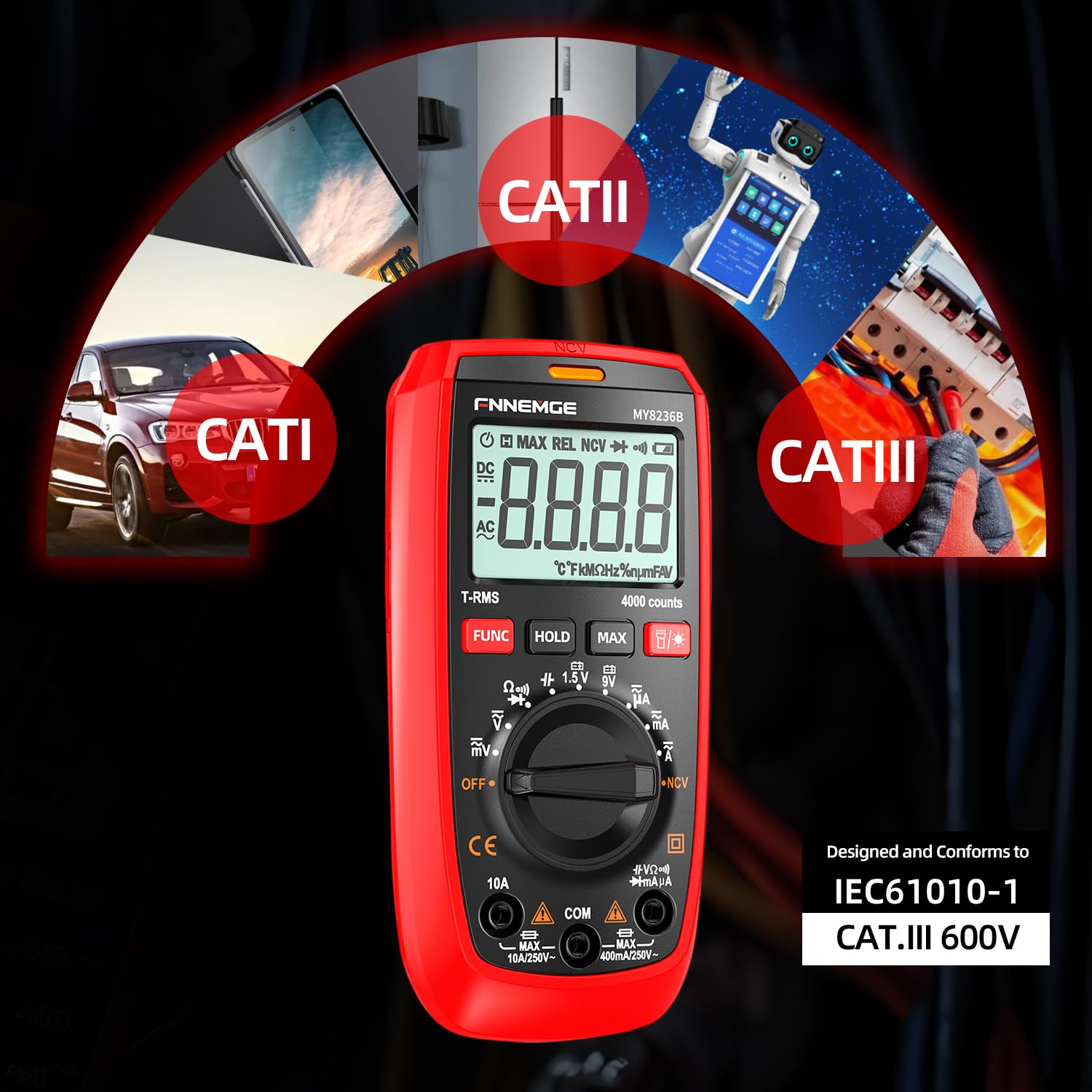
Image: The FNNEMGE Digital Multimeter MY8236B is designed to conform to IEC61010-1 CAT.III 600V safety standards, suitable for various measurement environments including CAT I, CAT II, and CAT III applications.
3. Product Features
The FNNEMGE Digital Multimeter MY8236B offers a range of features designed for accurate and convenient electrical measurements:
- Digital Smart Multimeter: Automatic scaling and true RMS measurement capabilities. Measures AC/DC voltage, current, capacitance, resistance, and continuity.
- Non-Contact Voltage (NCV) Test: Equipped with an audible and light alarm for detecting live voltage without direct contact, enhancing safety and ease of use.
- Multifunctional Display: Features a large LED display with 4000 counts, backlight, and a flashlight function for operation in dark environments.
- Additional Functions: Includes data hold, automatic shutdown, low battery indicator, a stable support stand on the back, and a pen slot for convenience.
- Robust Safety Design: Incorporates two internal fuses, intelligent overheating protection, and an outer silicone protective case to shield the device from damage.

Image: The multimeter features a large LED screen with a backlight for clear readings and a built-in flashlight for illuminating work areas.

Image: The multimeter is protected by a durable silicone case and features a smart chip for accurate and stable measurements with burn protection.
4. Package Contents
Upon opening the package, please verify that all the following items are included:
- Digital Multimeter (MY8236B) x1
- AAA Batteries x2
- User Manual x1
- Measuring Lines (Test Leads) x2
- Screwdriver x1

Image: The package includes the FNNEMGE Digital Multimeter MY8236B, a pair of test leads, and a screwdriver for battery compartment access.
5. Setup
5.1 Battery Installation
- Ensure the multimeter is powered off and no test leads are connected.
- Locate the battery compartment cover on the back of the multimeter.
- Use the provided screwdriver to loosen the screw securing the battery compartment cover.
- Remove the cover.
- Insert the two AAA batteries, observing the correct polarity (+ and -) as indicated inside the compartment.
- Replace the battery compartment cover and tighten the screw.
5.2 Initial Checks
Before first use, inspect the multimeter and test leads for any signs of damage. Ensure the test leads' insulation is intact and the connectors are clean and secure.
6. Operating Instructions
The FNNEMGE Digital Multimeter MY8236B features a rotary dial for mode selection and several function buttons.
6.1 Power On/Off
Turn the rotary dial from the 'OFF' position to any desired measurement function to power on the multimeter. To power off, turn the dial back to 'OFF'. The device also features automatic shutdown after a period of inactivity to conserve battery life.
6.2 AC/DC Voltage Measurement
- Insert the red test lead into the 'VΩmA' jack and the black test lead into the 'COM' jack.
- Turn the rotary dial to the 'V~' (AC Voltage) or 'V=' (DC Voltage) position. The multimeter will automatically select the appropriate range.
- Connect the test probes in parallel to the circuit or component you wish to measure.
- Read the voltage value displayed on the screen.
6.3 AC/DC Current Measurement
- For current up to 400mA, insert the red test lead into the 'VΩmA' jack. For current up to 10A, insert the red test lead into the '10A' jack. Insert the black test lead into the 'COM' jack.
- Turn the rotary dial to the 'A~' (AC Current) or 'A=' (DC Current) position.
- Important: Connect the test probes in series with the circuit. Ensure the circuit is de-energized before connecting the multimeter in series.
- Apply power to the circuit and read the current value displayed.
6.4 Resistance Measurement
- Insert the red test lead into the 'VΩmA' jack and the black test lead into the 'COM' jack.
- Turn the rotary dial to the 'Ω' (Resistance) position.
- Ensure the circuit or component is de-energized before connecting the test probes across the component.
- Read the resistance value displayed.
6.5 Continuity Test
- Insert the red test lead into the 'VΩmA' jack and the black test lead into the 'COM' jack.
- Turn the rotary dial to the 'Ω' (Resistance) position, then press the 'FUNC' button to cycle to the continuity mode (indicated by a buzzer symbol).
- Connect the test probes across the circuit or component.
- If continuity exists (low resistance), the buzzer will sound. The display will show the resistance value.
6.6 Non-Contact Voltage (NCV) Function
- Turn the rotary dial to the 'NCV' position.
- Move the top end of the multimeter near the conductor or outlet you want to test for AC voltage.
- The device will emit an audible alarm and the NCV indicator light will flash. A slow-paced tone indicates low voltage, while a high-speed tone indicates high voltage.

Image: The FNNEMGE Digital Multimeter MY8236B being used to measure current in an automotive engine bay.

Image: Examples of AC/DC current and voltage measurements using the FNNEMGE Digital Multimeter MY8236B.

Image: Demonstration of the Non-Contact Voltage (NCV) function, showing the multimeter detecting voltage near an electrical outlet.
7. Maintenance
7.1 Cleaning
To clean the multimeter, wipe the case with a damp cloth and a mild detergent. Do not use abrasives or solvents. Ensure the device is powered off and disconnected from any circuits before cleaning.
7.2 Battery Replacement
When the low battery indicator appears on the display, replace the batteries promptly to ensure accurate readings. Refer to Section 5.1 for battery installation instructions.
7.3 Fuse Replacement
If the current measurement function stops working, the internal fuse may need replacement. This procedure should only be performed by qualified personnel. Ensure the multimeter is powered off and test leads are disconnected. Open the case as per battery replacement instructions to access the fuse compartment. Replace with a fuse of the same type and rating (e.g., F400mA/250V for mA range, F10A/250V for 10A range).
8. Troubleshooting
If you encounter issues with your FNNEMGE Digital Multimeter MY8236B, refer to the following common problems and solutions:
- No Display / Faint Display: Check battery level. Replace batteries if low. Ensure the rotary dial is not in the 'OFF' position.
- Incorrect Readings: Verify test lead connections. Ensure the correct measurement function is selected. Check for damaged test leads. Ensure the component or circuit is properly isolated for resistance/continuity measurements.
- Current Measurement Not Working: Check if the fuse for the current range is blown. Replace if necessary (refer to Section 7.3). Ensure test leads are in the correct jacks for the current range being measured.
- NCV Function Not Responding: Ensure the NCV mode is selected. Verify there is actual AC voltage present.
If the problem persists after attempting these solutions, please contact customer support.
9. Specifications
| Specification | Detail |
|---|---|
| Model Number | MY8236B |
| Brand | FNNEMGE |
| Display | 4000 Counts, LED Backlit |
| Power Source | 2 x AAA Batteries (included) |
| Product Dimensions | 7.2 x 3.2 x 14.5 cm |
| Item Weight | 0.32 Kilograms (320 g) |
| Colour | Red |
| Safety Rating | IEC61010-1 CAT.III 600V, Dual Insulated (Class II) |
| Special Features | True RMS, NCV, Data Hold, Auto Shutdown, Flashlight |
10. Warranty and Support
The FNNEMGE Digital Multimeter MY8236B comes with a 3-year warranty from the date of purchase. We also offer continuous technical support to assist you with any questions or difficulties you may encounter while using the product.
For warranty claims, technical assistance, or any other inquiries, please do not hesitate to contact us:
Email: FNNEMGE@OUTLOOK.COM
Please provide your purchase details and a description of the issue when contacting support to facilitate a quicker resolution.