
Introduction
Thank you for choosing the OKPRO Solar Outdoor Lights. This manual provides essential information for the safe and efficient operation of your new solar flood lights. These lights are designed to provide bright, motion-sensing security lighting for various outdoor applications, utilizing solar power for energy efficiency and reduced electricity costs.
Product Overview & Components
The OKPRO Solar Outdoor Lights (Model A-100S) are super bright, 180° wide-angle flood lights equipped with a motion sensor and remote control. They are IP66 waterproof, ensuring durability in various weather conditions.
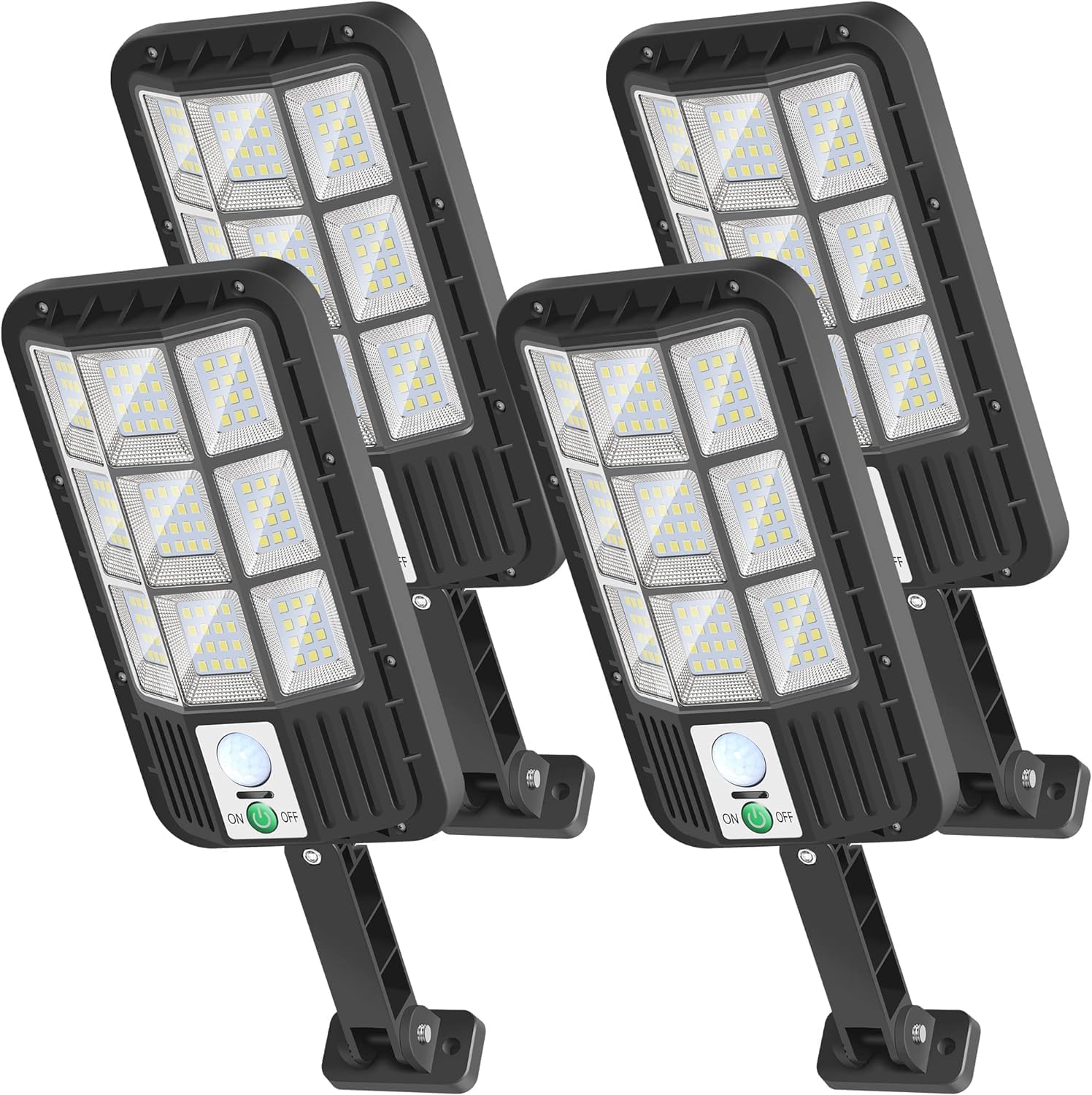
Image: Four OKPRO Solar Outdoor Lights, showing the front view with solar panels and motion sensors.
What's in the Box:
- 4x Solar Light units
- 4x Remote Controls
- 4x Mounting hardwares (screws and anchors)
- 4x Mounting brackets
- 1x Instruction Manual (this document)
Specifications
| Feature | Detail |
|---|---|
| Brand | OKPRO |
| Model Name | XBM124 Solar Lights for Outside |
| Item Model Number | A-100S |
| Color | Black |
| Material | Acrylonitrile Butadiene Styrene (ABS) |
| Light Source Type | LED |
| Number of Light Sources | 124 |
| Brightness | 6000 Lumen |
| Color Temperature | 6500 Kelvin |
| Power Source | Solar Powered |
| Water Resistance Level | IP66 Waterproof |
| Special Features | Energy Efficient, Wide Angle, Waterproof, Timer, Motion Sensor |
| Control Method | Remote Control |
| Installation Type | Wall Mount |
| Product Dimensions | 8.39"L x 4.61"W x 3.94"H |
| Item Weight | 2.57 pounds |
Setup & Installation
For optimal performance, ensure the solar panel receives direct sunlight for 4-6 hours daily. Avoid shaded areas. The light features a 180-degree adjustable arm and panels for flexible positioning.
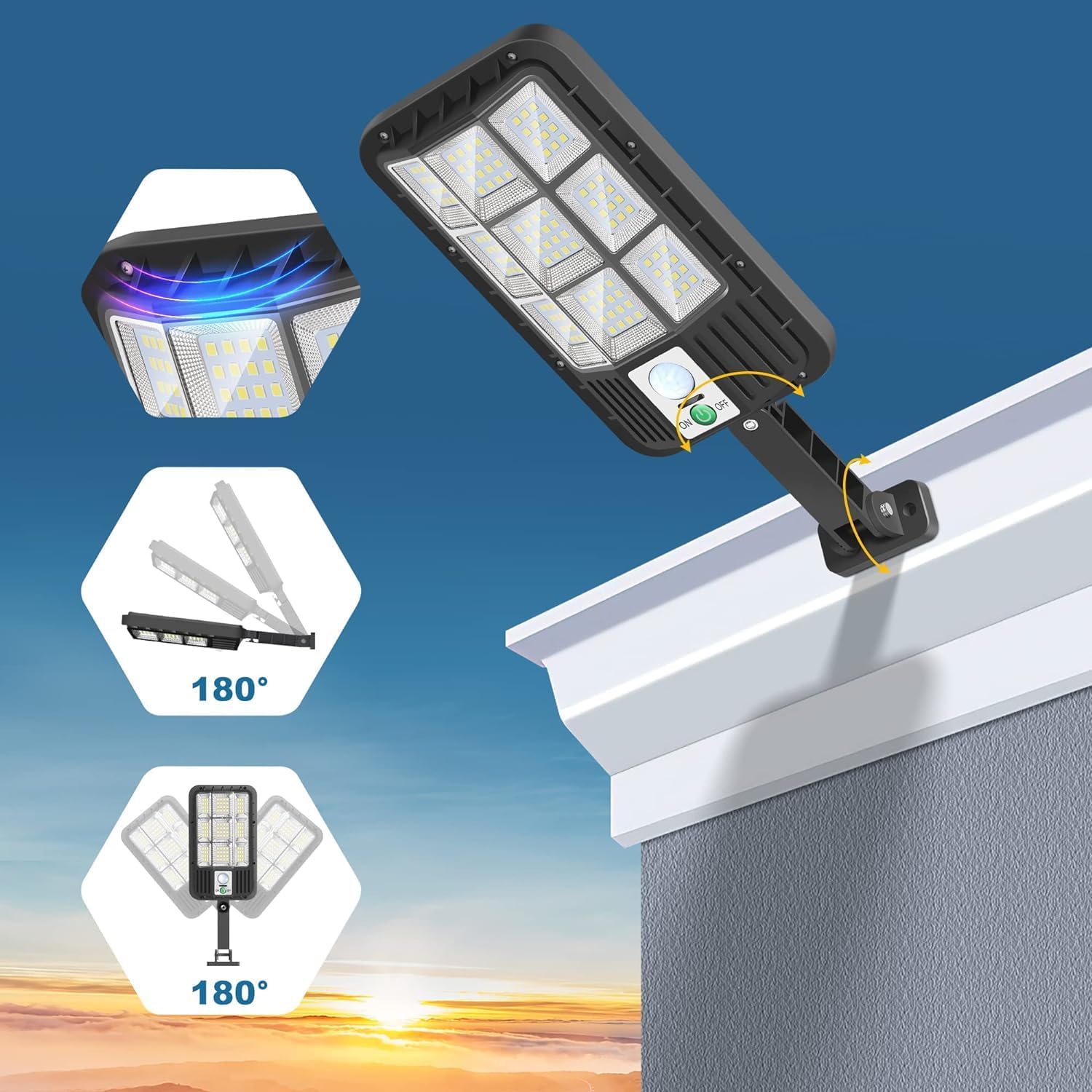
Image: Diagram illustrating the 180-degree adjustable arm and solar panel of the light.
Installation Steps:
- Choose a suitable location for installation, such as a wall, pole, or eave, ensuring maximum sun exposure for the solar panel.
- Mark the drilling points using the mounting bracket as a template.
- Drill holes and insert the wall anchors if installing on masonry or concrete.
- Attach the mounting bracket to the surface using the provided screws.
- Secure the solar light unit to the mounting bracket.
- Adjust the angle of the solar panel and light head to your desired position.

Image: Step-by-step diagram showing how to attach the mounting bracket and light unit to a wall.
Operating Modes
The OKPRO Solar Outdoor Lights feature three distinct lighting modes, selectable via the included remote control. The motion sensor detects movement between approximately 12-16 feet.
Video: Demonstration of the OKPRO Solar Outdoor Lights' motion sensor and remote control features, showcasing the different lighting modes in action.
- Security Mode (Motion Sensing Only):
The light remains off until motion is detected. Upon detection, it illuminates at 100% brightness for 30 seconds, then automatically turns off if no further motion is detected.
- Smart Brightness Control (Dusk to Dawn Dim Light + Motion Sensing Bright Light):
The light stays on at a dim 30% brightness from dusk to dawn. When motion is detected, it brightens to 100% for 30 seconds, then returns to 30% brightness.
- Dusk to Dawn Mode (Constant Dim Light):
The light stays on at a constant 15% brightness for 8 hours at night, regardless of motion. This mode provides continuous ambient lighting.
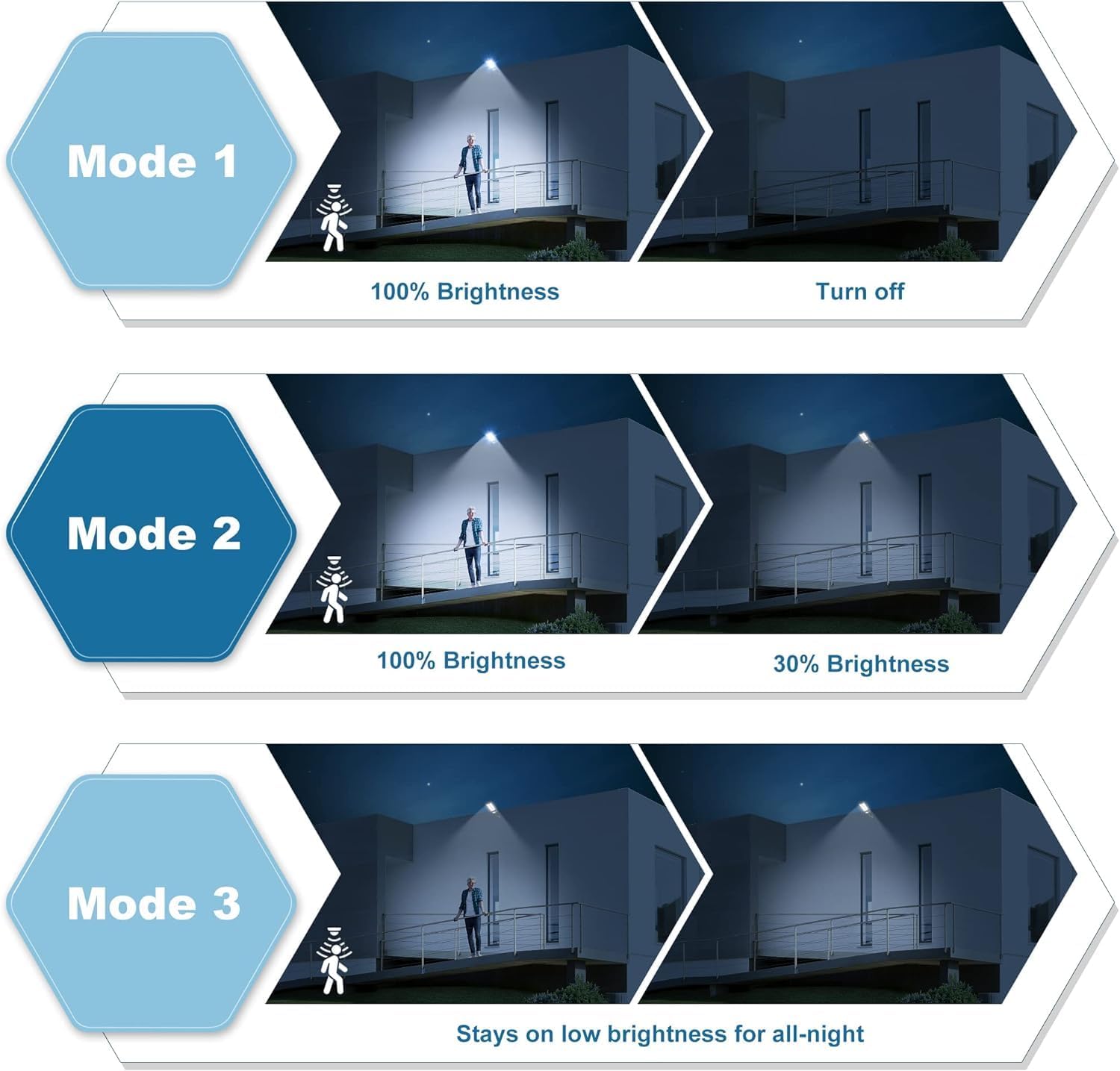
Image: Visual representation of the three distinct lighting modes: Security Mode, Smart Brightness Control, and Dusk to Dawn Mode.
Maintenance
To ensure the longevity and optimal performance of your solar lights, follow these simple maintenance guidelines:
- Clean Solar Panel: Regularly wipe the solar panel with a soft, damp cloth to remove dust, dirt, leaves, or snow. A clean panel ensures efficient charging.
- Clear Obstructions: Ensure no trees, buildings, or other objects are blocking direct sunlight from reaching the solar panel, especially during peak charging hours.
- Battery Care: The integrated Lithium Ion battery is designed for long life (up to 50,000 hours). Avoid prolonged storage in a completely discharged state.
- Weather Resistance: The lights are IP66 waterproof, designed to withstand rain, snow, and other harsh weather conditions. No special weather-proofing is required beyond proper installation.

Image: The solar light shown operating effectively during heavy rain, highlighting its IP66 waterproof capability.
Troubleshooting
If your solar light is not performing as expected, consider the following common issues and solutions:
- Light does not turn on at night:
- Ensure the light is switched "ON" using the button on the unit or the remote control.
- Verify the solar panel is receiving sufficient direct sunlight during the day (at least 4-6 hours). Relocate if necessary.
- Check for any obstructions (e.g., leaves, dirt) on the solar panel and clean it.
- The battery might be low. Allow the light to charge for a full sunny day.
- Light is dim or only stays on for a short time:
- Insufficient charging due to cloudy weather, short daylight hours, or shaded installation.
- Ensure the solar panel is clean.
- The battery may not be fully charged. Allow several sunny days for a full charge.
- Motion sensor not detecting movement:
- Ensure the light is in Mode 1 or Mode 2. Mode 3 does not use the motion sensor.
- Verify the sensor is not obstructed.
- Check the distance; the sensor detects motion between 12-16 feet.
If issues persist, please refer to the Warranty & Support section for assistance.
Warranty & Support
OKPRO provides 24 months of support for the motion sensor outdoor lights. If you encounter any issues or are not satisfied with your product, please contact us through the Amazon message window. Our service team is committed to providing a satisfactory solution within 48 hours.
For further assistance, please visit the OKPRO Store on Amazon.