
1. Introduction
This manual provides essential information for the safe and effective use of your Ceptics 70W GAN Universal Travel Adapter, Model UP-70KU. This device is designed to provide power to your electronic devices in various countries worldwide, featuring multiple USB ports and a universal AC outlet.

Image: The Ceptics 70W GAN Universal Travel Adapter, highlighting its 6-in-1 functionality including USB-C, USB-A, and universal outlet.
2. Safety Information
Please read all safety instructions before use. Failure to follow these instructions may result in electric shock, fire, or damage to the product or connected devices.
- Not a Voltage Converter: This adapter does NOT convert voltage. Ensure your electronic devices are compatible with the local voltage (100-240V). Using devices that require voltage conversion (e.g., 110V hair dryers, curling irons, or straighteners in 220-240V regions) with this adapter can damage the device and the adapter, and poses a fire risk.
- Indoor Use Only: This adapter is intended for indoor use in dry locations only. Do not expose to liquids or moisture.
- Overload Protection: The adapter is equipped with an 8A fuse to protect against overloads. A spare fuse is included. If the fuse blows, replace it with an 8A fuse.
- Child Safety: Features child electric shock protection and built-in safety shutters.
- Grounding: This adapter does not provide grounding. Do not use with appliances requiring a grounded connection.
- Certifications: FCC, CE, RoHS certified.
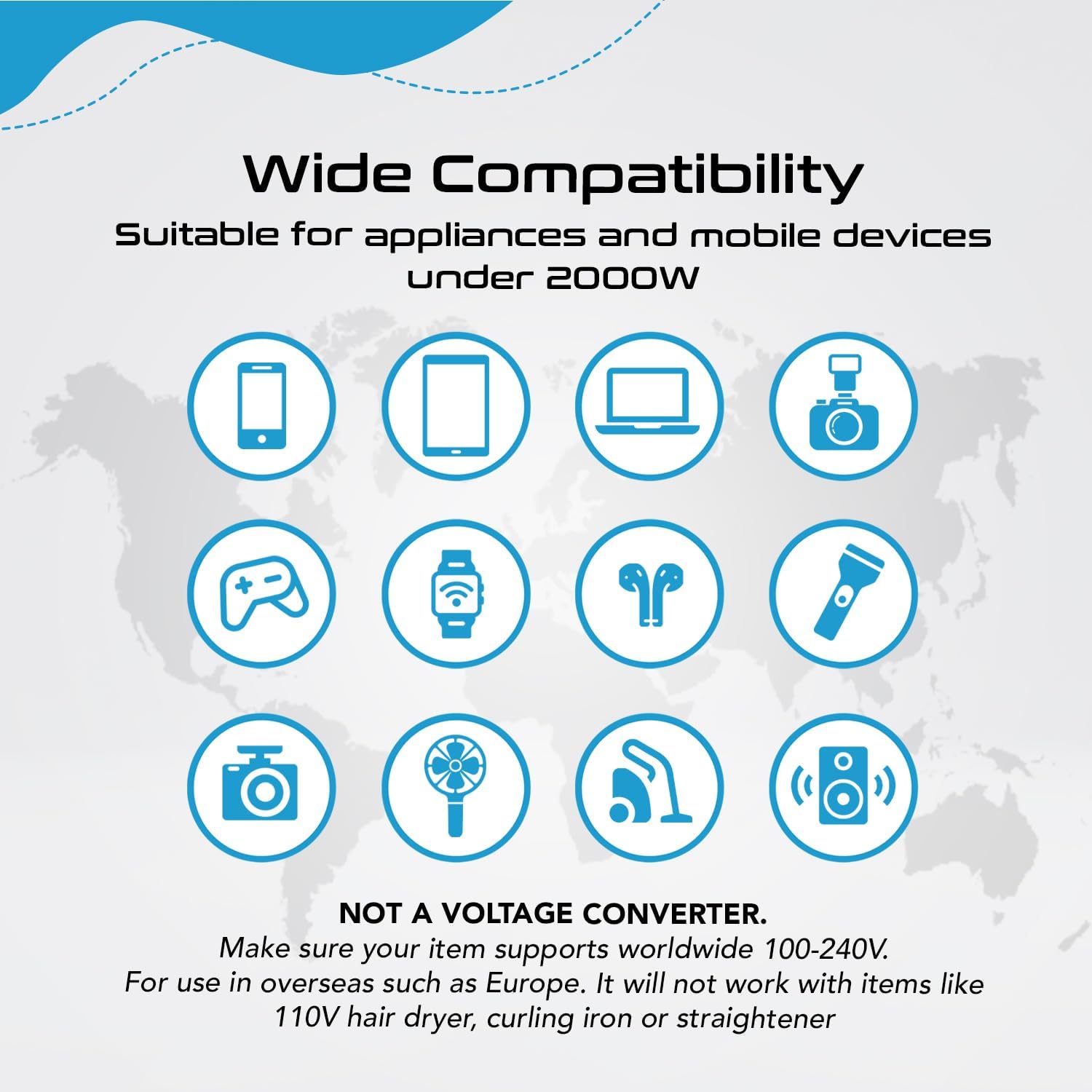
Image: Compatibility chart showing devices suitable for the adapter (phones, laptops, cameras) and devices that are not (hair dryers, microwaves, irons), emphasizing it is not a voltage converter.
3. Product Features
The Ceptics 70W GAN Universal Travel Adapter offers versatile charging capabilities:
- Universal AC Outlet: One universal input AC outlet (100-240V).
- USB-C Ports: Three USB-C ports, including one 70W USB-C GaN port with Power Delivery (PD) and Quick Charge 3.0 for fast charging of laptops and other compatible devices. Two additional USB-C ports provide up to 15W (5V/3A) each.
- USB-A Ports: Two USB-A ports, each providing up to 2.4A.
- Simultaneous Charging: Capable of charging up to 7 devices simultaneously.
- GaN Technology: Utilizes Gallium Nitride (GaN) technology for a compact design and efficient power delivery.

Image: The adapter showing the locations of the 2 USB-A ports, 2 USB-C ports, 1 GaN 3.0 USB-C port, and the universal outlet, along with the retractable plug types.
USB Power Breakdown:
- USB-C1: 3.3-11V 5A (PPS) / 5V/9V/12V/15V 3A, 20V 3.5A (70W Max)
- USB-C2/C3: 5V 3A (15W Max)
- USB-A1/A2: 5V 2.4A
- USB-C1+USB-C2/C3/A1/A2: 45W + 15W (60W Max)
- USB-C2+USB-C3/A1/A2: 5V 3A (15W Max)
- Total Output: 70W Max
4. Setup and Operation
To use your Ceptics Universal Travel Adapter:
- Select the Correct Plug: Identify the appropriate plug type for your destination. The adapter supports Type A (USA/Australia), Type I (China/Australia/New Zealand), Type C (Europe/South America/Asia), and Type G (UK/Ireland/Singapore/Hong Kong).
- Extend the Plug: Slide the corresponding lever on the side of the adapter to extend the required plug pins. For Type I, you may need to turn the Type A pins diagonally.
- Connect to Power: Insert the extended plug into the wall outlet.
- Connect Devices: Plug your electronic devices into the universal AC outlet or any of the available USB-A or USB-C ports.
- Retract Plugs: After use, press the release button (if applicable) and slide the plug pins back into the adapter for compact storage.

Image: Diagram illustrating the 'Push & Slide' mechanism for extending and retracting the different plug types (Type A, I, C, G).
Video: Ceptics 70W Universal Travel Adapter Overview
Video: An official overview of the Ceptics 70W Universal Travel Adapter, demonstrating its features and how to use the different plug types and charging ports.
5. Maintenance
To ensure the longevity and proper functioning of your adapter:
- Cleaning: Disconnect the adapter from the power outlet before cleaning. Use a dry, soft cloth to wipe the surface. Do not use liquid cleaners or aerosols.
- Storage: Store the adapter in a cool, dry place away from direct sunlight and moisture. Ensure all plugs are retracted before storage.
- Fuse Replacement: If the adapter stops working, the internal 8A fuse may have blown due to an overload. To replace, locate the fuse compartment (usually near the AC pins), open it, and replace the old fuse with the spare 8A fuse provided.

Image: Close-up view of the adapter highlighting the fuse compartment and an example of an 8A fuse.
6. Troubleshooting
If you encounter issues with your adapter, refer to the following common problems and solutions:
- No Power Output:
- Check if the adapter is securely plugged into the wall outlet.
- Verify that the wall outlet is functional by testing with another device.
- The internal fuse may have blown. Refer to the Maintenance section for fuse replacement instructions.
- Device Not Charging or Charging Slowly:
- Ensure your device's charging cable is properly connected to both the adapter and your device.
- Confirm your device is compatible with the adapter's output specifications (voltage and current).
- If multiple devices are connected, the total power output may be distributed. Try charging fewer devices or using the 70W GaN USB-C port for high-power devices.
- Adapter Feels Loose in Outlet:
- Some outlets may have looser connections. Ensure the plug is fully inserted.
- Avoid hanging heavy devices directly from the adapter, as this can strain the connection.
- Adapter is Hot:
- It is normal for the adapter to become warm during operation, especially when charging multiple devices or high-power devices.
- If the adapter becomes excessively hot or emits smoke/odor, immediately unplug it and discontinue use. Contact customer support.
7. Specifications
| Feature | Detail |
|---|---|
| Model Number | UP-70KU |
| Input Voltage | 100-240V AC, 50/60Hz |
| Max AC Power | 880W at 110V, 1840W at 230V |
| Fuse Rating | 8A Max |
| USB-C1 Output (GaN) | 3.3-11V 5A (PPS) / 5V/9V/12V/15V 3A, 20V 3.5A (70W Max) |
| USB-C2/C3 Output | 5V 3A (15W Max) |
| USB-A1/A2 Output | 5V 2.4A |
| Total USB Output | 70W Max |
| Plug Types | Type A, Type I, Type C, Type G |
| Dimensions (L x W x H) | 2 x 2 x 3 inches (approx. 5.08 x 5.08 x 7.62 cm) |
| Item Weight | 6.5 ounces (approx. 184 grams) |
| Color | Black |
| UPC | 850021323448 |

Image: Visual representation of the adapter's dimensions, weight, and port specifications.
8. Warranty and Support
Your Ceptics 70W GAN Universal Travel Adapter comes with a 1-Year Warranty from the date of purchase. This warranty covers manufacturing defects under normal use.
For technical assistance, warranty claims, or any questions regarding your product, please contact Ceptics Support. Contact information can typically be found on the product packaging or the official Ceptics website.