
JBL JBLPARTYBOX110AM
JBL PartyBox 110 Instruction Manual
Model: JBLPARTYBOX110AM
Brand: JBL
Introduction
The JBL PartyBox 110 is a powerful portable wireless speaker designed to elevate your audio experience with robust sound and dynamic light shows. This manual provides essential information for the proper setup, operation, and maintenance of your device, ensuring you get the most out of its features, including Bluetooth connectivity, microphone and guitar inputs, and splashproof design.
What's in the Box
- 1 x JBL PartyBox 110 - 160W Portable Wireless Speaker
- 1 x JBL Wireless Two Microphone System with Dual-Channel Receiver
- 1 x Auxiliary Cable
- 1 x MicroFiber Cloth
- 1 x AC Power Cord
Product Overview
Familiarize yourself with the main components and features of your JBL PartyBox 110 speaker and accessories.

The JBL PartyBox 110 speaker shown with its complete bundle, including the wireless microphones, receiver, AUX cable, and microfiber cloth.
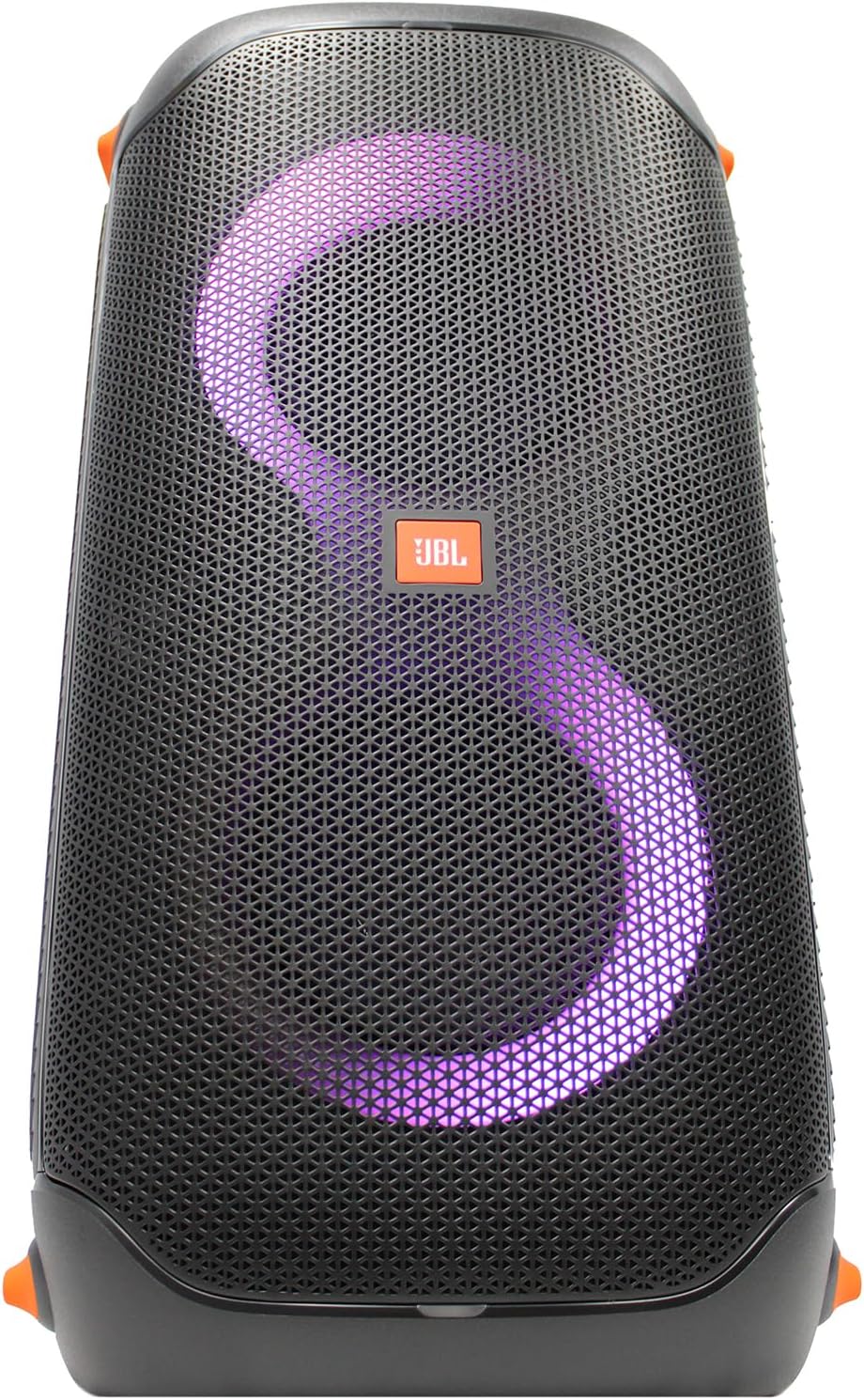
Front view of the JBL PartyBox 110 showcasing its dynamic purple LED light ring and central JBL logo.
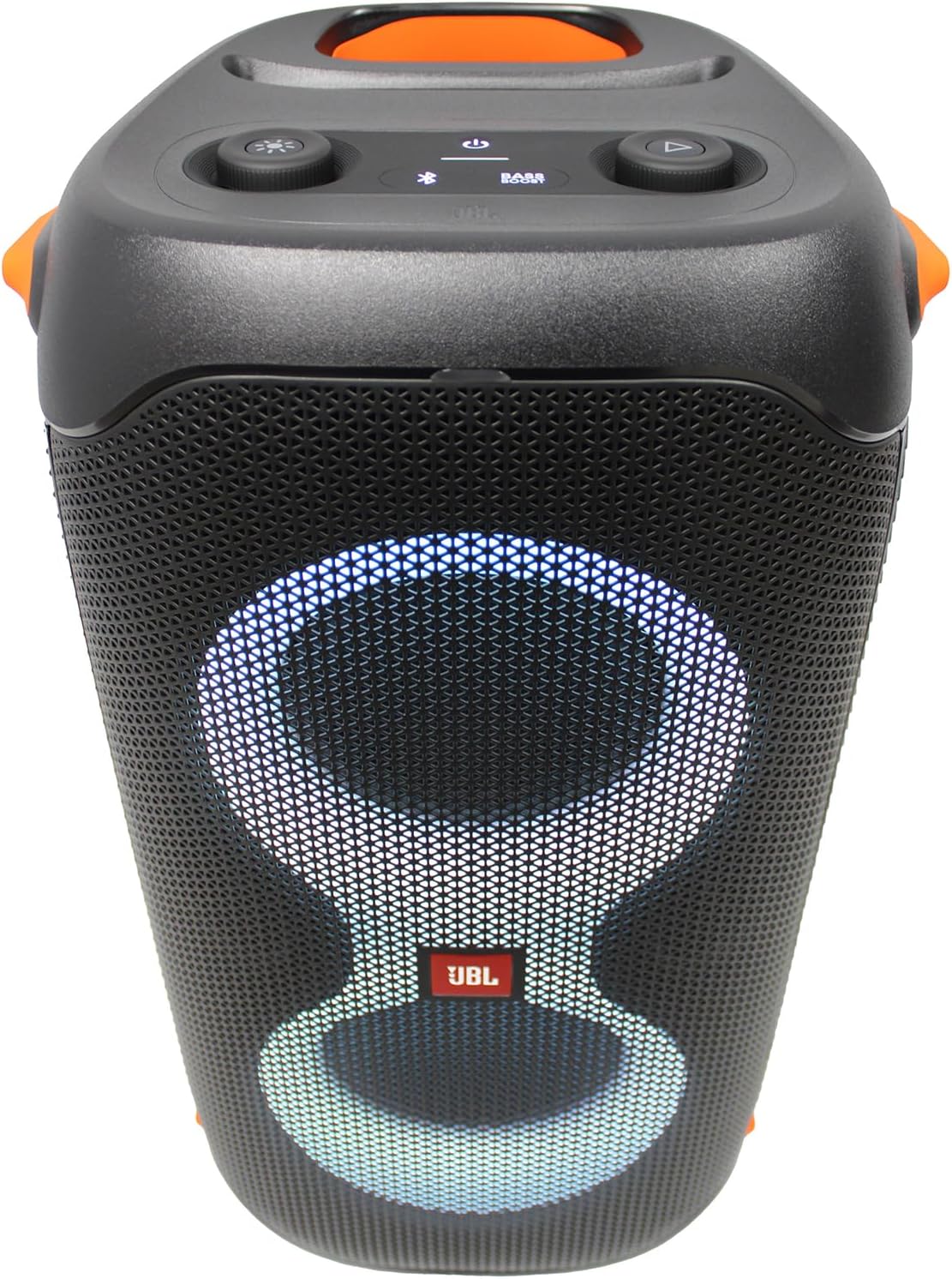
Top control panel of the JBL PartyBox 110, featuring buttons for light modes, bass boost, power, Bluetooth pairing, and playback controls.

Angled side view of the JBL PartyBox 110, highlighting the speaker grille and green LED light effects.
Setup
Charging the Speaker
Before first use, fully charge the PartyBox 110. Connect the supplied AC power cord to the speaker's power input and then to a wall outlet. The battery indicator will show charging status. A full charge provides up to 12 hours of playtime.
Connecting Microphones
Insert the receiver of the wireless microphone system into the dedicated microphone input on the PartyBox 110. Ensure the microphones are powered on and paired with the receiver. Adjust microphone volume using the dedicated knob on the speaker.
Powering On/Off
Press and hold the power button located on the top panel of the speaker for a few seconds to turn the PartyBox 110 on or off.
Operating Instructions
Bluetooth Connection
- Turn on the JBL PartyBox 110.
- Press the Bluetooth button on the top panel to enter pairing mode. The Bluetooth indicator will flash.
- On your mobile device, enable Bluetooth and select 'JBL PartyBox 110' from the list of available devices.
- Once connected, the Bluetooth indicator will glow solid, and you can begin streaming audio.
USB Playback
Insert a USB drive containing audio files into the USB port on the speaker. The speaker will automatically detect and begin playing compatible audio files. Use the playback controls on the speaker to navigate tracks.
AUX Connection
Connect an audio device to the AUX input using the supplied auxiliary cable. The speaker will automatically switch to AUX input mode. Adjust volume from both the connected device and the speaker.
Light Show Control
Press the light mode button on the top panel to cycle through various light patterns and colors. You can also customize the light show and other settings using the JBL PartyBox App on your smartphone.
Pairing Two Speakers (TWS)
For a larger sound experience, two JBL PartyBox 110 speakers can be wirelessly paired using True Wireless Stereo (TWS) technology. Refer to the JBL PartyBox App or the full user manual for detailed TWS pairing instructions.
Microphone and Guitar Inputs
The PartyBox 110 features dedicated inputs for a microphone and a guitar. Plug your instruments or microphones into the respective jacks. Use the individual gain knobs to adjust the input levels for optimal sound.
Maintenance
Cleaning
To clean the speaker, use a soft, dry, lint-free cloth. For stubborn dirt, slightly dampen the cloth with water. Do not use abrasive cleaners, alcohol, benzene, or thinners, as these can damage the surface. Ensure all ports are dry before connecting power.
Storage
When not in use for extended periods, store the PartyBox 110 in a cool, dry place away from direct sunlight and extreme temperatures. It is recommended to fully charge the battery every three months to maintain battery health.
Troubleshooting
| Problem | Possible Cause | Solution |
|---|---|---|
| Speaker does not power on | Battery is depleted; Power cord not connected properly. | Connect the speaker to a power outlet and allow it to charge. Ensure the power cord is securely plugged in. |
| No sound from speaker | Volume is too low; Incorrect input source selected; Bluetooth not connected. | Increase the volume on both the speaker and the connected device. Verify the correct input source (Bluetooth, AUX, USB) is selected. Re-establish Bluetooth connection. |
| Bluetooth connection issues | Speaker is not in pairing mode; Device is out of range; Interference. | Press the Bluetooth button to enter pairing mode. Move the device closer to the speaker. Avoid placing the speaker near other wireless devices that may cause interference. |
| Light show not working | Light mode is off; App settings. | Press the light mode button to activate the light show. Check settings within the JBL PartyBox App. |
Specifications
| Feature | Detail |
|---|---|
| Output Wattage | 160 Watts |
| Drivers | 2 x 2.25" Tweeters, 2 x 5.25" Woofers |
| Connectivity Technology | AUX, Bluetooth |
| Audio Input | Guitar, Microphone |
| Power Source | Battery Powered |
| Battery Life | Up to 12 Hours |
| Water Resistance | IPX4 Splashproof Design |
| Product Dimensions (L x W x H) | 11.6 x 11.8 x 22 inches |
| Item Weight | 25 Pounds |
| Model Number | JBLPARTYBOX110AM |
| UPC | 094148629902 |
Warranty and Support
Your JBL PartyBox 110 is covered by a limited warranty. Please refer to the warranty card included in your product packaging for specific terms and conditions. For technical support, troubleshooting assistance, or warranty claims, please visit the official JBL support website or contact their customer service department. Keep your proof of purchase for warranty validation.
For further assistance, you may visit the JBL Store on Amazon.
Related Documents - JBLPARTYBOX110AM
 |
JBL PartyBox 110 Quick Start Guide A quick start guide for the JBL PartyBox 110, covering setup, Bluetooth pairing, light shows, app usage, microphone and guitar connectivity, True Wireless Stereo, charging, and splashproof features. |
 |
JBL PartyBox ON-THE-GO 2 PLUS Portable Speaker with Microphone - User Guide & Specs Comprehensive guide for the JBL PartyBox ON-THE-GO 2 PLUS portable speaker, covering setup, features like Bluetooth pairing, light shows, vocal removal, multi-speaker connection, charging, battery replacement, and technical specifications. Includes microphone details and IPX4 splash-proof rating. |
 |
JBL PartyBox 1000 User Manual User manual for the JBL PartyBox 1000 portable speaker, covering safety instructions, components, overview of controls and ports, placement, power on, Bluetooth, USB, AUX, and Line In connections, microphone/guitar input, transport, air gesture wristband features, settings like TWS and demo mode, technical specifications, troubleshooting, compliance, and licensing information. |
 |
JBL PartyBox 200 & 300 Owner's Manual and Quick Start Guide Comprehensive guide for JBL PartyBox 200 and PartyBox 300 portable Bluetooth speakers, covering setup, features, safety instructions, and specifications. Learn how to connect, use, and maintain your JBL sound system. |
 |
JBL PartyBox Ultimate Owner's Manual: Setup, Features, and Troubleshooting Guide Comprehensive owner's manual for the JBL PartyBox Ultimate portable party speaker. This guide covers setup, product overview, using Wi-Fi, Bluetooth, USB, and AUX connections, mixing sound with microphones and guitars, advanced features like light effects and multi-speaker connection, specifications, and troubleshooting. |
 |
JBL PartyBox Encore 2 Quick Start Guide A comprehensive quick start guide for the JBL PartyBox Encore 2 portable party speaker, detailing setup, Bluetooth pairing, lightshow features, app integration, microphone usage, guitar connectivity, multi-speaker connection, charging, and battery replacement. |