
1. Introduction
Thank you for choosing the FLEXISPOT L Shaped Standing Desk E2L. This electric height-adjustable desk is designed to provide a versatile and ergonomic workspace, allowing seamless transitions between sitting and standing positions. This manual provides essential information for assembly, operation, maintenance, and troubleshooting to ensure optimal performance and longevity of your desk.
2. Product Features
- Spacious L-Shaped Desktop: The expansive work surface measures 70.9" x 47.2", crafted from environmentally sourced splice board, providing ample space for multiple monitors, office supplies, and ongoing projects.
- Versatile Orientation: The wider desktop section can be positioned on either the left or right side, allowing customization to best fit your space and workflow.
- Solid Construction: Features an industrial-grade steel frame and a 1" thick solid desktop, supporting a maximum weight capacity of up to 177 lbs.
- Customizable LED Control Panel: The intuitive LED control pad allows for precise height adjustments and includes 4 memory settings for quick switching between preferred sitting and standing positions.
- Smooth and Quiet Operation: The electric lifting mechanism operates smoothly and quietly, running at less than 55dB.
- Anti-Collision Feature: Equipped with an anti-collision system that automatically stops and reverses if it encounters an obstacle during height adjustment, preventing damage to the desk or other objects.
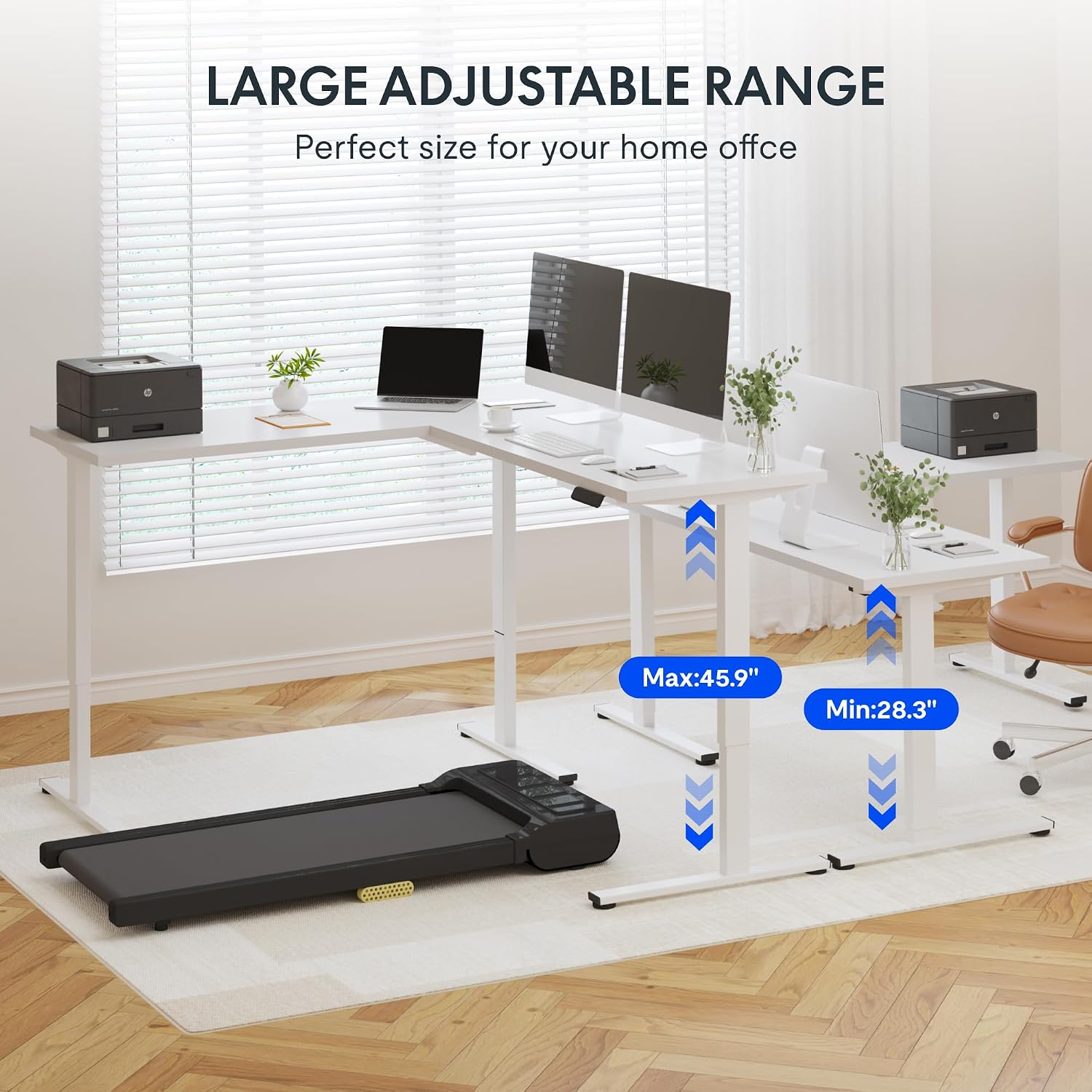
- Wide Height Range: Adjustable from a minimum height of 28.9 inches to a maximum height of 48.2 inches.
Product Visuals


Product Video
Official product video demonstrating the features and versatility of the FLEXISPOT 3-leg L shaped standing desk, including height adjustment, stability, and collision avoidance.
3. Setup and Assembly
The FLEXISPOT L Shaped Standing Desk E2L ships in two separate packages, which may arrive on different days. Assembly is required and typically takes approximately 2 hours with two people.
Assembly Recommendations:
- Recommended Number of People: 2 for easier and safer assembly.
- Tools: Basic assembly tools are included. However, an electric screwdriver is highly recommended for efficiency. A drill may also be useful for aligning and securing the desktop to the frame, as some pre-drilled holes might not perfectly align with the base.
- Weight Capacity: Do not exceed the maximum weight capacity of 177 lbs on the desk surface.
Please refer to the detailed assembly instructions provided in the product packaging for step-by-step guidance. Ensure all components are present before beginning assembly.
4. Operating Instructions
Your FLEXISPOT L Shaped Standing Desk E2L is equipped with an intuitive control panel for easy height adjustment.
Control Panel Functions:
- Up/Down Buttons: Use the arrow buttons to manually raise or lower the desk to your desired height.
- Memory Presets (1, 2, 3, 4): Press a numbered button to move the desk to a pre-saved height. To save a height, adjust the desk to the desired position, then press and hold a numbered button until the display confirms the setting is saved.
- Collision Avoidance: The desk features an anti-collision system. If the desk encounters an obstruction while moving, it will automatically stop and reverse slightly to prevent damage.
Caution: Always follow proper safety procedures when operating the electric height adjustment mechanism. Ensure no objects are in the path of the desk's movement.
5. Maintenance
Regular maintenance helps preserve the appearance and functionality of your FLEXISPOT L Shaped Standing Desk E2L.
Cleaning and Care:
- Cleaning: Wipe the desk surfaces with a damp cloth. Avoid harsh chemicals or abrasive cleaners that could damage the finish.
- Electrical Components: Keep the control panel and motor free from dust and moisture. Do not attempt to disassemble any electrical components.
- Cable Management: Periodically check and organize cables to prevent tangles and ensure smooth desk operation.
6. Troubleshooting
If you encounter issues with your desk, refer to the following common troubleshooting tips:
| Problem | Possible Cause | Solution |
|---|---|---|
| Desk does not move or respond to controls. | Power supply issue, loose connection, or motor error. | Check power cable connection. Ensure the outlet is functional. Try resetting the desk (refer to specific reset instructions in the full manual if available). |
| Desk moves unevenly or one leg is stuck. | Obstruction, motor synchronization issue, or damaged component. | Clear any obstructions under or around the desk. Perform a desk reset to re-synchronize motors. If the issue persists, contact customer support. |
| Pre-drilled holes do not align during assembly. | Manufacturing variance or specific model requirements. | Use an electric drill to create new pilot holes for proper alignment. Ensure the desk frame is correctly positioned before drilling. |
| Desk stops unexpectedly during movement. | Anti-collision system activated by an obstruction. | Remove any objects that may be obstructing the desk's path. Resume operation. |
For issues not listed here or if solutions do not resolve the problem, please contact FLEXISPOT Customer Support.
7. Specifications
| Specification | Detail |
|---|---|
| Model Number | E2L |
| Product Dimensions (D x W x H) | 70.9" x 47.3" x 28.9" |
| Minimum Height | 28.9 inches |
| Maximum Height | 48.2 inches |
| Maximum Weight Capacity | 177 Pounds |
| Top Material Type | Wood |
| Base Material | Metal |
| Furniture Leg Material | Alloy Steel |
| Lifting Mechanism | Electric |
| Motor Noise Level | Less than 55dB |
| UPC | 810072849793 |
8. Warranty and Support
FLEXISPOT stands behind the quality of its products.
Warranty Coverage:
- Desk Frame and Motor: 5-year coverage.
- Control Panel and Electronics: 2-year protection.
This warranty covers defects in materials and workmanship under normal use. Please retain your proof of purchase for warranty claims.
Customer Support:
For any questions, technical assistance, or warranty inquiries, please contact FLEXISPOT Customer Support. Refer to the contact information provided with your product packaging or visit the official FLEXISPOT website for support details.


