
Introduction
This manual provides instructions for the assembly, operation, and maintenance of your GYMAX Mobile Magnetic Whiteboard. Please read this manual thoroughly before use to ensure proper function and longevity of the product.

Image: The GYMAX Mobile Magnetic Whiteboard, showing its double-sided surface, sturdy frame, and included accessories like markers, magnets, and an eraser.
Safety Instructions
- Ensure all parts are securely fastened during assembly and before use.
- Do not overload the whiteboard or accessory tray.
- Keep small accessories (magnets, marker caps) away from young children to prevent choking hazards.
- Use only dry-erase markers on the whiteboard surface.
- Lock the wheels when the whiteboard is in a stationary position to prevent accidental movement.
Package Contents
Verify that all components are present before beginning assembly:
- 1 x Mobile Whiteboard Frame
- 1 x Double-sided Whiteboard Panel
- 4 x Lockable Caster Wheels
- 1 x Accessory Tray
- 1 x Set of Assembly Hardware
- 1 x Set of Accessories (markers, eraser, magnets - specific quantities may vary by model)
- 1 x Instruction Manual

Image: A detailed diagram illustrating the dimensions of the 60x90cm whiteboard and a visual representation of the included accessories: 6 black markers, 1 board eraser, and 12 magnets.
Setup and Assembly
Assembly is straightforward. Follow the numbered instructions provided in the included manual. Ensure all connections are tight for stability.
- Unpack all components and verify against the package contents list.
- Attach the caster wheels to the base of the frame. Ensure they are securely tightened.
- Assemble the vertical support poles and connect them to the base.
- Mount the whiteboard panel onto the frame, ensuring it can rotate freely.
- Attach the accessory tray to the designated position on the frame.
- Confirm all screws and fasteners are secure before use.

Image: Close-up views of the whiteboard's thoughtful details, including the whiteboard stopper, ABS corner protectors for safety, the reinforced aluminum alloy frame for durability, and the 360-degree rotating lockable caster wheels for mobility and stability.
Operating Instructions
Writing and Erasing
Use only dry-erase markers on the whiteboard surface. To erase, use the provided board eraser or a soft, dry cloth. For stubborn marks, a specialized whiteboard cleaner can be used.
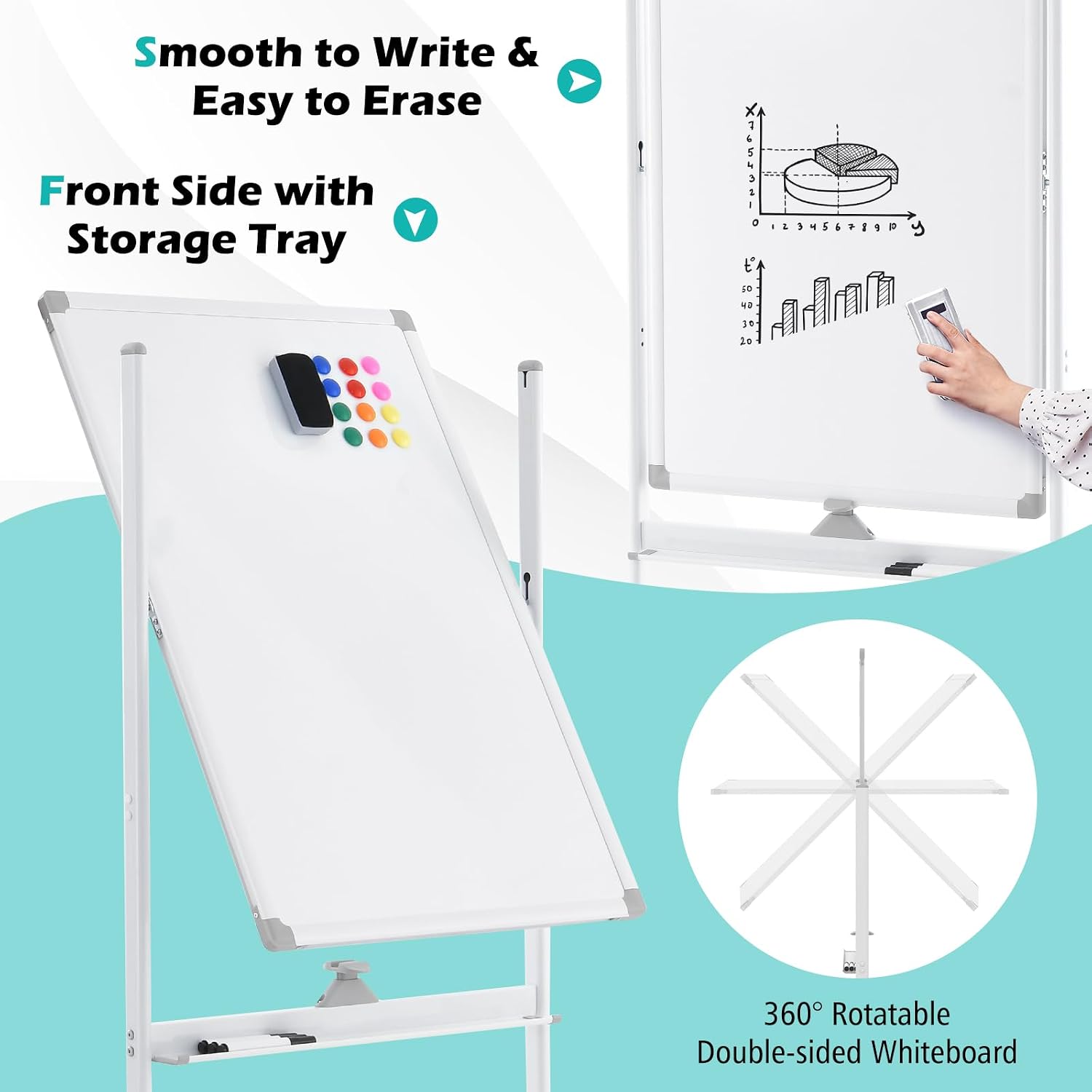
Image: A close-up of the whiteboard surface demonstrating smooth writing and easy erasing. An inset graphic illustrates the 360-degree rotatable double-sided whiteboard feature, highlighting its versatility.
Height Adjustment
The whiteboard's height can be adjusted to suit various users, from children to adults, whether seated or standing. Locate the height adjustment mechanisms on the vertical poles, unlock them, set the desired height, and re-lock securely.

Image: A visual representation of the whiteboard's 2-level height adjustment feature, showing a child using it at 151cm and an adult at 178cm, indicating its suitability for various users.
Board Rotation
This whiteboard features a double-sided design. To rotate the board, unlock the rotation mechanism (typically a button or lever near the board's pivot point), carefully flip the board to the desired side, and then re-lock the mechanism to secure it in place.
Mobility and Stability
The whiteboard is equipped with four universal caster wheels for easy movement. To move the whiteboard, unlock all four wheels. To keep the whiteboard stationary, engage the locks on all four wheels.
Maintenance
Cleaning the Whiteboard Surface
- Regularly clean the whiteboard surface with a dry-erase eraser after each use.
- For a deeper clean or to remove ghosting, use a specialized whiteboard cleaning spray and a soft cloth.
- Avoid abrasive cleaners or materials that could damage the surface.
Frame and Wheels
- Wipe the metal frame with a damp cloth to remove dust.
- Periodically check the wheels for any debris that might hinder movement and clean as necessary.
- Ensure all screws and bolts remain tight. Tighten if any looseness is detected.
Troubleshooting
- Issue: Whiteboard is unstable.
Solution: Ensure all assembly screws are tightened. Check that the height adjustment mechanisms are securely locked. Verify that the caster wheels are locked when the board is stationary.
- Issue: Difficulty erasing marks.
Solution: Confirm that only dry-erase markers are being used. Use the provided eraser or a clean, soft cloth. For stubborn marks, apply a whiteboard cleaning spray. Avoid using permanent markers.
- Issue: Wheels are not rolling smoothly.
Solution: Check for any debris (hair, dust) caught in the wheels and remove it. Ensure the wheel locks are disengaged when attempting to move the board.
Specifications
| Brand | GYMAX |
| Model | 60x90cm |
| Dimensions (Whiteboard Panel) | 60 x 90 cm |
| Adjustable Height | Yes (e.g., 151cm to 178cm) |
| Material | Metal, ABS, Aluminum |
| Features | Double-sided, Magnetic, 360° Rotatable, Lockable Caster Wheels, Accessory Tray |
| Recommended Use | School, Office, Presentations |
Warranty and Support
For warranty information or technical support, please contact the manufacturer, GYMAX, or your retailer. Retain your proof of purchase for any warranty claims.
You can visit the GYMAX Store on Amazon for more information.