
Introduction
This manual provides detailed instructions for the setup, operation, and maintenance of your ANTELA 3MP/2K Indoor WiFi Security Camera. This camera offers 3MP/2K Full HD resolution, 2.4GHz WiFi connectivity, infrared night vision up to 10 meters, two-way audio communication, and flexible pan (355°) and tilt (90°) capabilities. It is also compatible with Amazon Alexa for convenient voice control.

Image: Overview of the ANTELA Smart Security Camera highlighting features like Two-way Audio, Alexa compatibility, 2.4GHz Wifi, IR Night Vision, Motion Tracking, and SD & Cloud Storage.
Product Overview
The ANTELA Indoor WiFi Security Camera is designed for indoor surveillance, offering a wide field of view through its pan and tilt functions. The camera features a high-resolution lens, infrared LEDs for night vision, a microphone and speaker for two-way audio, and a slot for a Micro SD card for local storage. The device is powered via a standard USB power adapter.

Image: Front view of the ANTELA 3MP/2K Indoor WiFi Security Camera, showcasing its dome design.
Setup
- Power On: Connect the camera to a power source using the provided USB cable and power adapter. The camera will initiate its self-test and indicator light will flash.
- Download the App: Download the "Tris Home" app from your smartphone's app store (available for iOS and Android).
- Create Account: Open the Tris Home app and register for a new account or log in if you already have one.
- Add Device: In the app, tap the "+" icon to add a new device. Select your camera model.
- Bluetooth Quick Connection: Ensure your phone's Bluetooth is enabled. The app will guide you through a quick connection process using Bluetooth to pair with the camera.
- WiFi Configuration: Follow the in-app instructions to connect the camera to your 2.4GHz WiFi network. Ensure your WiFi password is correct. The camera does not support 5GHz WiFi.
- Placement: Place the camera on a flat surface or mount it to a wall using the included mounting bracket. Ensure it has a clear view of the area you wish to monitor.
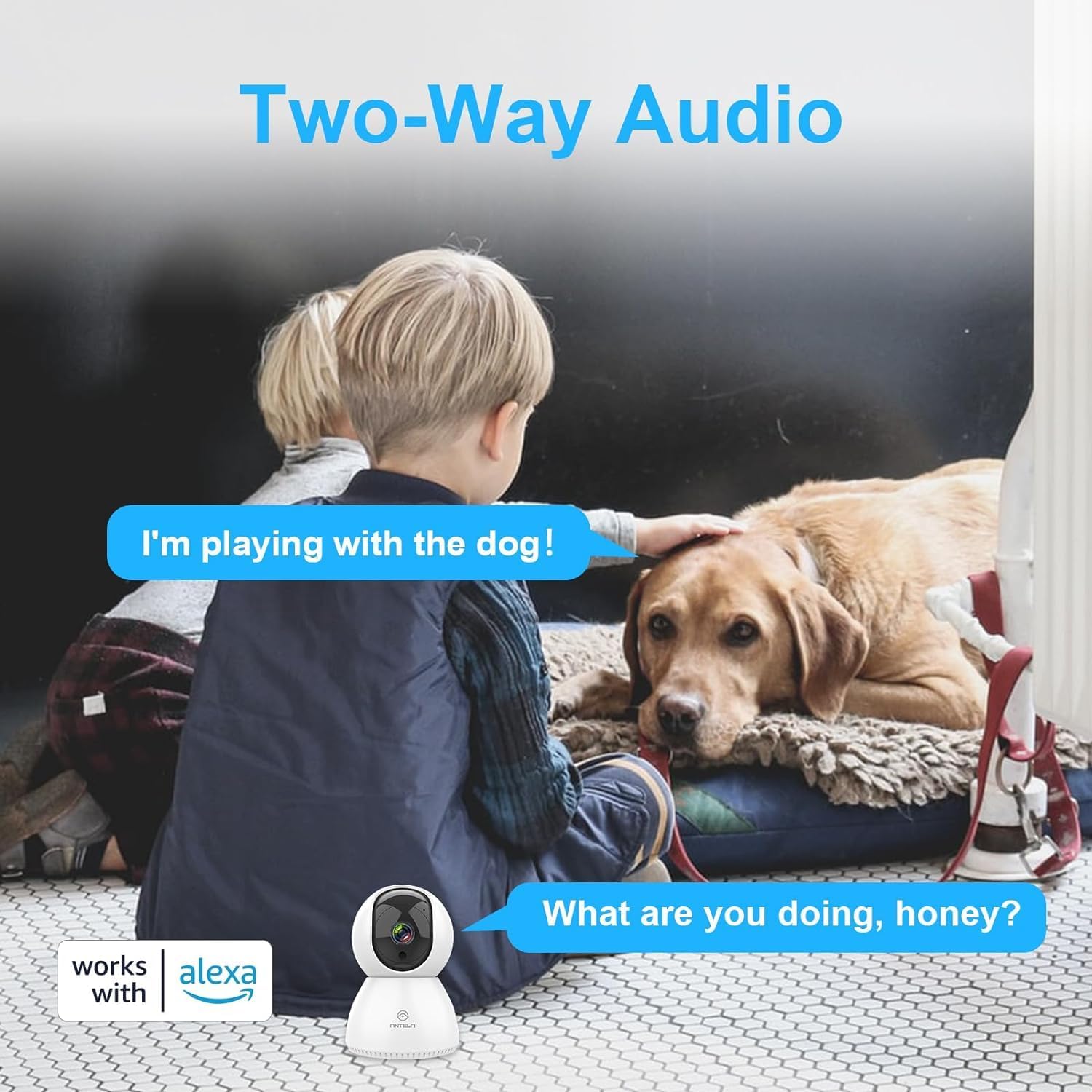
Image: Illustrates the fast connection process using Bluetooth, showing a user interacting with the mobile app to set up the camera.
Operating Instructions
Live View and Pan/Tilt Control
Once connected, open the Tris Home app to view the live feed from your camera. Use the on-screen controls to remotely pan the camera horizontally up to 355° and tilt it vertically up to 90° to cover different angles of your room.

Image: Demonstrates the camera's 355-degree horizontal rotation and 90-degree vertical tilt, allowing comprehensive room coverage.
Two-Way Audio
The camera features a built-in microphone and speaker, enabling two-way communication. Tap the microphone icon in the app to speak through the camera, and listen to audio from the camera's surroundings.

Image: Illustrates the two-way audio feature, showing speech bubbles indicating communication between a person and someone near the camera.
Night Vision
The camera automatically switches to infrared night vision in low-light conditions, providing clear black and white video up to 10 meters. This ensures continuous monitoring even in complete darkness.

Image: Depicts the camera's smart IR night vision capability, showing a baby sleeping in a dark room with clear visibility up to 10 meters.
Motion Detection and Smart Tracking
Enable motion detection in the app to receive alerts when movement is detected. The smart tracking feature allows the camera to automatically follow detected motion within its field of view, ensuring the subject remains in frame.

Image: Shows the motion detection and smart tracking features in action, with blue frames indicating detected movement and tracking of a person and a dog.
Video Recording and Storage
The camera supports two storage options for recorded video: a Micro SD card (up to 128GB, not included) or cloud storage (subscription may be required). Insert the Micro SD card into the designated slot on the camera. All stored data is protected with advanced encryption.

Image: Illustrates the video recording and playback options, highlighting the Micro SD card slot (supporting up to 128GB) and the cloud storage service.
Alexa Compatibility
Integrate your camera with Amazon Alexa for voice control. Follow the instructions in the Tris Home app to link your camera to your Alexa account. You can then use voice commands to view the camera feed on compatible Alexa devices.
Maintenance
- Cleaning: Use a soft, dry cloth to clean the camera lens and body. Avoid using harsh chemicals or abrasive materials that could damage the device.
- Software Updates: Regularly check the Tris Home app for firmware updates. Keeping your camera's software up-to-date ensures optimal performance and security.
- Environmental Conditions: Ensure the camera is used within its specified operating temperature and humidity ranges. Avoid exposing it to extreme temperatures or moisture.
Troubleshooting
- Camera not powering on:
- Ensure the power adapter is securely connected to the camera and a working power outlet. Try a different power outlet or USB adapter if available.
- Unable to connect to WiFi:
- Verify that your WiFi network is 2.4GHz. The camera does not support 5GHz networks. Check your WiFi password for accuracy. Ensure the camera is within range of your WiFi router. Restart your router and the camera, then try connecting again.
- Poor image quality:
- Check your internet connection speed. A stable and fast connection is required for optimal video streaming. Clean the camera lens with a soft cloth to remove any dust or smudges.
- Motion detection not working:
- Ensure motion detection is enabled in the Tris Home app settings. Adjust the sensitivity level if necessary. Verify that the camera's view is not obstructed.
- SD card not recording:
- Ensure the Micro SD card is inserted correctly and is not full. Format the SD card through the app if it's a new card or if you encounter issues. Use a compatible Micro SD card (Class 10 or higher, up to 128GB).
Specifications
| Feature | Specification |
|---|---|
| Resolution | 3MP / 2K (1440p) |
| Connectivity Technology | Wireless (2.4GHz Wi-Fi, Bluetooth) |
| Pan/Tilt Range | Horizontal 355°, Vertical 90° |
| Night Vision | IR Night Vision up to 10m |
| Audio | Two-Way Audio (Built-in Mic & Speaker) |
| Storage Options | Micro SD Card (Max 128GB), Cloud Storage |
| Power Input | 5 Volts |
| Control Method | App (Tris Home), Amazon Alexa |
| Usage Environment | Indoor |
| Material | Plastic |
Warranty and Support
For warranty information, technical support, or any product-related inquiries, please refer to the contact details provided with your purchase or visit the official ANTELA website. Keep your purchase receipt as proof of purchase for warranty claims.


