
Introduction
This manual provides instructions for the Smartby Universal Replacement Remote Control, designed for TCL Google TV and TCL Android TV models. It is compatible with various TCL Mini-LED, QLED, 4K UHD Smart TVs, including models such as 75R646, 65R646, 55R646, 75S546, 65S546, 55S546, 50S546, 43S446, 50S446, 55S446, 65S446, 75S446, 85S446, and all TCL Q6/Q7/QM8/S3/S4 Series. This remote offers a comfortable design and easy-to-use buttons, serving as a direct replacement.
Note: This remote control does not include voice control functionality.

Setup Instructions
The Smartby Universal Replacement Remote is designed for immediate use without complex setup procedures. No programming or pairing is required.
- Insert Batteries: Open the battery compartment on the back of the remote control. Insert two AAA batteries (not included), ensuring correct polarity (+/-).
- Ready to Use: Once batteries are installed, the remote is ready to operate your compatible TCL Google TV or Android TV.

Operating Instructions
This remote utilizes infrared (IR) technology for a stable connection, allowing control from a distance of up to 30 feet. Ensure a clear line of sight between the remote and your TV's IR receiver for optimal performance.
Key Functions:
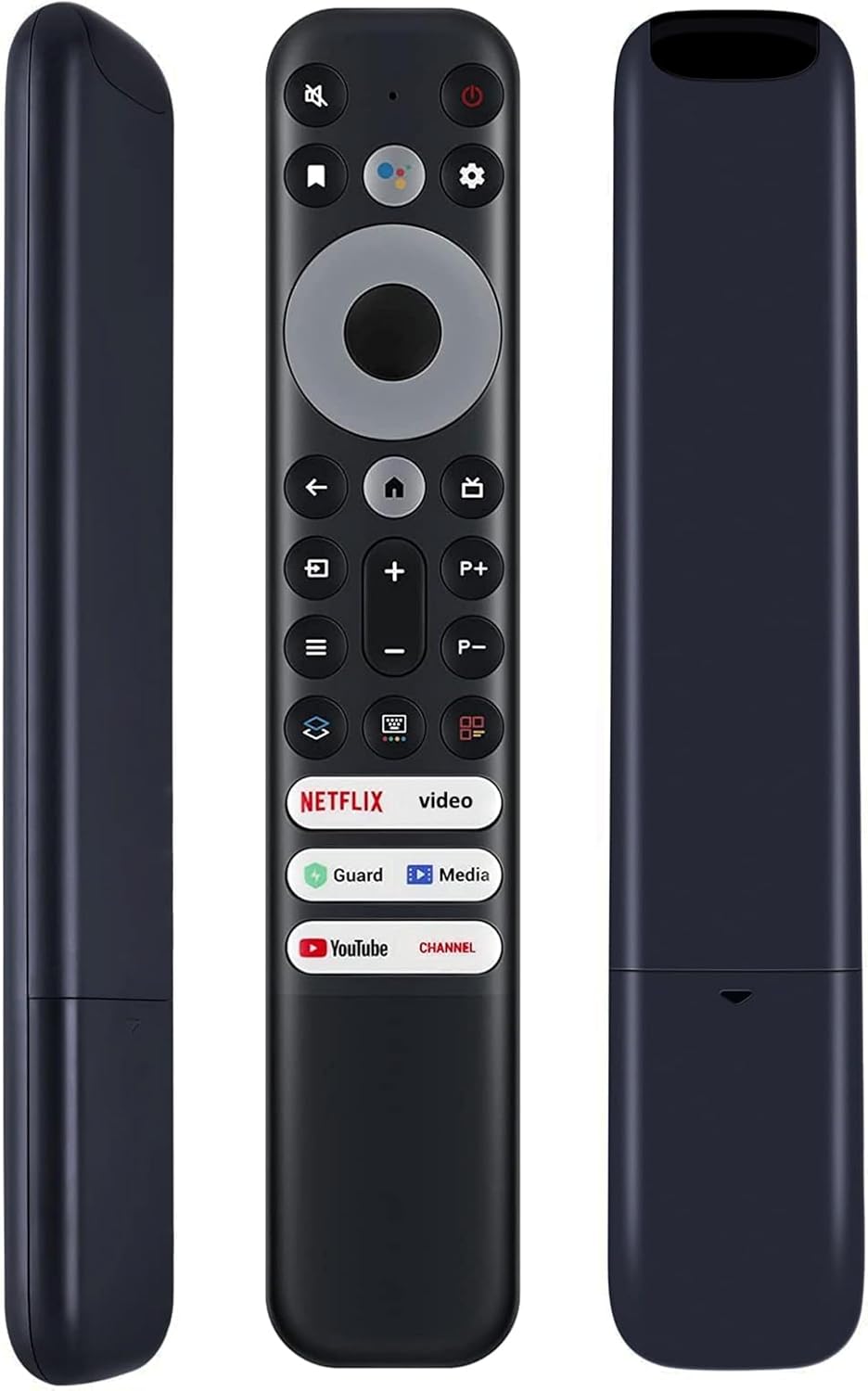
- Power Button: Turns the TV on or off.
- Navigation Pad (Directional Buttons & OK): Used to navigate menus and select options.
- Back Button: Returns to the previous screen or menu.
- Home Button: Accesses the TV's main home screen.
- Volume Up/Down: Adjusts the TV volume.
- Channel Up/Down (P+/P-): Changes TV channels.
- Mute Button: Mutes or unmutes the TV audio.
- Settings Button: Opens the TV's settings menu.
- Input/Source Button: Switches between different input sources (HDMI, AV, etc.).
- Shortcut Keys: Six dedicated shortcut keys provide quick access to popular streaming applications like Netflix, YouTube, and others.

Maintenance
- Battery Replacement: Replace batteries when the remote's responsiveness decreases. Always use new AAA batteries and dispose of old batteries responsibly.
- Cleaning: Wipe the remote with a soft, dry cloth. Avoid using liquid cleaners or abrasive materials, as these can damage the remote's surface or internal components.
- Storage: Store the remote in a cool, dry place away from direct sunlight and extreme temperatures. If not used for extended periods, remove the batteries to prevent leakage.
Troubleshooting
| Problem | Possible Cause | Solution |
|---|---|---|
| Remote is unresponsive or works intermittently. |
|
|
| Remote has short operating range. |
|
|
| Specific buttons do not work. |
|
|
Specifications
- Brand: Smartby
- Model Number: For TCL-Google-TV-Remote
- Compatibility: Universal replacement for TCL Google TV, TCL Android TV, TCL LED FHD HDR UHD QLED 4K Smart TVs (e.g., 75R646, 65R646, 55R646, 75S546, 65S546, 55S546, 50S546, 43S446, 50S446, 55S446, 65S446, 75S446, 85S446, and all TCL Q6/Q7/QM8/S3/S4 Series).
- Technology: Infrared (IR)
- Operating Range: Up to 30 feet (approx. 9 meters)
- Power Source: 2 x AAA Batteries (not included)
- Special Features: 6 shortcut keys, ergonomic design, no programming required.
- Color: Black
- Product Dimensions: 8 x 1.5 x 0.5 inches (20.3 x 3.8 x 1.3 cm)
- Item Weight: 2.08 ounces (59 grams)
Warranty and Support
For warranty information or technical support, please refer to the seller's return policy or contact the seller directly through the platform where the product was purchased. The standard return policy for this item is 30 days for refund/replacement.
Seller: Genuine Parts Center