
Geloo Geloo Marine
Geloo Marine Stereo Receiver User Manual
Model: Geloo Marine
1. Introduction
Thank you for choosing the Geloo Marine Stereo Receiver. This digital media MP3 player is designed for marine environments, offering robust waterproof capabilities, wireless connectivity, USB playback, and AM/FM radio functionality. This manual provides detailed instructions for installation, operation, and maintenance to ensure optimal performance and longevity of your device.
This receiver is suitable for a wide range of applications including boats, yachts, motorcycles, cars, UTVs, SUVs, RVs, golf carts, campers, and trucks, as well as indoor installations in bathrooms and kitchens.

Image: The Geloo Marine Stereo Receiver is versatile, suitable for various vehicles and environments such as motorcycles, boats, cruise ships, golf carts, and RVs.
2. What's in the Box
Upon opening the package, please verify that all the following components are included:
- Geloo Marine Stereo Receiver (Player)
- Instruction Manual
- Remote Control
- Power Cord
- Mounting Bracket
- Long Screws (for mounting)

Image: All components included in the Geloo Marine Stereo Receiver package: the main unit, user manual, remote control, power cable, mounting bracket, and screws.
3. Features
- Waterproof Design: Constructed with high-technology waterproof design and coated materials to withstand humid, strong wind, and salty marine environments. This ensures normal operation without seawater penetration.
- Wireless Connection: Built-in wireless 5.0 technology for long-distance music playback with stable signal. Quick connection to paired cell phones or iPads for streaming from apps like Spotify/Pandora. Note: This unit does not have a CD mechanism.
- Enhanced Music Experience: Features 3D stereo surround sound quality. Supports free selection of basic EQ settings: Bass, Treble, Balanced, and Decayed audio output. Enjoy high-quality lossless music even in noisy environments.
- AM/FM Radio: Allows selection of AM/FM radio stations for news, music, sports, and traffic. Incorporates a digital anti-interference radio IC module for signal amplification, enabling automatic station search even in remote areas.
- HD LCD Display & User-Friendly Interface: Connects via USB port for easy operation. Features an LCD digital display screen and touch buttons for clear readability of time, channel, and song lists in sunny conditions. Includes a lightweight remote control for power, volume, and track adjustments.
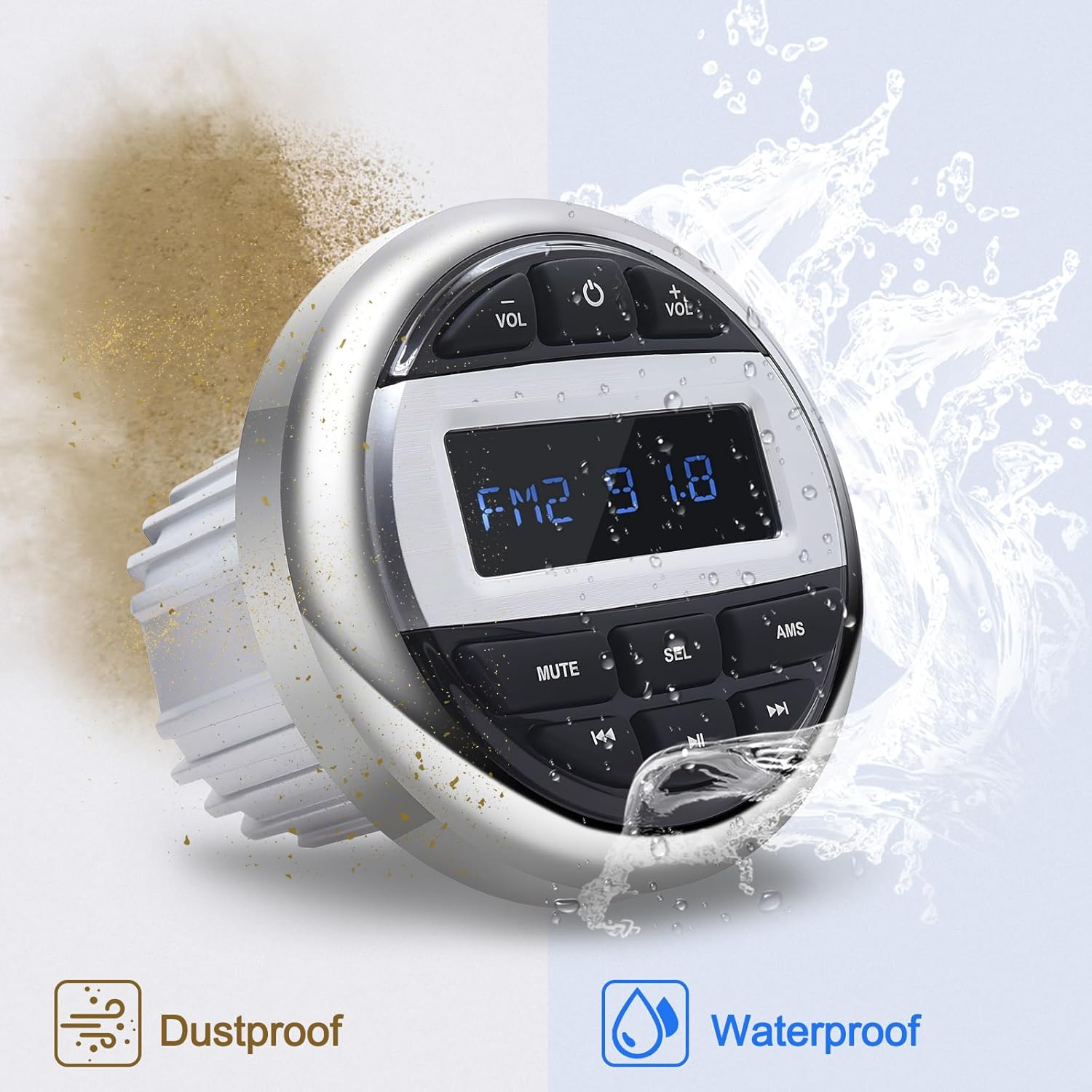
Image: The Geloo Marine Stereo Receiver is designed to be both dustproof and waterproof, making it suitable for harsh outdoor conditions.
4. Setup and Installation
Professional installation is recommended for this product. Please read the instructions carefully before beginning the installation process.
4.1 Wiring Diagram
Refer to the detailed wiring diagram below for proper connection of the stereo receiver. Ensure all connections are secure and correctly matched to avoid damage to the unit or vehicle's electrical system.

Image: Comprehensive wiring diagram illustrating all necessary connections for the Geloo Marine Stereo Receiver, including power, audio inputs/outputs, and speaker connections.
4.2 Key Connections
- DC 12V: Connect to a stable 12V DC power source.
- GND (Black): Connect to vehicle ground.
- ACC (Red): Connect to accessory power (switched 12V+).
- To Loud Speakers: Connect the speaker wires according to the diagram (Front R/L, Rear R/L).
- AUX-IN (Red/White RCA): For external audio input.
- RCA Audio Output (Red/White RCA): For connecting to an amplifier.
- USB: For USB media playback.
- ANT (Green): Antenna connection.
- Subwoofer (Green): Subwoofer output.
4.3 Mounting
The unit is designed for easy installation and takes up minimal space. Use the provided bracket and screws to secure the receiver in your desired location. Ensure adequate clearance for wiring and ventilation.
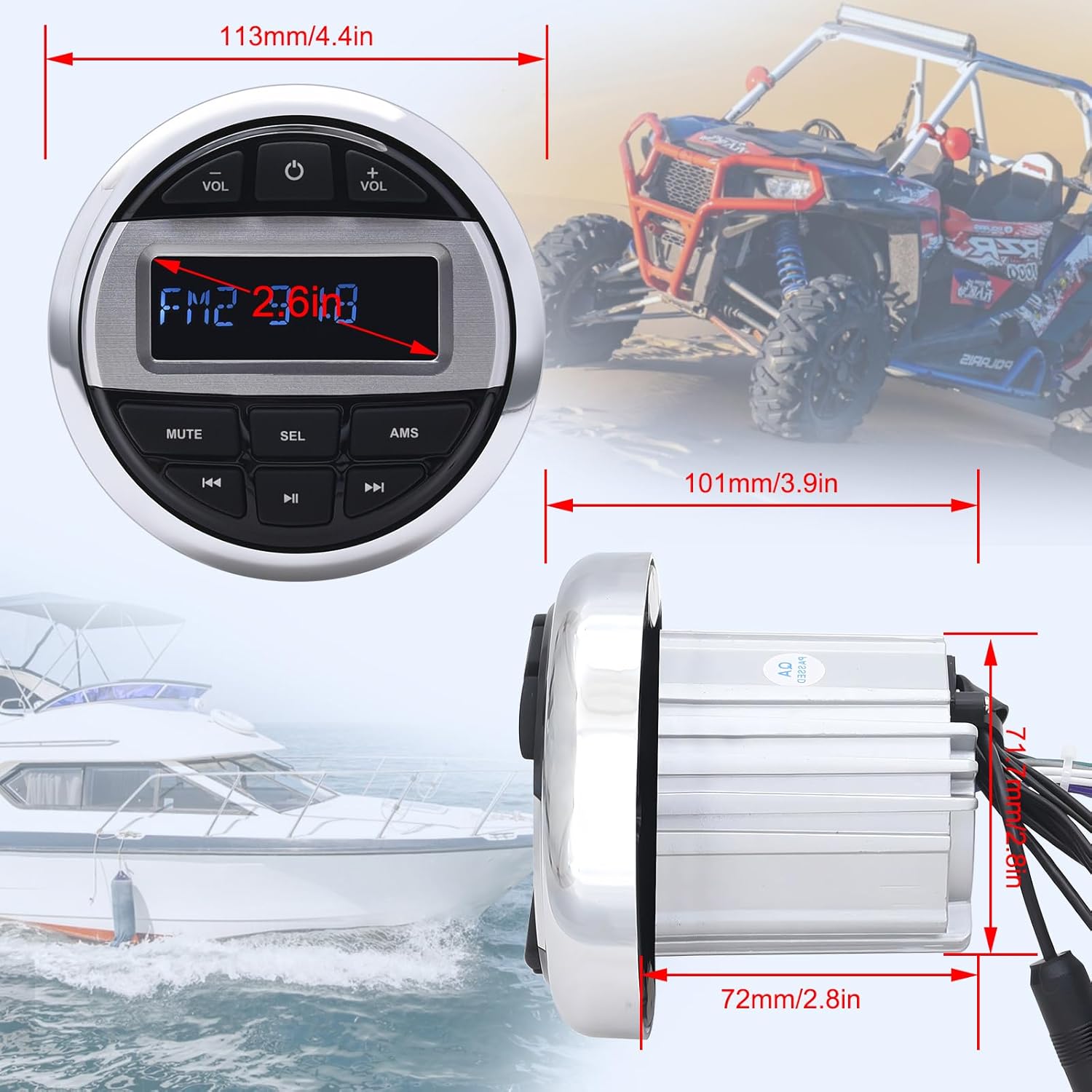
Image: Dimensional drawing of the Geloo Marine Stereo Receiver, indicating its compact size for easy integration into various dashboards.
5. Operating Instructions
Familiarize yourself with the basic controls and functions of the Geloo Marine Stereo Receiver and its remote control.

Image: Overview of the main unit's buttons and the remote control's functions, including power, volume, mode selection, and track controls.
5.1 Basic Key Functions (Main Unit)
- VOL +/-: Adjusts volume level.
- PWR/MOD: Power On/Off (short press), Mode selection (long press).
- MUTE: Mutes/unmutes audio.
- SEL: Selects audio settings (Bass, Treble, Balance, Fader, EQ).
- AMS (Auto Memory Store): Automatically searches and stores radio stations.
- ◀◀ / CH-: Previous track/station.
- ▶▶ / CH+: Next track/station.
5.2 Remote Control Functions
- PWR: Power On/Off.
- MODE: Cycles through input modes (Radio, USB, AUX, Wireless).
- MUTE: Mutes/unmutes audio.
- INT (Intro Play): Plays the first few seconds of each track.
- RPT (Repeat): Repeats current track.
- RDM (Random Play): Plays tracks in random order.
- LOUD: Activates/deactivates loudness compensation.
- EQ: Cycles through preset equalizer settings.
- BAND: Selects radio band (FM1, FM2, FM3, AM1, AM2).
- VOL +/-: Adjusts volume.
- MENU/VOL +/-: Navigates menus and adjusts settings.
- APS (Auto Preset Scan): Scans and stores radio stations.
- SEARCH: Initiates radio station search.
- Numeric Buttons (1-6): Direct access to preset radio stations.
5.3 Wireless Connection
To connect your device wirelessly:
- Ensure the Geloo Marine Stereo Receiver is powered on.
- Select the Wireless mode on the receiver.
- On your mobile device (phone or tablet), enable Wireless and search for available devices.
- Select "Geloo Marine" (or similar name) from the list to pair.
- Once paired, you can stream audio from your device to the receiver.

Image: The Geloo Marine Stereo Receiver seamlessly streams music wirelessly from a smartphone, enhancing the audio experience on a boat.
5.4 USB Playback
To play music from a USB drive:
- Insert a USB drive containing MP3/WMA files into the USB port.
- The receiver will automatically switch to USB mode and begin playback.
- Use the ◀◀ / ▶▶ buttons to navigate between tracks.
- Use the remote control's -5/+6 buttons to navigate between folders.
6. Maintenance
To ensure the longevity and optimal performance of your Geloo Marine Stereo Receiver, follow these maintenance guidelines:
- Cleaning: Use a soft, damp cloth to clean the unit's exterior. Avoid abrasive cleaners or solvents, as they may damage the surface or waterproof coating.
- Water Exposure: While the unit is waterproof, prolonged submersion or high-pressure water jets should be avoided. Ensure all covers and connections are securely sealed after installation.
- Connections: Periodically check all wiring connections for corrosion or looseness, especially in marine environments. Clean and re-secure as necessary.
- Storage: If the unit will not be used for an extended period, especially in harsh conditions, consider disconnecting it from power and storing it in a dry, protected area.
7. Troubleshooting
If you encounter issues with your Geloo Marine Stereo Receiver, refer to the following common problems and solutions:
| Problem | Possible Cause | Solution |
|---|---|---|
| No power | Loose power connection; Blown fuse; Vehicle battery low. | Check power wiring and connections. Inspect and replace fuse if necessary. Charge or check vehicle battery. |
| No sound | Volume too low; Mute activated; Speaker wires disconnected; Incorrect input mode. | Increase volume. Deactivate mute. Check speaker connections. Select correct input mode (Radio, USB, AUX, Wireless). |
| Poor radio reception | Antenna not connected or damaged; Weak signal area; Interference. | Ensure antenna is securely connected. Try repositioning the antenna. Move away from sources of electrical interference. |
| Wireless connection issues | Device not in pairing mode; Out of range; Interference. | Ensure receiver is in Wireless mode. Move mobile device closer. Restart both devices and try pairing again. |
| USB playback not working | Unsupported file format; USB drive corrupted; USB drive not properly inserted. | Ensure files are MP3/WMA format. Try a different USB drive. Reinsert the USB drive firmly. |
If the problem persists after attempting these solutions, please contact Geloo customer support for further assistance.
8. Specifications
| Feature | Specification |
|---|---|
| Model Number | Geloo Marine |
| Package Dimensions | 5.71 x 5.63 x 5.51 inches |
| Item Weight | 1.68 pounds |
| Working Voltage | DC 12V |
| Maximum Power Output | 4 x 50 Watts |
| Connectivity Technology | Wireless 5.0, USB, RCA, Auxiliary |
| Controller Type | Push Button, Remote Control |
| Compatible Devices | Amplifier, Smartphone, Speaker |
| Audio Output Mode | Speakers |
| Surround Sound Channel Configuration | 2.1 |
| Manufacturer | Geloo |
| Country of Origin | China |
9. Warranty and Support
For warranty information and customer support, please refer to the documentation provided with your purchase or visit the official Geloo website. If you have any questions regarding the player or require technical assistance, please do not hesitate to contact us.
Geloo Customer Service: Please refer to your purchase platform or product packaging for contact details.
Ask a question about this manual
Ask about setup, troubleshooting, compatibility, parts, safety, or missing instructions. Manuals+ will review the question and use this page’s manual context to help answer it.