
1. Product Overview
The BoxWave MagnetoSnap PD Angle Adapter is a magnetic USB Type-C charging connector designed to enhance your charging experience and protect your device's port. It supports up to 100W Power Delivery and features a convenient 90-degree right-angle design for optimized cable routing.
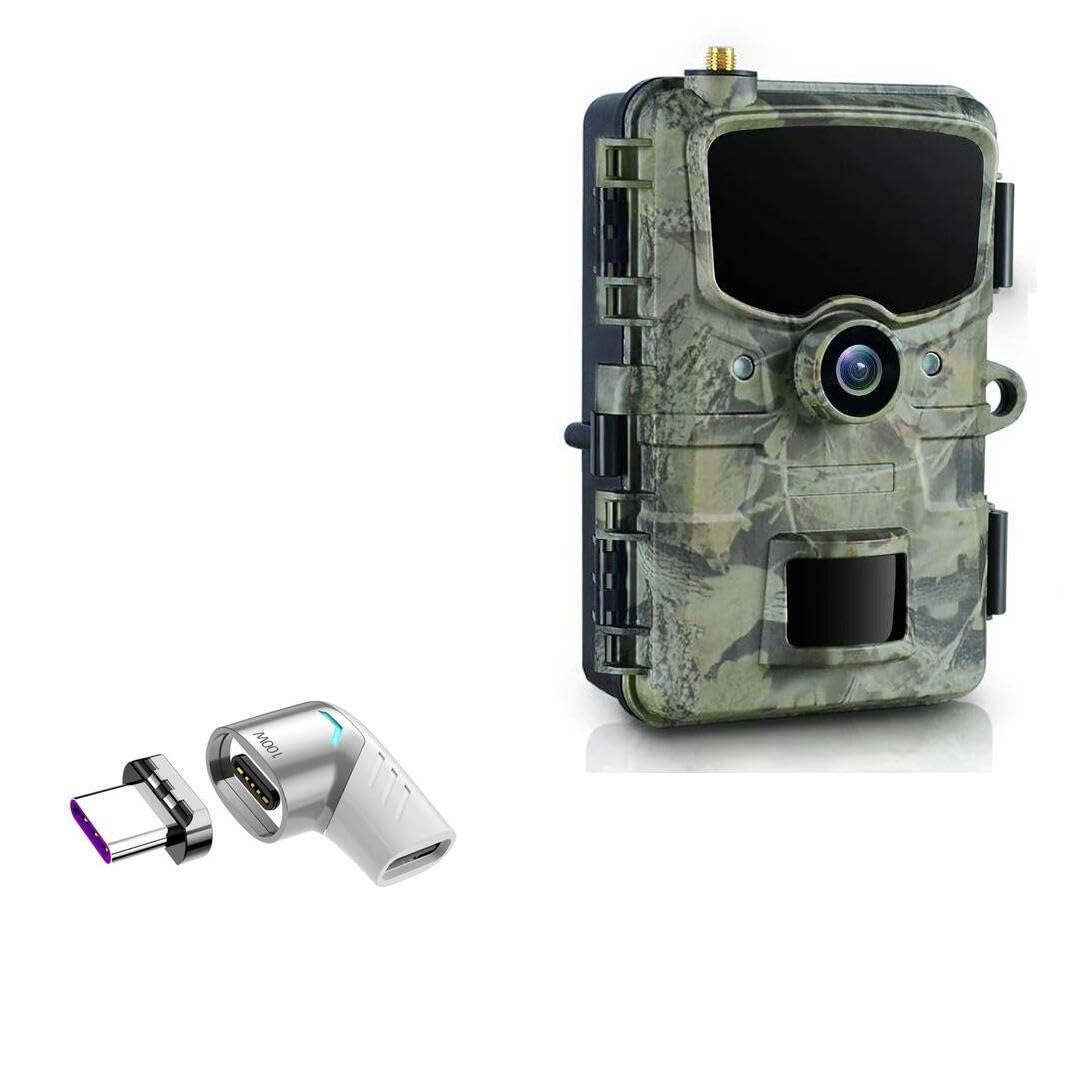
Image 1.1: The MagnetoSnap PD Angle Adapter in two parts, illustrating its magnetic connection.
Key Features:
- Magnetic Connection: Allows for easy, snap-on charging, reducing wear and tear on your device's port.
- 100W Power Delivery: Supports high-speed charging for a wide range of USB-C devices.
- 90-Degree Angle: Optimizes cable management and reduces strain on the cable and port.
- Durable Construction: Made from high-quality aluminum alloy for longevity.
- Device Port Preservation: Minimizes constant plugging and unplugging, extending the life of your device's charging port.
- Data Transfer: Supports data transmission at speeds up to 480Mbps.

Image 1.2: Adapter connected to a device, showcasing its features and benefits.
2. Setup Instructions
Follow these steps to set up your MagnetoSnap PD Angle Adapter:
- Insert the Magnetic Plug: Carefully insert the small magnetic plug component of the adapter into the USB Type-C charging port of your device. This plug is designed to remain in your device.
- Connect the Angle Adapter: Plug your existing USB Type-C charging cable into the 90-degree angle adapter component.
- Magnetic Connection: Bring the 90-degree angle adapter (with your cable attached) close to the magnetic plug inserted in your device. The magnetic forces will automatically align and snap the two components together, initiating charging or data transfer.

Image 2.1: The two main components of the adapter: the magnetic plug and the 90-degree angle connector.

Image 2.2: Detailed diagram of the adapter's internal and external features.
3. Operating Instructions
Charging Your Device:
Once the magnetic plug is inserted into your device and your charging cable is connected to the angle adapter, simply bring the two magnetic parts together. The adapter will snap into place, and your device will begin charging. The 90-degree design helps keep your cable neatly routed and out of the way.

Image 3.1: Magnetic adapter in use, charging a smartphone.
Data Transfer:
The MagnetoSnap PD Angle Adapter also supports data transfer. When connected, it will facilitate data synchronization between your device and a connected computer or other compatible peripherals, provided your cable and device support data transfer.

Image 3.2: The 90-degree angle provides comfortable usage while charging.
4. Maintenance
To ensure the longevity and optimal performance of your BoxWave MagnetoSnap PD Angle Adapter, follow these maintenance guidelines:
- Keep Clean: Periodically wipe the adapter with a soft, dry cloth to remove dust and debris. Ensure the magnetic contact points are free from obstructions.
- Avoid Moisture: Do not expose the adapter to water or excessive moisture. If it gets wet, disconnect it immediately and allow it to dry completely before reuse.
- Handle with Care: While constructed from durable aluminum alloy, avoid dropping or subjecting the adapter to strong impacts, which could damage internal components.
- Store Properly: When not in use, store the adapter in a clean, dry place away from extreme temperatures.
5. Troubleshooting
If you encounter issues with your MagnetoSnap PD Angle Adapter, refer to the following common problems and solutions:
- Device Not Charging:
- Ensure both parts of the adapter are securely connected magnetically.
- Verify that your charging cable and power source are functioning correctly.
- Check if the magnetic plug is fully inserted into your device's USB-C port.
- Confirm your device's charging port is clean and free of debris.
- Magnetic Connection is Weak or Intermittent:
- Clean the magnetic contact surfaces on both adapter components to remove any metallic dust or particles.
- Ensure no foreign objects are preventing a flush connection.
- Slow Charging or No Power Delivery (PD):
- Confirm that your charging cable and power adapter support 100W Power Delivery.
- Ensure your device is compatible with high-wattage charging.
- Data Transfer Not Working:
- Verify that your USB-C cable supports data transfer, not just charging.
- Ensure your connected computer or device is properly configured for data transfer.
6. Specifications
| Feature | Specification |
|---|---|
| Model Name | MagnetoSnap PD Angle Adapter |
| Connectivity | USB Type-C (Magnetic) |
| Power Delivery | Up to 100W / 5A |
| Data Transfer Speed | Up to 480Mbps |
| Material | Zinc Alloy + TPE |
| Design | 90-Degree Right Angle |
| Item Weight | 2.4 ounces |

Image 6.1: Technical specifications and dimensions of the adapter.
7. Support
For technical assistance or inquiries regarding your BoxWave MagnetoSnap PD Angle Adapter, please contact BoxWave Corporation customer support. Limited third-party technical support for compatible devices (e.g., CamPark TC14) may be available for up to 3 inquiries via electronic messaging.
Please note that BoxWave is not affiliated with or endorsed by CamPark.