
Hot Wheels HXJ83
Hot Wheels RC Shark Speeder Instruction Manual
Model: HXJ83
Introduction
Welcome to the exciting world of the Hot Wheels RC Shark Speeder! This remote-control vehicle is designed to mimic the dynamic movements of a shark, offering a unique play experience. Its bendable mid-section allows for realistic slithering and turning, while integrated lights and sounds enhance the interactive fun. This product is recommended for users aged 5 years and up.
Product Overview
The Hot Wheels RC Shark Speeder is a 1:15 scale remote-control vehicle featuring a distinctive shark-inspired design. It is engineered to perform unique slithering and turning motions, distinguishing it from conventional RC cars. The vehicle also includes glowing red eyes and sound effects, activated via the remote control, to enhance the play experience.

Image: The Hot Wheels RC Shark Speeder, a blue shark-shaped vehicle with orange wheels, shown alongside its matching blue remote control.

Image: A close-up of the Shark Speeder, with hands gently bending its segmented mid-section, highlighting its flexible design.
What's Included
- 1x Hot Wheels RC Shark Speeder Toy Car
- 1x Remote Control
- 2x AAA Batteries (pre-installed or included for remote)
Setup
Battery Installation
- For the Remote Control: Locate the battery compartment on the back of the remote control. Use a small Phillips head screwdriver to open the cover. Insert 2 AAA batteries, ensuring correct polarity (+/-). Replace the cover and secure with the screw.
- For the Shark Speeder: The Shark Speeder typically comes with batteries pre-installed. If replacement is needed, locate the battery compartment on the underside of the vehicle. Open the cover, insert the required batteries (refer to specifications for type), ensuring correct polarity, then close and secure the cover.
Initial Pairing
The Shark Speeder and its remote control are usually pre-paired at the factory. To activate, ensure both the vehicle and the remote control have fresh batteries. Turn on the vehicle using the power switch, then turn on the remote control. The vehicle should respond to remote commands. If not, turn both off and on again to re-establish connection.
Operating Instructions
Power On/Off
- To turn on the Shark Speeder, locate the power switch on the vehicle and slide it to the "ON" position.
- To turn on the remote control, slide its power switch to the "ON" position.
- To turn off both devices, slide their respective power switches to the "OFF" position when not in use to conserve battery life.
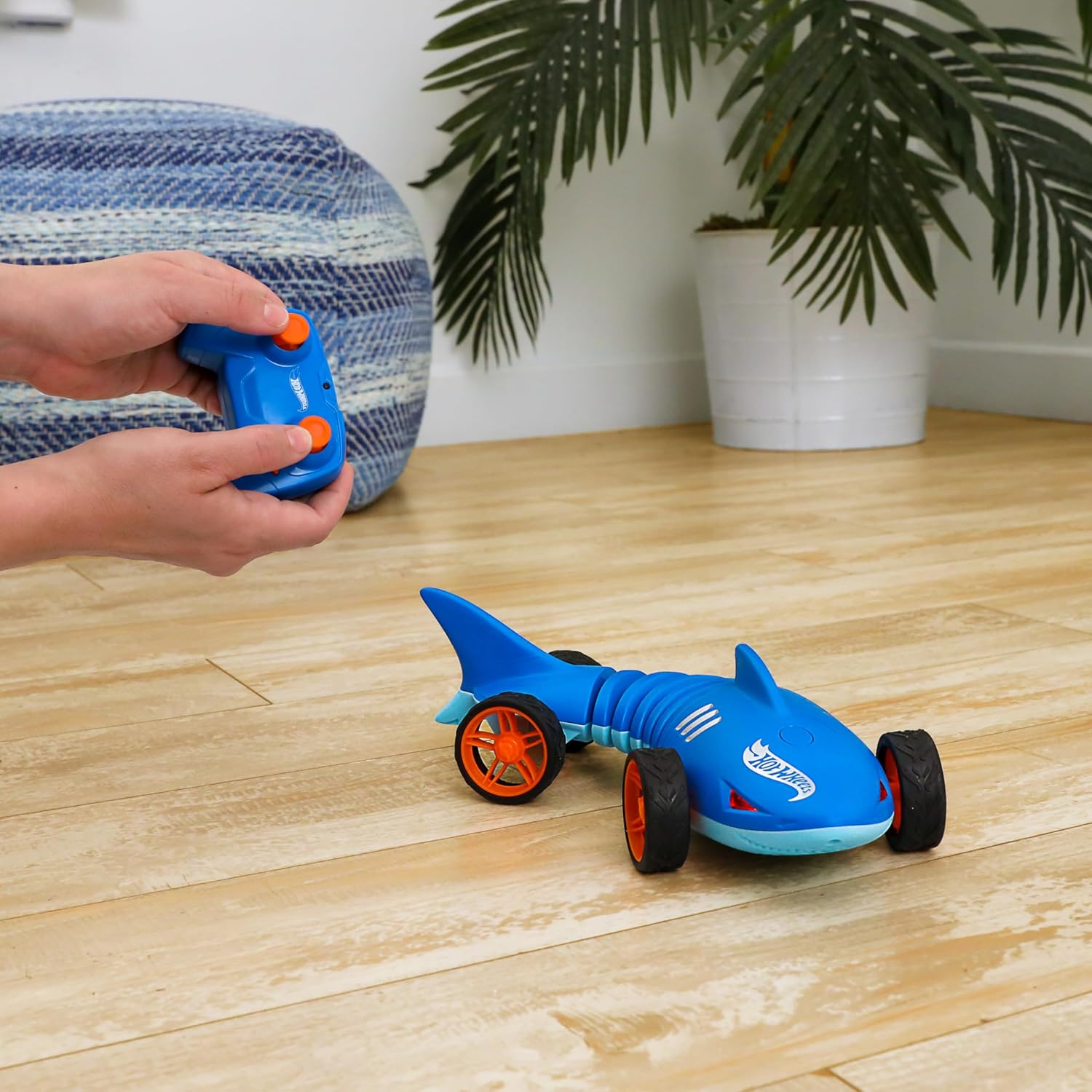
Image: A child's hands holding the blue remote control, with the Shark Speeder visible on a wooden floor in the background, demonstrating active play.
Controlling Movement
Use the joysticks on the remote control to maneuver the Shark Speeder:
- Forward/Backward: Push the left joystick forward to move the vehicle forward, and pull it backward to move the vehicle in reverse.
- Turning: Use the right joystick to steer the vehicle. Push it left or right to make the Shark Speeder turn in the corresponding direction. The bendable mid-section allows for unique slithering turns.
Activating Lights and Sounds
The Shark Speeder features interactive lights and sounds:
- Press the designated button on the remote control (refer to remote diagram if available) to activate the glowing red eyes and shark-like sound effects.

Image: A finger pressing a button on the top of the Shark Speeder, indicating the activation point for its lights and sounds.
Maintenance
- Cleaning: Wipe the vehicle and remote control with a clean, damp cloth. Do not immerse in water. Avoid using harsh chemicals or abrasive cleaners.
- Battery Care: Always remove batteries from the vehicle and remote control if they will not be used for an extended period. This prevents battery leakage and corrosion. Dispose of used batteries responsibly according to local regulations.
- Storage: Store the Shark Speeder and its remote control in a cool, dry place away from direct sunlight and extreme temperatures.
Troubleshooting
| Problem | Possible Cause | Solution |
|---|---|---|
| Vehicle does not respond to remote. | Low batteries in vehicle or remote; not paired correctly; interference. | Replace batteries in both vehicle and remote. Turn both off and on again to re-establish connection. Move to an area with less electronic interference. |
| Vehicle moves slowly or erratically. | Low batteries; obstruction in wheels. | Replace batteries. Check wheels and axles for any debris or hair and remove them. |
| Lights or sounds not working. | Low batteries; feature not activated. | Ensure batteries are fresh. Press the dedicated sound/light button on the remote. |
Specifications
| Feature | Detail |
|---|---|
| Product Dimensions | 12.17 x 4.72 x 3.27 inches |
| Item Weight | 1.04 pounds |
| Model Number | HXJ83 |
| Recommended Age | 5 years and up |
| Batteries Required | 2 AAA batteries (included for remote) |
| Manufacturer | Mattel |
Warranty and Support
This product is covered by the manufacturer's standard warranty. For detailed warranty information, please refer to the packaging or contact Mattel customer service directly. For technical support or inquiries, please visit the official Hot Wheels website or contact their customer support line. Keep your purchase receipt as proof of purchase.
Note: Specific warranty terms and support contact details may vary by region and are subject to change.
Related documentsHXJ83


Ask a question about this manual
Ask about setup, troubleshooting, compatibility, parts, safety, or missing instructions. Manuals+ will review the question and use this page’s manual context to help answer it.