
Introduction
Welcome to the Exost Mini Pixie Remote Control Car instruction manual. This guide provides essential information for setting up, operating, maintaining, and troubleshooting your new Mini Pixie off-road vehicle. Designed for children aged 5 and above, the Mini Pixie offers exciting off-road adventures with its compact size and durable design.
Safety Warnings
Warning: Not suitable for children under 5 years of age. To be used under adult supervision.
- Always ensure adult supervision during play.
- Keep fingers, hair, and loose clothing away from the wheels and moving parts.
- Do not operate the vehicle near streets, water, or other hazardous areas.
- Remove batteries from the car and remote control when not in use for extended periods.
- Do not mix old and new batteries, or different types of batteries.

Image: Front view of the Exost Mini Pixie remote control car, showcasing its vibrant pink and blue design with off-road tires.
Setup
1. Battery Installation
The Exost Mini Pixie requires batteries for both the vehicle and the remote control. Batteries are not included.
- For the Vehicle:
- Locate the battery compartment on the underside of the Mini Pixie car.
- Using a screwdriver, open the battery compartment cover.
- Insert 3 x AAA batteries (not included), ensuring correct polarity (+/-).
- Replace the battery compartment cover and secure it with the screw.
- For the Remote Control:
- Locate the battery compartment on the back of the remote control.
- Using a screwdriver, open the battery compartment cover.
- Insert 2 x AAA batteries (not included), ensuring correct polarity (+/-).
- Replace the battery compartment cover and secure it with the screw.

Image: The white remote control for the Exost Mini Pixie, featuring pink control buttons and an on/off switch.
2. Pairing the Vehicle and Remote Control
The Mini Pixie uses 2.4 GHz technology, allowing multiple players (up to 10) to play simultaneously without interference. The car and remote should automatically pair when both are turned on.
- Turn on the Mini Pixie car using the switch on its underside.
- Turn on the remote control using the ON/OFF switch.
- The indicator light on the remote control will flash and then become solid, indicating a successful connection.
- If pairing fails, turn both devices off and repeat the steps.
Operating Instructions
Remote Control Functions

Image: Diagram of the remote control with labels for forward/backward and left/right controls.
- Left Joystick (A): Controls forward and backward movement.
- Push forward to move the car forward.
- Pull backward to move the car backward.
- Right Joystick (B): Controls turning.
- Push left to turn the car left.
- Push right to turn the car right.
- ON/OFF Switch (C): Powers the remote control on or off.
Driving Tips
- The Mini Pixie is designed for both indoor and outdoor use. Its soft shell and off-road tires allow it to handle various terrains.
- The remote control has a range of up to 25 meters (approximately 82 feet). Maintain a clear line of sight for optimal control.
- Practice in an open area to get familiar with the controls before attempting more complex maneuvers.
- For best performance, ensure batteries are fresh and fully charged.
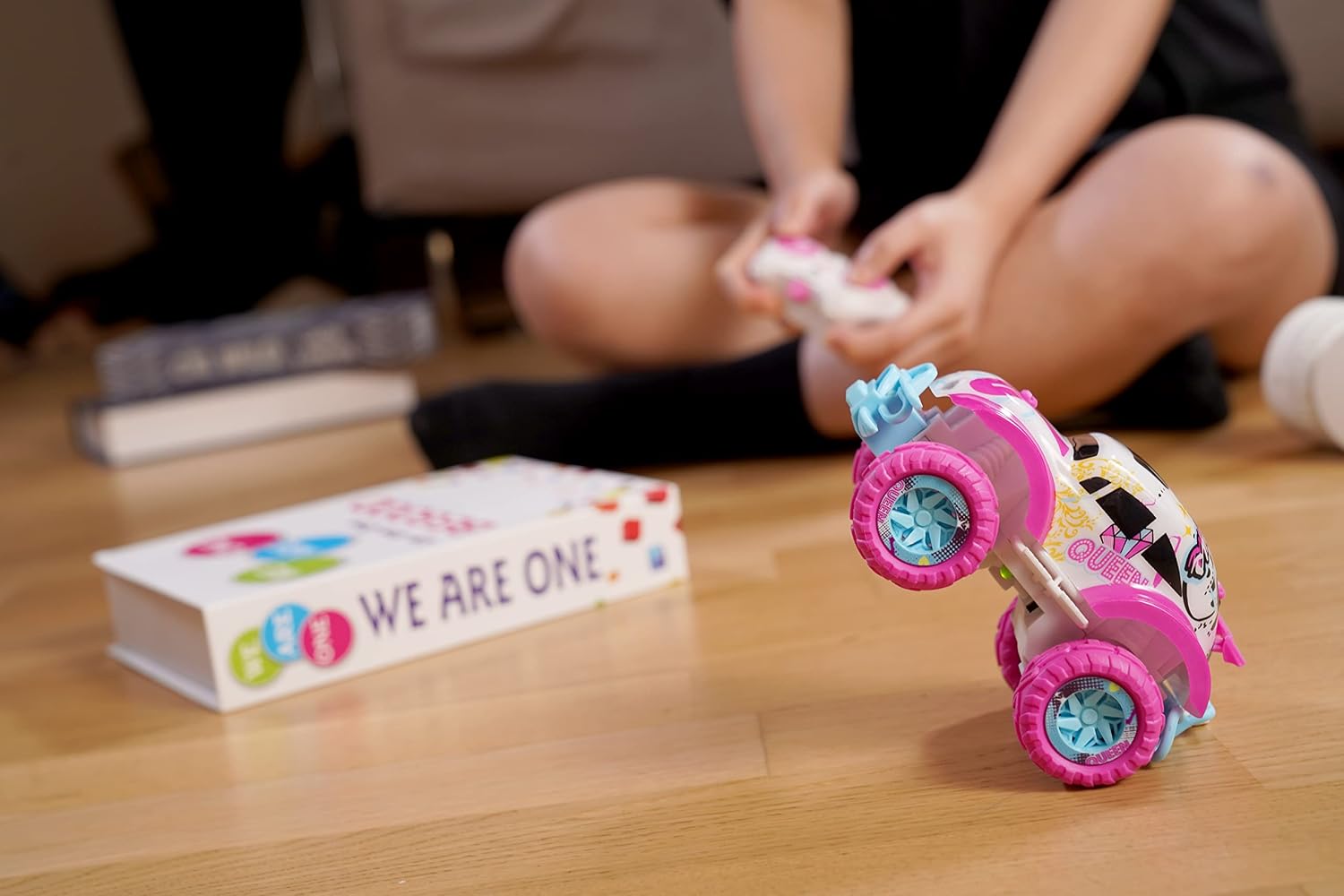
Image: The Exost Mini Pixie car performing a stunt, balancing on its rear wheels, demonstrating its agility.
Official Product Video
Video: A short preview video demonstrating the Exost Mini Pixie's features, including its size, 2.4 GHz technology, 25-meter range, and exclusive Exost tires. The video shows the car being controlled indoors and outdoors.
Maintenance
Cleaning
- To clean the car, gently wipe it with a damp cloth. Do not immerse the car or remote control in water.
- Avoid using harsh chemicals or solvents, as these may damage the plastic components or paint.
- Regularly check the wheels and axles for any debris (hair, dust, etc.) that might hinder movement.
Storage
- Store the Mini Pixie and its remote control in a cool, dry place away from direct sunlight.
- Remove all batteries from both the car and the remote control if storing for an extended period to prevent leakage and damage.
Battery Care
- Always use the recommended battery type (AAA).
- Ensure batteries are inserted with correct polarity.
- Do not attempt to recharge non-rechargeable batteries.
- Dispose of used batteries responsibly according to local regulations.
Troubleshooting
| Problem | Possible Cause | Solution |
|---|---|---|
| Car does not respond to remote control. |
|
|
| Short operating range. |
|
|
| Car moves slowly or erratically. |
|
|
Specifications
| Feature | Detail |
|---|---|
| Model Name | Mini Pixie |
| Model Number | 20269 |
| Brand | Exost |
| Material | Plastic |
| Dimensions (L x W x H) | 13 x 8.5 x 8 cm (approximately 5.1 x 3.3 x 3.1 inches) |
| Frequency | 2.4 GHz |
| Operating Range | Up to 25 meters (82 feet) |
| Max Speed (Real) | 8 km/h (5 mph) |
| Play Time | Approximately 10 minutes |
| Car Battery Requirement | 3 x AAA (not included) |
| Remote Control Battery Requirement | 2 x AAA (not included) |
| Recommended Age | 5 years and up |
| Number of Players | Up to 10 simultaneous players |
| Components Included | Remote Control |
Warranty Information
The Exost Mini Pixie Remote Control Car comes with a manufacturer's warranty of 2 years from the date of purchase. This warranty covers manufacturing defects under normal use. Please retain your proof of purchase for any warranty claims.
The warranty does not cover damage caused by:
- Accidents or misuse
- Unauthorized modifications or repairs
- Failure to follow operating instructions
- Normal wear and tear
Customer Support
For further assistance, technical support, or warranty inquiries, please contact Exost customer service. You can find contact information on the official Exost website or through your retailer.
Visit the official Exost brand store for more products and information: Exost Brand Store


