
1. Introduction
This manual provides essential information for the proper use and maintenance of your BOUTOP C32 MFi Certified USB C to Lightning 36W Fast Charging Adapter. This adapter allows you to connect your USB-C cable to Lightning-enabled Apple devices for charging and data transfer. Please read these instructions carefully before use.

Image: The BOUTOP C32 adapter, highlighting its MFi certification, connecting a USB-C cable to a Lightning device.
2. Setup and Basic Operation
2.1. Connecting for Charging
The BOUTOP C32 adapter is designed for plug-and-play functionality. To charge your iPhone, iPad, or iPod with a Lightning port:
- Connect your USB-C charging cable to a compatible USB-C power adapter (e.g., 29W, 30W, 61W, 87W, or 96W).
- Attach the BOUTOP C32 USB C end of the adapter to your USB-C charging cable.
- Plug the Lightning end of the BOUTOP C32 adapter into your iPhone, iPad, or iPod.
- Ensure all connections are secure. Your device should begin charging.

Image: A BOUTOP C32 adapter connected to a USB-C cable and then to an iPhone, illustrating the charging process.
2.2. Fast Charging Capability
This adapter supports Power Delivery (PD) fast charging. It can deliver up to 36W for certain iPad models and up to 27W for iPhone 8 and newer models. When paired with a compatible high-wattage USB-C power adapter and USB-C cable, your device can charge from 0% to 50% in approximately 30 minutes.

Image: Visual representation of the 36W MFi certified chip enabling efficient fast charging.
3. Data Transfer
3.1. Importing Photos and Videos to Mac
The adapter supports high-speed data transmission up to 480 Mbps, allowing you to import photos and videos from your iPhone to your Mac. Follow these steps:
- Connect your iPhone to your Mac using the BOUTOP C32 adapter and a USB-C cable.
- On your iPhone, a prompt may appear. Select "Allow" to grant access.
- Open the "Photos" application on your MacBook.
- In the left sidebar of the "Photos" app, locate your connected iPhone under the "Devices" section.
- From there, you can select and import your desired photos or videos.
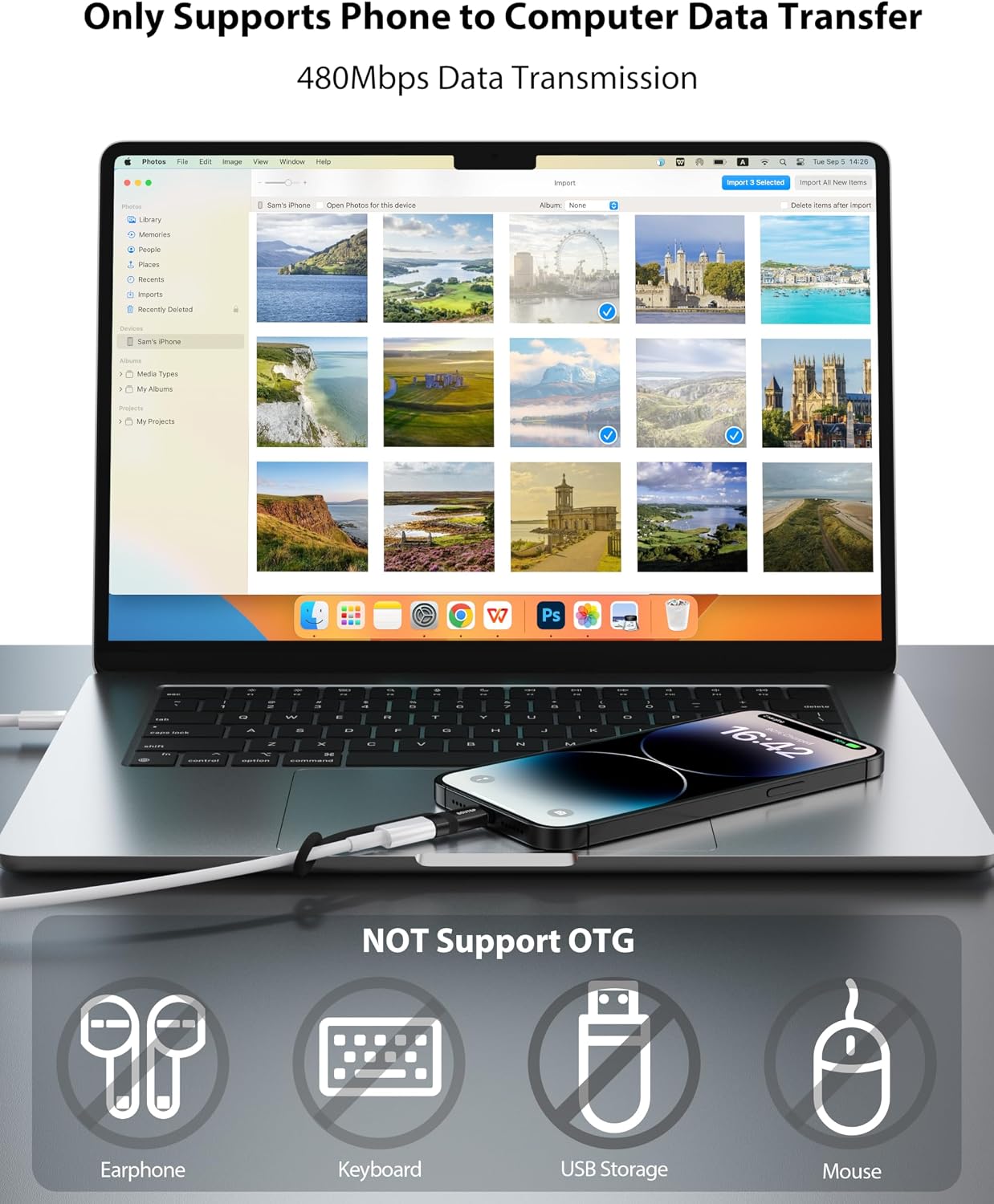
Image: An iPhone connected to a MacBook via the adapter, demonstrating photo and video data transfer.
4. Compatibility
The BOUTOP C32 adapter is compatible with a wide range of Apple devices featuring a Lightning port. This includes:
- iPhones: iPhone 14 series (14, 14 Plus, 14 Pro, 14 Pro Max), 13 series (13, 13 mini, 13 Pro, 13 Pro Max), 12 series (12, 12 mini, 12 Pro, 12 Pro Max), 11 series (11, 11 Pro, 11 Pro Max), SE (2nd generation), XS, XS Max, XR, X, 8, 8 Plus, 7, 7 Plus, 6s, 6s Plus, 6, 6 Plus, SE (1st generation), 5s, 5c, 5.
- iPads: iPad (9th, 8th, 7th, 6th, 5th generation), 12.9-inch iPad Pro (2nd, 1st generation), 10.5-inch iPad Pro, 9.7-inch iPad Pro, iPad Air (3rd, 2nd, 1st generation), iPad mini (5th generation), iPad mini 4, iPad mini 3, iPad mini 2.
- iPods: iPod Touch 7th and 6th generation.

Image: The BOUTOP C32 adapter shown alongside various compatible Apple iPhone, iPad, and iPod models.
5. Important Notes and Limitations
Please be aware of the following limitations when using the BOUTOP C32 adapter:
- No OTG Functionality: This adapter does not support On-The-Go (OTG) functionality.
- No CarPlay Support: It cannot be used with Apple CarPlay.
- No Audio/Accessory Support: It is not compatible with headphones, microphones, or card readers.
- No USB Storage/MIDI Keyboards: It does not support USB flash drives or MIDI keyboards.
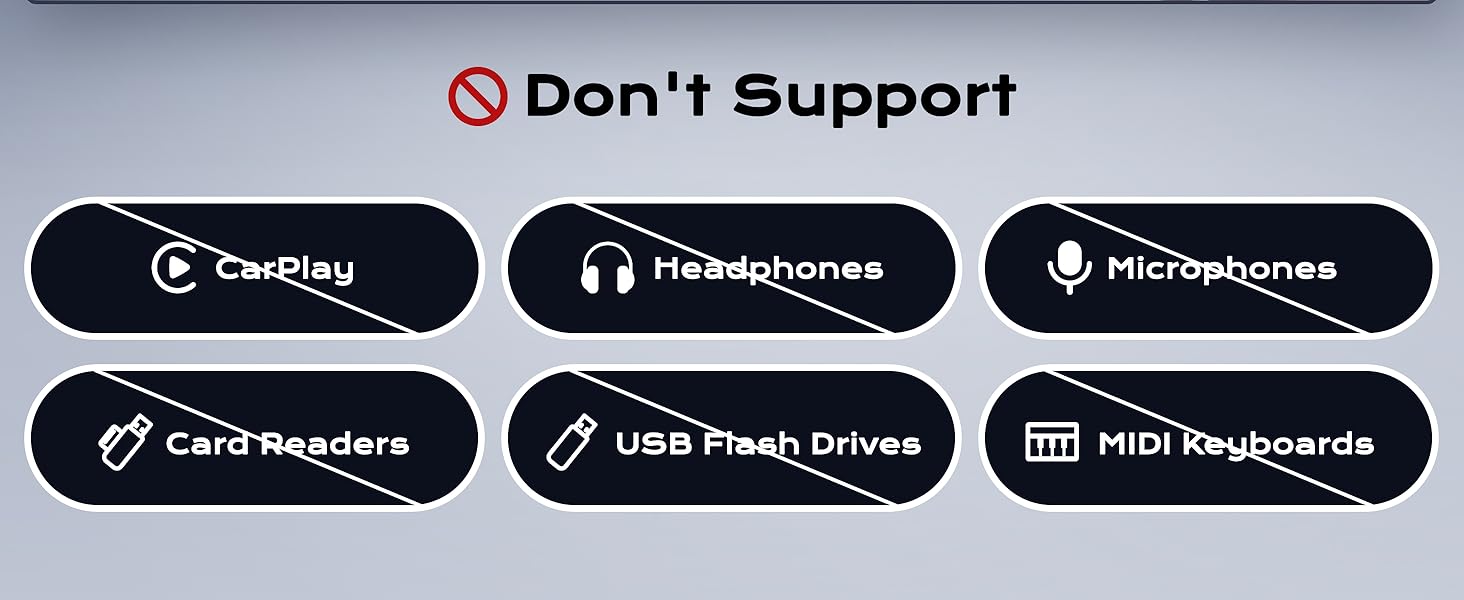
Image: A visual list indicating functionalities not supported by the adapter, such as CarPlay, headphones, microphones, card readers, USB flash drives, and MIDI keyboards.
6. Specifications
| Brand | BOUTOP |
| Model Number | C32-3P-B |
| Connector Type | USB-C (input) to Lightning (output) |
| Power Delivery | Up to 36W (iPad), Up to 27W (iPhone 8 and later) |
| Data Transfer Speed | Up to 480 Mbps |
| Material | Metal Shell (for heat dissipation) |
| Color | Black |
| Package Quantity | 3 Adapters |
| Country of Origin | China |

Image: Close-up of the BOUTOP C32 adapter, highlighting its metal shell design for effective heat dissipation.

Image: A graph illustrating the adapter's effective heat dissipation compared to other products, showing lower operating temperatures.
7. Troubleshooting
If you encounter issues with your BOUTOP C32 adapter, consider the following:
- Device Not Charging:
- Ensure both the USB-C cable and the adapter are securely connected to the power source and your device.
- Verify that your USB-C power adapter is functional and provides sufficient power for your device.
- Test with a different USB-C cable or power adapter if available.
- Confirm your device's Lightning port is clean and free of debris.
- Data Transfer Issues:
- Ensure your iPhone is unlocked and you have selected "Allow" when prompted to trust the computer.
- Check that the Photos app (or other relevant software) on your Mac is open and recognizing the device.
- Try disconnecting and reconnecting the adapter and cable.
- Overheating:
- While the adapter is designed for effective heat dissipation, some warmth during fast charging is normal.
- If the adapter becomes excessively hot to touch, disconnect it immediately.
- Ensure you are using a compatible power adapter and cable. Avoid using the device in poorly ventilated areas.
- Adapter Not Recognized:
- Ensure the adapter is fully inserted into both the USB-C cable and the Lightning port.
- Restart your connected device (iPhone/iPad/iPod) and your computer (if applicable).
8. Warranty and Support
Your BOUTOP C32 USB C to Lightning Adapter comes with a 24-month limited warranty from the date of purchase. This warranty covers manufacturing defects under normal use.
For warranty claims, technical support, or any product-related inquiries, please contact BOUTOP customer service through the retailer where you purchased the product. You may also find support information on the BOUTOP brand store page.
Please retain your proof of purchase for warranty validation.


