
1. Introduction
The HITBOX HB001 Auto Darkening Welding Helmet is designed to provide optimal eye and face protection during various welding and grinding operations. Featuring a 1/1/1/1 optical clarity lens and true-color technology, it ensures a clear and accurate view of your work. This manual provides essential information for the safe and effective use, setup, operation, and maintenance of your welding helmet.
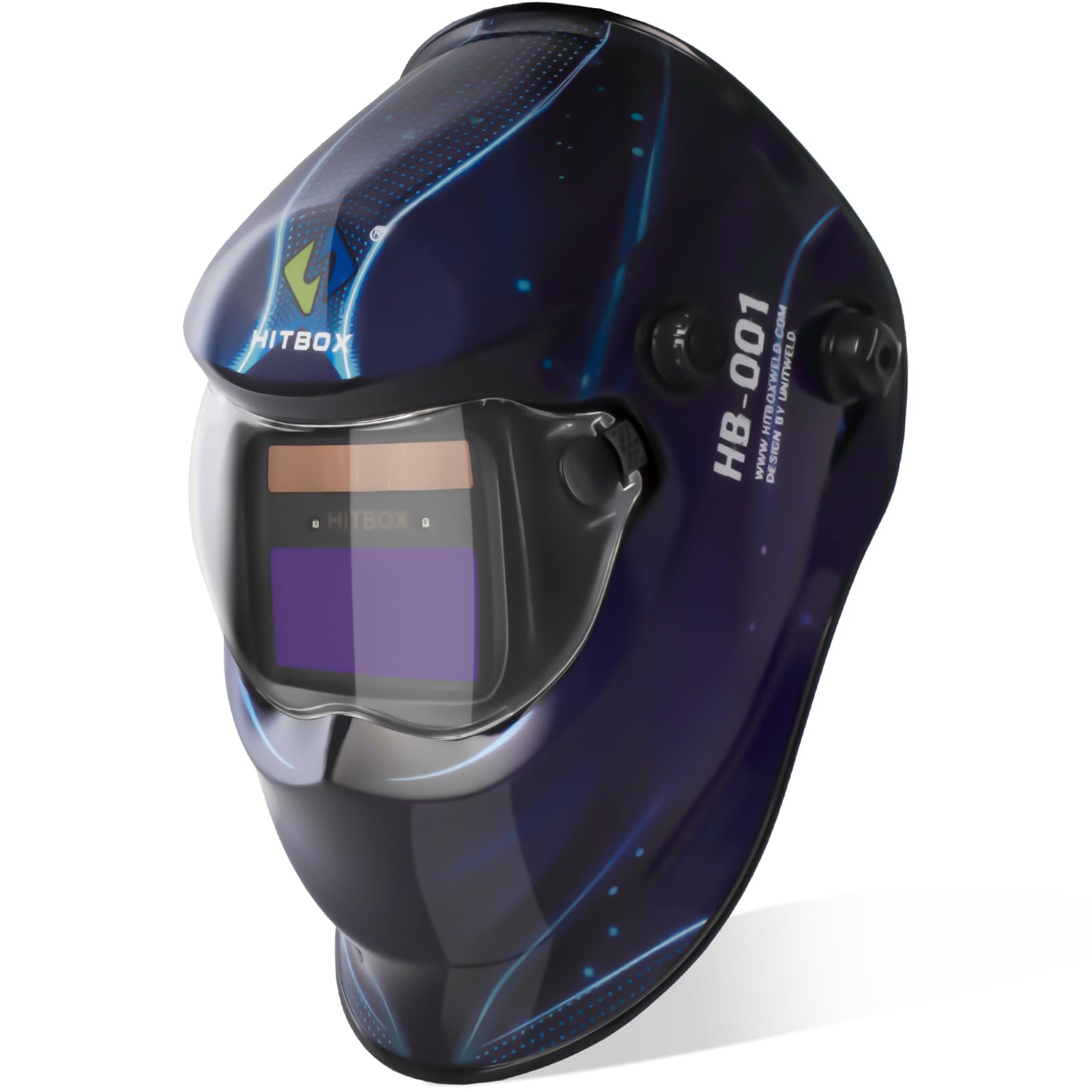
Figure 1: HITBOX HB001 Auto Darkening Welding Helmet. This image shows the overall design of the helmet.
2. Safety Information
Always prioritize safety when performing welding or grinding tasks. Failure to follow safety guidelines can result in serious injury.
- Eye Protection: This helmet provides automatic UV/IR protection up to DIN 16, safeguarding your eyes from harmful radiation during welding. Always wear appropriate primary eye protection (safety glasses) underneath the helmet.
- Respiratory Protection: Ensure adequate ventilation or use respiratory protection to avoid inhaling welding fumes.
- Electrical Safety: Be aware of electrical hazards associated with welding equipment. Ensure all connections are secure and equipment is properly grounded.
- Fire Hazards: Keep flammable materials away from the welding area. Have fire extinguishing equipment readily available.
- Helmet Inspection: Before each use, inspect the helmet for any damage, cracks, or loose parts. Replace damaged components immediately.
- Temperature Range: Do not use the helmet outside its specified operating temperature range.
3. Product Features
The HB001 welding helmet incorporates advanced features for enhanced performance and user comfort:
- Ultra-Clear Optical Clarity: Features a 1/1/1/1 optical clarity lens for a distortion-free view.
- Wide Viewing Screen: A 3.64" x 1.77" viewing area provides an expansive field of vision.
- True-Color Technology: Reproduces natural colors, improving visibility and detail recognition.
- Automatic UV/IR Protection: Constant DIN 16 protection against harmful ultraviolet and infrared rays.
- Fast Auto-Darkening Filter: Two independent intelligent arc sensors provide darkening in 1/30,000 milliseconds.
- Adjustable Controls: Customizable delay and sensitivity settings to adapt to various working environments.
- Durable Construction: Made from high-impact, corrosion-resistant, and flame-retardant PP material.
- Solar Powered: Equipped with built-in batteries and solar panels for extended operation.
- Lightweight Design: Weighs approximately 1lb, reducing neck strain during prolonged use.
- Adjustable Headband: Dynamic adjustable headband with breathable padding for a comfortable and secure fit.
4. Setup and Adjustment
Proper adjustment of your welding helmet is crucial for comfort and effective protection.
4.1 Headband Adjustment
The helmet features a dynamic adjustable headband designed for a personalized fit. To adjust:
- Size Adjustment: Rotate the knob at the back of the headband to tighten or loosen the fit around your head. Adjust until the helmet feels secure but comfortable.
- Top Strap Adjustment: Adjust the top strap to position the helmet correctly on your head, ensuring the viewing screen is at eye level.
- Distance Adjustment: Adjust the side knobs to control the distance between your face and the lens. This helps optimize the field of view and balance.
- Angle Adjustment: The helmet can be tilted up to 150 degrees without removing it, allowing for quick transitions between welding and inspection tasks.

Figure 2: Side view of the HITBOX HB001 helmet, showing the adjustable headband and pivot points.
5. Operating Instructions
The HB001 helmet is designed for intuitive operation, automatically adapting to welding conditions.
5.1 Powering On/Off
The helmet is solar-powered with built-in batteries and does not require a manual on/off switch. It is always ready for use. Ensure the solar panel is exposed to light to maintain battery charge.
5.2 Shade Control (DIN 9-13)
The shade level can be adjusted from DIN 9 to DIN 13 to suit different welding processes and current levels. Use the external knob to select the appropriate shade. The helmet also features a light state of DIN 4 for grinding.
- MIG/MAG Welding: Recommended Shade DIN 10-13.
- STICK Welding: Recommended Shade DIN 9-13.
- TIG Welding: Recommended Shade DIN 9-13.
- CUT (Plasma Cutting): Recommended Shade DIN 5-9.
5.3 Sensitivity Control
The sensitivity control adjusts how easily the sensors detect the welding arc and trigger the darkening function. Adjust the internal 'SENSITIVITY' knob:
- High Sensitivity: For low amperage TIG welding or when the arc is partially obstructed.
- Low Sensitivity: For high amperage welding or when working near other welders to prevent false triggering.
5.4 Delay Control
The delay control determines how long the lens remains dark after the welding arc ceases. Adjust the internal 'DELAY' knob:
- Short Delay (0.1-0.25s): For tack welding or short welds, allowing faster transition to the light state.
- Long Delay (0.85-1.0s): For high amperage welding or when there is residual glow from the workpiece, preventing eye fatigue.
6. Maintenance
Regular maintenance ensures the longevity and optimal performance of your welding helmet.
6.1 Cleaning
- Outer Lens: Clean the outer protective lens regularly with a soft, clean cloth and a mild cleaning solution. Avoid abrasive materials that could scratch the lens.
- Inner Lens: The auto-darkening filter (ADF) should only be cleaned with a soft, dry cloth. Do not use liquids or solvents on the ADF.
- Helmet Body: Wipe the helmet shell with a damp cloth. Avoid harsh chemicals.
- Sensors: Keep the arc sensors clean and free from obstructions to ensure proper auto-darkening function.
6.2 Battery Information
The HB001 helmet is equipped with solar panels and built-in batteries. These batteries are not user-replaceable. Ensure the solar panel is regularly exposed to light to maintain the battery charge. If the helmet is stored in darkness for extended periods, the battery may discharge, affecting performance.
6.3 Storage
Store the helmet in a clean, dry place away from direct sunlight, extreme temperatures, and corrosive materials. Use the original packaging or a protective bag to prevent scratches and damage.
7. Troubleshooting
If you encounter issues with your welding helmet, refer to the following common troubleshooting steps:
| Problem | Possible Cause | Solution |
|---|---|---|
| Lens does not darken when arc is struck. | 1. Arc sensors are dirty or obstructed. 2. Sensitivity setting is too low. 3. Insufficient battery charge. | 1. Clean arc sensors. 2. Increase sensitivity setting. 3. Expose solar panel to light to charge. |
| Poor visibility through the lens. | 1. Protective lens is dirty or scratched. 2. Shade setting is too high for the task. | 1. Clean or replace protective lens. 2. Adjust shade setting to a lower value. |
| Lens flickers or darkens intermittently. | 1. Sensitivity setting is too high. 2. Interference from other light sources. 3. Arc sensors partially obstructed. | 1. Decrease sensitivity setting. 2. Shield sensors from other light sources. 3. Clean arc sensors. |
8. Specifications
Key technical specifications for the HITBOX HB001 Auto Darkening Welding Helmet:
| Feature | Specification |
|---|---|
| Model Name | HB001 |
| Optical Class | 1/1/1/1 |
| Viewing Area | 3.64" x 1.77" |
| Light State Shade | DIN 4 |
| Dark State Shade | DIN 9-13 (Adjustable) |
| Switching Time | 1/30,000 seconds |
| Delay Control | Adjustable (0.1-1.0s) |
| Sensitivity Control | Stepless Control |
| Arc Sensors | 2 |
| UV/IR Protection | DIN 16 (Permanent) |
| Power Supply | Solar Cell & Built-in Battery |
| Material | High-Impact Polypropylene (PP) |
| Item Weight | 850 g (1.87 lbs) |
| Color | Black |
| Style | Industrial |
9. Warranty Information
The HITBOX HB001 Auto Darkening Welding Helmet comes with a 1-Year Warranty from the date of purchase. This warranty covers manufacturing defects and material faults under normal use. Please retain your proof of purchase for warranty claims. The warranty does not cover damage caused by misuse, unauthorized modifications, or improper maintenance.
10. Customer Support
For any questions, technical assistance, or warranty claims regarding your HITBOX HB001 Welding Helmet, please contact HITBOX customer support. Refer to the product packaging or the official HITBOX website for the most current contact information.
