
Introduction
Thank you for choosing the Fitop RGBCW Smart Corner Floor Lamp. This LED smart lamp offers a wide range of customizable lighting options, including 16 million colors, over 300 lighting modes, and features such as music synchronization, timer functions, and smart control via an app or voice assistants. This manual provides detailed instructions for assembly, operation, maintenance, and troubleshooting to ensure optimal performance and longevity of your product.
Please read this manual thoroughly before using the product and retain it for future reference.
Safety Information
- Ensure the power supply voltage matches the product's requirements (120V).
- This product is designed for indoor use only. Do not expose it to water or high humidity.
- Do not attempt to disassemble or modify the lamp. This may void the warranty and pose a safety risk.
- Keep the lamp away from heat sources and direct sunlight.
- Clean the lamp with a soft, dry cloth. Do not use abrasive cleaners or solvents.
- If any damage occurs, discontinue use immediately and contact customer support.
Package Contents
Verify that all components are present and in good condition:
- LED Light Bar Sections (3 pieces)
- Lamp Base
- Power Adapter
- Remote Control
- User Manual
Setup and Assembly
The Fitop Smart Corner Floor Lamp is designed for easy assembly. Follow these steps:
- Unpack Components: Carefully remove all parts from the packaging.
- Assemble Light Bar: Connect the three LED light bar sections. Each section is designed to fit securely into the next. Ensure the connectors are properly aligned and pushed firmly together.
- Attach to Base: Insert the assembled light bar into the lamp base. Ensure it is seated firmly and securely.
- Connect Power: Plug the power adapter into the lamp and then into a standard electrical outlet.
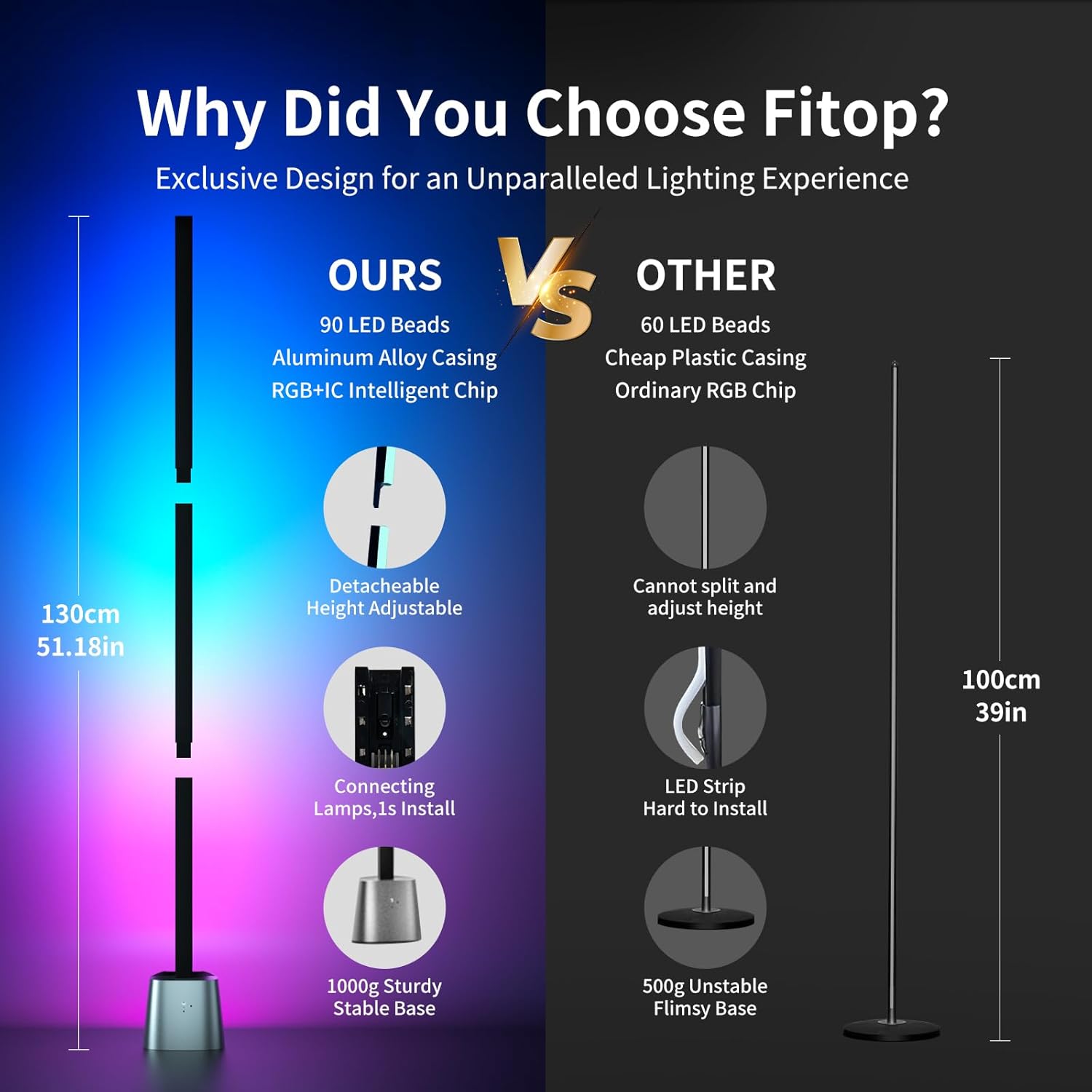
Figure 1: Detachable design for easy assembly and height adjustment.

Figure 2: Fully assembled lamp with app interface.
Operating Instructions
Basic Operation (Physical Buttons)
The lamp base features physical buttons for basic control:
- Power Button: Press to turn the lamp on or off.
- Mode Button: Press to cycle through various preset lighting modes and colors.
Remote Control Operation
Use the included remote control to adjust settings from a distance. Refer to the remote control's specific button functions for detailed usage.
Smart App Control
For full functionality and customization, download the dedicated Fitop smart app (available on App Store and Google Play).
- Download App: Search for "Fitop" in your smartphone's app store and install it.
- Connect to Wi-Fi: Follow the in-app instructions to connect your lamp to your 2.4GHz Wi-Fi network.
- Explore Features: Once connected, you can access various modes:
- DIY Mode: Customize colors and lighting effects from 16 million options.
- Scene Mode: Choose from over 300 preset lighting scenes for different moods or occasions.
- Music Mode: The lamp's built-in sensitive microphone allows it to react to sound and synchronize lighting changes with music, films, or games.
- Timing Mode: Set schedules for the lamp to automatically turn on or off, promoting energy efficiency and convenience.
- Group Control: Control multiple Fitop smart lamps simultaneously through the app.

Figure 3: Overview of Smart App Control features.

Figure 4: Music synchronization feature in action.
Voice Control
The Fitop Smart Corner Floor Lamp is compatible with popular voice assistants:
- Integration: Link your Fitop account with Google Assistant, Amazon Alexa, or Apple Siri through their respective apps.
- Commands: Use voice commands to control the lamp, such as turning it on/off, changing colors, adjusting brightness, or activating scenes.

Figure 5: Hands-free voice control with smart assistants.
Product Videos
The following videos demonstrate key features and functionality of the Fitop Smart Corner Floor Lamp:
Video 1: Demonstrates various ambient lighting effects and color changes of the floor lamp.
Video 2: Shows the Fitop Corner Floor Lamp in different settings, highlighting its versatility and smart features.
Video 3: Illustrates the smart floor lamp's ability to synchronize with music, creating dynamic lighting effects.
Maintenance
- Cleaning: Regularly wipe the lamp with a soft, dry cloth to remove dust. Do not use liquid cleaners or sprays directly on the lamp.
- Storage: If storing the lamp for an extended period, disassemble it and store it in its original packaging in a dry, cool place.
- Light Source: The LED light source is integrated and not user-replaceable.
Troubleshooting
| Problem | Possible Cause | Solution |
|---|---|---|
| Lamp does not turn on. | No power, loose connection, or faulty adapter. | Check power outlet. Ensure power adapter is securely connected to both the lamp and the outlet. Verify all light bar sections are properly connected. |
| App cannot connect to the lamp. | Incorrect Wi-Fi network (not 2.4GHz), incorrect password, or lamp is too far from router. | Ensure your phone and lamp are on a 2.4GHz Wi-Fi network. Re-enter Wi-Fi password carefully. Move the lamp closer to the Wi-Fi router. Restart the lamp and try connecting again. |
| Voice control not working. | Incorrect setup with voice assistant, or poor internet connection. | Verify the Fitop app is correctly linked to your voice assistant (Alexa, Google Assistant, Siri). Check your internet connection. Ensure the voice assistant device is within range and responsive. |
| Music sync is not responsive. | Microphone obstruction or low volume of music. | Ensure the lamp's microphone is not obstructed. Increase the volume of the music source. |
Specifications
| Feature | Detail |
|---|---|
| Brand | Fitop |
| Model Name | LF1500-24W |
| Lamp Type | Floor Lamp |
| Light Source Type | LED |
| Wattage | 24 Watts |
| Brightness | 1500 Lumens |
| Color Options | RGBCW (16 Million Colors) |
| Control Method | App, Voice (Alexa, Google Assistant, Siri), Remote Control, Physical Buttons |
| Connectivity | 2.4GHz WiFi |
| Material | Aluminum Alloy, Metal |
| Product Dimensions | 5.51"D x 4.72"W x 51.18"H |
| Item Weight | 4.69 pounds |
| Indoor/Outdoor Usage | Indoor Only |
| Assembly Required | Yes |
Warranty and Support
This Fitop product comes with a 1-year warranty from the date of purchase. This warranty covers manufacturing defects and malfunctions under normal use. It does not cover damage caused by misuse, accidents, unauthorized modifications, or improper installation.
For warranty claims, technical support, or any questions regarding your Fitop Smart Corner Floor Lamp, please contact Fitop customer service through the retailer where the product was purchased or visit the official Fitop website for contact information.
