
HOTONE AP-30BK
Hotone Pulze 30-watt Portable Modeling Amplifier - Eclipse
User Manual
Product Overview
The Hotone Pulze is a modern Bluetooth digital modeling amplifier with a minimalist exterior design, suitable for a variety of electric and acoustic instruments. Its meticulously designed enclosure and speakers ensure high-quality audio playback performance and professional instrument tones within a portable form factor, faithfully reproducing classic sounds found on records. With a fully touchscreen operation combined with Bluetooth 5.0 module and a companion mobile app, Pulze offers a user-friendly, intelligent operating experience. It integrates recording, live streaming, and more features to inspire and capture your musical creativity at any time.

The Hotone Pulze 30-watt Portable Modeling Amplifier in Eclipse color, featuring a sleek design with a carry handle.
1. Setup and Initial Use
This section guides you through the initial setup of your Hotone Pulze amplifier, from unboxing to first use.
1.1. Unboxing and Placement
Carefully remove the amplifier from its packaging. Place it on a stable, flat surface. Ensure adequate ventilation around the unit.
1.2. Power Connection
Connect the provided power adapter to the DC IN port on the amplifier and then to a suitable power outlet. The power indicator will illuminate.
1.3. Instrument Connection
Plug your instrument cable into the input jack on the amplifier. Ensure the cable is securely connected.

The Hotone Pulze amplifier highlighting its multiple connectivity options: USB, Bluetooth, and Aux In, for versatile audio playback and instrument connection.
1.4. First Power On
Press and hold the power button until the screen illuminates. The amplifier will boot up and be ready for use.
This video provides a comprehensive overview of the Hotone Pulze Amplifier, showcasing its key features such as the touchscreen interface, mobile app integration, portability, and various connectivity options. It also demonstrates different usage scenarios, including practice, recording, and live streaming.
2. Operating Your Pulze Amplifier
Discover the full potential of your Pulze amplifier with its advanced features and intuitive controls.
2.1. Core Technology and Tones
The Pulze amplifier utilizes Hotone's signature CDCM HD and F.I.R.E. digital modeling technology, providing a vast array of authentic amplifier and effect tones. Explore over 170 effects and 7 effect modules with 200 tone preset slots.

An illustration of the Hotone Pulze amplifier's advanced digital modeling technology, including CDCM HD and F.I.R.E. for high-quality sound.

The Hotone Pulze amplifier's interface showing a wide array of 170+ effects, 7 effect modules, and 200 tone preset slots.
2.2. Touchscreen and Mobile App Control
Navigate settings and customize your sound using the intuitive full-color touchscreen. For enhanced control and preset management, download the companion mobile app, which connects via Bluetooth 5.0.

The Hotone Pulze amplifier's full-color touchscreen and mobile app interface, allowing for extensive customization of settings and tones.
2.3. Practice and Recording Features
The Pulze amplifier includes a phones jack for silent practicing, a built-in drum machine for rhythm accompaniment, and a 2-in/2-out audio interface for direct recording to your computer. It also supports Bluetooth on-the-go recording and traditional aux-in jack recording for live streams.
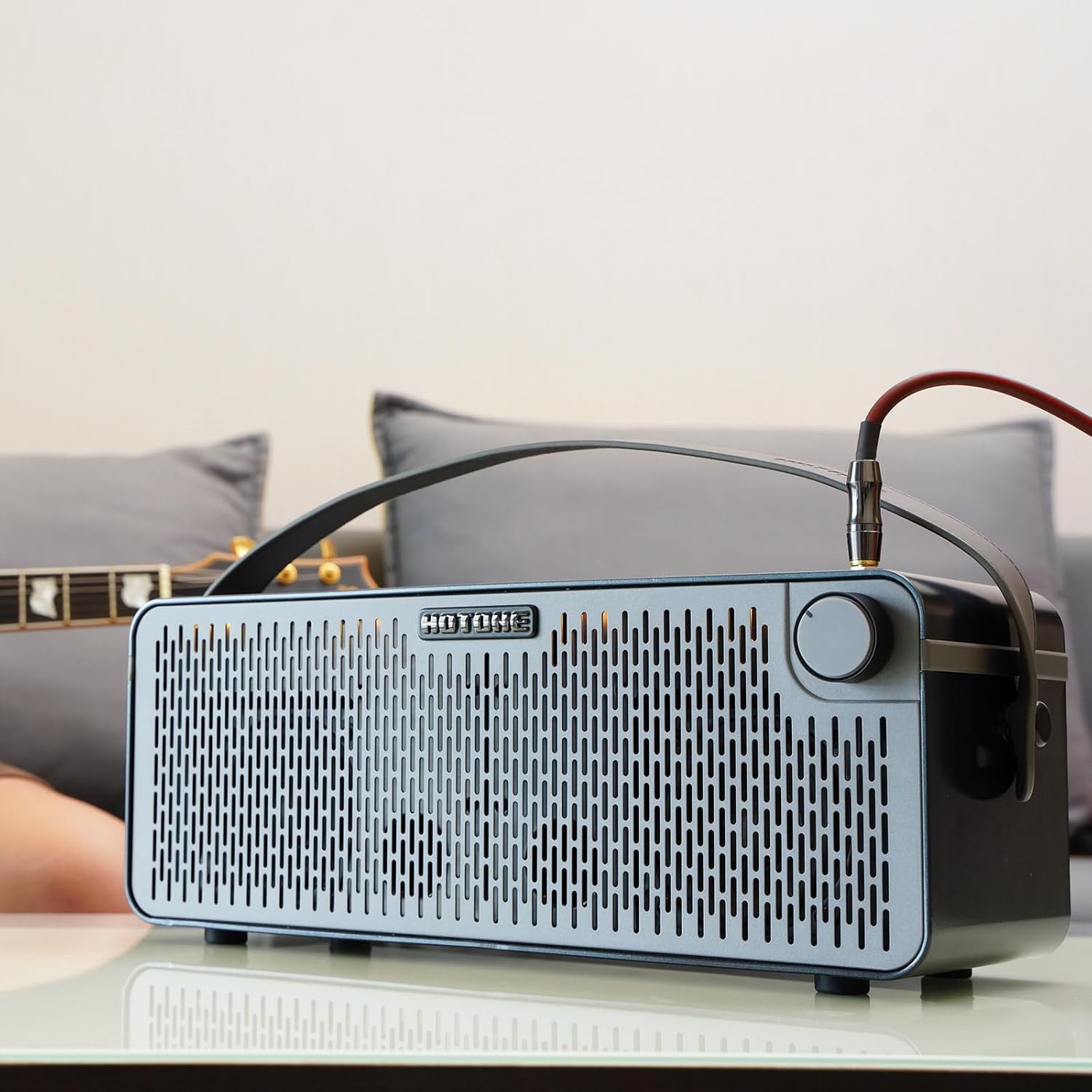
The Hotone Pulze amplifier positioned in a home environment, demonstrating its integration into daily practice or listening sessions.
3. Maintenance
Proper maintenance ensures the longevity and optimal performance of your Hotone Pulze amplifier.
3.1. Cleaning
Wipe the exterior of the amplifier with a soft, dry cloth. Do not use abrasive cleaners, waxes, or solvents as they may damage the finish. Avoid spraying liquids directly onto the unit.
3.2. Storage
When not in use, store the amplifier in a cool, dry place away from direct sunlight, extreme temperatures, and high humidity. If storing for extended periods, disconnect the power adapter.
3.3. Handling
Handle the amplifier with care to prevent drops or impacts. Use the integrated carry handle for transport. Avoid placing heavy objects on top of the unit.
4. Troubleshooting
If you encounter any issues with your Pulze amplifier, refer to the following common problems and solutions. If the problem persists, contact customer support.
| Problem | Possible Cause | Solution |
|---|---|---|
| No Power | Power adapter not connected or faulty outlet. | Ensure power adapter is securely connected and the outlet is functional. Try a different outlet. |
| No Sound Output | Volume too low, incorrect input selected, or faulty cable. | Increase master volume. Check input selection on the touchscreen. Test with a different instrument cable. Ensure headphones are not plugged in if using speakers. |
| Bluetooth Connectivity Issues | Bluetooth not enabled, device too far, or interference. | Ensure Bluetooth is enabled on both the amplifier and your device. Move devices closer. Avoid sources of interference. |
| App Not Connecting | App not updated, Bluetooth issue, or incorrect pairing. | Update the mobile app to the latest version. Re-pair the Bluetooth connection. Restart both the amplifier and your mobile device. |
5. Technical Specifications
Detailed specifications for the Hotone Pulze 30-watt Portable Modeling Amplifier.
| Specification | Value |
|---|---|
| Item Weight | 11.97 pounds |
| Product Dimensions | 6.34 x 17.91 x 6.73 inches |
| ASIN | B0CPDWHP6B |
| Item model number | AP-30BK |
| Customer Reviews | 4.3 out of 5 stars (8 ratings) |
| Date First Available | December 4, 2023 |
| Color Name | black |
| Compatible Devices | Guitar |
| Connector Type | 6.35mm Jack, USB |
| Material Type | Acrylonitrile Butadiene Styrene (ABS) |
| Output Wattage | 30 Watts |
| Power Source | Corded Electric |
| Brand | HOTONE |
| Color | black |
| Material | Acrylonitrile Butadiene Styrene (ABS) |
6. Warranty and Support
Your Hotone Pulze amplifier comes with a manufacturer's warranty. For detailed warranty information and support, please refer to the official Hotone website or contact their customer service.
6.1. Protection Plans
Additional protection plans are available for purchase to extend coverage beyond the standard manufacturer's warranty. These plans offer peace of mind for potential future issues.
- 3-Year Protection Plan
- 4-Year Protection Plan
- Complete Protect: One plan covers all eligible past and future purchases
6.2. Customer Support
For technical assistance, troubleshooting not covered in this manual, or warranty claims, please visit the HOTONE Store or refer to the contact information provided with your product packaging.
Related documentsAP-30BK

Ask a question about this manual
Ask about setup, troubleshooting, compatibility, parts, safety, or missing instructions. Manuals+ will review the question and use this page’s manual context to help answer it.