
ORIA 2d989b71-1d4c-4877-adfc-8ece5d236c41
ORIA Wireless Thermometer Hygrometer User Manual
Model: 2d989b71-1d4c-4877-adfc-8ece5d236c41
Introduction
Thank you for choosing the ORIA Wireless Thermometer Hygrometer. This device provides accurate and reliable monitoring of temperature and humidity in various indoor and outdoor environments. Featuring Bluetooth 5.0 connectivity, data storage, and smart app alerts, it offers a convenient way to keep track of your surroundings. Please read this manual carefully before use to ensure proper operation and maximize the device's lifespan.

Image: The ORIA Wireless Thermometer Hygrometer devices alongside the mobile application interface, demonstrating real-time data display.
What's in the Box
- 3 x Bluetooth Humidity Temperature Sensors
- 1 x User Manual
- 3 x Lithium Metal batteries (CR2477, pre-installed)
- 1 x SIM ejector tool (for battery compartment access)

Image: A view of the product packaging and its contents, including the sensors, manual, and battery tool.
Setup Guide
1. Battery Installation / Activation
The sensors come with pre-installed batteries. Before first use, you need to remove the battery insulation sheet.
- Locate the battery compartment on the back of the sensor.
- Gently pull out the battery insulation sheet. The device will power on automatically.

Image: Visual instructions for initial setup, including battery activation.
2. App Download and Installation
The ORIA Wireless Thermometer Hygrometer operates with the "Sensor Blue" app, available for both Android and iOS devices.
- Scan the QR code provided in the manual or on the product packaging using your smartphone's camera. This will direct you to the app download page.
- Alternatively, search for "Sensor Blue" in your device's app store (Google Play Store for Android, Apple App Store for iOS).
- Download and install the "Sensor Blue" app.
Minimum System Requirements:
- Android 4.3 or above
- iPhone 4s or above
Download the Sensor Blue App here: Sensor Blue App (iOS)
3. Device Pairing
Once the app is installed and the sensor is activated, proceed with pairing:
- Ensure Bluetooth is enabled on your smartphone.
- Open the "Sensor Blue" app.
- In the app, tap on "Add device" or the "+" icon to search for new sensors.
- Press the button on the ORIA sensor. The app should detect the device.
- Follow the on-screen prompts in the app to complete the pairing process. You can name your sensor for easy identification (e.g., "Living Room", "Bedroom").
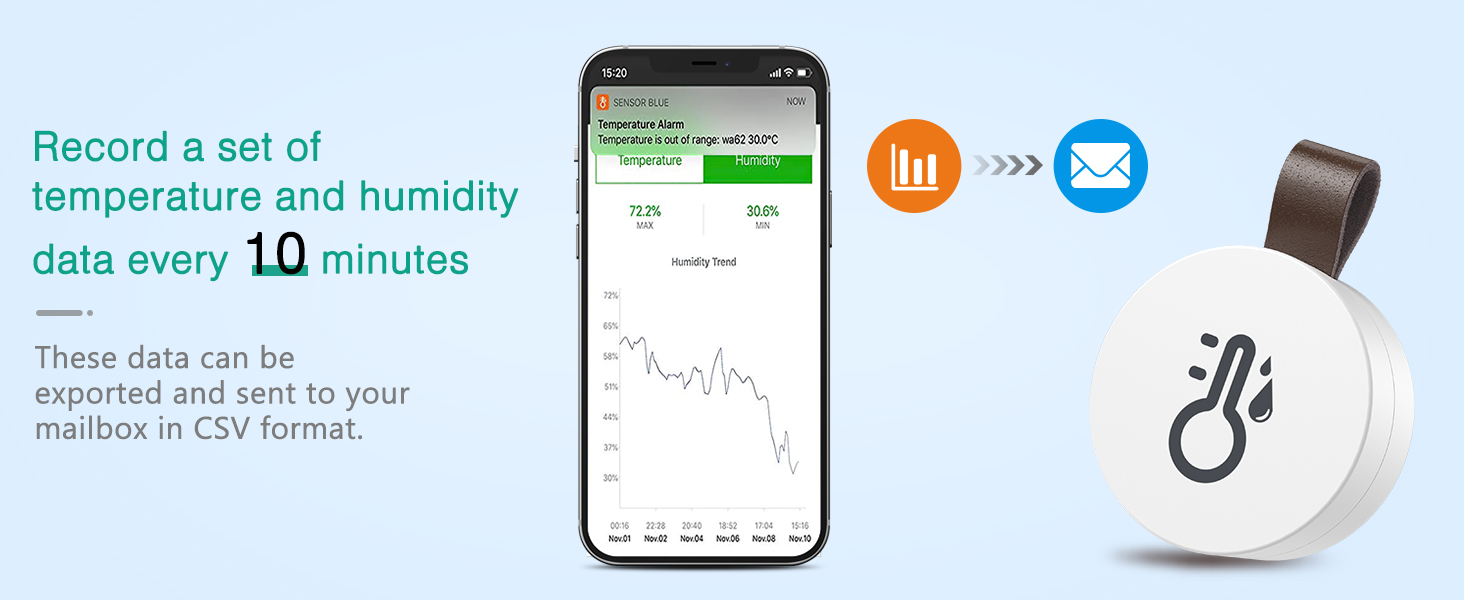
Image: A visual guide to connecting the sensor to the Sensor Blue app via Bluetooth.
Operating Instructions
1. Monitoring Data
Once connected, the Sensor Blue app will display real-time temperature and humidity readings from your ORIA sensor. The sensor updates data automatically once per second.
- Open the Sensor Blue app to view current readings.
- The app provides a graphical representation of temperature and humidity trends over time.

Image: The sensor connected to the app, showing real-time data and historical trends.
2. Data Storage and Export
The ORIA sensor stores data internally, allowing for historical tracking even when not continuously connected to your phone.
- The device stores data every 10 minutes, for up to 100 days.
- To retrieve stored data, ensure your phone is within Bluetooth range of the sensor at least once per day.
- You can download the stored data in CSV format for further analysis after registering an account within the app.
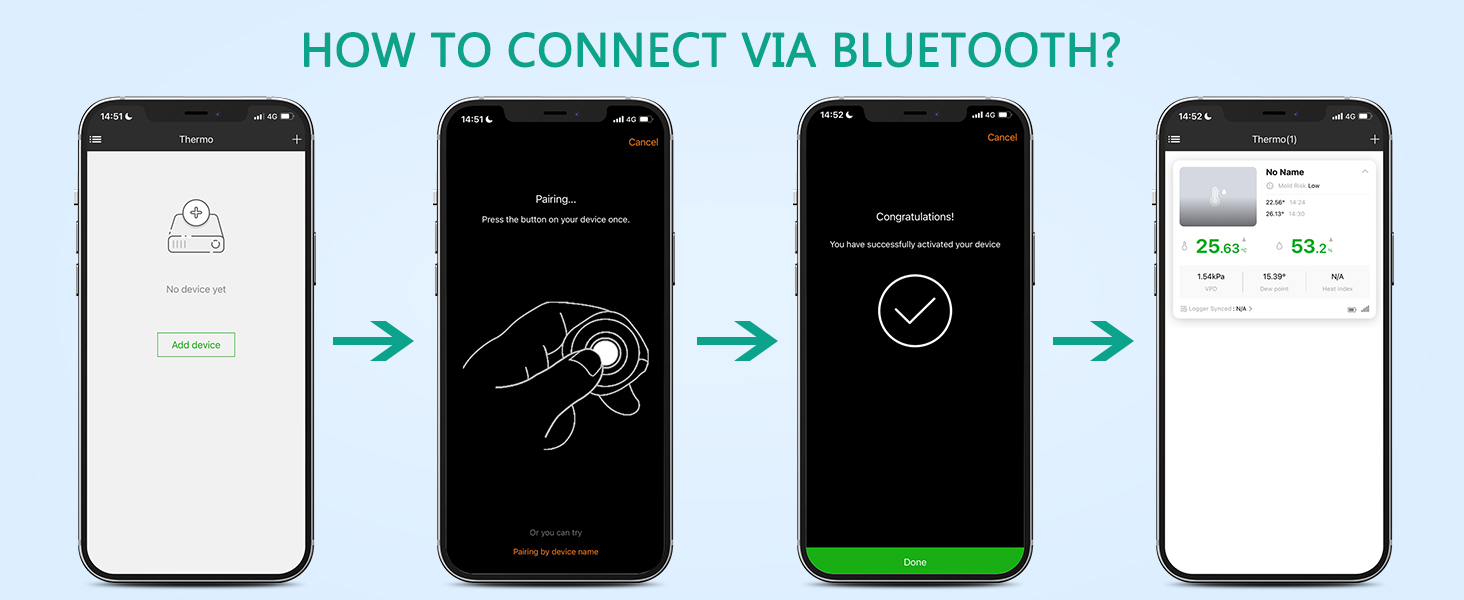
Image: Illustration of the data storage and export feature within the app.
3. Smart App Alert
Set custom temperature and humidity ranges within the Sensor Blue app to receive alerts if readings fall outside your desired parameters. This feature helps you maintain optimal environmental conditions.
4. Temperature Unit Switching
The app allows you to switch between Celsius (℃) and Fahrenheit (℉) temperature units. Look for the unit switch option within the app settings.
Maintenance
1. Battery Replacement
The ORIA Wireless Thermometer Hygrometer uses a replaceable CR2477 Lithium Metal battery, offering approximately 365 days of endurance.
- When the battery level is low, the app will indicate it.
- Use the provided SIM ejector tool or a similar thin object to gently pry open the sensor casing at the designated slot.
- Carefully remove the old CR2477 battery.
- Insert a new CR2477 battery with the positive (+) side facing up.
- Close the casing securely.

Image: Diagram illustrating the internal structure and replaceable battery of the sensor.
2. Cleaning
To clean the device, wipe it gently with a soft, dry cloth. Do not use abrasive cleaners or immerse the device in water.
Troubleshooting
| Problem | Possible Cause | Solution |
|---|---|---|
| Device not connecting to app. | Bluetooth is off; device out of range; battery low; app issue. | Ensure Bluetooth is on. Move device closer (within 20m/65.6ft without obstacles). Replace battery. Restart app/phone. |
| Inaccurate readings. | Sensor placement; extreme environmental conditions; calibration needed. | Place sensor in a stable environment away from direct sunlight, heat sources, or drafts. If persistent, check app for calibration options (if available). Note operating range limits. |
| Data not updating in app. | Phone not within range for data sync; app not running in background. | Ensure phone is within Bluetooth range of the sensor at least once daily to sync stored data. Check app permissions for background activity. |
| Battery drains quickly. | Frequent data requests; old battery. | Ensure app is not constantly polling data if not needed. Replace with a new, high-quality CR2477 battery. |
Specifications
| Model Number | 2d989b71-1d4c-4877-adfc-8ece5d236c41 |
|---|---|
| Connectivity | Bluetooth 5.0 |
| Wireless Range | Up to 20m (65.6ft) without obstacles |
| Temperature Range | -20℃ to 60℃ (-4℉ to 140℉) |
| Temperature Accuracy | ±0.5℃ (±1℉) |
| Humidity Range | 0-99%RH |
| Humidity Accuracy | ±3%RH |
| Data Storage | Every 10 minutes, up to 100 days internally |
| Battery Type | CR2477 Lithium Metal (included) |
| Battery Life | Approx. 365 days |
| Dimensions | Approx. 38mm (1.50in) diameter, 16mm (0.62in) thickness |
| Color | White |

Image: Physical dimensions and battery type of the ORIA sensor.
Usage Scenarios
The ORIA Wireless Thermometer Hygrometer is versatile and can be used in various locations to monitor environmental conditions:
- Bedrooms and Living Rooms: Ensure comfortable living conditions.
- Wine Cellars: Maintain optimal temperature and humidity for wine storage.
- Greenhouses: Monitor conditions crucial for plant growth.
- Offices: Create a comfortable and productive work environment.
- Refrigerators/Freezers: Monitor internal temperatures (within operating limits).
- Baby Rooms: Ensure a safe and comfortable environment for infants.


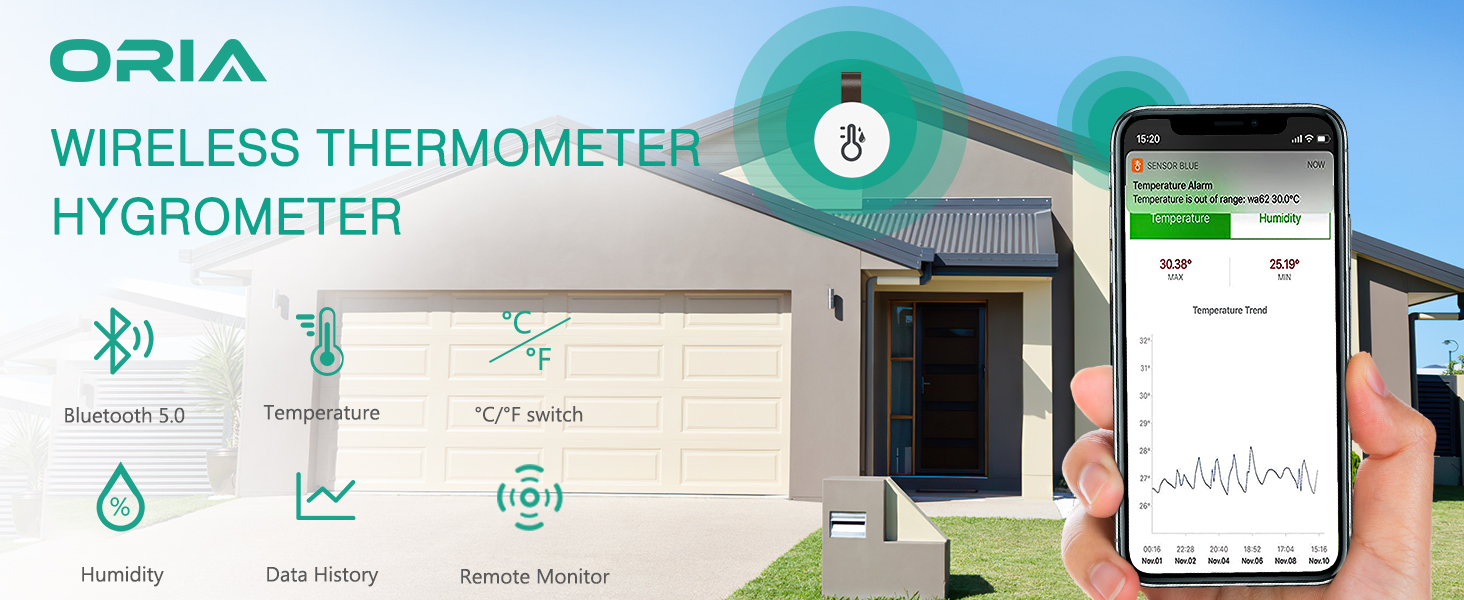
Image: Examples of various environments where the ORIA sensor can be effectively used.
Warranty and Support
For warranty information and technical support, please refer to the official ORIA website or contact ORIA customer service directly. Contact details are typically found on the product packaging or the brand's official online presence.
Visit the ORIA Store: ORIA Official Store
Ask a question about this manual
Ask about setup, troubleshooting, compatibility, parts, safety, or missing instructions. Manuals+ will review the question and use this page’s manual context to help answer it.