
G-Homa OT1004
G-Homa Dusk to Dawn Outdoor Timer (Model OT1004) Instruction Manual
Your guide to automated outdoor lighting control
Introduction
The G-Homa Dusk to Dawn Outdoor Timer, Model OT1004, is designed to provide convenient and automated control for your outdoor electrical devices. Featuring a light sensor and multiple timing functions, this waterproof timer helps manage your outdoor lighting and appliances efficiently. It is equipped with two grounded outlets and is CSA Listed for safety and reliability.
Key Features
- Photocell Sensor: Automatically turns devices ON at dusk and OFF at dawn.
- Multiple Timer Functions: Includes 4 countdown functions (ON at dusk, OFF after 2h/4h/6h/8h), 2 switch functions (always ON/OFF), and 1 DUSK function (ON at dusk, OFF at dawn), repeating daily.
- Weatherproof Design: Constructed with heavy-duty, waterproof material for outdoor use in various weather conditions.
- Easy Operation: Simple dial rotation to select desired operating modes.
- Dual Grounded Outlets: Features two 125V, 15A, 1875W Resistive, 1/2HP grounded outlets to control multiple devices simultaneously.
- CSA Listed: Ensures product safety and quality standards.
Product Overview

Figure 1: Front view of the G-Homa Dusk to Dawn Outdoor Timer with its flexible cord and dual outlets.

Figure 2: Dimensions of the G-Homa Outdoor Timer, showing its compact size for easy placement.
Setup and Installation
- Mounting Location: For optimal performance and weather protection, mount the timer vertically at least 2 feet (0.6 meters) above the ground. Ensure the light sensor is not obstructed and is exposed to natural light.
- Power Connection: Plug the timer's power cord into a grounded outdoor electrical outlet.
- Device Connection: Plug your outdoor lights or appliances into the two grounded outlets on the timer.
- Initial Mode Selection: When the timer is first energized, you have approximately 5 minutes to select your desired mode by rotating the dial. The timer will respond immediately.
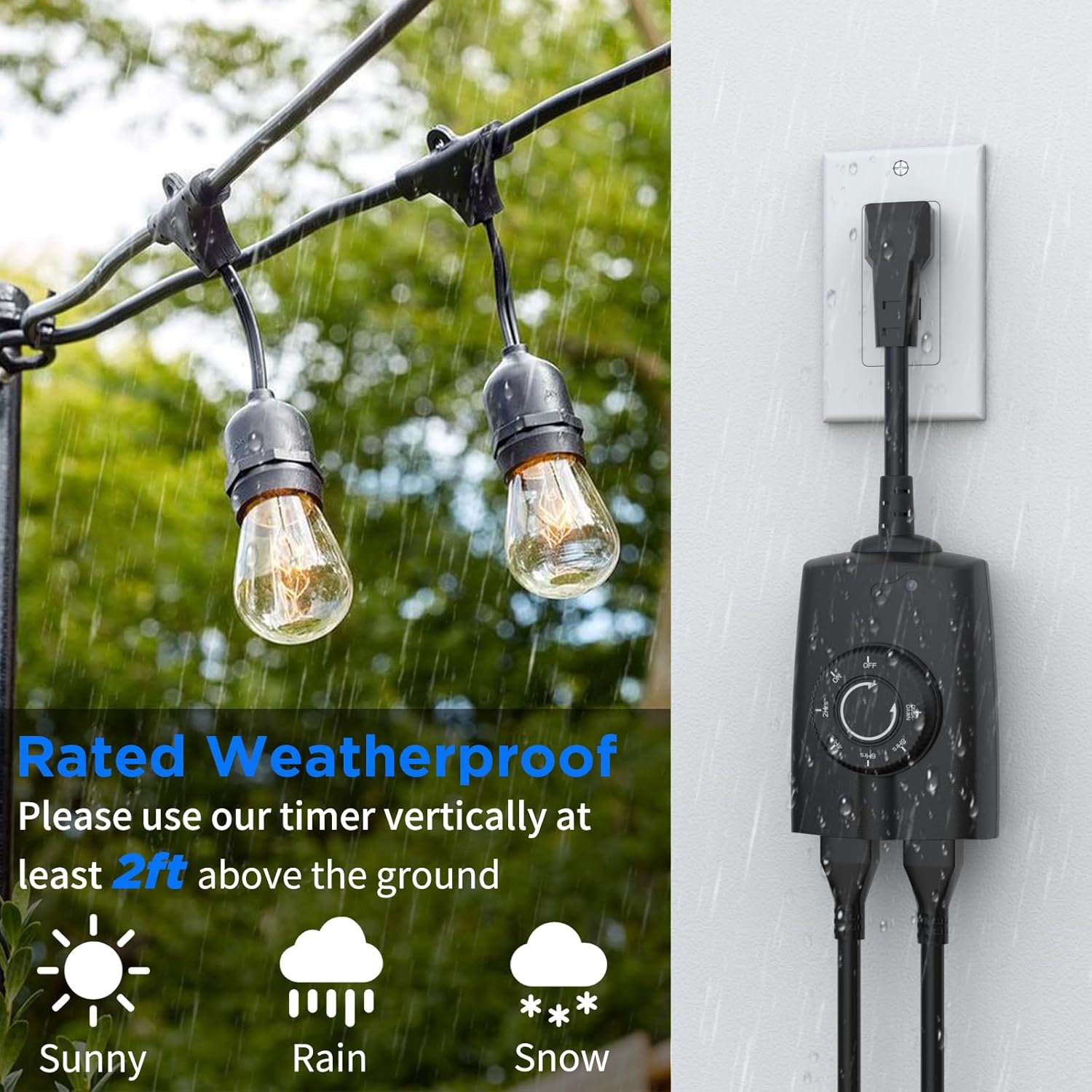
Figure 3: Proper vertical mounting of the weatherproof timer, at least 2 feet above ground, to ensure protection from elements like sun, rain, and snow.
Operating Instructions
The G-Homa outdoor timer offers several operating modes, easily selected by rotating the dial. Note that mode changes may require a short delay to take effect, especially after initial power-up.
Mode Selection
- Immediate Mode Change (within 5 minutes of power-up): Rotate the dial to the desired mode. The timer will respond instantly.
- Delayed Mode Change (after 5 minutes of power-up): Rotate the dial to the desired mode, then wait approximately 40 seconds for the new mode to activate.
Available Modes:

Figure 4: Overview of the 7 timer functions available on the G-Homa Outdoor Timer, including Always ON/OFF, Dusk-to-Dawn, and countdown options.
- ON (Continuous): Devices remain continuously powered ON. This mode responds immediately.
- OFF (Deactivates Timers): Devices remain continuously powered OFF. This mode responds immediately.
- DUSK-DAWN: Devices turn ON automatically at dusk and OFF at dawn. Ensure the light sensor is unobstructed.
- DUSK + 2Hrs: Devices turn ON at dusk and OFF after 2 hours.
- DUSK + 4Hrs: Devices turn ON at dusk and OFF after 4 hours.
- DUSK + 6Hrs: Devices turn ON at dusk and OFF after 6 hours.
- DUSK + 8Hrs: Devices turn ON at dusk and OFF after 8 hours.

Figure 5: Detailed explanation of the Timer Countdown, Dusk-Dawn, and continuous ON/OFF modes, highlighting the light sensor and dial settings.
Video: How to Use the Timer Dial
Video 1: This video demonstrates how to set the various timer modes using the dial on the G-Homa Outdoor Timer, including the Dusk-Dawn and countdown functions.
Video: G-Homa Dusk to Dawn Timer Overview
Video 2: This video provides a general overview of the G-Homa Dusk to Dawn Timer and its features for outdoor light control.
Maintenance
- Cleaning: Periodically wipe the timer's exterior with a damp cloth to remove dirt and debris. Ensure the light sensor is clean for accurate operation. Do not use harsh chemicals or abrasive cleaners.
- Storage: When not in use for extended periods, unplug the timer and store it in a cool, dry place away from direct sunlight and extreme temperatures.
- Inspection: Regularly inspect the power cord and outlets for any signs of damage, fraying, or corrosion. Discontinue use if any damage is found.
Troubleshooting
If you encounter issues with your G-Homa Outdoor Timer, refer to the following common solutions:
- Timer Mode Not Working as Expected:
- If switching modes within the first 5 minutes of power-up, the change should be immediate.
- If switching modes after 5 minutes of power-up, rotate the dial to the desired mode and wait 40 seconds for the mode to take effect.
- Timer Not Activating/Deactivating:
- Unplug the timer from the power outlet.
- Reset the mode by rotating the dial to your desired setting.
- Cover the light sensor hole with your finger to simulate darkness (if using dusk-related modes).
- Ensure the timer is not too close to an artificial light source that might interfere with the light sensor.
- Plug the timer back into the power outlet.
- Light Sensor Not Working:
- Verify the light sensor is clean and free from obstructions.
- Ensure the timer is positioned where the light sensor faces natural sunlight and is not affected by artificial light sources.
- If the issue persists, try the steps for "Timer Not Activating/Deactivating" above.
Video: Dusk to Dawn Timer Fault Resolution
Video 3: This video provides visual guidance on resolving common issues with the G-Homa Dusk to Dawn Timer, including mode switching and sensor functionality problems.
Specifications
| Attribute | Detail |
|---|---|
| Model Number | OT1004 |
| Product Dimensions | 3 x 1.59 x 4.2 inches (76.2 x 40.4 x 106.7 mm) |
| Item Weight | 7.7 ounces (218 grams) |
| Electrical Rating | 125 Volts, 15A, 1875W Resistive, 1/2HP |
| Number of Outlets | 2 Grounded Outlets |
| Cord Length | 6 inches (152.4 mm) |
| Material | Plastic |
| Certifications | CSA Listed |
| Color | Black |
Safety Information
- Always ensure the timer is plugged into a grounded outlet.
- Do not immerse the timer in water. It is weatherproof, not submersible.
- Do not exceed the maximum electrical rating of 15A, 1875W.
- Keep children and pets away from the timer and connected devices.
- Ensure all connections are secure before operating.
- Do not attempt to open or repair the timer. Refer to qualified personnel for service.
Warranty and Support
For warranty information or technical support regarding your G-Homa Outdoor Timer (Model OT1004), please contact G-Homa customer service through their official channels or refer to the product packaging for specific details.
Related documentsOT1004

Ask a question about this manual
Ask about setup, troubleshooting, compatibility, parts, safety, or missing instructions. Manuals+ will review the question and use this page’s manual context to help answer it.