
Product Overview
The Tackform Link Phone Mount (Model DC12-3120L) is specifically designed for the 6th Generation Ford Bronco (2021-2025 models), including the Raptor. This mount provides a secure and accessible location for your smartphone on the vehicle's dashboard. It features a precision-engineered design with CNC machined aluminum components for durability and a versatile mounting system.

Image: The Tackform Link Phone Mount securely holding a smartphone in a Ford Bronco, demonstrating its compatibility and placement on the dashboard.
Video: Official product overview for the Tackform Bronco Dash Clip, demonstrating its features and various holder types compatible with the mount.
What's in the Box
The Tackform Link Phone Mount package includes the following components:
- Base (DC12-20F)
- Arm (AR20-1031)
- Holder (CR-01L-20)

Image: A visual representation of all components included in the Tackform DC12-3120L kit.
Setup and Installation
Follow these steps to install your Tackform Link Phone Mount:
- Prepare the Dash Clip: The dash clip comes with a ball installed on top and a dovetail on the front. Depending on your preferred configuration, you may need to adjust these. Most users prefer to move the dovetail to the top location for a shorter, more common setup.
- Remove Components (if necessary): If you are moving the dovetail to the top, first remove the ball from the top using the provided wrench. Then, remove the dovetail from the front.
- Reconfigure (if necessary): Install the dovetail onto the top location where the ball was previously. Insert the rubber cover into the now-empty front slot.
- Loosen Bottom Legs: Use the provided wrench to loosen the screws on the bottom legs of the dash clip. Loosen them enough so the clip can easily slide over the dashboard edge.
- Position the Clip: Slide the dash clip over the edge of your Ford Bronco's dashboard. Ensure the small lip on the back of the clip fits securely into the dashboard seam. Position the clip where you desire, typically closest to the driver.
- Tighten the Screws: Once positioned, tighten the screws on the bottom legs firmly to secure the clip to the dashboard.
- Attach Phone Holder: Install the coupler and your preferred phone holder (e.g., Enduro 20 Lite Phone Cradle) onto the dovetail or ball.
Important Note: This dash clip is designed for Ford Bronco dashboards made of hard plastic. It is not recommended for use with dashboards featuring leather or leatherette finishes, as it may cause damage. If your vehicle has a leather dash, consider alternative mounting solutions like a dashboard mount or grab handle mount.

Image: Visual guide showing various configurations and the easy installation process of the mount on the dashboard.
Video: Official installation guide video for the Tackform DC12 Bronco Dash Clip, showing step-by-step instructions for mounting the clip onto the dashboard and attaching a phone holder.
Operating Instructions
The Tackform Link Phone Mount is designed for ease of use and secure device holding.
- Universal Phone Compatibility: The phone holder accommodates nearly all smartphone models, cases, and sizes. It securely holds devices up to 3.7 inches wide and 0.6 inches thick.
- Innovative Cradle Design: The octagon-shaped cradle grips minimize heat transfer to your phone. The injection-molded, clip-in replaceable grips provide a secure hold without relying on adhesive tape. The spring mechanism allows for effortless phone insertion and removal.
- Full Range of Motion: The 2-inch long, fully articulating dual socket ball arm allows for precise adjustment and positioning of your device for optimal visibility and accessibility.
- Color Swap Compatible: The DuraLock arm is compatible with Tackform's DuraLock knobs, allowing for customization with various anodized billet aluminum knob colors (black knob included).
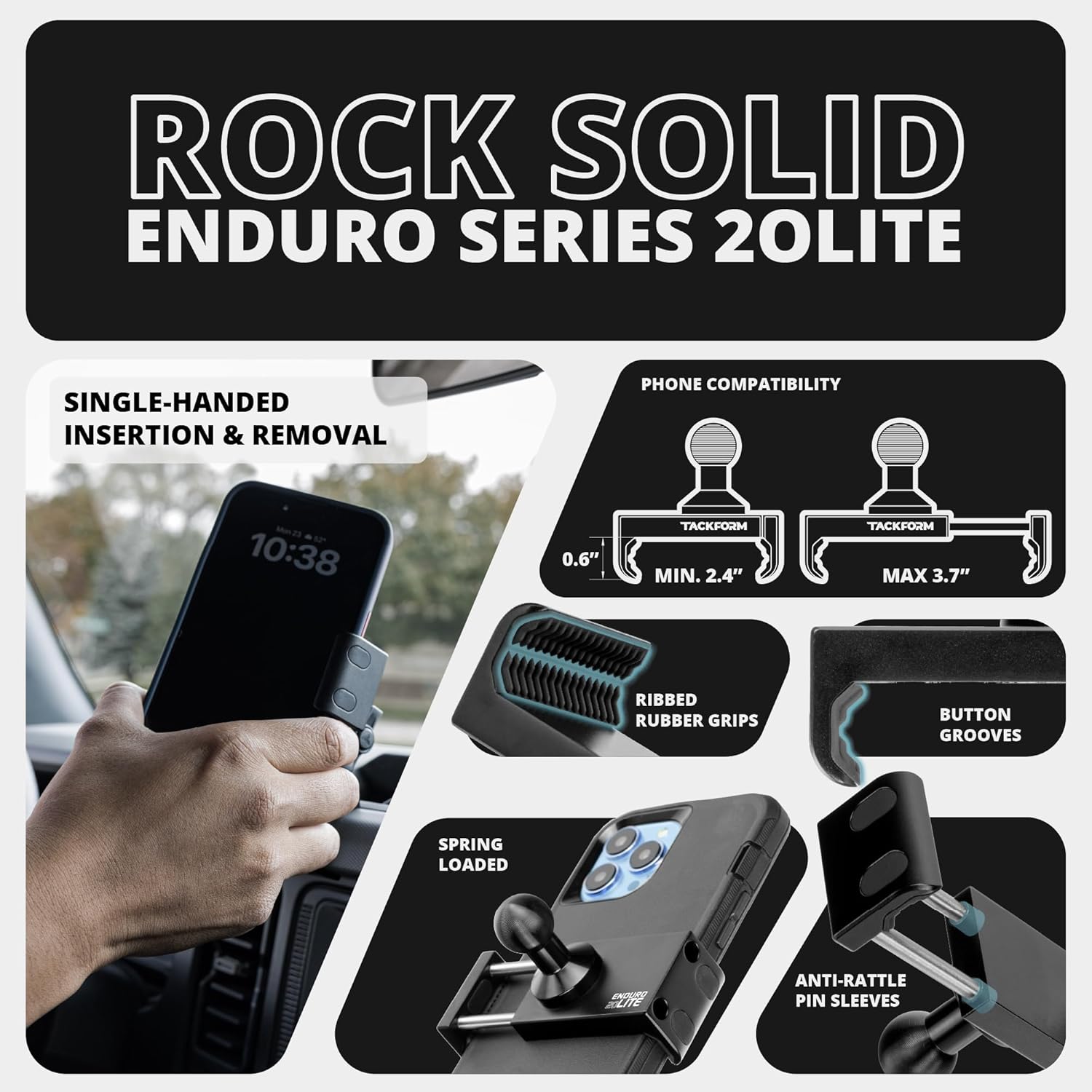
Image: Detailed view of the Enduro Series 20lite phone cradle, illustrating its design for secure phone holding and ease of use.

Image: Breakdown of the mount's components, highlighting the commercial-grade materials such as CNC machined aluminum and stainless steel pins.
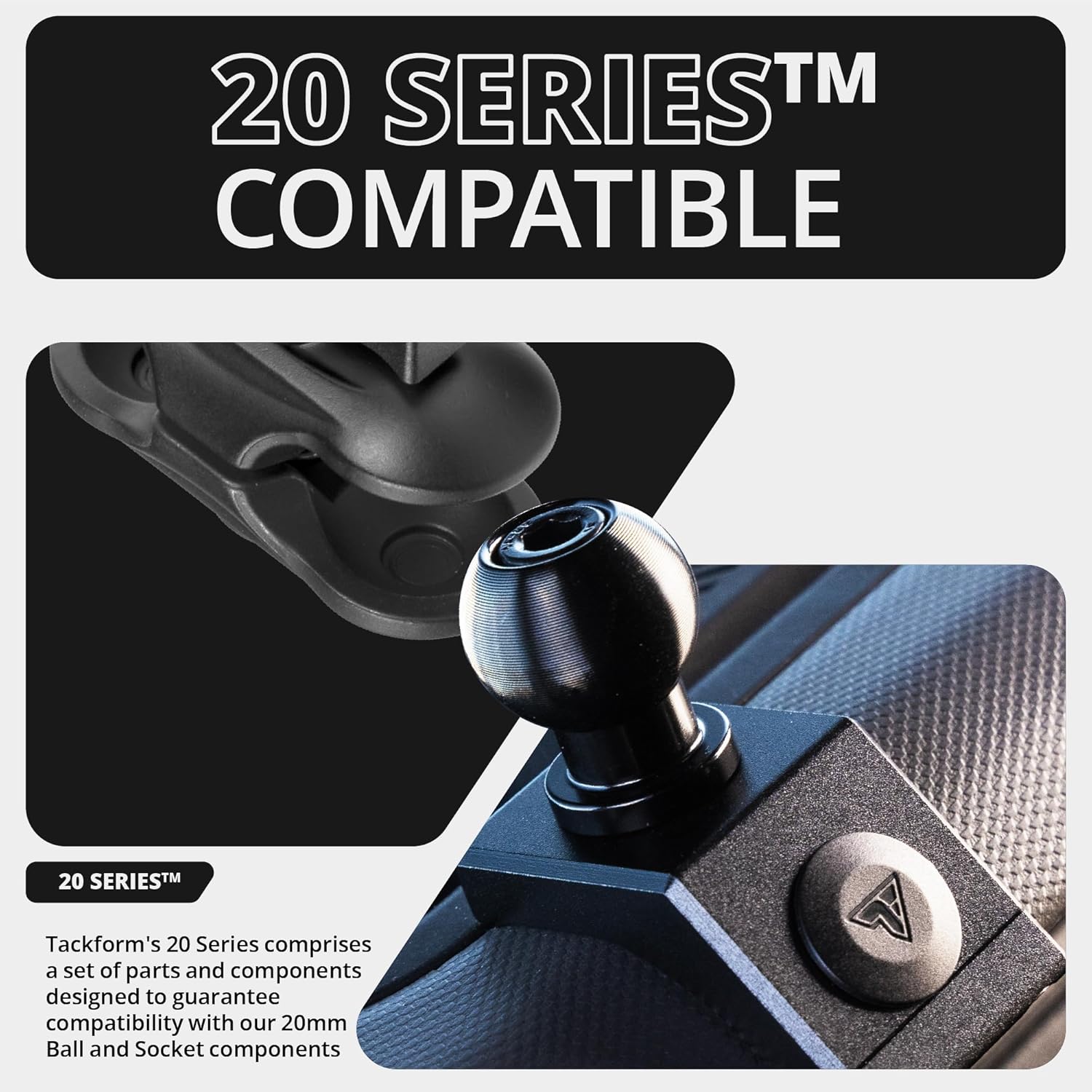
Image: Close-up of the 20 Series compatible ball and socket system, demonstrating its robust design.
Maintenance
To ensure the longevity and optimal performance of your Tackform Link Phone Mount, follow these simple maintenance guidelines:
- Regular Cleaning: Wipe down the mount and cradle grips with a soft, damp cloth to remove dust and debris. Avoid harsh chemicals that may damage the finish.
- Check Tightness: Periodically check the tightness of the screws securing the dash clip to ensure it remains firmly in place.
- Inspect Components: Occasionally inspect the ball and socket joints and cradle grips for any signs of wear or damage. Replace components if necessary.
Troubleshooting
If you encounter any issues with your Tackform Link Phone Mount, consider the following:
- Mount feels loose: Ensure all screws, especially those on the dash clip and the coupler, are tightened securely.
- Phone not held securely: Verify that your phone's dimensions (width and thickness) are within the specified limits (up to 3.7" wide and 0.6" thick). Ensure the cradle grips are clean and free of obstructions.
- Interference with dashboard features: Adjust the position of the dash clip along the dashboard edge or utilize the full range of motion of the articulating arm to optimize placement and avoid blocking screens or controls.
- Dashboard damage: As noted in the installation section, this mount is designed for hard plastic dashboards. Using it on leather or leatherette dashboards may cause indentations or damage. Ensure your dashboard material is compatible.
Specifications
| Feature | Detail |
|---|---|
| Package Dimensions | 6 x 6 x 3 inches |
| Item Weight | 8 ounces |
| ASIN | B0CPD331XD |
| Item Model Number | DC12-3120L |
| Special Features | 20 Series (20mm Ball and Socket), CNC Machined Aluminum, Tackform's Enduro 20 Lite Phone Cradle, Type-B Ball Swap Interface |
| Color | Black |
| Manufacturer | Tackform |
| Date First Available | December 3, 2023 |
| Compatible Devices | Universal |
| Compatible Phone Models | Galaxy, LG, iPhone (and other devices up to 3.7" wide and 0.6" thick) |
| Mounting Type | Dashboard Phone Mount |
Warranty and Support
For product support, please contact Tackform directly. This product is eligible for a 30-day return/replacement policy. Additionally, extended protection plans are available for purchase separately to cover your product for 2 or 3 years.
For more information, visit the Tackform Store on Amazon.


