
lcocove XF
lcocove 14-inch Solar Powered Rechargeable Fan User Manual
Model: XF
1. Introduction
Thank you for choosing the lcocove 14-inch Solar Powered Rechargeable Fan. This fan is designed for versatile use, providing cooling both indoors and outdoors. It features a high-capacity rechargeable battery, solar charging capabilities, and a USB output for charging other devices. Please read this manual carefully before use to ensure proper operation and maintenance.
1.1 Safety Instructions
- Always place the fan on a stable, flat surface to prevent tipping.
- Do not insert fingers or any objects into the fan grille when it is operating.
- Keep the fan and solar panel away from water or excessive moisture.
- Do not attempt to disassemble or repair the fan or battery pack yourself. Contact qualified personnel for service.
- Ensure the power adapter and cables are not damaged before use.
- When charging with the solar panel, ensure it is placed in direct sunlight for optimal performance.
- Store the fan in a cool, dry place when not in use for extended periods.
2. Package Contents
Verify that all items are present in the package:
- lcocove 14-inch Solar Powered Rechargeable Fan
- Solar Panel (18V 20W)
- AC Adapter/Charger
- Car Charging Cable
- Solar Panel Bracket
- User Manual (this document)
3. Product Overview
Familiarize yourself with the components and controls of your lcocove fan.
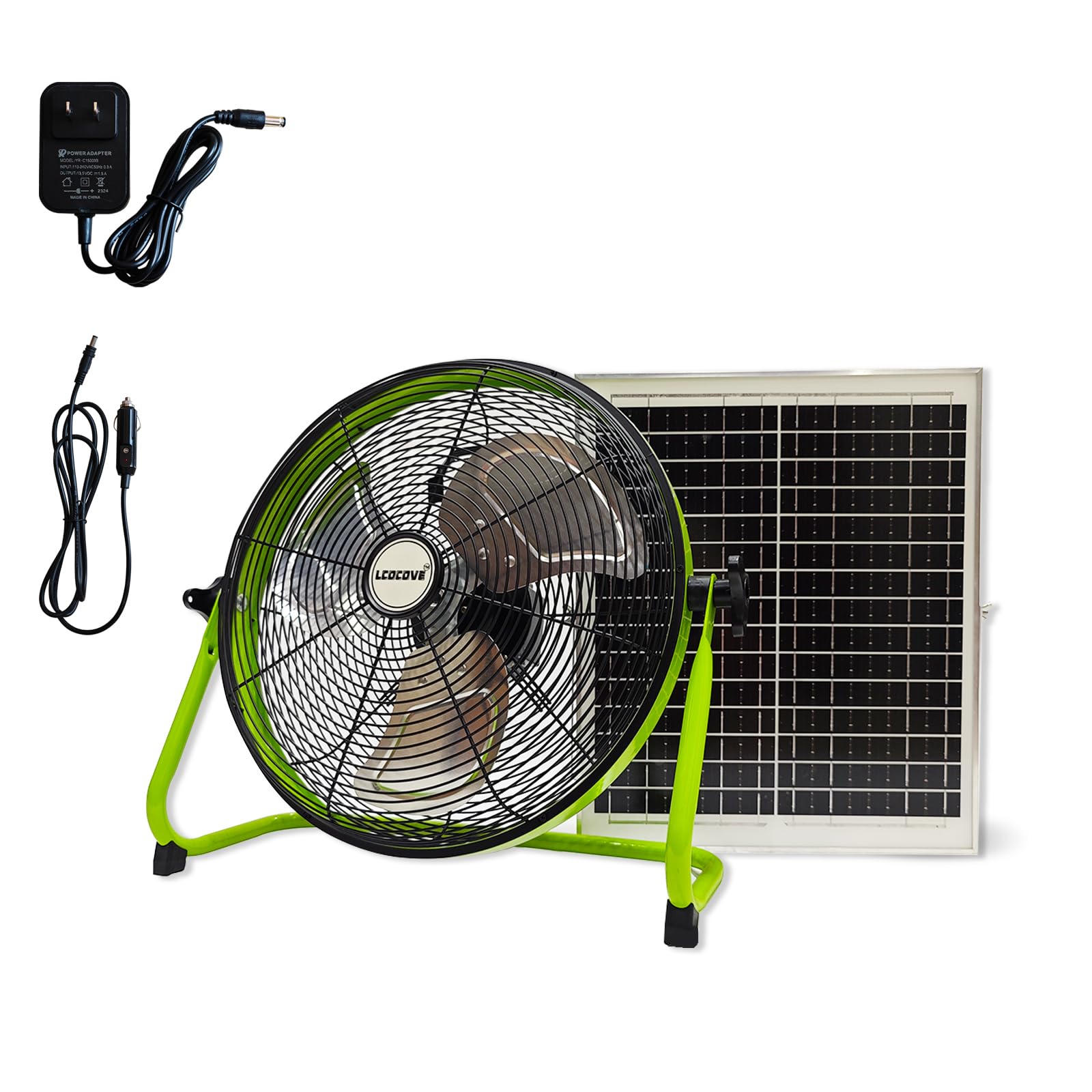
Figure 3.1: Fan Control Panel and Ports
This image illustrates the main control panel located on the fan. It highlights the ON/OFF switch, buttons for increasing (Speed +) and decreasing (Speed -) fan speed, the charging port for power input, the USB output port for charging external devices, and the digital display which indicates the current fan speed (1-12) and battery percentage.
3.1 Key Features
- 12 Adjustable Speeds: From a gentle breeze to a strong airflow.
- 13200mAh Lithium-ion Battery: Provides 3.5 to 24 hours of operation depending on speed setting.
- 18V 20W Polysilicon Solar Panel: For eco-friendly outdoor charging.
- USB Power Output: Charge your mobile devices on the go.
- Multiple Charging Options: AC adapter, car charging cable, and solar panel.
- Durable Construction: All-metal body with aluminum fan blades.

Figure 3.2: Fan Features and Usage Scenario
This image demonstrates the fan's large battery capacity and its ability to provide cooling in outdoor settings. It emphasizes the 13200mAh battery, the 3.5-hour minimum working time, the 20W solar panel, powerful airflow, and its function as a power bank.
4. Setup
4.1 Initial Charging
- Before first use, fully charge the fan's internal battery.
- Connect the provided AC adapter to the charging port on the fan's control panel.
- Plug the AC adapter into a standard wall outlet.
- The battery indicator on the display will show charging progress. A full charge typically takes 3 to 3.5 hours.
4.2 Solar Panel Connection
- Unfold the solar panel and position it in direct sunlight.
- Connect the solar panel cable to the charging port on the fan.
- The fan will begin charging. Solar charging time varies based on sunlight intensity, typically 6-10 hours for a full charge.
4.3 Car Charging
- Connect the provided car charging cable to the fan's charging port.
- Plug the other end of the car charging cable into your vehicle's 12V power outlet (cigarette lighter socket).
- The fan will begin charging.
5. Operating Instructions
5.1 Power On/Off
- To turn the fan ON, press the ON/OFF switch on the control panel.
- To turn the fan OFF, press the ON/OFF switch again.
5.2 Adjusting Fan Speed
- After turning the fan on, use the 'Speed +' button to increase the fan speed.
- Use the 'Speed -' button to decrease the fan speed.
- The fan has 12 speed settings, indicated on the digital display.
5.3 Battery Level Indicator
- The digital display on the control panel shows the current battery percentage.
- Recharge the fan when the battery level is low to ensure continuous operation.
5.4 Using the USB Output (Power Bank Function)
- To charge external devices (e.g., mobile phones), connect your device's USB charging cable to the USB output port on the fan's control panel.
- The fan's internal battery will supply power to your device.
6. Maintenance
6.1 Cleaning
- Always turn off and unplug the fan before cleaning.
- Use a soft, damp cloth to wipe the exterior surfaces of the fan and solar panel.
- Do not use abrasive cleaners or solvents.
- Periodically clean the fan blades by carefully removing the front grille (if detachable, refer to assembly instructions if provided) and wiping the blades with a dry cloth. Ensure the fan is completely dry before reassembling and operating.
6.2 Storage
- If storing the fan for an extended period, ensure the battery is partially charged (around 50%) to prolong its lifespan.
- Store the fan and solar panel in a cool, dry place, away from direct sunlight and extreme temperatures.
7. Troubleshooting
If you encounter issues with your lcocove fan, refer to the following common problems and solutions:
| Problem | Possible Cause | Solution |
|---|---|---|
| Fan does not turn on. | Battery is depleted. | Charge the fan using the AC adapter, car charger, or solar panel. |
| Fan does not turn on. | ON/OFF switch not pressed correctly. | Ensure the ON/OFF switch is fully pressed. |
| Fan not charging. | Charging cable or adapter is not connected properly. | Check all connections. Ensure the AC adapter is plugged into a live outlet. |
| Fan not charging via solar panel. | Insufficient sunlight or panel not positioned correctly. | Move the solar panel to direct sunlight. Adjust its angle for maximum exposure. |
| USB output not charging devices. | Fan battery is too low. | Charge the fan's battery. |
| USB output not charging devices. | Device's USB cable is faulty or incompatible. | Try a different USB cable or device. |
8. Specifications
Detailed technical specifications for the lcocove 14-inch Solar Powered Rechargeable Fan.

Figure 8.1: Product Parameters Overview
This image provides a visual representation of the fan and solar panel dimensions, alongside a comprehensive table detailing various product specifications such as motor type, battery life, charging times, and materials.
| Feature | Specification |
|---|---|
| Model Number | XF |
| Electric Machinery | 12V Brushless DC Motor |
| Battery Type | 12V Lithium-ion (13200mAh) |
| Working Hours (Battery) | 3.5 - 24 hours (depending on speed) |
| Power Supply Mode | Car Charger, Solar Panel, AC Adapter |
| AC Adapter Charging Time | 3 - 3.5 hours |
| Solar Panel | Polysilicon 18V 20W |
| Solar Charging Time | 6 - 10 hours |
| Fan Body Size (L x W x H) | 17 x 43.7 x 42 cm (approx. 6.7 x 17.2 x 16.5 inches) |
| Solar Panel Dimensions | 35 x 42 cm (approx. 13.71 x 16.53 inches) |
| Weight | 2.27 kg (approx. 5 lbs) |
| Shell Material | All Metal Made |
| Blade Material | Plastic |
| Number of Blades | 3 |
| Power | 20 Watts |
| Voltage | 12 Volts (DC) |
| Special Features | Portable, USB Output, Rechargeable |
| Usage | Indoor/Outdoor |
9. Warranty and Support
lcocove products are manufactured to high-quality standards. For warranty information, please refer to the warranty card included with your purchase or contact lcocove customer support. If you have any questions or require assistance with your product, please reach out to our customer service team through the retailer where you purchased the item or visit our official website for contact details.
Ask a question about this manual
Ask about setup, troubleshooting, compatibility, parts, safety, or missing instructions. Manuals+ will review the question and use this page’s manual context to help answer it.