
1. Introduction
Welcome to your new Legami The Sound of Cuteness Panda Wireless Speaker. This device combines a portable wireless speaker with a convenient phone stand, designed for ease of use and portability. Enjoy your favorite music and media with this charming and functional accessory.
2. Safety Information
Please read all safety instructions before using this product to ensure proper operation and to prevent damage.
- Do not expose the device to extreme temperatures, direct sunlight, or open flames.
- Keep the speaker away from water and high humidity to prevent electrical hazards.
- Do not attempt to disassemble, modify, or repair the device yourself. Refer all servicing to qualified personnel.
- Use only the provided USB cable for charging. Using incompatible chargers may damage the device.
- Dispose of batteries and electronic components responsibly, following local regulations.
3. Package Contents
Verify that all items are present in the package:
- Legami The Sound of Cuteness Panda Wireless Speaker
- USB Charging Cable
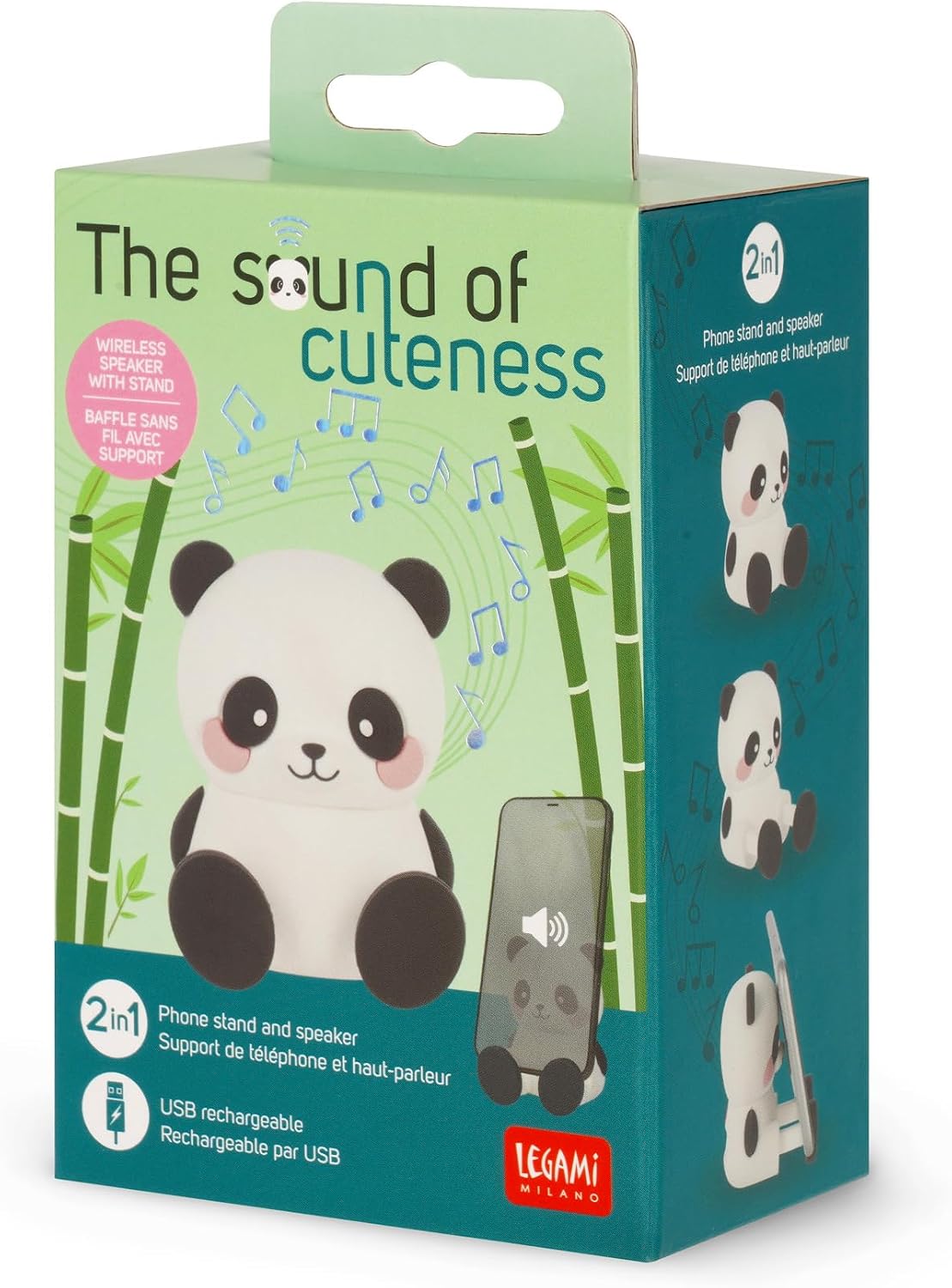
Image 3.1: Product packaging for the Legami Panda Wireless Speaker.
4. Product Overview
The Legami Panda Wireless Speaker features a compact design with integrated phone stand functionality. Familiarize yourself with the device's components:

Image 4.1: Front view of the Legami Panda Wireless Speaker with its USB charging cable.

Image 4.2: Back view of the speaker showing the ON/OFF switch, speaker grille, Aux port, and Micro-USB port.
Components:
- ON/OFF Switch: Located at the back, used to power the speaker on or off.
- Speaker: Audio output grille.
- Aux Port: Labeled for wired audio connection. Note: Some users have reported this port may function as an LED indicator rather than an audio input. Please verify functionality with your specific unit.
- Micro-USB Port: For charging the device using the supplied USB cable.
- Phone Stand: Integrated into the panda's paws, designed to securely hold a smartphone or tablet.
5. Setup
5.1. Charging the Speaker
- Connect the supplied USB charging cable to the Micro-USB port on the back of the speaker.
- Connect the other end of the USB cable to a compatible USB power source (e.g., computer USB port, USB wall adapter).
- The speaker will indicate its charging status, typically via an LED light.
- A full charge provides up to 3 hours of playing time.
5.2. Bluetooth Pairing
- Ensure the speaker is fully charged.
- Turn on the speaker using the ON/OFF switch located on the back.
- The speaker will enter Bluetooth pairing mode, usually indicated by a flashing LED light.
- On your smartphone or tablet, navigate to the Bluetooth settings.
- Search for available devices and select "Legami Panda Speaker" (or a similar name) from the list.
- Once successfully paired, the LED indicator will typically stop flashing and remain solid.
6. Operating Instructions
6.1. Playing Music via Bluetooth
- Ensure the speaker is paired with your device as described in Section 5.2.
- Open your preferred music or media application on your smartphone or tablet.
- Start playing your desired audio. The sound will be routed through the Legami Panda Speaker.
6.2. Using the Phone Stand
The panda's paws are designed to securely hold your smartphone or tablet, allowing for hands-free viewing while listening to music or watching videos.

Image 6.1: A smartphone resting in the integrated phone stand of the panda speaker.

Image 6.2: Various angles of the panda speaker, highlighting its use as a phone stand.
6.3. Wired Audio Connection (If Applicable)
If your device supports it and you prefer a wired connection, connect an audio cable (not included) from your device's audio output to the Aux port on the back of the speaker. As noted in Section 4, some users have reported that the port labeled "Aux" may function as an LED indicator only. Please verify functionality with your specific unit.
7. Maintenance and Care
- Clean the speaker with a soft, dry cloth. Do not use abrasive cleaners, solvents, or harsh chemicals.
- Store the speaker in a cool, dry place when not in use.
- Avoid dropping the device or subjecting it to strong impacts, which could cause internal damage.
- Do not block the speaker grille or charging port.
8. Troubleshooting
| Problem | Solution |
|---|---|
| Speaker does not turn on. | Ensure the speaker is charged. Connect it to a power source using the USB cable. |
| Cannot pair via Bluetooth. | Make sure the speaker is in pairing mode (flashing LED). Check your device's Bluetooth settings and ensure it is discoverable. Try turning both devices off and on again. |
| No sound or low volume. | Check the volume levels on both the speaker and your connected device. Ensure the speaker is properly paired. |
| Aux port does not work. | The port labeled "Aux" on some units may be an LED indicator only. If you require wired audio, please confirm your specific unit's functionality. |
9. Technical Specifications
| Feature | Detail |
|---|---|
| Brand | Legami |
| Model Name | THE SOUND OF CUTENESS PANDA |
| Model Number | SPS0001 |
| Product Dimensions | 5 x 6 x 8 cm |
| Weight | 200 grams |
| Connectivity Technology | Bluetooth |
| Speaker Type | Portable Speaker |
| Audio Output Mode | Stereo |
| Power Source | Battery Powered (Rechargeable via USB) |
| Battery | 1 x 9V (Type of battery required) |
| Playing Time | Up to 3 hours |
| Compatible Devices | Smartphones, Tablets |
| Included Components | USB cable |
| Control Method | App (via connected device) |
| Waterproof | No |
| Warranty Type | Limited |
10. Warranty and Support
This product comes with a limited warranty. For details regarding returns or defective products, please refer to the retailer's return policy or contact Legami customer support.
For specific information on purchases made through marketplaces, consult the relevant marketplace's help page.
Manufacturer: Legami
For further assistance, please visit the Legami Store.

