
Introduction
Thank you for purchasing the soundcore Pyro Mini Portable Bluetooth Speaker. This manual provides essential information for setting up, operating, and maintaining your device. Please read it thoroughly before use to ensure optimal performance and longevity.
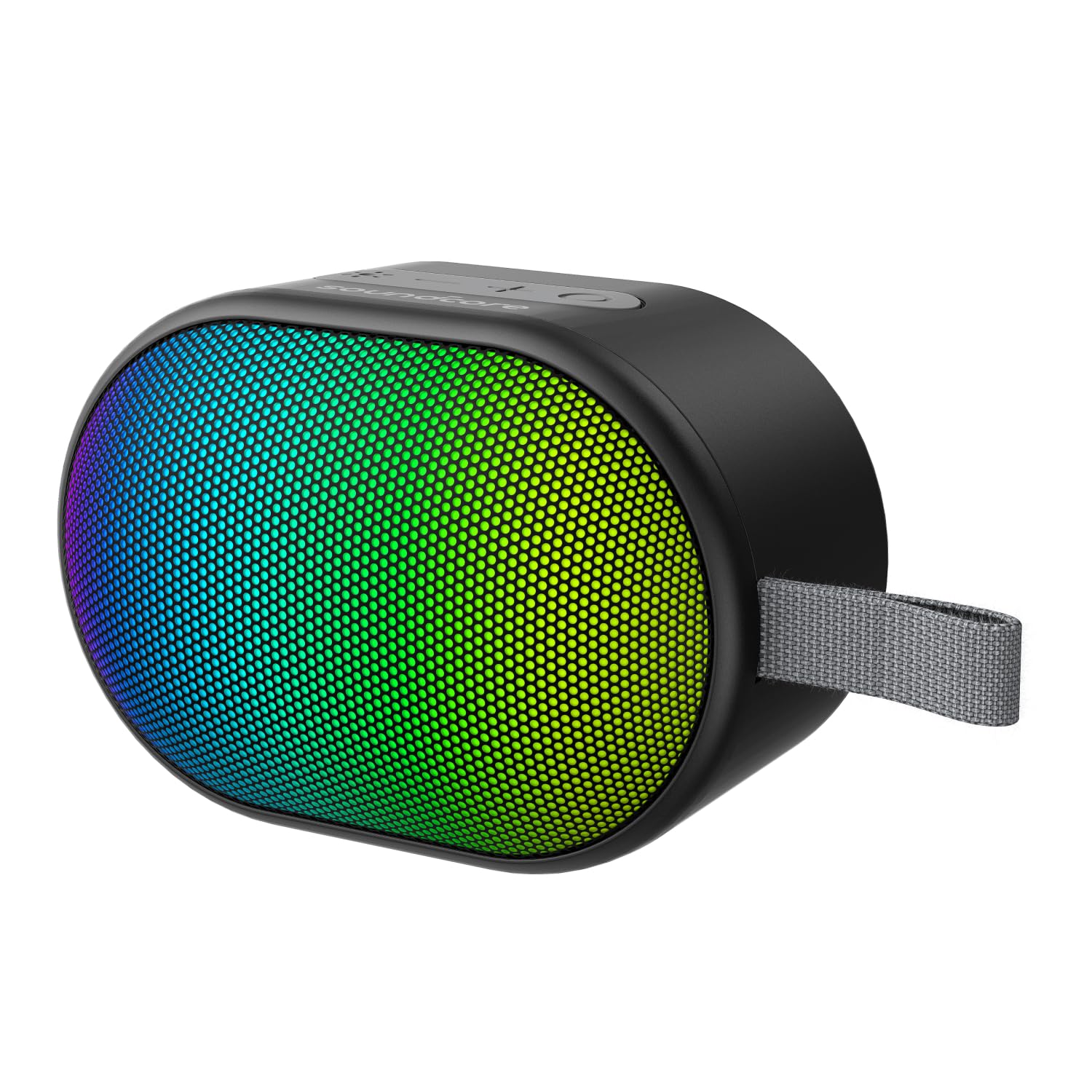
Image: The soundcore Pyro Mini speaker, showcasing its compact design and vibrant LED light panel.
What's in the Box
- soundcore Pyro Mini Speaker x 1
- Charging Cable x 1
- User Guide x 1
Product Features
- Multiple Light Effects: Choose from 12 preset light effects to customize the beat-driven light show.
- Compact and Powerful: Portable and lightweight design with 6W powerful sound and punchy bass.
- True Wireless Stereo Pairing: Connect two Pyro Mini speakers wirelessly for an immersive audio experience.
- Ultra-Long 10H Playtime: Enjoy up to 10 hours of uninterrupted entertainment on a single charge.
- Wide Connectivity: Supports Bluetooth, AUX connections, and SD card input.

Image: The Pyro Mini speaker displaying its beat-synced light show in a social environment.

Image: A person carrying the Pyro Mini speaker on a backpack, illustrating its lightweight and portable design.

Image: The Pyro Mini speaker with a visual representation of its 10-hour battery life, suitable for outdoor use.

Image: Two Pyro Mini speakers positioned to illustrate True Wireless Stereo pairing for enhanced sound.

Image: An internal view of the Pyro Mini speaker, highlighting its 2.25-inch driver and 6W speaker for powerful sound.
Setup
1. Charging the Speaker
Before first use, fully charge the speaker. Connect the provided charging cable to the speaker's charging port and a compatible USB power source. The LED indicator will show charging status and turn off when fully charged.
2. Power On/Off
- To power on, press and hold the Power button for 2 seconds.
- To power off, press and hold the Power button for 2 seconds.
3. Bluetooth Pairing
- Power on the soundcore Pyro Mini speaker. It will automatically enter Bluetooth pairing mode, indicated by a flashing blue LED.
- On your Bluetooth-enabled device (smartphone, tablet, etc.), enable Bluetooth and search for available devices.
- Select "soundcore Pyro Mini" from the list of devices.
- Once connected, the LED indicator will turn solid blue, and you will hear an audible confirmation.
Note: The speaker will automatically attempt to reconnect to the last paired device when powered on.
4. True Wireless Stereo (TWS) Pairing
To achieve a stereo sound experience, you can pair two soundcore Pyro Mini speakers together.
- Ensure both Pyro Mini speakers are powered on and not connected to any other Bluetooth device.
- On one speaker (this will be the primary speaker), press and hold the TWS button (often indicated by two interlocking circles) for 2 seconds. The speaker will enter TWS pairing mode.
- The second speaker will automatically detect and pair with the primary speaker. Once connected, both speakers will emit an audible confirmation, and their LEDs will synchronize.
- Now, connect your Bluetooth device to the primary speaker as described in the "Bluetooth Pairing" section. Audio will play in stereo through both speakers.
Note: TWS pairing only works between two identical soundcore Pyro Mini speakers.
Operating the Speaker
1. Button Functions
| Button | Function |
|---|---|
| Power Button | Press and hold for 2 seconds to Power On/Off. |
| Volume Up (+) | Press to increase volume. Press and hold for next track. |
| Volume Down (-) | Press to decrease volume. Press and hold for previous track. |
| Play/Pause Button | Press to Play/Pause music. Press to answer/end calls. Press and hold to reject calls. |
| Light Effect Button | Press to cycle through 12 light effects. Press and hold to turn lights On/Off. |
| Mode Button (M) | Press to switch between Bluetooth, AUX, and SD Card modes. |
2. Light Effects
The soundcore Pyro Mini features 12 customizable light effects that synchronize with your music. Press the Light Effect button to cycle through the available patterns. To turn the lights off or on, press and hold the Light Effect button.
3. AUX Mode
Connect an audio device to the speaker's AUX input port using a 3.5mm audio cable (not included). The speaker will automatically switch to AUX mode, or you can manually select it by pressing the Mode button.
4. SD Card Mode
Insert a microSD card (up to 32GB, not included) with MP3 audio files into the SD card slot. The speaker will automatically switch to SD Card mode and begin playing music, or you can manually select it by pressing the Mode button.
Maintenance
- Cleaning: Use a soft, dry cloth to clean the speaker. Do not use liquid cleaners or aerosols.
- Storage: Store the speaker in a cool, dry place away from direct sunlight and extreme temperatures.
- Battery Care: To preserve battery life, charge the speaker at least once every 3 months if not in regular use.
- Water Resistance: The speaker is waterproof. However, ensure the charging port cover is securely closed before exposure to water. Do not submerge for extended periods.
Troubleshooting
| Problem | Possible Solution |
|---|---|
| Speaker does not power on. | Ensure the speaker is charged. Connect it to a power source and try again. |
| Cannot pair via Bluetooth. |
|
| No sound. |
|
| TWS pairing fails. |
|
Specifications
| Feature | Detail |
|---|---|
| Model Name | Pyro |
| Model Number | A31A0 |
| Speaker Type | Portable Bluetooth Speaker |
| Connectivity Technology | Bluetooth 5.3, Auxiliary, SD Card |
| Speaker Output Power | 6 Watts |
| Speaker Size | 57 Millimetres (2.25-inch driver) |
| Playtime | Up to 10 hours |
| Wireless Range | Up to 20 metres |
| Control Method | Touch buttons |
| Water Resistance | Yes (Waterproof) |
| Item Weight | 365 Grams |
| Product Dimensions (LxWxH) | 5.4 x 16.5 x 4.5 Centimeters |
| Signal-to-Noise Ratio (SNR) | 85 dB |
| Power Source | Battery Powered (1 A battery included) |
Warranty and Support
The soundcore Pyro Mini Portable Bluetooth Speaker comes with a Limited Warranty. For detailed warranty information, product support, or service inquiries, please refer to the official soundcore website or contact their customer service.
Manufacturer: Anker Innovations Limited
For further assistance, visit the soundcore Store on Amazon.

