
Introduction
This manual provides detailed instructions for the installation, operation, maintenance, and troubleshooting of your MekedeTech 9-inch Android 12 Car Radio. This unit is specifically designed for Mercedes-Benz ML-Class W164 and GL-Class X164 models manufactured between 2005 and 2012. Please read this manual thoroughly before installation and use to ensure proper functionality and to maximize your experience with the device.
The MekedeTech car radio features an 8-Core CPU, 4GB RAM, and 64GB ROM, offering a responsive and feature-rich infotainment system for your vehicle. Key features include a 9-inch IPS touchscreen, built-in wireless CarPlay, wired Android Auto, Bluetooth 5.0, Wi-Fi, 4G LTE support, and GPS navigation.
Setup and Installation
The MekedeTech 9-inch car radio is designed for a plug-and-play installation in compatible Mercedes-Benz W164 ML and GL models from 2005 to 2012. All necessary accessories for installation, including the dash kit, power cable, RCA cable, reversing camera cable, and USB cables, are included.
Important Note: If your vehicle is equipped with a Harman-Kardon or Bose sound system, an additional optic fiber box (ASIN B0CP821P3K) is required for the audio system to function correctly. This component must be purchased separately.
Installation Overview
Installation is straightforward, allowing you to retain all original steering wheel control functions for convenient operation. This ensures you can easily switch songs, channels, and adjust volume without removing your hands from the steering wheel, enhancing safety.

Image: Comparison of the car dashboard before and after installing the MekedeTech 9-inch car radio. The left side shows the original radio, and the right side displays the new, larger touchscreen unit seamlessly integrated into the dashboard.
Cooling Fan Integration
The unit includes support for a cooling fan, which is crucial for maintaining optimal operating temperatures, especially during prolonged use or in hot climates. Proper cooling prevents abnormal operation caused by high temperatures.

Image: Diagram showing the internal components of the car radio, highlighting the cooling fan. It illustrates how the cooling fan helps manage CPU temperature, preventing overheating and ensuring stable performance compared to units without a cooling fan.
4G SIM Card Installation
For 4G LTE connectivity, insert a 4G SIM card into the designated slot. The machine includes two SIM card slots: one on the back of the main unit and one on the RCA cable. This allows you to access the internet anytime and anywhere without relying solely on Wi-Fi hotspots.
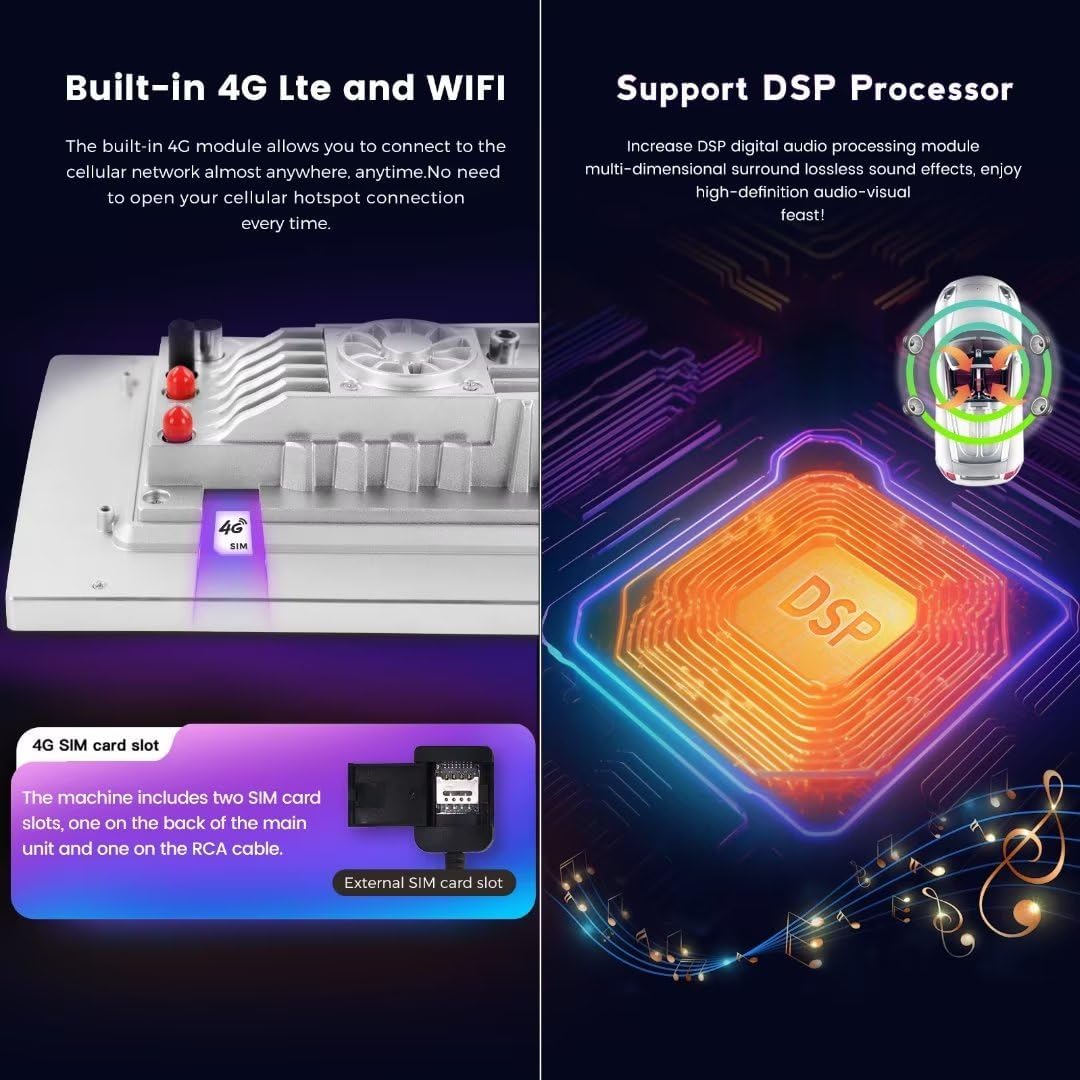
Image: Visual representation of the built-in 4G LTE and Wi-Fi features. It shows the location of the SIM card slots, one on the main unit and an external slot on the RCA cable, emphasizing continuous internet access.
Operating Instructions
Your MekedeTech car radio runs on Android 12 OS, powered by an 8-Core A53 1.8GHz CPU with 4GB RAM and 64GB ROM, ensuring fast response times and smooth operation. The 9-inch IPS touch screen with a 1280x720 resolution provides clear visuals and intuitive control.
Wireless CarPlay and Wired Android Auto
The unit comes with built-in wireless CarPlay and wired Android Auto functionality. This allows seamless integration with your smartphone, providing access to navigation, music, messages, and other apps directly on the car radio display.

Image: Screenshots of the car radio display showing the interfaces for wireless CarPlay (iOS system) and wireless Android Auto (Android system). It details the connection steps via Bluetooth and 'Car Link' for both platforms.
Connectivity Features
- Bluetooth 5.0: Provides high-quality sound for hands-free calls and audio streaming from your mobile device.
- Wi-Fi Module: Connect to the internet via Wi-Fi hotspots for online services, app downloads, and updates.
- 4G LTE: With a 4G SIM card, enjoy continuous internet access for navigation, streaming, and more, independent of Wi-Fi.
Navigation and Audio
- Built-in GPS: Integrated GPS navigation with pre-installed maps ensures you can find your way easily.
- DSP Sound System: The built-in Digital Signal Processor (DSP) enhances audio quality, providing multi-dimensional surround sound effects for an immersive listening experience.
- Steering Wheel Control: Maintain control over essential functions like volume, track changes, and channel selection directly from your steering wheel.
Maintenance
To ensure the longevity and optimal performance of your MekedeTech car radio, follow these maintenance guidelines:
- Cleaning: Use a soft, dry cloth to clean the screen and exterior surfaces. Avoid abrasive cleaners or solvents that could damage the finish or screen coating.
- Software Updates: Periodically check for and install available software updates to ensure you have the latest features, performance improvements, and security patches. These updates are typically available via Wi-Fi or 4G connection.
- Temperature Control: Avoid exposing the unit to extreme temperatures for extended periods. The built-in cooling fan helps manage internal temperatures, but parking in shaded areas can further protect the device.
- Connection Checks: Occasionally check all cable connections to ensure they are secure, especially after any vehicle maintenance or modifications.
Troubleshooting
If you encounter issues with your car radio, refer to the following common troubleshooting steps:
| Problem | Possible Cause | Solution |
|---|---|---|
| Unit does not power on | Loose power connection, blown fuse | Check power cables and vehicle fuses. Ensure proper installation. |
| No audio output | Incorrect wiring, volume too low, optic fiber box missing (for Harman-Kardon/Bose) | Verify speaker connections. Increase volume. If applicable, ensure optic fiber box (ASIN B0CP821P3K) is installed. |
| Touchscreen unresponsive | Software glitch, screen calibration issue | Restart the unit. If issue persists, perform a factory reset (refer to settings menu). |
| GPS signal lost or inaccurate | Antenna obstruction, poor satellite reception | Ensure GPS antenna is properly installed and has a clear view of the sky. Move to an open area. |
| CarPlay/Android Auto not connecting | Bluetooth/USB connection issues, phone settings | Ensure Bluetooth is on and paired. For wired Android Auto, use a quality USB cable. Check phone settings for CarPlay/Android Auto permissions. |
| Slow performance | Too many apps running, low storage | Close unnecessary applications. Clear cache. Consider a factory reset if performance does not improve. |
If these steps do not resolve the issue, please contact customer support for further assistance.
Product Specifications
| Feature | Detail |
|---|---|
| System | Android 12 OS |
| CPU | 8-Core A53 1.8GHz |
| Memory | 4GB RAM, 64GB ROM |
| Screen | 9-inch IPS Touch Screen, 1280x720 Resolution |
| Power Output | 4*50W |
| Connectivity | Wireless CarPlay, Wired Android Auto, Bluetooth 5.0, Wi-Fi, 4G LTE |
| Navigation | Built-in GPS with Maps |
| Audio Formats | APE, FLAC, WAV, MP3, WMA, etc. |
| Video Formats | MKV, RMVB, AVI, MP4, MDV, etc. |
| Picture Formats | PNG, JPEG, JPG, GIF, WBMP, BNP, etc. |
| Compatible Vehicles | Mercedes-Benz ML-Class W164 (2005-2012), Mercedes-Benz GL-Class X164 (2005-2012) |
| Brand | MekedeTech |
| Manufacturer | Shenzhen Mekede Technology Co.,Ltd |
Warranty Information
This MekedeTech car radio comes with a 1-Year Warranty from the date of purchase. This warranty covers manufacturing defects and malfunctions under normal use. Please retain your proof of purchase for warranty claims.
The warranty does not cover damage caused by improper installation, misuse, accidents, unauthorized repairs, or modifications. For warranty service, please contact the seller or manufacturer directly.
Customer Support
For any questions, technical assistance, or support regarding your MekedeTech 9-inch Car Radio, please contact your retailer or the MekedeTech customer service team. When contacting support, please have your product model (8-Core 4+64G) and purchase information readily available.
You can often find contact information on the product packaging, the seller's website, or the official MekedeTech brand store on Amazon: MekedeTech Amazon Store.
