
Dripex YT05
Dripex Silent Home Treadmill YT05 User Manual
Model: YT05
Introduction
This manual provides essential information for the safe and effective operation, maintenance, and troubleshooting of your Dripex Silent Home Treadmill YT05. Please read this manual thoroughly before initial use and retain it for future reference.

Image: A user running on the Dripex Silent Home Treadmill, with an inset showing a user walking at a standing desk with the treadmill.
Safety Instructions
To ensure safe operation and prevent injury, adhere to the following safety guidelines:
- Always consult a physician before starting any new exercise program.
- Place the treadmill on a flat, stable surface with adequate clearance around it.
- Ensure the power cord is not damaged or placed in a position where it could be tripped over.
- Do not allow children or pets near the treadmill during operation.
- The maximum user weight capacity is 120 kg. Do not exceed this limit.
- Wear appropriate athletic footwear during use.
- Stop exercising immediately if you feel faint, dizzy, or experience pain.
- Unplug the treadmill from the power source when not in use or before cleaning/maintenance.
Package Contents
Verify that all components are present in the package:
- Dripex Silent Home Treadmill YT05
- Power Cord
- Lubricant
- User Manual (this document)
- Tool Kit
- Remote Control (with 1 CR2032 battery included)
Setup
The Dripex YT05 treadmill is designed for minimal assembly. Follow these steps to prepare your treadmill for use:
- Unpacking: Carefully remove the treadmill and all accessories from the packaging.
- Placement: Position the treadmill on a firm, level surface. Ensure there is at least 0.6 meters (2 feet) of clear space behind the treadmill and 0.3 meters (1 foot) on each side.
- Power Connection: Plug the power cord into the treadmill's power input, then into a grounded electrical outlet.
- Remote Control Battery: The remote control comes with a CR2032 battery pre-installed. If needed, replace it according to the markings on the remote.
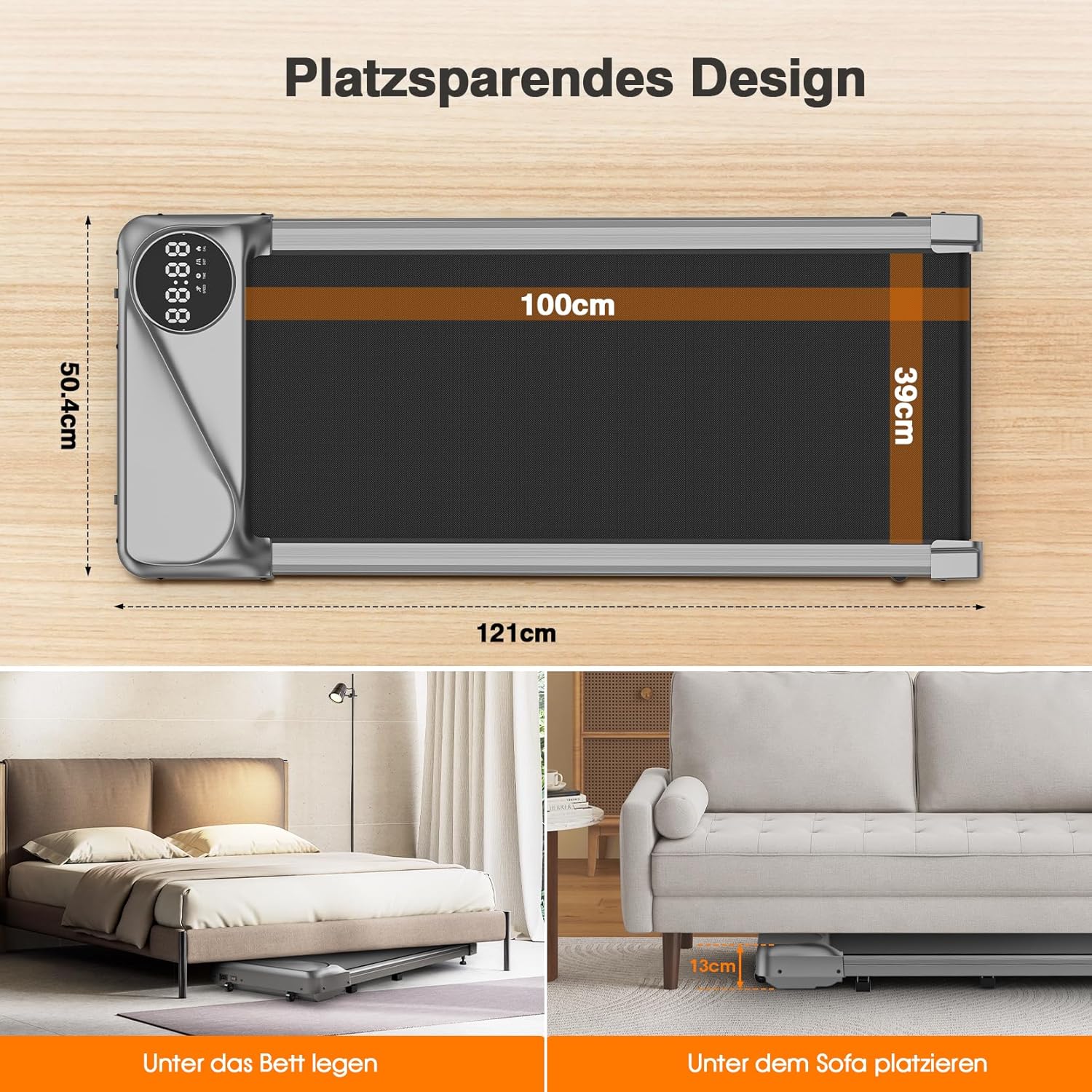
Image: Diagram illustrating the dimensions of the Dripex Treadmill (121cm length, 50.4cm width, 100cm x 39cm running surface) and showing how it can be stored under a bed or sofa due to its 13cm height.
Operating Instructions
Your Dripex YT05 treadmill is controlled via a wireless remote and features an integrated LCD display.
1. Power On/Off
- Locate the main power switch on the front of the treadmill and flip it to the "ON" position.
- Press the "START" button on the remote control to begin operation.
- Press the "STOP" button on the remote control to pause or end your workout.
- Flip the main power switch to "OFF" when not in use.
2. Adjusting Speed
- Use the "+" and "-" buttons on the remote control to increase or decrease the speed.
- The speed range is 1 km/h to 6 km/h.
- For walking mode, speeds typically range from 1-4 km/h.
- For light jogging mode, speeds typically range from 4-6 km/h.

Image: Close-up of the treadmill's LCD display showing speed, time, calories, and distance, alongside the wireless remote control.
3. LCD Display Information
The integrated LCD display cycles through various workout metrics:
- SPEED: Current speed in km/h.
- TIME: Duration of your workout.
- CAL: Estimated calories burned.
- DIST: Distance covered in kilometers.
4. Usage Scenarios
The compact design and quiet operation make the Dripex YT05 suitable for various environments:
- Home Office: Walk while working at a standing desk.
- Light Home Exercise: Daily walking or light jogging.
- Compact Spaces: Easily stored when not in use.
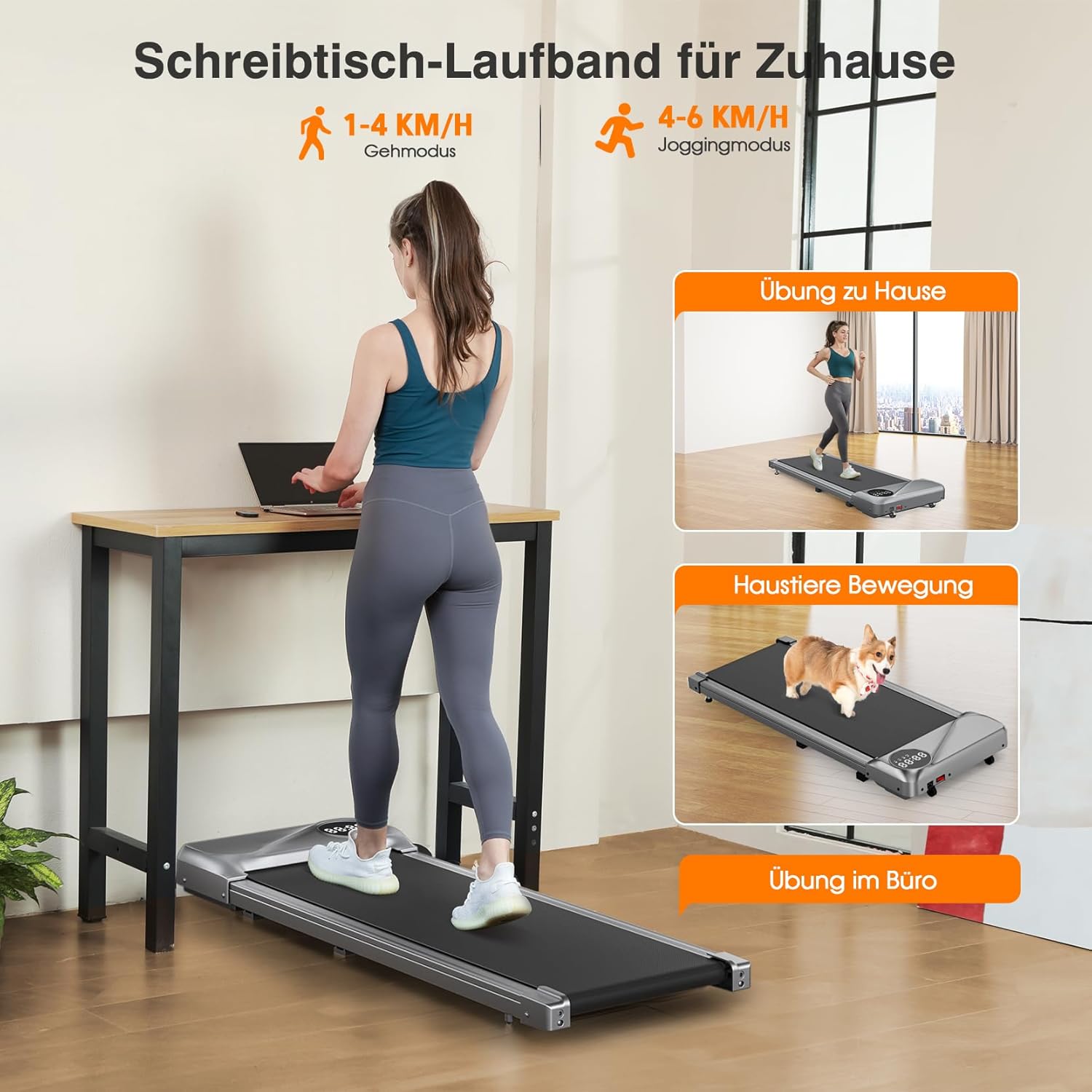
Image: Visual representation of the treadmill being used in different settings, including a home office for walking, general home exercise, and even for pet exercise, highlighting its versatility.
Maintenance
Regular maintenance ensures the longevity and optimal performance of your treadmill.
1. Cleaning
- Always unplug the treadmill before cleaning.
- Wipe down the treadmill surface with a damp cloth after each use to remove sweat and dust.
- Do not use abrasive cleaners or solvents, as these can damage the finish.
2. Lubrication
The running belt requires periodic lubrication to reduce friction and extend its lifespan. Use the provided lubricant or a silicone-based treadmill lubricant.
- Unplug the treadmill.
- Loosen the belt tension bolts slightly (if applicable, refer to specific instructions in the included manual for your model).
- Lift the edge of the running belt and apply a small amount of lubricant evenly to the center of the deck, underneath the belt.
- Tighten the belt tension bolts (if loosened).
- Plug in the treadmill and run it at a low speed (e.g., 1 km/h) for 2-3 minutes to distribute the lubricant.
- Lubricate every 3-6 months, or after approximately 100 hours of use, depending on usage frequency.
3. Belt Tension and Alignment
If the running belt slips or drifts to one side, it may need adjustment. Refer to the detailed instructions in the physical user manual for precise belt tensioning and alignment procedures, as these can vary slightly by model.
Troubleshooting
Refer to this section for common issues and their solutions.
| Problem | Possible Cause | Solution |
|---|---|---|
| Treadmill does not power on. | Power cord not plugged in; main switch off; circuit breaker tripped. | Ensure power cord is securely plugged in. Check main power switch. Reset circuit breaker if necessary. |
| Running belt slips. | Belt tension too loose; belt needs lubrication. | Adjust belt tension (refer to manual). Lubricate the running belt. |
| Treadmill makes unusual noise. | Lack of lubrication; loose components; foreign object. | Lubricate the belt. Check for and tighten any loose screws. Inspect for foreign objects under the belt. |
| Remote control not working. | Battery depleted; remote out of range; interference. | Replace CR2032 battery. Ensure remote is pointed towards the treadmill's receiver. Reduce potential interference. |
If the problem persists after attempting these solutions, please contact Dripex Customer Service.
Specifications
| Brand | Dripex |
| Model Number | YT05 |
| Color | Silver |
| Dimensions (L x W x H) | 121 cm x 50.4 cm x 13 cm (folded for storage) |
| Running Surface | 100 cm x 39 cm |
| Item Weight | 15.8 Kilograms |
| Max User Weight Capacity | 120 Kilograms |
| Motor Horsepower | 2.5 HP |
| Speed Range | 1 - 6 km/h |
| Display Type | LCD |
| Frame Material | Steel, Aluminum Alloy |
| Special Features | Shock absorber, with wheels, magnetic resistance, heavy duty, foldable. |
| Power Source | Corded Electric |
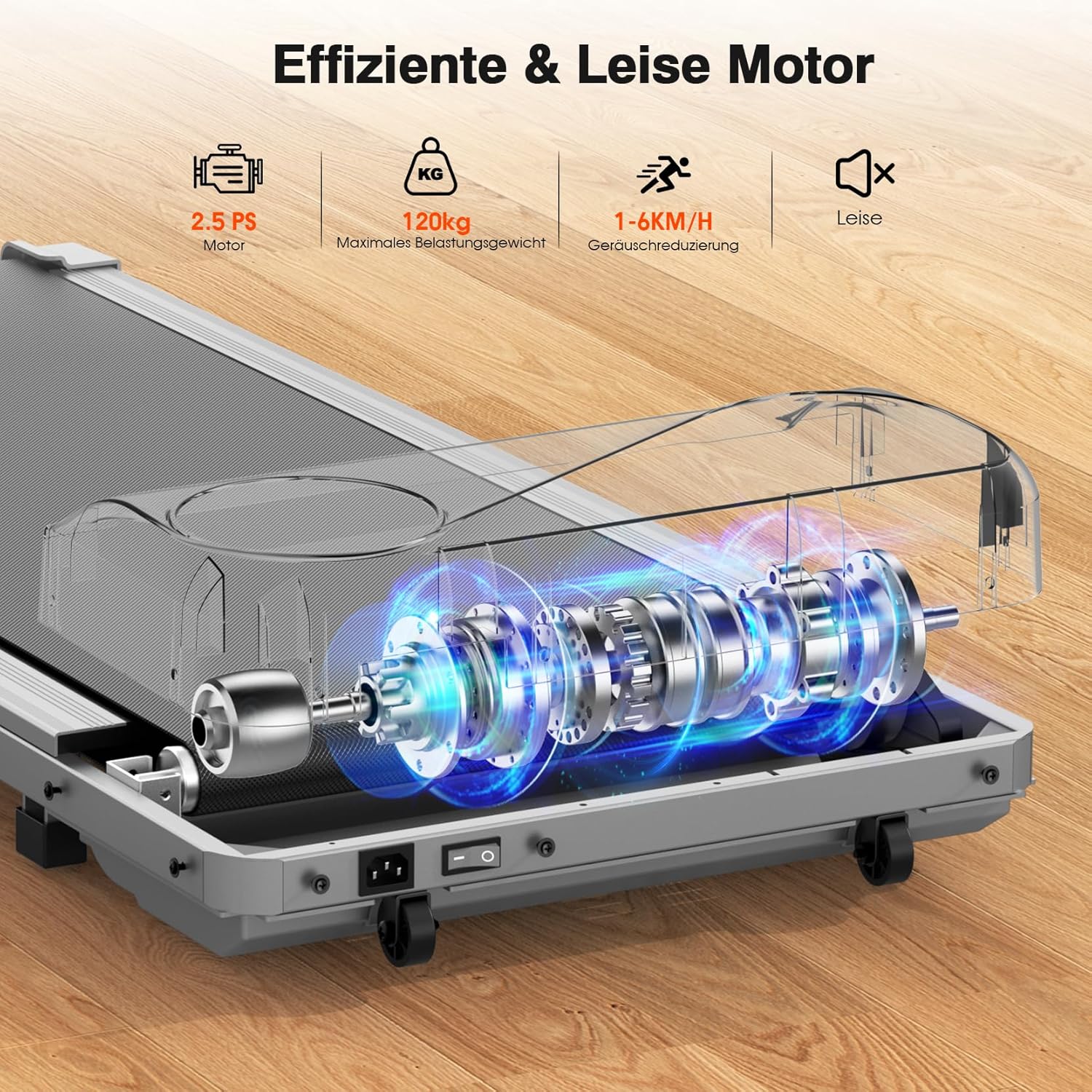
Image: An internal view of the treadmill highlighting the 2.5 HP motor, 120 kg maximum load capacity, 1-6 km/h speed range, and quiet operation features.
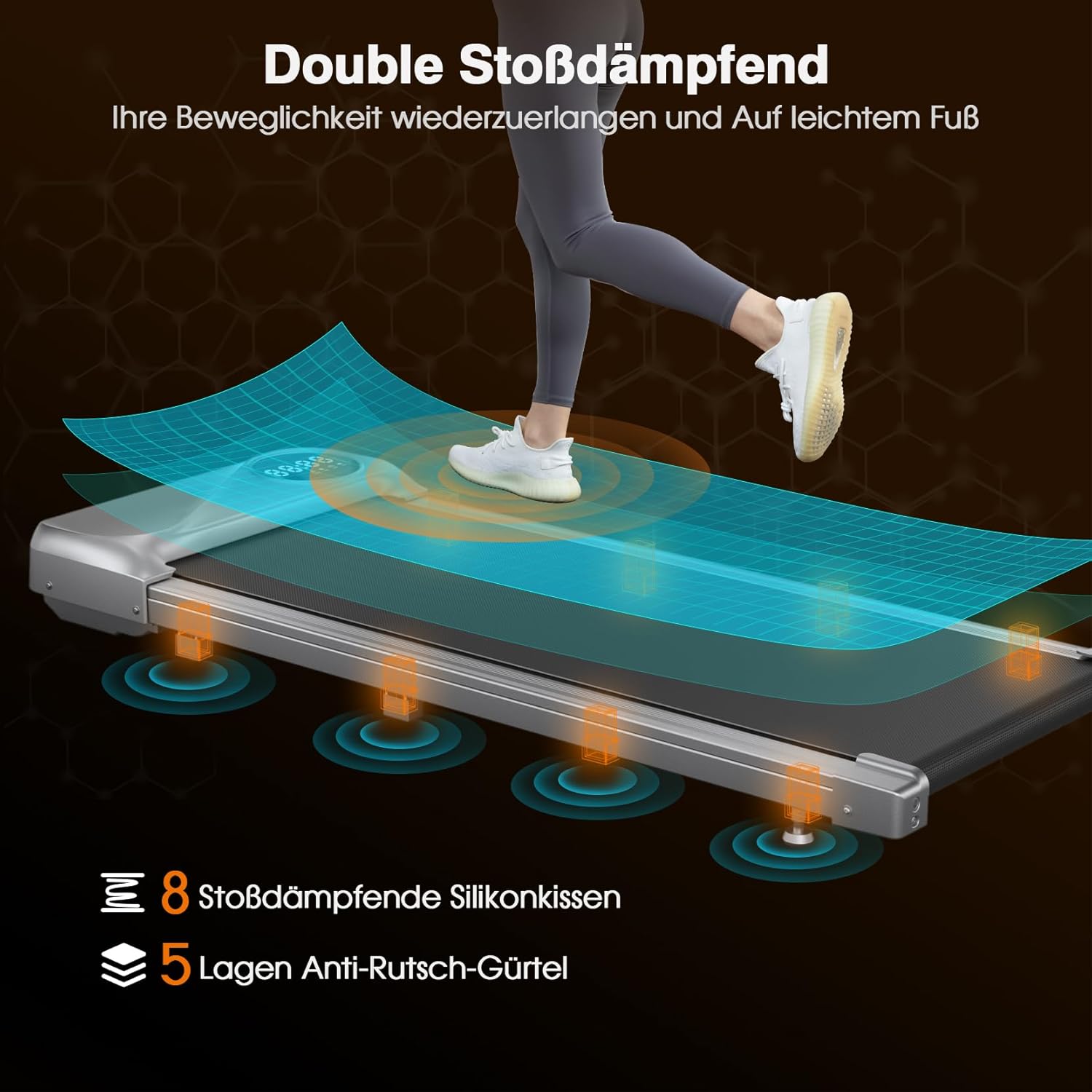
Image: Diagram showing the treadmill's double shock absorption system with 8 silicone cushions and a 5-layer anti-slip belt for joint protection.
Warranty & Support
Dripex provides comprehensive customer support for your product.
- Warranty: The product includes a one-year warranty for free spare parts.
- Customer Service: For any issues during installation or use, please contact Dripex customer service via email. All inquiries will receive a response within 24 hours.

Image: Information regarding Dripex's after-sales service, including replacement or refund options and a 1-year warranty, with a promise of 24-hour response to inquiries.
Ask a question about this manual
Ask about setup, troubleshooting, compatibility, parts, safety, or missing instructions. Manuals+ will review the question and use this page’s manual context to help answer it.