
Introduction
This manual provides detailed instructions for the installation, operation, and maintenance of your Nulaxy BT64 Bluetooth 5.3 AUX Adapter. Please read this manual thoroughly before using the product to ensure proper function and safety.
Product Overview
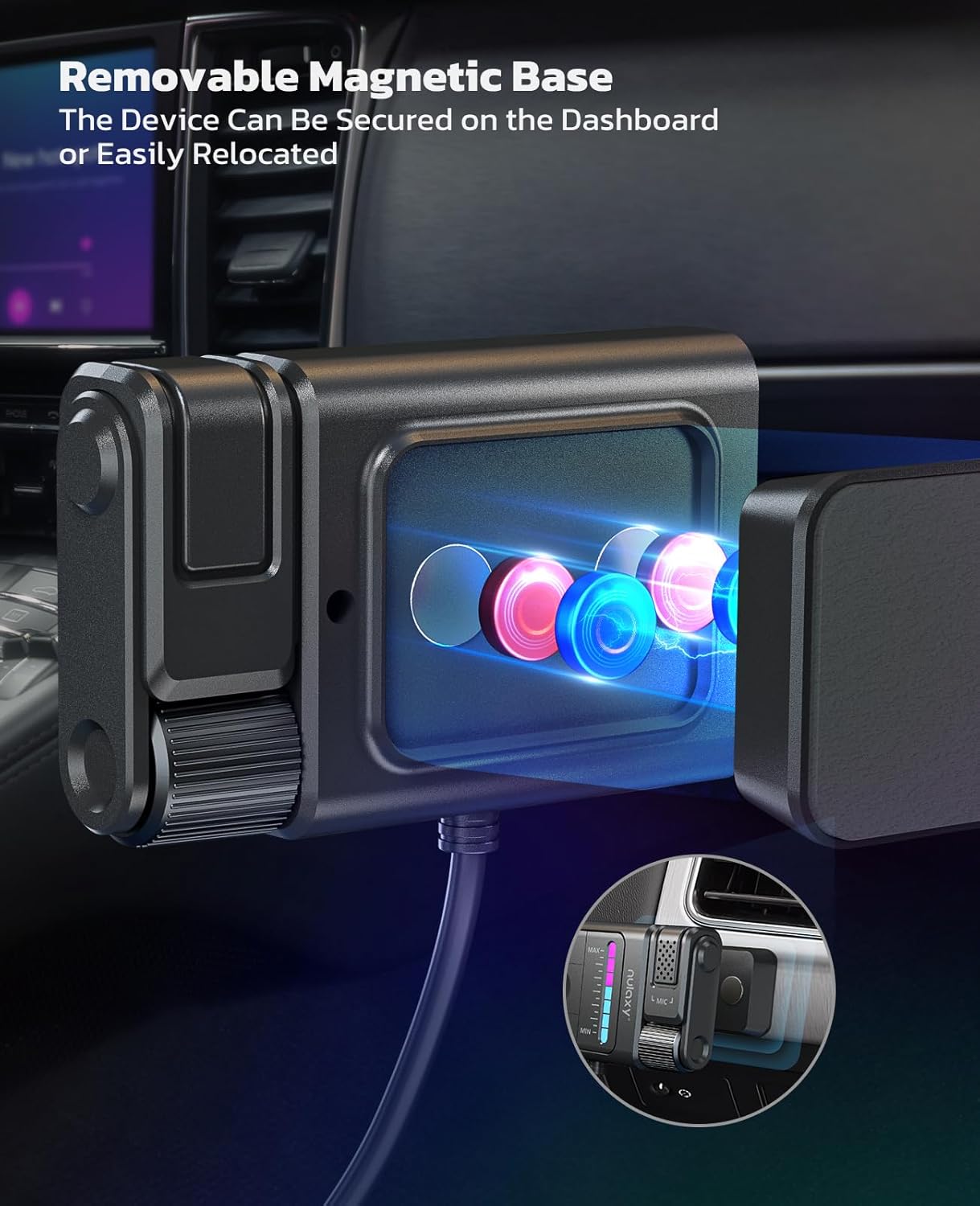
The Nulaxy BT64 is a Bluetooth 5.3 AUX adapter designed to bring wireless audio streaming and hands-free calling to your car's audio system. It features a detachable magnetic base for flexible placement and advanced noise cancellation technology.
Package Contents
- 1 × Wireless Receiver (Nulaxy BT64)
- 1 × Sticker (for magnetic base installation)
- 1 × User Manual (this document)
Key Features
- Bluetooth 5.3 Technology: Ensures faster, more stable connections and superior stereo sound.
- Plug and Play: Easy connection via USB for power and 3.5mm AUX for audio.
- Flexible Magnetic Design: Detachable magnetic base allows for convenient and secure placement.
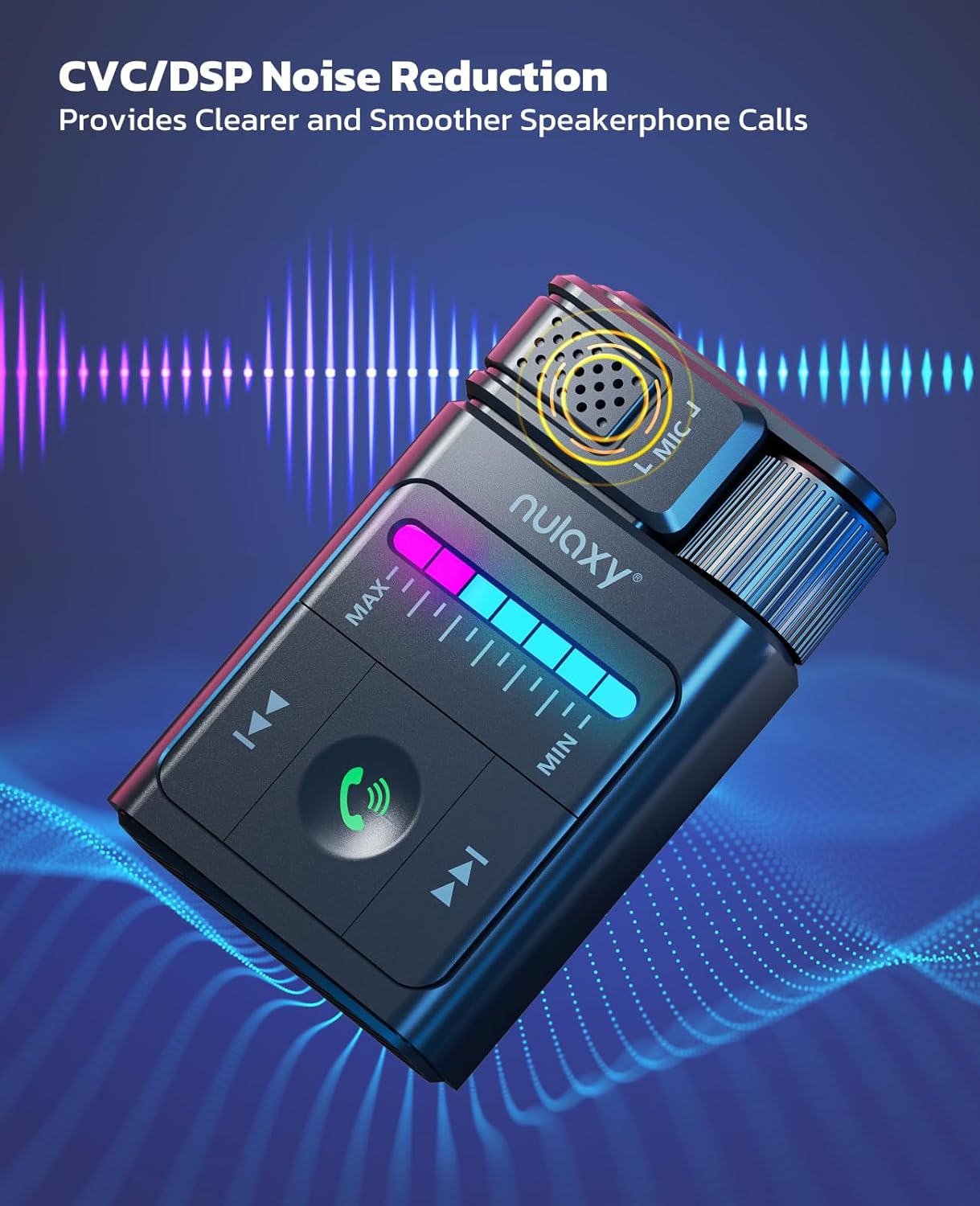
- Seamless Hands-Free Calling: CVC/DSP noise reduction and built-in filter IC for clear calls.
- Unique Lighting Effects: 7-color changing LED light for button visibility and visual feedback.
- Multiple Safety Protections: Certified by FCC, CE, RoHS, with built-in pressure, overcurrent, short circuit, and overheating protection.

Setup and Installation
Installing the Magnetic Base
- Attach the adhesive sticker to the back of the magnetic base.
- Peel off the protective film from the sticker's surface.
- Affix the magnetic base to the desired location in your car where the receiver will be mounted. Ensure the surface is clean and dry for optimal adhesion.
- Attach the Nulaxy BT64 receiver to the magnetic base. This allows for easy removal and reattachment.
Easy Connection Steps
- Power Connection: Insert the USB connector of the Nulaxy BT64 into a standard USB power source in your car. Connect the receiver's 3.5mm audio cable to your car's AUX audio input port.
Important Note: Use a standard USB port for power. Avoid quick-charging USB ports (>15W) as they can cause power incompatibilities or device malfunction due to excessive power supply.
- Bluetooth Pairing: Activate Bluetooth on your mobile phone. Search for "BT64" in the list of available devices and select it to pair. Once paired, the device will automatically connect to your phone when the car starts.

Operating Instructions
Music Playback
- Play/Pause: Press the central play/pause button.
- Next Track: Press the "Next Track" button (usually indicated by two forward arrows).
- Previous Track: Press the "Previous Track" button (usually indicated by two backward arrows).
- Volume Adjustment: Use the rotary knob on the side of the device to adjust the volume. The 7-color LED light bar will visually indicate the volume level.

Hands-Free Calling
- Answer Call: Press the phone icon button to answer an incoming call.
- End Call: Press the phone icon button again to end an active call.
- Reject Call: Press and hold the phone icon button to reject an incoming call.
- The built-in microphone with CVC/DSP noise reduction ensures clear communication during calls.
Voice Assistant Activation
- To activate your phone's voice assistant (e.g., Siri, Google Assistant), press and hold the phone icon button briefly.

LED Lighting Effects
- The 7-color changing LED light bar assists in locating buttons in low-light conditions.
- The lights also sync with volume or bass adjustments, providing visual feedback on your operations.
Maintenance
To ensure the longevity and optimal performance of your Nulaxy BT64 AUX Adapter, follow these maintenance guidelines:
- Cleaning: Use a soft, dry cloth to clean the device. Avoid using liquid cleaners or solvents, as they may damage the surface or internal components.
- Storage: When not in use for extended periods, detach the adapter from its magnetic base and store it in a cool, dry place away from direct sunlight and extreme temperatures.
- Cable Care: Avoid bending or twisting the USB and 3.5mm audio cables excessively to prevent internal wire damage.
Troubleshooting
If you encounter issues with your Nulaxy BT64 AUX Adapter, please refer to the following common solutions:
- No Power/Device Not Starting:
- Ensure the USB connector is securely plugged into a standard USB power source.
- Verify that the USB power source is active (e.g., car ignition is on).
- Avoid using quick-charging USB ports (>15W) as they can cause power incompatibilities.
- No Bluetooth Connection:
- Make sure Bluetooth is enabled on your phone.
- Ensure the Nulaxy BT64 is powered on.
- Check if "BT64" appears in your phone's Bluetooth device list. If it was previously paired, try forgetting the device and re-pairing.
- Move your phone closer to the adapter to ensure it's within the 10m transmission range.
- No Audio Output:
- Confirm the 3.5mm audio cable is fully inserted into both the adapter and your car's AUX input.
- Ensure your car's audio system is set to the AUX input mode.
- Check the volume levels on both your phone, the Nulaxy BT64 adapter, and your car's audio system.
- Poor Call Quality:
- Ensure the microphone area on the adapter is not obstructed.
- Reduce background noise in the car if possible.
- Check your phone's call volume settings.
Specifications
| Feature | Detail |
|---|---|
| Model | BT64 |
| Bluetooth Version | V5.3 |
| Transmission Distance | 10m (30ft) |
| Power Source | USB Power Source |
| Connectivity Technology | Auxiliary, Bluetooth, USB |
| Special Features | Built-In Microphone, Flexible Magnetic Design, Hands-Free Calls, Noise Cancellation, Plug and Play, 7-Color LED Lighting |
| Manufacturer | Nulaxy |
| Item Weight | 2.89 ounces |
| Package Dimensions | 5 x 3.94 x 0.94 inches |
Warranty and Support
Nulaxy stands behind the quality of its products.
- Warranty: This product comes with a 12-month hassle-free experience warranty.
- Customer Support: Our dedicated customer support team is available 24/7 to provide personalized assistance. For any inquiries or support needs, please contact us through the official Nulaxy channels.