
1. Product Overview
The FloodStop Wall Adapter Extension Wire (Model FSAWAE9) is a 9-foot extension cable designed to provide additional reach for the AC adapter of your FloodStop leak detection equipment. This accessory allows for flexible placement of your FloodStop control unit, especially when power outlets are not in close proximity to the desired installation area. It is compatible with existing FloodStop systems and can be connected in series with other extension wires for even greater reach.
Key Features:
- Compatibility: Specifically designed for use with FloodStop leak detection equipment.
- Extended Reach: Adds an additional 9 feet to your AC adapter cable.
- Modular Design: Multiple extension wires can be connected together to achieve longer distances.
- Convenience: Ideal for installations where power outlets are out of reach of the standard adapter cable.
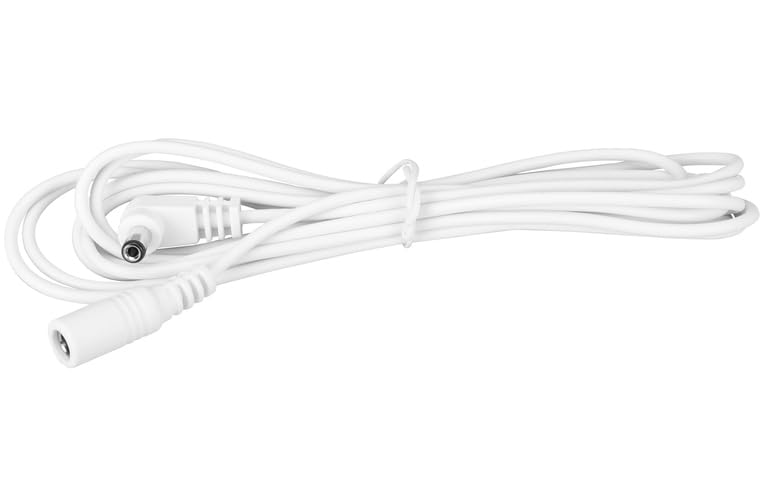
Image 1.1: The FloodStop Wall Adapter Extension Wire (FSAWAE9) coiled, showing its male and female connectors. This white cable provides 9 feet of extension for the AC adapter.
2. Setup and Installation
The FloodStop Wall Adapter Extension Wire is designed for simple plug-and-play installation. Ensure your FloodStop control unit and AC adapter are disconnected from power before proceeding.
- Identify Connections: Locate the output plug of your FloodStop AC adapter (male connector) and the input jack on your FloodStop control unit (female connector).
- Connect Extension Wire:
- Plug the male end of the FloodStop Wall Adapter Extension Wire into the female output jack of your FloodStop AC adapter.
- Plug the female end of the FloodStop Wall Adapter Extension Wire into the male input jack of your FloodStop control unit.
- Secure Connections: Ensure all connections are firm and secure to prevent accidental disconnections.
- Power On: Once the extension wire is securely connected, plug your FloodStop AC adapter into a standard electrical outlet. The FloodStop control unit should power on as usual.
Note: If additional length is required, multiple FSAWAE9 extension wires can be connected in series. Always ensure the total length does not exceed practical limits for stable power delivery to your FloodStop system.
3. Operation
The FloodStop Wall Adapter Extension Wire functions as a passive extension for your FloodStop system's power supply. It does not alter the operational behavior of the FloodStop control unit or its leak detection capabilities. Once connected, the FloodStop system will operate as described in its primary instruction manual.
The primary function of this extension wire is to provide flexibility in placing the FloodStop control unit further from a power source. This is particularly useful for installations in utility rooms, under sinks, or near appliances where outlets may be inconveniently located.
Video 3.1: An overview of FloodStop Leak Detection systems. This video demonstrates how FloodStop devices detect leaks and automatically shut off water supply, providing context for the extension wire's use.
4. Maintenance
The FloodStop Wall Adapter Extension Wire requires minimal maintenance. To ensure continued reliable operation:
- Regular Inspection: Periodically check the cable for any signs of damage, such as cuts, fraying, or kinks.
- Connection Integrity: Ensure the connections between the AC adapter, extension wire, and control unit remain secure.
- Cleanliness: Keep the cable and connectors free from dust, dirt, and moisture. Use a dry, soft cloth for cleaning if necessary.
- Avoid Stress: Do not pull on the cable to disconnect it. Always grasp the plug firmly. Avoid placing heavy objects on the cable or bending it sharply.
5. Troubleshooting
If your FloodStop system is not powering on or functioning correctly after installing the extension wire, consider the following:
- No Power to Control Unit:
- Verify the AC adapter is securely plugged into a working electrical outlet.
- Check all connections of the extension wire to the AC adapter and the control unit. Ensure they are fully inserted.
- Test the FloodStop system by connecting the AC adapter directly to the control unit, bypassing the extension wire, to rule out an issue with the extension wire itself.
- Intermittent Power:
- This could indicate a loose connection. Re-seat all plugs.
- Inspect the extension wire for any visible damage.
If issues persist, refer to the main FloodStop control unit manual or contact FloodStop customer support.
6. Specifications
| Attribute | Detail |
|---|---|
| Model Number | FSAWAE9 |
| Brand | FloodStop |
| Item Type Name | Leak Detector Wall Adapter Extension Wire, 9' |
| Item Length | 108 Inches (9 feet) |
| Color | White |
| Connector Gender | Male-to-Female |
| Voltage | 120 Volts (AC) - Note: This refers to the compatible input voltage of the AC adapter it extends. |
| Plug Format | Type A |
| Plug Type | Type A |
| Item Weight | 0.06 Pounds |
| UL Listed | No |
| UPC | 815361000138 |
7. What's in the Box
The package for the FloodStop Wall Adapter Extension Wire (FSAWAE9) includes:
- 1x FloodStop Wall Adapter Extension Wire, 9'
8. Warranty and Support
For warranty information, technical support, or further assistance with your FloodStop products, please refer to the documentation included with your main FloodStop leak detection system or visit the official FloodStop website. You may also contact IPS Corporation directly for support related to this product.
Manufacturer: IPS Corporation
Brand Store: FloodStop Store on Amazon