
BWT Cosmy 150 (RU2N-NOYO-S1M70)
BWT Cosmy 150 Robotic Pool Cleaner User Manual
Model: Cosmy 150 (RU2N-NOYO-S1M70)
Product Overview
The BWT Cosmy 150 Robotic Pool Cleaner is designed for efficient and thorough pool cleaning. It features powerful suction, capable of being adjusted to twice its standard strength by modifying the height of the intake valves, allowing adaptation to various debris types. Equipped with a two-stage planetary gear system, it offers enhanced efficiency and precision in movement.
This cleaner is notably lightweight, weighing less than 5.9 kg (13 lbs), making it easy to lift in and out of the pool. Its quick water evacuation system further reduces weight upon removal. The Cosmy 150 navigates all pool floors and waterproofing finishes with ease, ensuring impeccable results regardless of pool shape. It is intuitive to use, starting operation with a single button press.
A filter indicator light alerts you when the filter is full. The top-loading design allows for easy filter access and cleaning, ensuring your hands remain clean.

Figure 1: The BWT Cosmy 150 Robotic Pool Cleaner, showcasing its compact design and "Powered by BWT" branding.
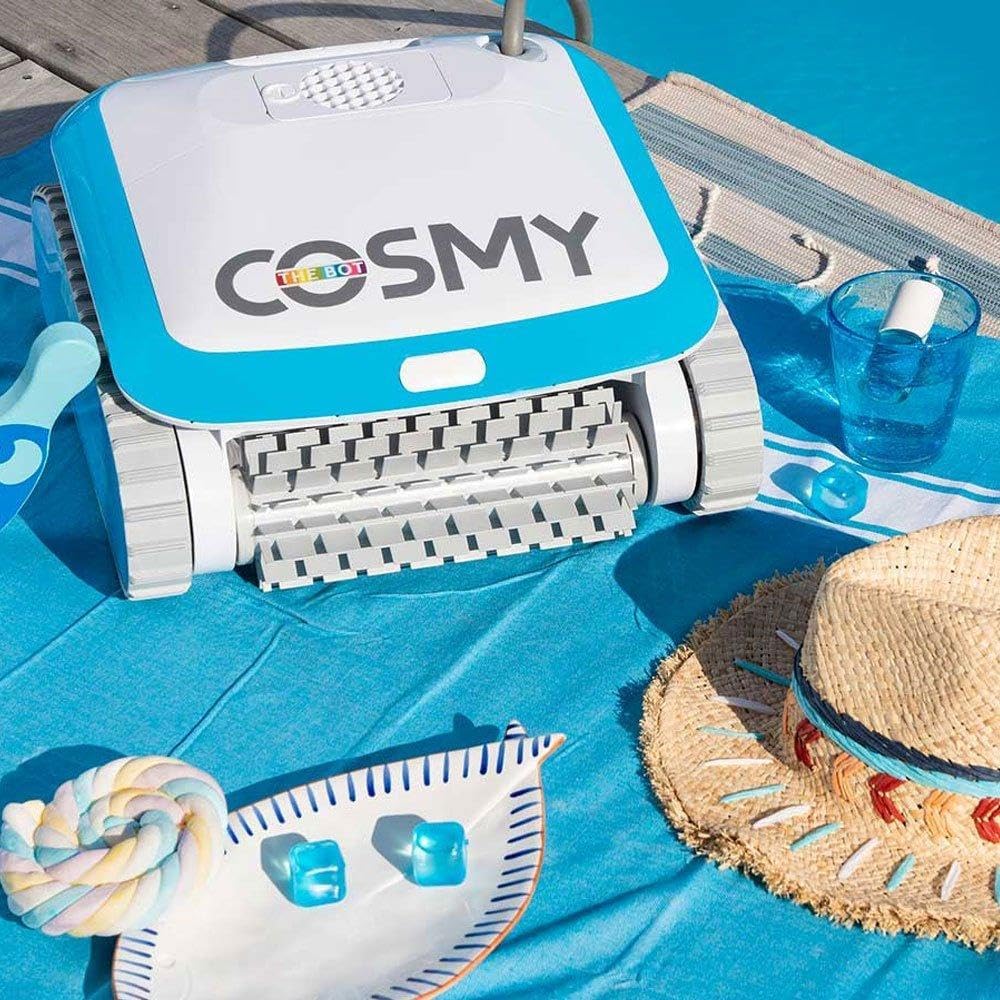
Figure 2: The BWT Cosmy 150 Robotic Pool Cleaner resting beside a swimming pool, ready for use.
Setup
- Unpack the Cleaner: Carefully remove the BWT Cosmy 150 from its packaging. Ensure all components, including the cleaner unit and power supply, are present and undamaged.
- Connect Power Supply: Connect the floating cable from the cleaner to the power supply unit. Ensure the connection is secure.
- Position Power Supply: Place the power supply unit at least 3.5 meters (11.5 feet) from the edge of the pool, in a shaded area, and away from direct sunlight or standing water. Ensure it is plugged into a grounded electrical outlet.
- Submerge the Cleaner: Gently lower the Cosmy 150 into the pool. Allow it to sink to the bottom, ensuring all trapped air escapes. The cleaner will become fully submerged and ready for operation.

Figure 3: The BWT Cosmy 150 in the pool with its power supply unit visible on the pool deck, indicating readiness for operation.
Operating Instructions
- Start Cleaning Cycle: Once the cleaner is fully submerged and the power supply is connected, press the start button on the power supply unit. The Cosmy 150 will begin its cleaning cycle automatically.
- Automatic Operation: The cleaner will navigate the pool floor and walls using its smart navigation system, ensuring comprehensive coverage. It is designed to clean the entire pool in approximately 2 hours.
- Adjust Suction Power (Optional): If needed, the suction power can be adjusted by modifying the height of the intake valves on the underside of the cleaner. Refer to the detailed diagram in the full product manual for precise adjustment.
- Cycle Completion: The cleaner will automatically stop once its cleaning cycle is complete.

Figure 4: A collage demonstrating the BWT Cosmy 150's smart navigation capabilities, showing it moving across the pool floor and walls.

Figure 5: The BWT Cosmy 150 demonstrating its ability to climb and clean the pool walls and waterline, ensuring comprehensive cleaning.
Maintenance
Regular maintenance of your BWT Cosmy 150 ensures optimal performance and longevity. The primary maintenance task is cleaning the filter basket.
- Remove from Pool: Once the cleaning cycle is complete, or when the filter indicator light illuminates, gently pull the cleaner out of the pool using its handle. The quick water evacuation system will drain water rapidly, making it lighter to lift.
- Access the Filter: The Cosmy 150 features a top-loading filter design. Press the release button to open the filter compartment and lift out the filter basket.
- Clean the Filter: Empty any collected debris from the filter basket. Rinse the filter thoroughly with a garden hose until all debris and fine particles are removed. Ensure the filter material is completely clean before reinserting.
- Reinsert Filter: Place the clean filter basket back into the cleaner's compartment, ensuring it clicks securely into place. Close the filter compartment lid.
- Store Properly: When not in use, store the cleaner and power supply in a cool, dry place, away from direct sunlight and extreme temperatures.

Figure 6: A person effortlessly lifting the BWT Cosmy 150 from the pool, demonstrating its quick water release feature.

Figure 7: A hand accessing the top-loading filter basket of the BWT Cosmy 150, and another image showing the filter being rinsed clean.
Troubleshooting
| Problem | Possible Cause | Solution |
|---|---|---|
| Cleaner does not start. | No power to unit; power supply not connected; cleaner not fully submerged. | Ensure power supply is plugged in and connected to cleaner. Verify cleaner is fully submerged and free of trapped air. Press the start button. |
| Cleaner moves slowly or inefficiently. | Filter basket is full; intake valves are blocked; debris in impeller. | Clean the filter basket. Check intake valves for obstructions and clear them. Inspect the impeller for any trapped debris and remove carefully. |
| Cord tangles during operation. | Excessive cable length in pool; pool shape causing tangles. | Ensure only the necessary length of cable is in the water. Straighten the cable before each use. Consider adding a swivel to the cable if tangling persists (if compatible). |
| Debris spills out when removing cleaner. | Filter basket not fully seated; cleaner tilted excessively during removal. | Ensure the filter basket is securely clicked into place. Lift the cleaner slowly and as level as possible from the water. Allow sufficient time for water to drain before fully lifting. |
| Cleaner does not climb walls. | Filter basket is full; water chemistry imbalance (algae); worn brushes/tracks. | Clean the filter basket. Check and balance pool water chemistry. Inspect tracks for wear and replace if necessary. |
Specifications
| Feature | Detail |
|---|---|
| Brand | BWT |
| Model Name | Cosmy 150 |
| Item Model Number | RU2N-NOYO-S1M70 |
| UPC | 810045771915 |
| Item Weight | 5.9 kilograms (13 pounds) |
| Product Dimensions (L x W x H) | 50.8 x 50.8 x 38.1 cm (20 x 20 x 15 inches) |
| Power Source | Battery Powered (Lithium-ion) |
| Installation Type | Robotic |
| Efficiency | High efficiency, energy efficient, high suction power |
| Control Method | Touch |
| Special Feature | Waterproof |
| Assembly Required | No |
| Manufacturer | STEWARD GROUP, LLC |
Warranty Information
The BWT Cosmy 150 Robotic Pool Cleaner comes with a Limited Warranty. For specific terms, conditions, and duration of the warranty, please refer to the warranty card included with your product or contact BWT customer support directly. Keep your proof of purchase for warranty claims.
Support
If you encounter any issues not covered in the troubleshooting section or require further assistance, please contact BWT customer support. You can typically find contact information (phone number, email, or website) on the product packaging, in the full product manual, or on the official BWT website.
When contacting support, please have your product model number (Cosmy 150) and item model number (RU2N-NOYO-S1M70) ready, along with a detailed description of the issue.
Related documentsCosmy 150 (RU2N-NOYO-S1M70)


Ask a question about this manual
Ask about setup, troubleshooting, compatibility, parts, safety, or missing instructions. Manuals+ will review the question and use this page’s manual context to help answer it.