
1. Introduction
This manual provides essential information for the safe and efficient installation, operation, and maintenance of your Morec Wallbox EV Charging Station YM30C-7KW-T2. Please read this manual thoroughly before using the product and retain it for future reference.
2. Safety Information
Always adhere to local electrical codes and safety regulations during installation and operation. Improper installation or use can result in electric shock, fire, or serious injury.
2.1 General Safety Precautions
- Ensure the charging station is installed by a qualified electrician.
- Do not attempt to open, disassemble, or modify the charging station.
- Keep children and pets away from the charging station during operation.
- Do not use the charging station if it is damaged, wet, or shows signs of malfunction.
- Ensure the charging cable is not pinched, twisted, or damaged.
2.2 Protection Features
The Morec Wallbox EV Charging Station is equipped with multiple safety certifications (CE, RoHS, TUV) and protection mechanisms:
- Overcurrent Protection
- Overvoltage Protection
- Overheating Protection
- Leakage Protection
- Short Circuit Protection

Image: IP66 Protection Level. This image illustrates the IP66 protection level of the Morec Wallbox EV Charger, indicating its resistance to water, snow, dust, and heat, making it suitable for various environmental conditions.
3. Package Contents
Verify that all items listed below are present in your package:

Image: Package Contents. This image displays the items included in the Morec Wallbox EV Charging Station package: (1) Charging Station, (2) Instructions, (3) Install positioning paper, (4) Iron hook, and (5) Backboard.
- Morec Wallbox EV Charging Station (with integrated 6m cable)
- Instruction Manual
- Installation Positioning Paper
- Iron Hook
- Backboard
4. Specifications
| Feature | Specification |
|---|---|
| Model Number | YM30C-7KW-T2 |
| Charging Power | 7.68 kW (7kW nominal) |
| Amperage | 32 A |
| Voltage | 240 V |
| Connector Type | Type 2 (IEC 62196-2 Standard) |
| Cable Length | 6 meters |
| Protection Level | IP66 (Waterproof, Snowproof, Dustproof, Heatproof) |
| Dimensions (L x W x H) | 28 x 12 x 12 cm |
| Item Weight | 3 Kilograms |
| Certifications | CE, RoHS, TUV |

Image: 6 Meters Ultra Long Cable. This image demonstrates the convenience of the 6-meter long charging cable, allowing flexible parking options for your electric vehicle while charging.
5. Installation Guide
The Morec Wallbox EV Charging Station is designed for straightforward installation. It is crucial that installation is performed by a qualified electrician in compliance with all local electrical codes and regulations.
5.1 Pre-Installation Checklist
- Confirm the electrical supply meets the charger's requirements (240V, 32A, single-phase).
- Select a suitable mounting location, ensuring it is a flat, stable surface and within reach of your vehicle's charging port.
- Ensure adequate ventilation around the charging station.
- Turn off the main power supply to the installation area before beginning.
5.2 Mounting Steps

Image: 5-Minute Installation. This image illustrates the three main steps for installing the Morec EV Charger: 1. Mark Holes using the provided template, 2. Drive Screws into the marked positions, and 3. Mount the EV Charger onto the installed screws.
- Mark Holes: Use the provided installation positioning paper to mark the drilling points on the wall.
- Drive Screws: Drill holes at the marked positions and insert appropriate wall anchors. Secure the backboard using screws.
- Mount EV Charger: Carefully attach the Morec Wallbox EV Charging Station to the secured backboard.
5.3 Electrical Connection
Connect the charging station to the dedicated electrical circuit as per local regulations. This typically involves connecting the live, neutral, and ground wires to the appropriate terminals within the charging station. Ensure all connections are secure and properly insulated.
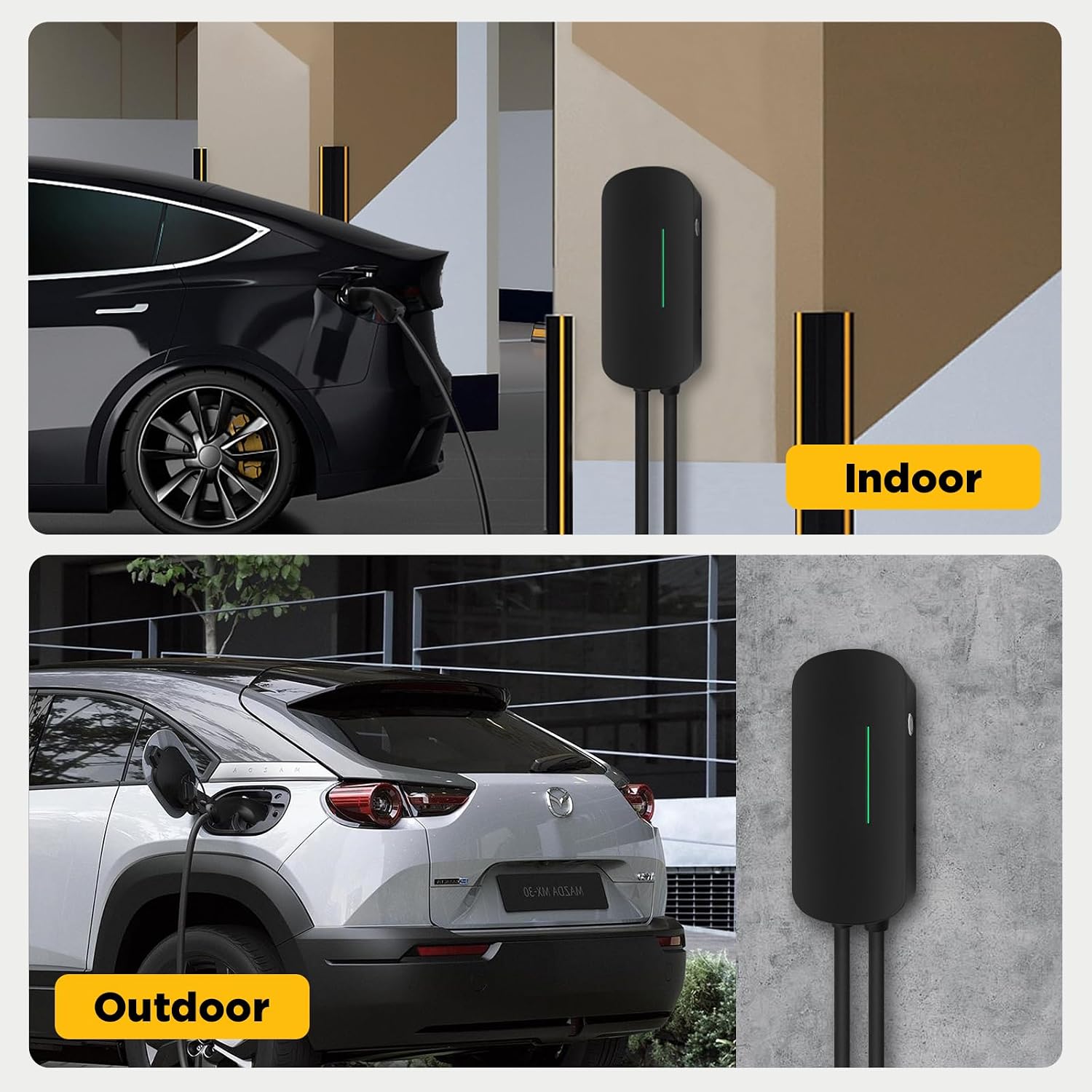
Image: Indoor/Outdoor Use. This image highlights the versatility of the Morec Wallbox EV Charger, suitable for both indoor garage installations and outdoor wall-mounted setups, thanks to its robust IP66 protection.
6. Operating Instructions
The Morec Wallbox EV Charging Station features a simple 'Plug and Play' operation.
6.1 Starting a Charge
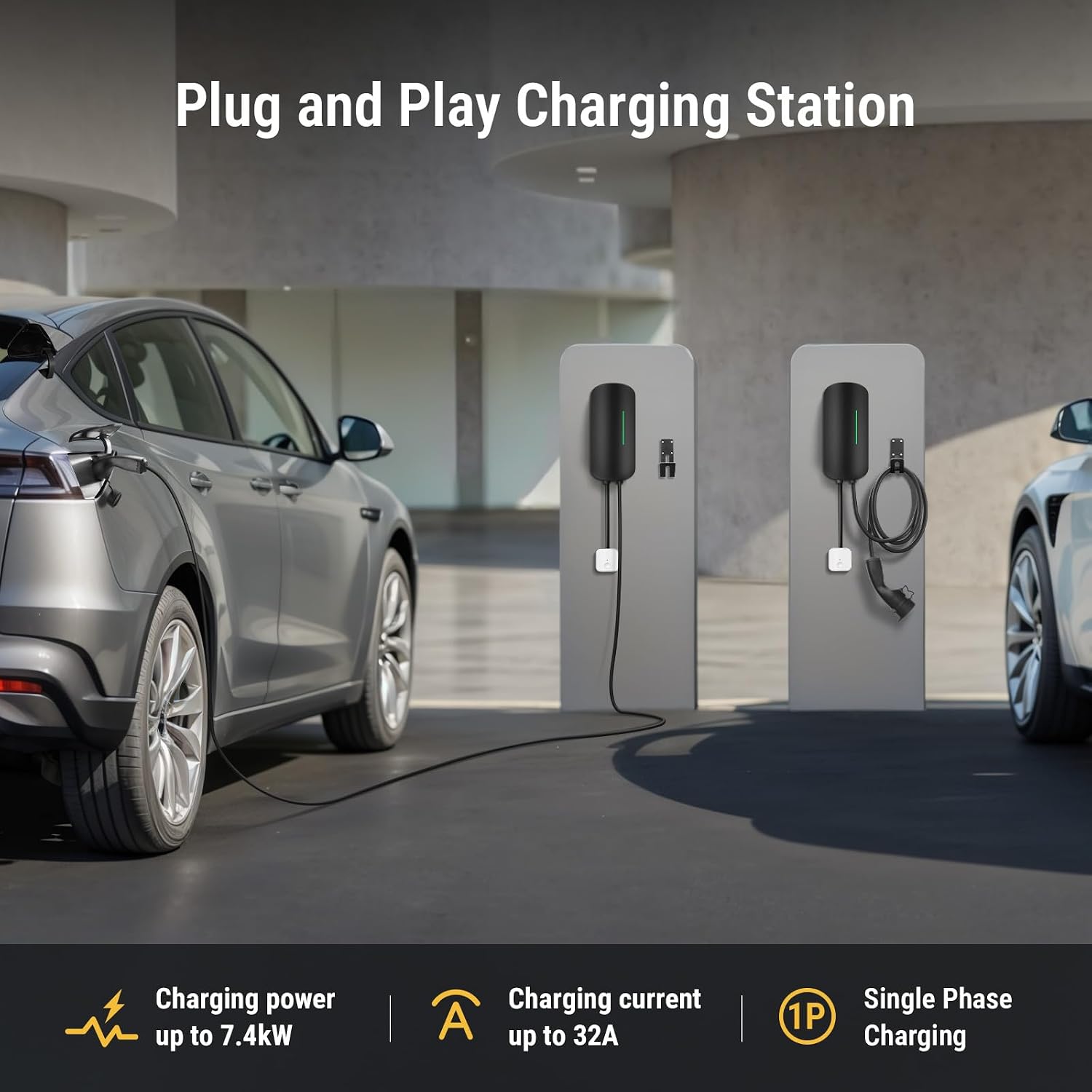
Image: Plug and Play Charging Station. This image demonstrates the simplicity of the Morec Wallbox EV Charging Station, highlighting its 'Plug and Play' operation. Key specifications like charging power up to 7.4kW, charging current up to 32A, and single-phase charging are also displayed.
- Ensure your vehicle is parked safely and the charging station is powered on.
- Open the charging port cover on your electric vehicle.
- Insert the Type 2 connector from the Morec Wallbox into your vehicle's charging port. Ensure it is fully seated.
- Press the start button on the charging station (if applicable, or charging may begin automatically). The charging status indicator will illuminate.
- Monitor your vehicle's dashboard or the charging station's indicator for charging status.
6.2 Stopping a Charge
- Stop the charging process via your vehicle's interface or by pressing the stop button on the charging station.
- Carefully remove the Type 2 connector from your vehicle's charging port.
- Replace the charging port cover on your vehicle and return the charging cable to its designated storage area on the wallbox.
6.3 Dynamic Energy Management
The charging station supports dynamic energy management to optimize power usage within your home, especially during peak and off-peak hours.

Image: Dynamic Energy Management. This diagram illustrates how the charging station dynamically adjusts power. When household usage is outside peak hours, the charging pile can utilize up to 80% of the total electrical power for the home. During peak hours, it intelligently reduces its consumption to 30% to prevent overloading the home's electrical system.
7. Maintenance
Regular maintenance ensures the longevity and safe operation of your Morec Wallbox EV Charging Station.
- Cleaning: Wipe the exterior of the charging station with a soft, damp cloth. Do not use abrasive cleaners or solvents. Ensure the unit is powered off before cleaning.
- Cable Inspection: Periodically inspect the charging cable and connector for any signs of wear, cuts, or damage. If damage is found, discontinue use immediately and contact support.
- Ventilation: Ensure that the ventilation openings are clear of dust and debris to prevent overheating.
- Professional Inspection: It is recommended to have the charging station inspected by a qualified electrician annually.
8. Troubleshooting
If you encounter issues with your Morec Wallbox EV Charging Station, refer to the following common troubleshooting steps:
| Problem | Possible Cause | Solution |
|---|---|---|
| Charging does not start |
|
|
| Charging stops unexpectedly |
|
|
| Indicator light shows an error | Refer to the specific error code or light pattern in the full manual (if available) or contact customer support with the error description. | Consult the full product manual for specific error codes or contact Morec customer support. |
If the problem persists after attempting these solutions, please contact Morec customer support for further assistance.
9. Warranty and Support
Morec products are designed for reliability and performance. For specific warranty terms and conditions, please refer to the warranty card included with your product or visit the official Morec website. Keep your purchase receipt as proof of purchase for warranty claims.
9.1 Customer Support
For technical assistance, troubleshooting beyond this manual, or warranty inquiries, please contact Morec customer support through the contact information provided on the official website or your purchase platform.