
1. Introduction
This manual provides essential information for the safe and efficient operation of your Panasonic NR-BK468BQKN 401L Smart Inverter Frost-Free Double Door Bottom Mount Refrigerator. Please read these instructions thoroughly before using the appliance and retain them for future reference.
Your refrigerator features a 401-liter capacity, a bottom-mounted freezer for ergonomic access, and advanced technologies such as a 6-stage Intelligent Inverter compressor for energy efficiency and AG Clean technology for hygiene. It also includes convertible modes for flexible storage and a Fresh Safe vegetable case.
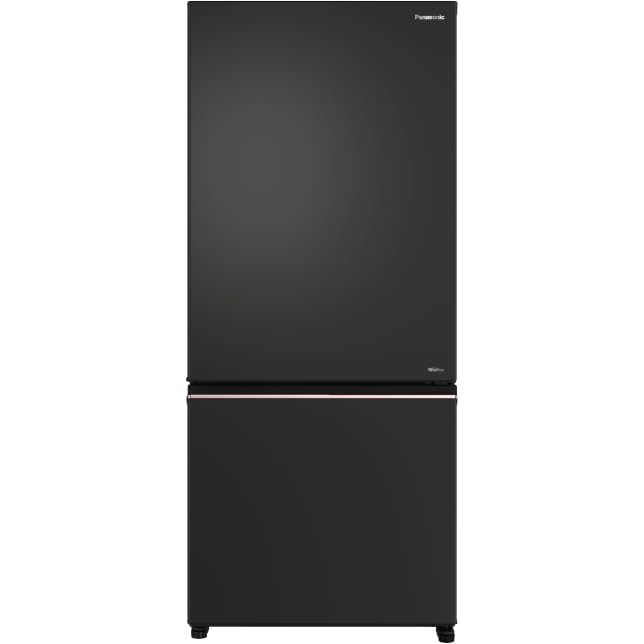
Figure 1: Front view of the Panasonic NR-BK468BQKN refrigerator.
2. Setup and Installation
2.1 Unpacking
Carefully remove all packaging materials, including tape and protective films. Dispose of packaging responsibly.
2.2 Placement
- Place the refrigerator on a firm, level surface to prevent vibrations and noise.
- Ensure adequate ventilation around the appliance. Maintain a minimum clearance of 10 cm (4 inches) at the back and sides, and 30 cm (12 inches) at the top.
- Avoid direct sunlight, heat sources (e.g., stoves, radiators), and damp areas.
2.3 Leveling
Adjust the front leveling feet by turning them clockwise or counter-clockwise until the refrigerator is stable and level. This helps ensure proper door sealing and efficient operation.
2.4 Initial Cleaning
Before first use, wipe the interior and exterior surfaces with a soft cloth dampened with a mild detergent solution. Rinse with clean water and dry thoroughly.
2.5 Power Connection
Connect the power cord to a dedicated 230V AC, 50Hz grounded electrical outlet. Do not use extension cords or multi-plugs. Allow the refrigerator to stand for at least 2-4 hours before plugging it in to allow refrigerants to settle.
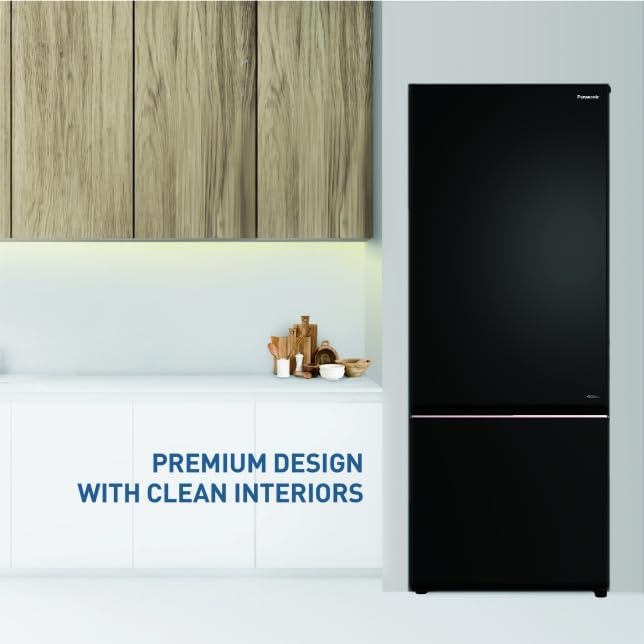
Figure 2: Proper placement of the refrigerator in a kitchen environment, highlighting its premium design.
3. Operating Instructions
3.1 Control Panel
The control panel, typically located inside the refrigerator compartment, allows you to adjust temperature settings and select convertible modes. Refer to the labels on the panel for specific button functions.
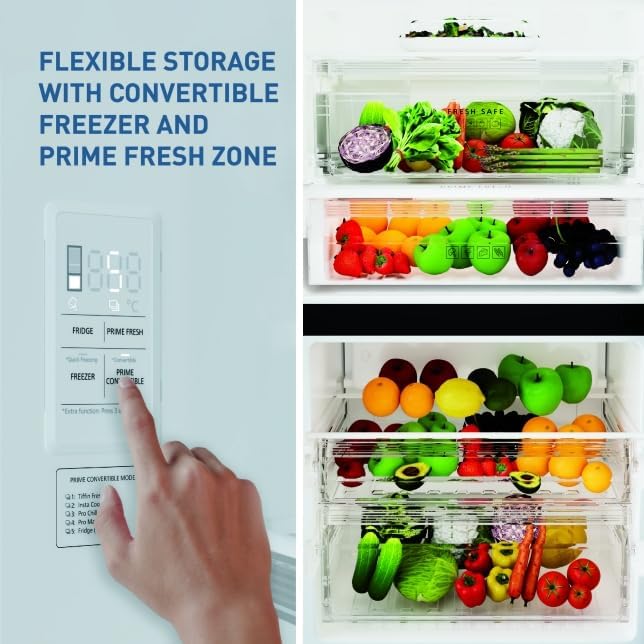
Figure 3: The control panel for managing temperature and convertible modes, alongside flexible storage options.
3.2 Convertible Modes
Your refrigerator offers 4 Prime Fresh Convertible Modes to optimize storage based on your needs:
- Pro Marinate: Ideal for marinating meats and vegetables, enhancing flavor absorption.
- Tiffin Fresh: Maintains freshness of packed meals, suitable for daily use.
- Insta Cook: Prepares ingredients for cooking quickly, such as thawing or chilling.
- Pro Chill: Rapidly chills beverages and desserts.
Select the desired mode using the dedicated button on the control panel.
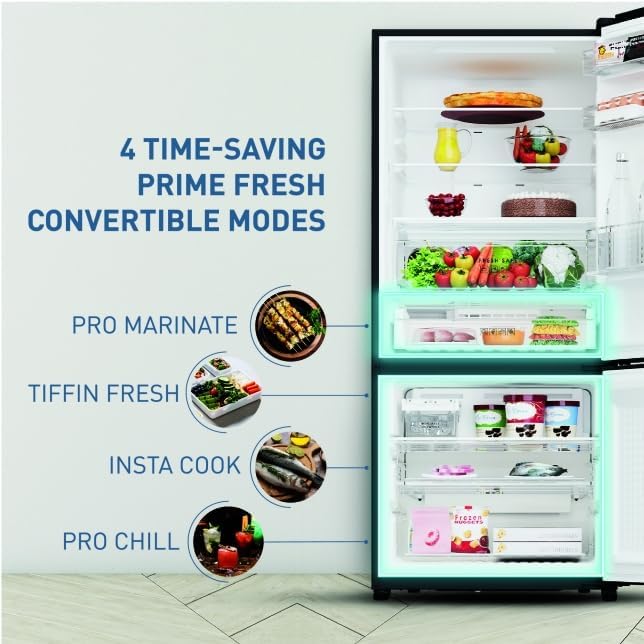
Figure 4: Visual representation of the four Prime Fresh Convertible Modes and their applications.
3.3 Fresh Safe Vegetable Case
The 28-liter Fresh Safe Vegetable Case is designed to retain moisture, keeping fruits and vegetables fresh for longer periods. Store produce in this dedicated compartment for optimal preservation.
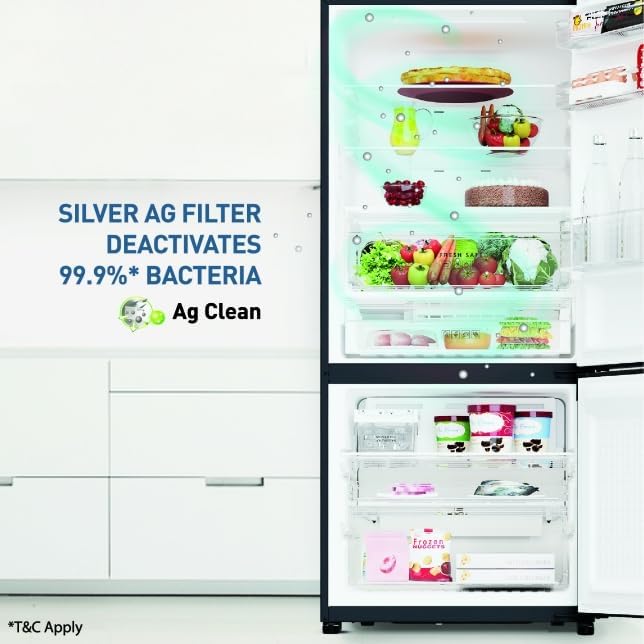
Figure 5: The Fresh Safe Vegetable Case, designed to maintain optimal humidity for produce.
3.4 AG Clean Technology
The integrated AG Clean technology utilizes a Silver AG filter to deactivate 99.9% of bacteria, contributing to a hygienic storage environment within the refrigerator. This helps reduce odors and maintain food freshness.

Figure 6: Illustration of the Silver AG filter and its bacterial deactivation function.
3.5 Double Twist Ice Tray
The movable double twist ice tray allows for convenient ice cube production and storage. Simply fill with water, freeze, and twist the knobs to release ice into the collection bin below.
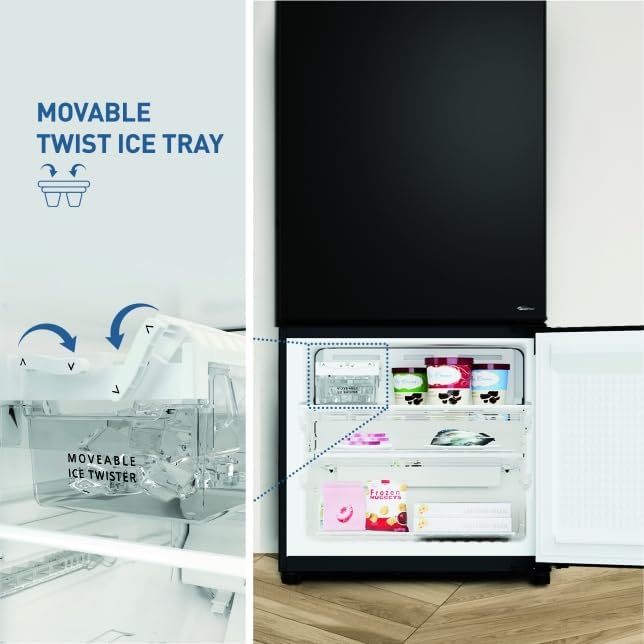
Figure 7: Demonstration of the movable double twist ice tray for easy ice dispensing.
3.6 Inverter Compressor
The 6-stage Intelligent Inverter compressor adjusts its power output according to the cooling demand, leading to efficient energy consumption and stable temperatures. This technology contributes to reduced electricity usage.
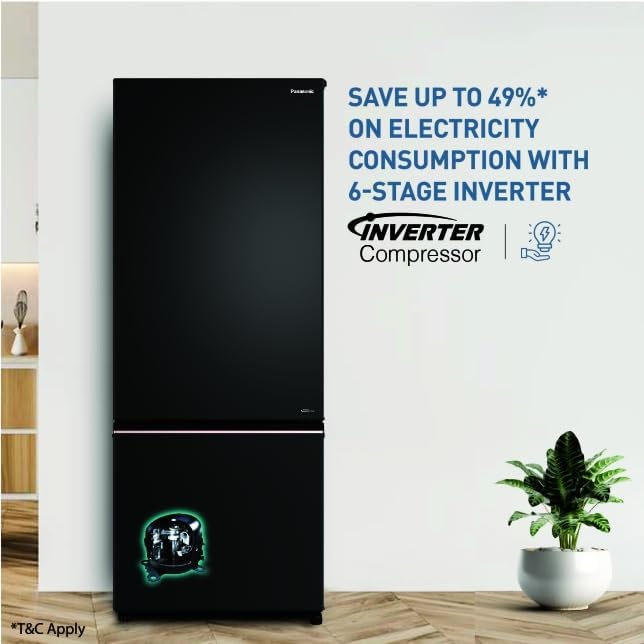
Figure 8: Visual highlighting the energy efficiency benefits of the 6-stage Inverter compressor.
4. Maintenance
4.1 Cleaning the Interior
Regularly clean the interior of your refrigerator to prevent odors and maintain hygiene. Unplug the appliance before cleaning. Remove all food items, shelves, and drawers. Wash removable parts with a mild detergent and warm water. Wipe interior surfaces with a soft cloth dampened with a baking soda solution (1 tablespoon baking soda to 1 liter of water). Rinse and dry thoroughly before returning items.
4.2 Cleaning the Exterior
Wipe the exterior surfaces with a soft, damp cloth. For stubborn stains, use a mild, non-abrasive cleaner. Avoid harsh chemicals or abrasive pads that can damage the finish.
4.3 Defrosting
This refrigerator features a frost-free system, which automatically prevents ice buildup in the freezer and refrigerator compartments. Manual defrosting is generally not required. If excessive ice accumulation occurs, contact customer support.
4.4 Door Seal Maintenance
Keep the door gaskets clean and free of debris to ensure a tight seal. A damaged or dirty seal can lead to inefficient cooling and increased energy consumption. Clean with warm, soapy water and dry thoroughly.
5. Troubleshooting
Before contacting service, review the following common issues and solutions:
- Refrigerator not cooling: Check if the power cord is securely plugged in. Ensure the temperature settings are correct. Verify that the door is closed properly. Avoid overloading the refrigerator.
- Unusual noises: Minor noises from the compressor or refrigerant flow are normal. Ensure the refrigerator is level and not touching a wall or cabinet.
- Water leakage: Check if the drain hole is blocked. Ensure the water collection tray (if applicable) is correctly positioned.
- Door not closing properly: Check for obstructions, such as food packages or shelves. Ensure the refrigerator is level. Clean the door gaskets.
- Light not working: Unplug the refrigerator and check if the bulb needs replacement (if user-replaceable). For LED lights, contact service if they fail.
If the problem persists after attempting these solutions, please contact Panasonic customer support.
6. Specifications
| Feature | Specification |
|---|---|
| Brand | Panasonic |
| Model | NR-BK468BQKN |
| Capacity | 401 litres |
| Annual Energy Consumption | 290 Kilowatt Hours Per Year |
| Refrigerator Fresh Food Capacity | 401 litres |
| Freezer Capacity | 106 Litres |
| Installation Type | Freestanding |
| Form Factor | Convertible |
| Special Features | Inverter Compressor |
| Colour | DIAMOND BLACK |
| Voltage | 230 Volts (AC) |
| Number of Drawers | 4 |
| Defrost System | Frost Free |
| Door Orientation | Right |
| Number of Shelves | 3 |
| Item Weight | 36 kg |
| Item Dimensions LxWxH | 70 x 68.5 x 162.4 Centimeters |
| BEE Star Rating | 2 Star |
7. Warranty and Support
7.1 Warranty Information
Your Panasonic NR-BK468BQKN refrigerator typically comes with a 3-year warranty. Please refer to your purchase documentation or the official Panasonic website for specific warranty terms and conditions, including coverage details and registration procedures.
7.2 Customer Support
For technical assistance, service requests, or inquiries regarding your refrigerator, please contact Panasonic customer support. You can find contact information (phone numbers, email, or service center locations) on the official Panasonic India website or in your warranty card.
When contacting support, please have your model number (NR-BK468BQKN) and serial number ready.


