
Introduction
Thank you for choosing MANKIW D06 Wireless Earbuds. This manual provides essential information for setting up, operating, and maintaining your earbuds to ensure optimal performance and longevity. Please read these instructions carefully before use.
What's in the Box

Image: Contents of the MANKIW D06 Wireless Earbuds package.
The MANKIW D06 Wireless Earbuds package includes the following items:
- Wireless Earbuds (1 pair)
- Charging Case (1 unit)
- Type-C Charging Cable (1 unit)
- User Manual (1 unit)
- Ear Tips (3 pairs: Small, Medium, Large)
Product Overview

Image: MANKIW D06 Wireless Earbuds and charging case.
The MANKIW D06 Wireless Earbuds are designed for a superior audio experience with convenience and durability. Key features include:
- Bluetooth 5.3 Technology: Ensures faster speed and more stable connections up to 10 meters.
- LED Digital Power Display: Shows the battery level of both the charging case and individual earbuds.
- Immersive Stereo Sound: Delivers enhanced bass and crystal-clear audio.
- Smart Touch Control: Intuitive touch sensors for managing music playback, calls, and voice assistants.
- Long Battery Life: Up to 8 hours of continuous playback per charge, extending to 32 hours with the charging case.
- IPX5 Water Resistance: Protects against sweat and splashes, suitable for workouts and outdoor activities.
- Compact and Lightweight Design: Easy to carry and comfortable for extended wear.
- Built-in Microphone: For clear hands-free calls.
Setup
1. Charging the Earbuds and Case
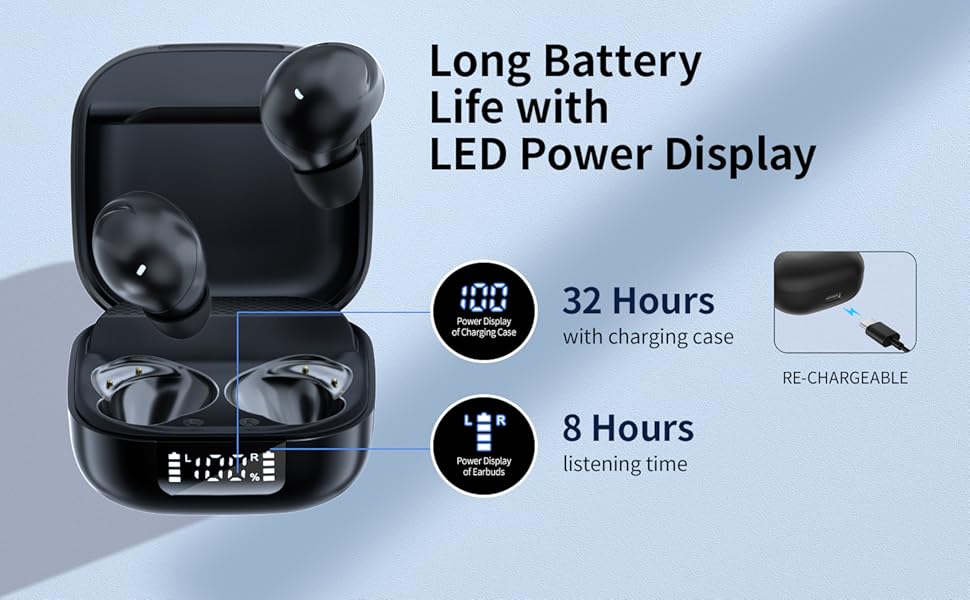
Image: Charging the earbuds and case.
- Before first use, fully charge the earbuds and the charging case.
- Place the earbuds into the charging case. Ensure they are correctly seated.
- Connect the provided Type-C charging cable to the charging port on the case and plug the other end into a USB power source (e.g., wall adapter, computer).
- The LED digital display on the case will show the current battery percentage of the case and the charging status of each earbud.
- Once fully charged, the display will show 100%.
2. Pairing with Your Device (One-Step Pairing)
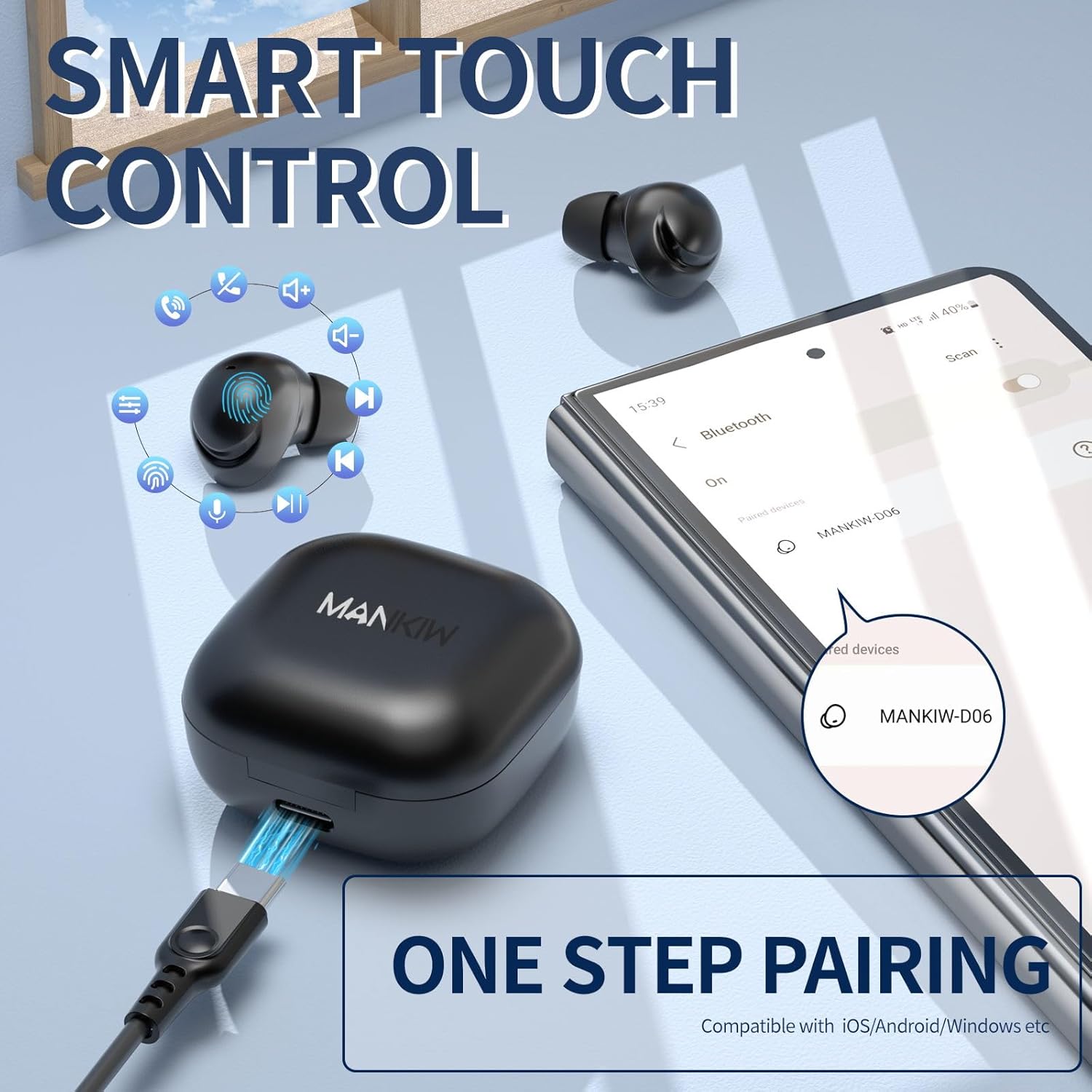
Image: One-step pairing process.
The MANKIW D06 earbuds feature one-step automatic pairing:
- Open the charging case. The earbuds will automatically enter pairing mode.
- On your device (smartphone, tablet, TV, computer), go to Bluetooth settings.
- Search for available devices and select "MANKIW-D06" from the list.
- Once connected, you will hear a confirmation tone, and the earbuds will be ready for use.
- The earbuds are compatible with iOS, Android, and Windows devices.
3. Choosing the Right Ear Tips

Image: Selecting the correct ear tip size.
For optimal sound quality and comfort, choose the ear tips that best fit your ears. Three sizes (Small, Medium, Large) are provided. A snug fit helps with noise isolation and bass response.
Operating Instructions
Touch Controls

Image: MANKIW D06 Earbuds touch control guide.
| Function | Action |
|---|---|
| Volume + | Touch the L (Left) earbud touch area twice in a row. |
| Volume - | Touch the R (Right) earbud touch area twice in a row. |
| Play/Pause | Touch the L/R earbud touch area once. |
| Previous Song | Touch the L (Left) earbud touch area three times in a row. |
| Next Track | Touch the R (Right) earbud touch area three times in a row. |
| Answer Call | Touch the L (Left) earbud touch area twice in a row. |
| Hang Up Call | Touch the R (Right) earbud touch area twice in a row. |
| Call Siri / Voice Assistant | Press and hold the L button for 3 seconds when not in music mode. |
Single and Dual Earbud Mode
You can use both earbuds together for stereo sound or use a single earbud independently for mono audio. Simply remove one earbud from the case to use it in single mode. The other earbud can remain in the case or be used later.
Maintenance
Cleaning
- Regularly clean the earbuds and charging case with a soft, dry, lint-free cloth.
- Do not use harsh chemicals, cleaning solvents, or strong detergents.
- Gently remove ear tips and clean them with water if necessary, ensuring they are completely dry before reattaching.
- Clean the charging contacts on both the earbuds and the case with a dry cotton swab to ensure proper charging.
Water Resistance (IPX5)
The MANKIW D06 earbuds are IPX5 water-resistant, meaning they can withstand sweat and light splashes. They are not designed for swimming, showering, or submersion in water. Ensure the charging port is dry before charging.
Specifications
| Feature | Detail |
|---|---|
| Model Number | D06 |
| Bluetooth Version | 5.3 |
| Bluetooth Range | Up to 10 meters (33 feet) |
| Battery Life (Earbuds) | Up to 8 hours continuous playback |
| Total Playtime (with Case) | Up to 32 hours |
| Charging Port | USB Type-C |
| Water Resistance Rating | IPX5 (Sweat & Water Resistant) |
| Control Method | Touch Control |
| Built-in Microphone | Yes |
| Compatible Devices | Smartphones, Tablets, TVs, Computers (iOS, Android, Windows) |
| Item Weight | 2.89 ounces |
| Package Dimensions | 4.09 x 2.76 x 1.46 inches |
Troubleshooting
If you encounter any issues with your MANKIW D06 Wireless Earbuds, please refer to the following common solutions:
- Earbuds not pairing or connecting:
- Ensure both earbuds are charged.
- Turn off Bluetooth on your device, then turn it back on.
- Delete "MANKIW-D06" from your device's Bluetooth list and attempt to re-pair.
- Place earbuds back in the charging case, close the lid, wait a few seconds, then open to re-initiate pairing mode.
- Only one earbud working:
- Ensure both earbuds are charged.
- Try placing both earbuds back into the charging case, closing the lid, and then taking them out again.
- Reset the earbuds (refer to the full user manual for specific reset instructions if available).
- Low volume or poor sound quality:
- Adjust the volume on both your device and the earbuds.
- Ensure the ear tips are clean and provide a snug fit in your ears.
- Clean any debris from the earbud speakers.
- Ensure there are no obstructions between your device and the earbuds.
- Charging issues:
- Check the charging cable and adapter for damage.
- Ensure the charging contacts on the earbuds and case are clean and free of debris.
- Try a different USB power source.
Official Product Video
Video: MANKIW D06 Wireless Bluetooth Earbuds product overview. This video demonstrates the features and design of the earbuds.
Warranty and Support
MANKIW products are designed with quality and reliability in mind. For specific warranty information, please refer to the documentation included with your purchase or visit the official MANKIW website. If you require further assistance or have questions not covered in this manual, please contact MANKIW customer support.
For more information, visit the MANKIW Store on Amazon.


